15 Best XtraMath Alternatives in 2026: Free & Paid Math Tools Kids Actually Enjoy
XtraMath helps millions of kids drill math facts for free. But here’s the catch: a lot of children find it stressful, boring, and joyless.
So what should you use instead? This guide covers 15 alternatives that actually work, and we’ve sorted them so you can find the right one fast.
Some are free. Some are paid. We’ve split them by goal, age, and learning style.
Key Findings:
- XtraMath reaches over 20 million students worldwide. It’s free, and it gets the drilling job done.
- But kids rate it poorly. Common Sense Media reports overwhelmingly negative student feedback tied to anxiety, which tells you something the download numbers don’t.
- The good news? More than 10 strong free alternatives exist, so you don’t have to pay for quality practice.
- The most research-backed free pick is Zearn. It holds an ESSA Tier 1 rating verified by Johns Hopkins University.
Most articles list tools but skip the real question, which is why kids quit XtraMath in the first place. In our experience, the anxiety problem is the actual story, and it shapes every recommendation below.
What Is XtraMath and Why Are Parents Looking for Alternatives?
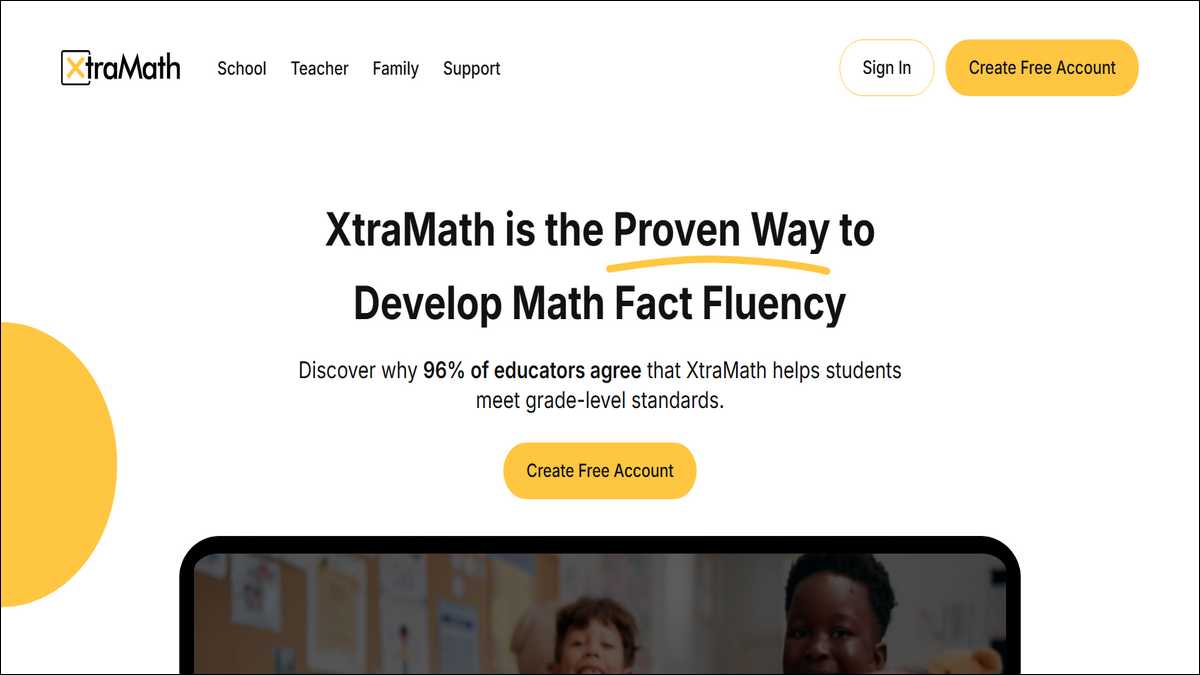
XtraMath is a free drill program for math facts. It covers addition, subtraction, multiplication, and division.
Most parents leave for one reason: their kids dread it. The timed pressure tends to create stress instead of fluency, at least for a lot of children.
Sessions are short. Each one lasts about 5 to 10 minutes.
The program runs on a 3-second rule. Kids answer fast, or the fact resets and tries again.
How XtraMath Actually Works
Students see one math fact at a time. They type the answer quickly, and the clock keeps ticking.
The system tracks progress and adjusts difficulty. Teachers and parents get email updates along the way.
A character named Mr. C guides each session. He’s a real National Board Certified teacher from Seattle, which surprises some parents.
Accuracy comes first, then speed. The goal is instant recall, so kids stop counting on their fingers.
What XtraMath Gets Right
Let’s be fair: XtraMath is genuinely free on the web, and the paid app costs only about $5.
It’s clean and distraction-free. Kids focus on the facts, not on flashy graphics.
It’s also state-recognised as Texas lists XtraMath on its certification resource list, according to Modulo.app research from March 2026.
New Jersey includes it on a math support page, too. That kind of institutional trust isn’t nothing.
Why Families Switch Away
So why do so many families leave? The 3-second timer causes real anxiety, and that’s the heart of it.
Common Sense Media reports that kids call it “excessively stressful and frustrating.” There’s no fun built in, no rewards, no games, no colour.
It also covers only four operations. Fractions, geometry, and word problems aren’t part of the deal.
In our research, we’ve found that XtraMath’s biggest flaw is hidden. It doesn’t teach strategies, and it quietly lets kids keep finger-counting, which experts say blocks deeper fluency down the road.
You can read our full review on XtraMaths here.
How We Evaluated These Alternatives
We judged each tool on five things: learning approach, engagement, grade range, pricing, and evidence.
- Free tools had to deliver real value. Paid tools had to earn their price tag, plain and simple.
- We gave research-backed programs the edge. Tools with state approval or study data ranked higher than the rest.
- We also matched each tool to a user. After all, parents, teachers, and homeschoolers don’t need the same things.
After comparing most lists, one gap stood out clearly. Almost none of them split picks by user role, so we built that in from the start.
Khan Academy
Best overall free tool. Full math, PreK to high school.
99math
Best for classrooms. Live multiplayer, no student accounts.
MathFactLab
Best strategy-based tool. Teaches understanding, not just speed.
Multiplication by Heart
Best for times tables. Automatic spaced repetition with visuals.
Math Playground
Best for casual practice. Logic games and word problems.
Comparison of five free XtraMath alternatives: Khan Academy, 99math, MathFactLab, Multiplication by Heart, and Math Playground.
Best Free XtraMath Alternatives
The best free alternative overall is Khan Academy. It’s research-backed, comprehensive, and trusted by millions.
Does free mean weaker here? Not at all. Several free tools beat XtraMath on engagement and strategy.
Khan Academy reached over 180 million registered users in 2025, according to its own Annual Report. That scale reflects deep, earned trust.
These five free tools cover most situations. Pick based on your child’s age and how they like to learn.
1. Khan Academy, Best Overall Free Tool
Khan Academy teaches full math, not just facts. It spans PreK through high school and beyond.
The research backs it up. Students using it 30 or more minutes weekly beat pre-pandemic growth by 32%, per Khan Academy efficacy data.
It’s available in 190 countries. It even offers SAT and ACT prep once kids get older.
Who’s it best for? Families who want one free tool that lasts. It grows with your child for years.
2. 99math, Best Free Classroom Engagement
99math turns drills into live multiplayer games. Kids compete in real time on a class leaderboard, and the energy in the room shifts fast.
Teachers love the setup. Students never need accounts, which kills the usual login and privacy headaches.
It’s built for K through 6 classrooms. It also works well for homework and learning centres.
Here’s something worth noting: 99math directly fixes XtraMath’s biggest weakness, which is zero classroom motivation.
Read our full 99math review here.
3. MathFactLab, Best Free Strategy-Based Tool
MathFactLab teaches strategies, not rote speed. It uses dice, number lines, and visual models to make facts click.
The results are striking. One suburban Pennsylvania school ran a 2024 to 2025 study with 93 fourth graders.
Average scores climbed from 40.4 to 90.5 after just three quarters of use, according to MathFactLab’s published data. That’s a big jump for one school year.
Best for kids who need understanding first. It builds number sense right alongside fluency.
4. Multiplication by Heart, Best Free Spaced Repetition
Multiplication by Heart handles spaced repetition automatically. It shows facts right before kids tend to forget them.
It uses visual models too. Students see multiplication happen, instead of just memorising it cold.
This tool focuses on times tables alone. That narrow focus is exactly why it works so well.
Best for parents tackling multiplication. The free online version needs no setup at all.
5. Math Playground, Best Free Casual Practice
Math Playground blends logic games and puzzles. It feels like play, not like a drill.
It covers word problems and number puzzles. Kids build reasoning skills, not just quick recall.
One stat stands out: it’s XtraMath’s top competitor by traffic. Similarweb recorded 3.4 million monthly visits in May 2024.
Best for low-pressure daily practice. No accounts and no downloads required.
Best Paid XtraMath Alternatives Worth the Cost
The strongest paid pick is Reflex Math. It’s the most research-backed fluency tool you can buy.
Why pay at all? Paid tools add engagement, adaptivity, and detailed tracking that free ones sometimes lack.
Reflex costs $35 to $65 per student each year, per ExploreLearning and Modulo.app. Schools often pick up the tab.
These four tools justify the spend. Each one fixes a specific XtraMath weakness.
6. Reflex Math, Most Research-Backed Paid Option
Reflex builds fluency through adaptive games. It quietly removes facts kids already know.
It runs on a “green light” system. Kids finish for the day once they’ve solved enough facts.
The tool has won real recognition. It earned multiple “Best K-12” Codie awards from the software industry.
Best for serious fluency gains. The games keep kids playing without the dread XtraMath can trigger.
7. IXL Math, Best for Skill Tracking
IXL offers granular skill targeting. It covers more than 9,000 math skills.
Pricing starts at $9.95 monthly for one subject, according to Tech & Learning’s February 2025 guide. The annual plan runs $79.
Schools trust it widely. IXL is used in 95 of the top 100 US districts.
One caveat, though. Its SmartScore system can spark anxiety from big point drops, per Cuemath reviews, so watch for that with sensitive kids.
8. SplashLearn, Best for Young Learners
SplashLearn targets PreK through Grade 5. It blends games with adaptive practice nicely.
The library is huge. It holds over 4,000 games and 10,000 worksheets.
Pricing runs $7.99 to $11.99 monthly, and schools get it free, per the Educational App Store. That’s a fair deal for the content.
Best for early elementary kids. The colourful games suit short attention spans well.
9. Prodigy Math, Best for Engagement
Prodigy wraps math inside a fantasy RPG. Kids solve problems to battle, explore, and level up.
It covers 1,500-plus skills for grades 1 through 8. The base game is free.
Premium starts around $4.91 monthly. It adds cosmetic items, not more math, according to Cuemath’s 2026 review.
Best for reluctant learners. The game format slowly builds positive feelings about math.
Most research-backed adaptive fluency games.
$35-$65 / student / year
9,000+ skills with detailed progress tracking.
$9.95-$19.95 / month
4,000+ gamified activities for PreK to Grade 5.
$7.99-$11.99 / month
Fantasy RPG that builds positive math feelings.
Free / $4.91+ / month
Four paid XtraMath alternatives compared: Reflex Math, IXL, SplashLearn, and Prodigy Math.
Prodigy trades efficiency for enjoyment, and reviewers note that kids spend plenty of time on gameplay. But here’s the thing: that “wasted” time is the whole point if your child fears math.
Best Alternatives by Learning Goal
Different goals call for different tools. So match the program to what your child needs most.
- Want conceptual depth? Choose Zearn or MathFactLab.
- Want pure fun? Choose Prodigy or Monster Math.
Zearn stands out in evidence. It earned an ESSA Tier 1 rating, the highest independent designation, according to Evidence for ESSA.
This section sorts tools by intent. Use it to shrink your shortlist quickly.
For Building Real Understanding
Pick Zearn, DreamBox, or MathFactLab. These teach concepts, not just speed.
- Zearn has deep state backing. Louisiana, Ohio, Virginia, and Colorado fund or use it, per Modulo.app.
- DreamBox leans on AI scaffolding. It adjusts visuals and difficulty to each child as they go.
- MathFactLab builds number sense. Its strategy models help break the finger-counting habit.
For Maximum Engagement
Pick Prodigy, Monster Math, 99math, or SplashLearn. These make practice feel like play.
Each one uses a different hook: RPG quests, visual stories, live competition, or colourful games.
Engagement isn’t fluff, and we’ve found this again and again. A child who plays daily will beat a child who quits a “better” tool after a week.
For Evidence-Rated Tools
Pick Zearn or Khan Academy. Both carry independent research support.
Zearn’s Tier 1 rating came from a large randomised controlled trial. Khan Academy, for its part, has over 50 supporting studies.
These suit cautious parents and schools. Solid evidence takes a lot of the guesswork out.
Best XtraMath Alternatives for ADHD and Learning Differences
For ADHD learners, skip the timed drills. Choose tools that lower pressure and add structure instead.
What’s the core issue? XtraMath’s 3-second timer punishes the processing delays that ADHD kids often have.
Monster Math is a strong fit here. It teaches visual strategies without harsh time limits, according to its own developer, in comparison with XtraMath.
These three tools fit different needs. Each one lowers stress while still building real skills.
Why Timed Drills Backfire for ADHD Learners
The 3-second clock starts a loop that lowers recall instead of building it.
STEP 1 · THE TRIGGER
Timer starts
A 3-second limit pressures kids who need extra processing time.
STEP 2 · THE STRESS RESPONSE
Anxiety rises
The pressure overloads working memory and the child starts to panic.
STEP 3 · THE BLOCK
Recall drops
The child knows the fact but freezes, so the answer won’t come out.
STEP 4 · THE LOOP
Math becomes dread
Repeated misses build a negative loop, so each session feels worse than the last.
✓ HOW TO BREAK IT
Strategy-based, untimed tools like MathFactLab and Monster Math reward understanding instead of speed, so confidence grows and recall follows.
How timed math drills increase anxiety and reduce recall in children with ADHD.
Why Timed Drills Hurt ADHD Learners
Timed drills overload working memory. Kids panic, and then they perform worse than they actually can.
Anxiety blocks recall. The child knows the fact, but freezes the moment the clock starts.
This builds a nasty loop. Over time, math turns into a source of dread instead of growth.
Monster Math, Visual and Low-Pressure
Monster Math uses stories and visuals. Kids see the math operations, not just rows of digits.
It teaches strategies right out in the open. That helps kids simplify the harder problems.
It runs on iOS and Android. Worth noting: it’s mobile-first, and desktop support is still expanding.
Prodigy, Immersive and Forgiving
Prodigy’s RPG world keeps stress low. Math just feels like part of the quest.
There’s no harsh timer ticking away. Kids move at their own pace, which matters a lot here.
The narrative holds attention. That’s a real help for kids who struggle to stay focused.
MathFactLab, Strategy Over Speed
MathFactLab never relies on speed pressure. It rewards strategy and understanding instead.
Kids choose visual models. Dice or number lines make abstract facts feel concrete.
Confidence grows from there. Mastery comes through comprehension, not through panic.
Full Head-to-Head Comparison of These XtraMath Alternatives
Here’s every tool, compared side by side. Use it to make a quick, confident call.
The table covers pricing, grade range, and learning type. It also flags anxiety risk and offline options.
| Tool | Pricing | Grade Range | Learning Type | Anxiety Risk | Offline Option |
|---|---|---|---|---|---|
| Khan Academy | Free | PreK to 12+ | Video + mastery | Low | No |
| 99math | Free | Gr 1 to 8 | Live multiplayer | Low to Medium | No |
| MathFactLab | Free | Gr 1 to 5 | Strategy + visuals | Low | No |
| Multiplication by Heart | Free | Gr 3 to 5 | Spaced repetition | Low | Flashcards |
| Math Playground | Free | Gr 1 to 6 | Logic games | Low | No |
| Zearn | Free (families) | K to 8 | Video lessons | Low | No |
| Reflex Math | $35 to $65/yr | Gr 2 to 8 | Adaptive games | Medium | No |
| IXL Math | $9.95 to $19.95/mo | PreK to 12 | Adaptive drill | Medium to High | No |
| SplashLearn | $7.99 to $11.99/mo | PreK to Gr 5 | Gamified | Low | No |
| Prodigy Math | Free / $4.91+/mo | Gr 1 to 8 | RPG game | Low | No |
| DreamBox | School pricing | K to 8 | AI adaptive | Low | No |
| Monster Math | Free / trial | Gr 1 to 5 | Visual game | Low | No |
| Coolmath Games | Free | Gr 3 to 8 | Logic games | Low | No |
| Time4Learning | $29.95/mo | PreK to 12 | Full curriculum | Low | No |
| Kuta / Math-Drills | Free | Gr 6 to 12 | Worksheets | Low | Yes |
Quick-Pick Guide by User Type
A parent at home? Start with Khan Academy. It’s free and covers nearly everything.
A classroom teacher? Try 99math or Zearn. Both engage groups and need little setup.
A homeschooler? Pick SplashLearn or Khan Academy. They bring structure across every grade.
How to Switch from XtraMath to a New Tool
Switching takes three simple steps: save progress, assess level, then set up the new tool.
Should you quit XtraMath cold turkey? No. A short transition keeps your child’s momentum alive.
It’s interesting to know that we’ve found the smoothest switches always start with an honest fluency check. Skip that step, and kids land in practice that’s either too easy or way too hard.
This process works for any tool on this list. It takes under an hour, start to finish.
Step 1, Save Your Child’s Progress
Open your XtraMath reports first. Note which operations your child has already mastered.
Screenshot the fluency grid. You’ll use it to set the new tool’s starting point.
Why bother? Because this data stops you from re-drilling facts your child already owns.
Step 2, Assess Current Fluency Level
Run a quick check before you start. Many tools include a built-in assessment for exactly this.
Reflex tests typing speed and facts first. Zearn opens with fluency activities, according to its Texas program details.
Use that result to place your child. Start them where they actually are, not where you hope they are.
Step 3, Set Up Your Chosen Tool
For Khan Academy, create a free parent account, then add your child and pick their grade.
For Reflex, set one class login. Students then choose their own name from the roster.
For 99math, sign up as a teacher. Students join with a code, and no accounts are needed.
Here’s a three-step diagram showing how to switch from XtraMath: save progress, assess level, set up new tool:
How to Switch from XtraMath in 3 Steps
Save your child’s progress
Open your XtraMath reports and note which operations are mastered. Screenshot the fluency grid for reference.
Assess current fluency level
Run a quick check before starting. Many tools include a built-in assessment, so you place your child where they actually are.
Set up your new tool
Create your account and use the saved data to pick a starting point. The whole switch takes under an hour.
Three steps to switch from XtraMath: save progress, assess level, then set up your new tool.
Offline and No-Screen XtraMath Alternatives
Can you replace XtraMath without screens? Absolutely. Worksheets and flashcards still build strong fluency.
Some families simply want less screen time. These options put the practice back on paper.
No competing article we reviewed addresses screen-free alternatives. Yet plenty of parents leave XtraMath for that exact reason.
These three options cost little or nothing. They work at any grade level.
Kuta Software and Math-Drills
Math-Drills offers free printable worksheets. You generate practice pages whenever you need them.
Kuta Software aims at older grades. It builds custom worksheets for grades 6 through 12.
Both work fully offline. Print, practice, and check the answers by hand.
Multiplication by Heart Flashcards
The physical flashcards use spaced repetition. They mirror the online version’s method closely.
Parents report strong results. One teacher noted a parent even donated physical sets, per a teacher forum discussion.
Best for tactile learners. Cards just feel different from a screen, and some kids respond to that.
Rod and Staff Drill Books
These drill books suit homeschoolers well. They offer daily practice sorted by grade.
Families call them simple and effective. The format stays structured and consistent throughout.
Best for routine builders. One daily sheet quietly creates a steady habit.
Frequently Asked Questions About XtraMath Alternatives
These answers cover the most common parent questions. Each one is short and to the point:
Yes, several exist. Khan Academy, 99math, MathFactLab, Zearn, and Math Playground are all free. Khan Academy is the strongest of them. It’s research-backed and covers every grade.
SplashLearn and Khan Academy fit homeschoolers best. Both bring grade-spanning structure. SplashLearn suits younger kids. Khan Academy grows right into high school.
Teachers often praise 99math and Zearn. Both engage a whole class with ease. Zearn carries the strongest evidence here. It holds an ESSA Tier 1 rating.
For some kids, yes. XtraMath stays free and effective for calm, focused learners. But anxious kids tend to struggle with it. For them, a gentler tool simply works better.
XtraMath launched Custom Programs in September 2025. They add an Assessment-Only mode and three problem-set levels. These features sharpen personalisation. They target each student’s exact fluency gaps.
Final Verdict: Which XtraMath Alternative Should You Choose?
Want one free tool? Choose Khan Academy. It’s the safest all-around pick by a wide margin.
Able to pay? Choose Reflex Math. It’s the most research-backed fluency program out there.
Of course, your best choice depends on your child. Match the tool to their age, goals, and stress level.
Here’s the simple breakdown. Find the line that fits your situation and start there.
- Best overall free: Khan Academy. Comprehensive, proven, and it grows with your child.
- Best overall paid: Reflex Math. Adaptive games drive real, lasting fluency gains.
- Best for classroom teachers: 99math or Zearn. Strong engagement, minimal setup.
- Best for math-anxious or ADHD kids: MathFactLab or Monster Math. Strategy over speed, no harsh timers.
- Best for homeschool families: SplashLearn or Khan Academy. Structured practice across every grade.
The “best” tool isn’t the fanciest one. It’s the one your child opens tomorrow morning willingly. In our experience, engagement beats features every single time.