Top 21 HR Software Platforms In 2026: Ranked and Compliance-Tested
I have evaluated more than twenty software platforms to simplify your team operations. Choosing the right system can help you avoid major payroll processing delays.
I tested these platforms based on security, speed, and overall usability. You can select an option based on your scaling operational model.
We found that core database tools differ from global hiring services. This guide provides verified compliance testing to shield your business operations.
We recommend focusing on tools that prioritize actual capability verification features. You may also require automated payroll checks to avoid tax errors.
Our team gathered current industry benchmarks from several primary legal authorities. We designed this guide to protect your business from compliance risks.
Here’s a bar chart showing the HR software market growing to 78.44 billion by 2030:
Global HR Software Market Size Expansion
Projected market valuation in USD Billions (Verified by Research and Markets)
Key Findings: Automated Tech Drives Workforce Expansion and Core Compliance Efforts
The human resource management sector grew significantly in the past year. Official data shows the global market reached 58.93 billion in 2026.
Gartner reports indicate that core system software is growing rapidly. Our research shows that general software budgets are consolidating in 2026.
The Sapient Insights 2026 Survey highlights tighter tech budgets. Only 30 percent of organizations plan to increase general software investments.
However, spending on advanced automation systems increased by 50 percent. Organizations now maintain dedicated budgets to address automated verification demands.
The shift toward automation helps companies expand headcount rather than cut jobs. The ADP Spark 2026 Guidebook shows rapid adoption of automated systems.
Nearly 48 percent of large enterprises currently employ automated screening tools. Managers expect system adoption to grow by 327 percent by 2027.
Verified HR Technology Projections In 2026
| 2026 HR Tech Metric | Value & Verified Source Reference |
|---|---|
| Global Market Size | $58.93 Billion (Research and Markets 2026) |
| Core HR Segment | $13.91 Billion (Research and Markets 2026) |
| AI Spending Increase | 50% YoY increase (Sapient Insights 2026 Survey) |
| AI Budget Penetration | 31% of firms have standalone budgets (Sapient 2026) |
| AI Agent Growth Goal | 327% growth projected by 2027 (ADP Spark 2026) |
Core Tech Definitions: Select Platforms for Your Scale and Compliance Model
Choosing between Core HRIS, EOR, and PEO models is your first critical step. You can select the right structure based on your active legal entities easily.
We analyzed the distinct traits of each architecture for your reference. A Core HRIS database serves as your single source of record.
You can use this software model to track employee profiles and time. It is ideal for companies that own their local legal entities.
A Global Employer of Record pays workers in foreign countries. The platform legal team manages international payroll taxes and benefit setups.
You can use this model to hire internationally without forming subsidiaries. A Professional Employer Organization operates under a co-employment model.
You have the option to pool staff to secure bulk insurance. It helps small businesses offer premium benefits at much lower rates.
Top 21 HR Platforms of 2026: Detailed Reviews and Core Capabilities
We compiled the top twenty plus platforms to help you choose the right partner. Our evaluation shows that Rippling and Deel lead the global payroll sectors.
You can compare starting costs and core compliance features across each platform profile. We suggest short-listing tools that match your specific regional requirements.
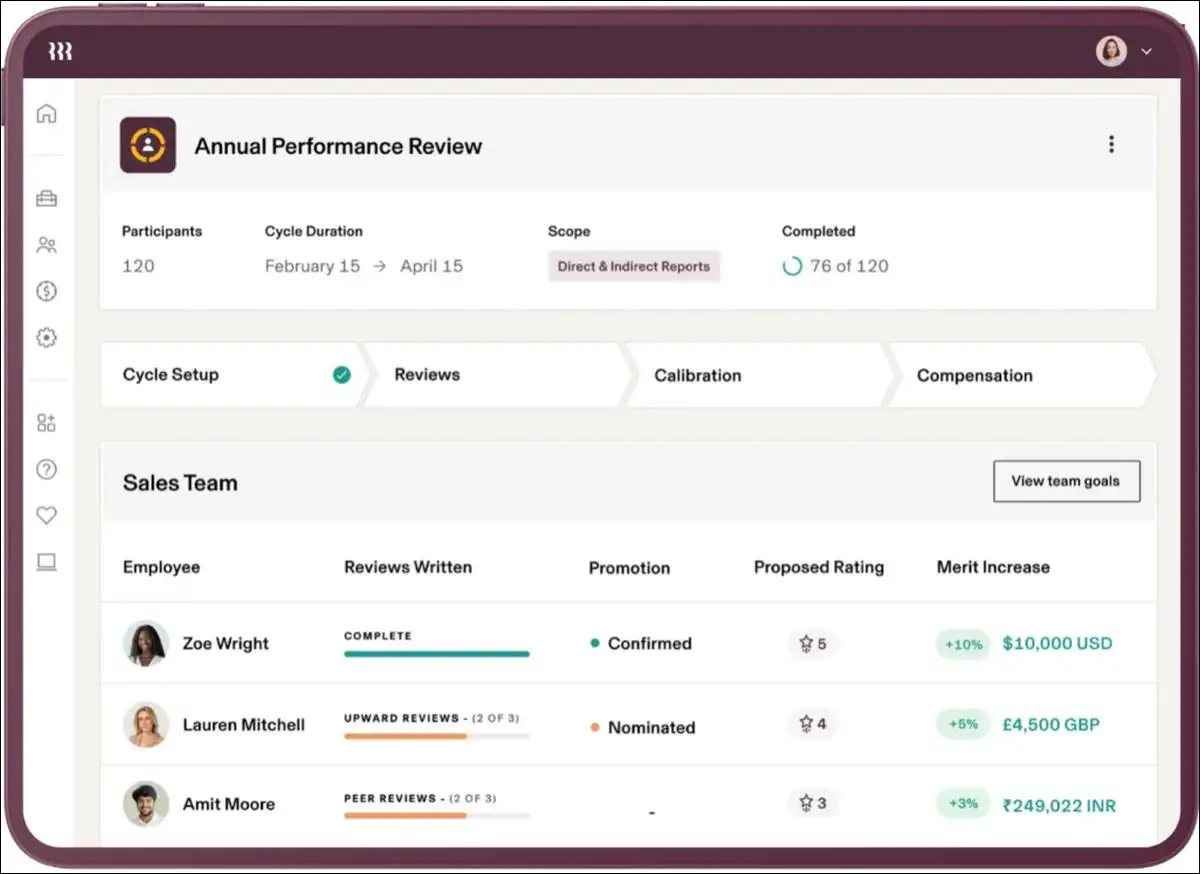
1. Rippling: Best for Unifying Payroll and Remote Hardware IT Provisioning
Rippling is an effective solution for combining workforce payroll and hardware. You can manage your employee database and equipment inside one unified screen.
Managers have the option to provision physical laptops on day one. You may also automate software licenses for newly hired team members.
We appreciate the unified physical device and database management tools. However, you can expect complex implementation steps and high module costs.
The system uses automated checks to trigger equipment delivery upon onboarding. Verdict: We recommend this tool if you need unified IT and payroll.
- Starting Price: Starts at $8 per employee every month.
- Pros:
- You can manage database records and physical hardware together.
- The unified systems automate app provisioning for newly hired workers.
- Cons:
- You can expect highly complex initial configuration steps.
- The cumulative module subscription fees increase the cost quickly.
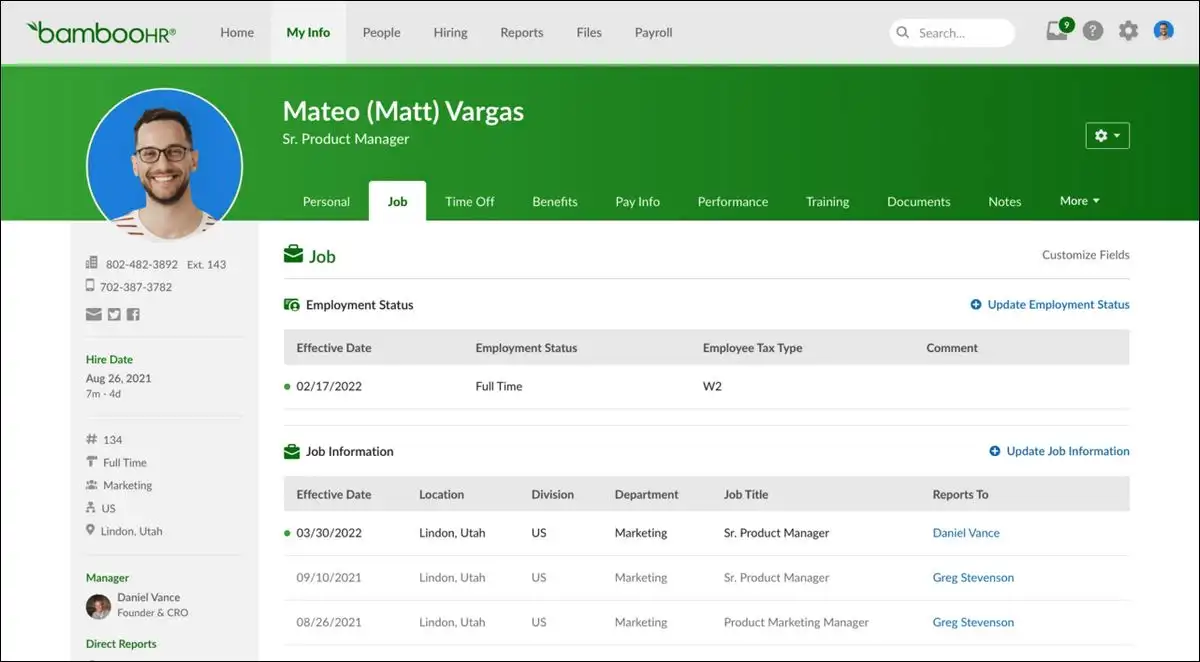
2. BambooHR: Best for US-Based Small Businesses Prioritizing Onboarding Ease
BambooHR serves small businesses that prioritize simple employee records management. We found that the interface is highly intuitive for administrative staff.
You have the option to organize performance reviews and track vacation. Employees may request time off directly through the mobile application easily.
We like the highly intuitive dashboard and simple employee self-service. However, you may struggle to process complex payrolls outside the US.
The software uses automation to synthesize performance evaluations into structured summaries. Verdict: You should choose this software for simple US-based team administration.
- Starting Price: Starts at $10 per employee every month.
- Pros:
- We found that the interface is highly intuitive for teams.
- Employees can request vacation easily through the mobile application.
- Cons:
- You may struggle to process complex international payrolls natively.
- The platform lacks advanced custom data reporting capabilities.
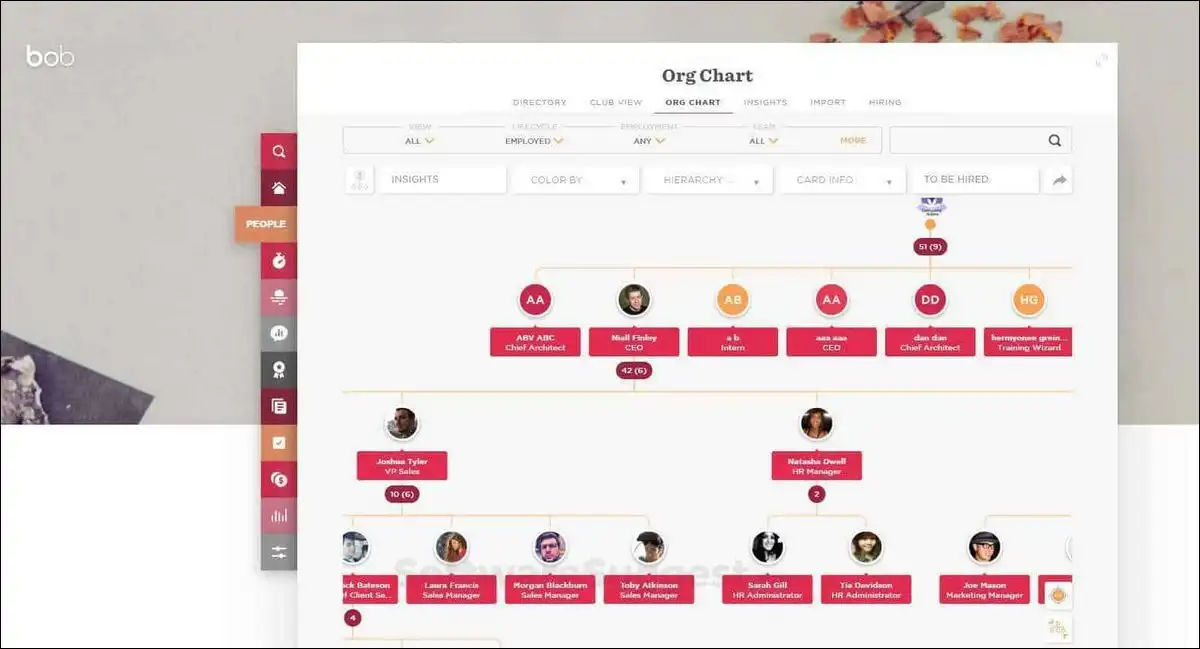
3. HiBob: Best for Global Teams Focusing on Culture and Engagement
HiBob is a strong choice for mid-market global workforce engagement. We observed that the interactive interface boosts overall employee survey participation.
You can schedule performance cycles and organize international compensation plans natively. Managers have the option to track multi-currency employee packages easily.
We like the modern social-media interface and the localized holiday calendars. However, the premium pricing model is less viable for small startups.
The platform uses autonomous assistants to resolve routine employee ticketing queries. Verdict: This tool is excellent for scaling global company culture.
- Starting Price: Custom quotes based on your specific team size.
- Pros:
- The beautiful visual interface boosts overall employee engagement levels.
- You can manage global holiday policies across multiple currencies natively.
- Cons:
- The pricing structure is too expensive for small startups.
- You must rely on external partners for localized payroll processing.
4. Gusto: Best for Small US Teams Requiring Automated Payroll Tax Filing
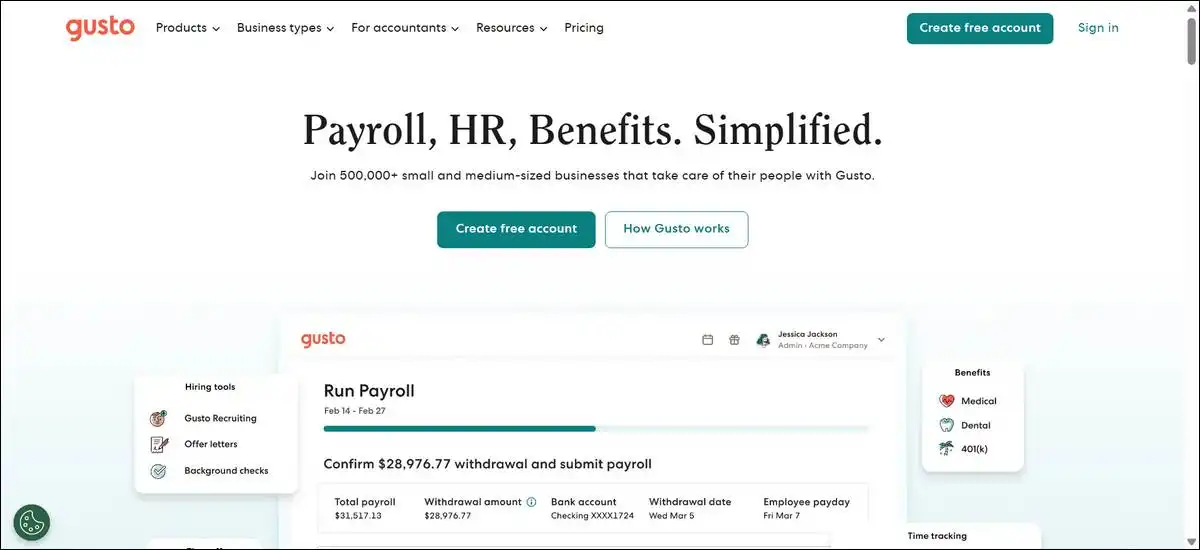
Gusto is a reliable platform for processing automated US employee payroll. We found that the tax calculations are highly accurate and simple.
You can configure health insurance packages and manage remote contractor payments. You have the option to synchronize payroll tracking with accounting systems.
We love the transparent pricing structure and automated tax registration tools. However, you may need a separate tool to manage complex compliance.
The software features anomaly detection that flags payroll errors before execution. Verdict: We highly recommend Gusto for US-based small business payroll.
- Starting Price: Simple plan starts at $49 base and $6 per employee.
- Pros:
- The system automates local state tax registrations and filings accurately.
- You have the option to pay remote contractors and employees easily.
- Cons:
- The platform focuses almost entirely on US-based business compliance.
- You may find the core HR tools are too basic.
5. Deel: Best for Global Teams Hiring Contractors Under Direct Compliance
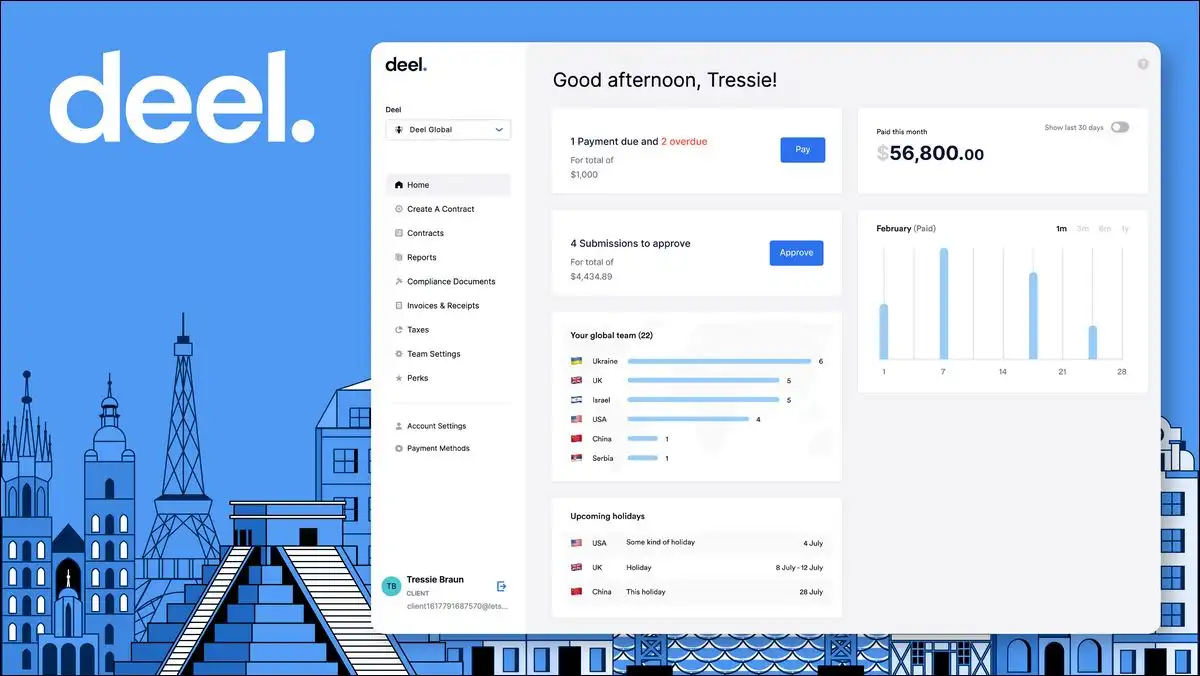
Deel is a complete system for managing international workers and contractors. We found that the global legal infrastructure is highly robust.
You can draft compliant contracts in over one hundred countries natively. You have the option to sync global employee payroll with Workday.
We like the massive network of owned legal entities and systems. However, the Employer of Record pricing remains expensive for large teams.
The system uses automated compliance checkers to scan regional labor guidelines. Verdict: This is the definitive platform for hiring remote global contractors.
- Starting Price: Contractor plans start at $49 every month.
- Pros:
- You can legally hire workers in over one hundred countries.
- The platform manages international benefits and direct local compliance easily.
- Cons:
- Employer of Record services remain highly expensive for large teams.
- You may experience slow customer support response times occasionally.
6. Workday HCM: Best for Large Enterprises Needing Deep Talent Analytics
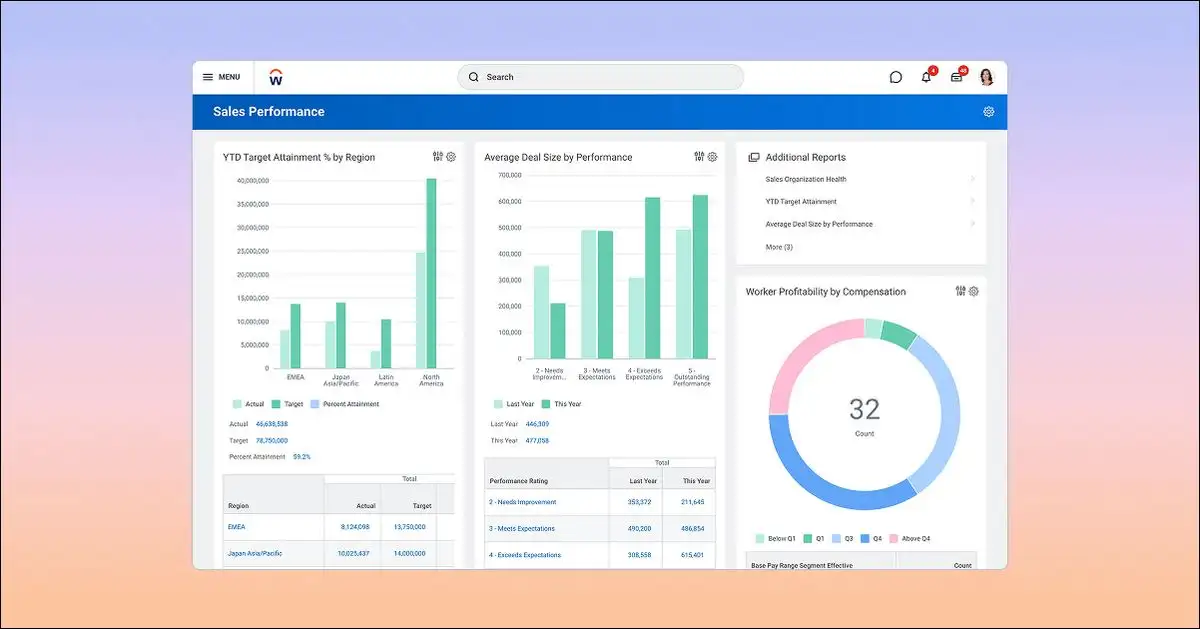
Workday HCM is an enterprise-grade system for large global organizations. We found that the analytical database provides unmatched workforce planning resources.
You have the option to design custom career paths for staff. Managers can analyze payroll costs alongside corporate financial projections in real time.
We appreciate the massive scalability and the deep talent development insights. However, you can expect a long, costly implementation process.
The platform uses talent tracking algorithms to identify internal skill shortages. Verdict: We recommend this system for large conglomerates with dedicated administrators.
- Starting Price: Custom enterprise quotes with multi-year contract commitments.
- Pros:
- The analytical database provides unmatched global workforce planning features.
- You can coordinate complex company training and financial budgets easily.
- Cons:
- You must prepare for a long and expensive implementation process.
- The user interface feels slightly clinical and complex for employees.
Also read: Cloud Storage Alternatives for your Business
7. UKG Pro: Best for Shift-Based Workforces Needing Complex Schedule Compliance
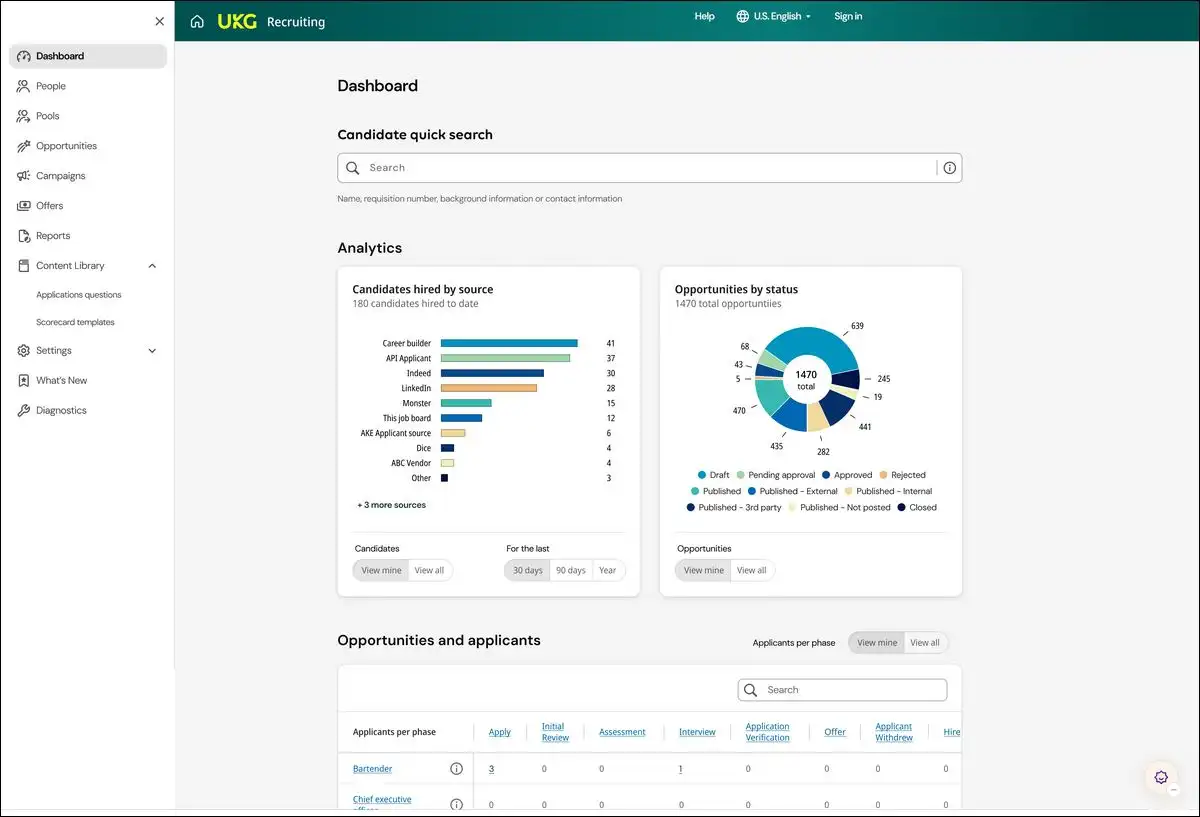
UKG Pro excels at scheduling complex shift-based and hourly teams. We found that the scheduling engine handles complex labor rules effectively.
You can schedule multi-site shifts and track attendance records on-site. You have the option to audit hours against union agreements automatically.
We like the robust compliance tracking and precise time clock options. However, you may find the user interface slightly clunky and dated.
The system uses smart automation to draft shift schedules based on history. Verdict: This software is ideal for managing large retail and healthcare workforces.
- Starting Price: Custom quotes depending on selected workforce management modules.
- Pros:
- The system schedules multi-site shift workers and monitors resting laws.
- You can audit actual hours worked against strict union guidelines.
- Cons:
- The system setup requires extensive specialist consultant training.
- You may find the mobile interface slightly clunky to use.
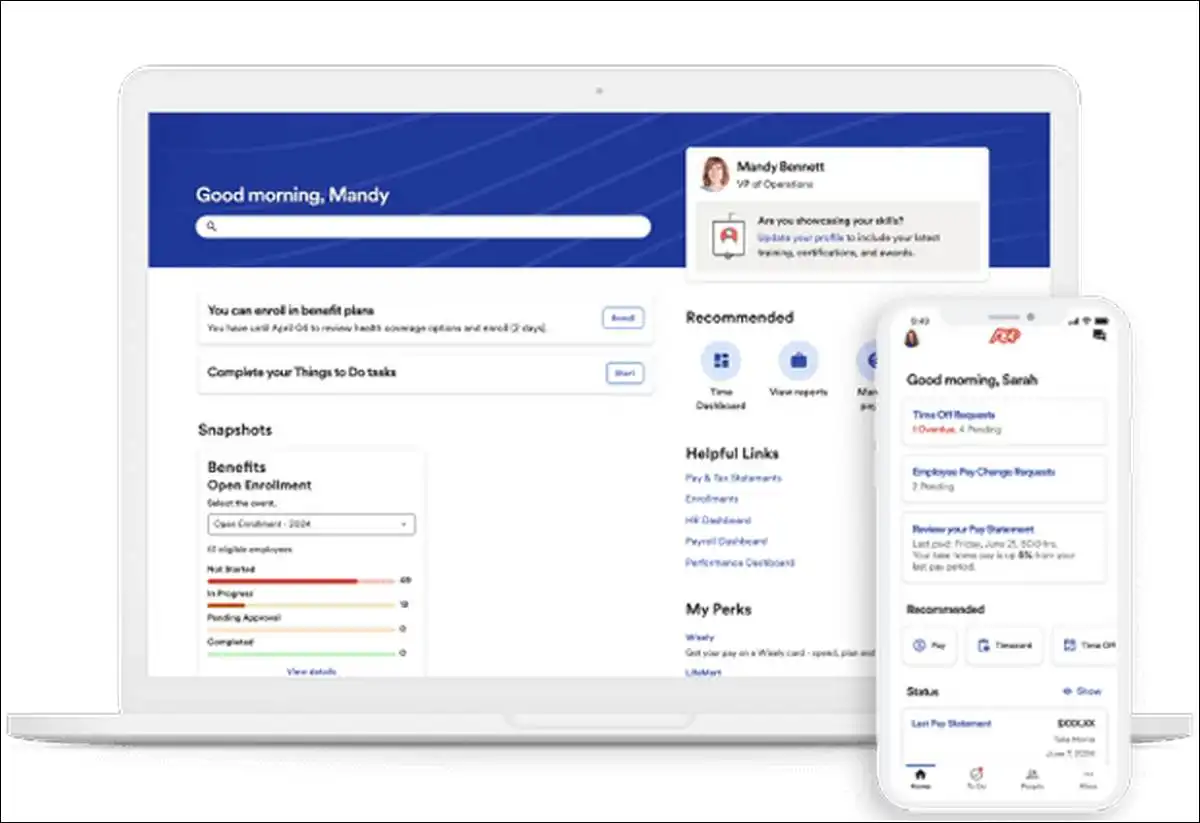
8. ADP Workforce Now: Best for Midmarket Teams Seeking Reliable Tax Compliance
ADP Workforce Now is a highly secure platform for midmarket payroll. We found that the tax processing is exceptionally reliable and accurate.
You have the option to configure health insurance and retirement plans. Managers can generate custom workforce reports to analyze operational payroll costs.
We appreciate the outstanding tax compliance record and large marketplace integrations. However, you may experience slow customer support response times.
The database uses conversational query tools to generate instant payroll analysis. Verdict: You should select ADP if compliance safety is your priority.
- Starting Price: Custom quotes based on selected enterprise payroll packages.
- Pros:
- The payroll tax processing is exceptionally reliable and safe.
- You can integrate hundreds of popular third-party business systems easily.
- Cons:
- You may face unexpected administrative fees for standard reports.
- The customer support lines can feel highly slow and bureaucratic.
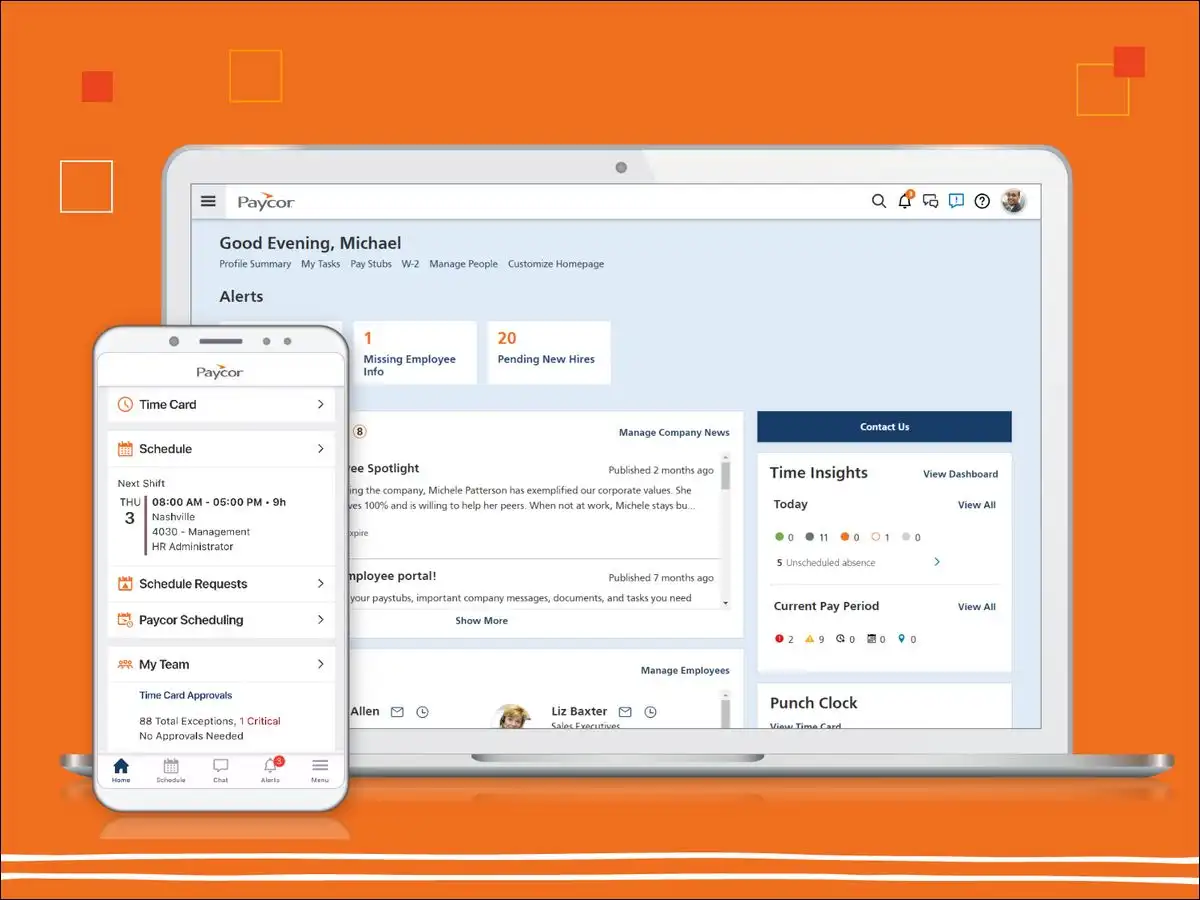
9. Paycor: Best for Midmarket Teams Seeking Predictive Retention Risk Tools
Paycor is a structured platform for midmarket leadership and performance reviews. We found that the system assists managers with career path development.
You can schedule custom performance reviews and track training progress easily. You have the option to design objective salary adjustment plans.
We like the robust learning management system and customized career planning. However, you can expect high base fees for small teams.
The platform uses predictive models to flag employee retention risks early. Verdict: We suggest this platform to focus on mid-market talent development.
- Starting Price: Complete plan starts at $299 base and $16 per employee.
- Pros:
- The platform provides outstanding midmarket employee development systems.
- You can design custom performance appraisal templates with ease.
- Cons:
- The base subscription fees are too high for tiny teams.
- You may need training to navigate the custom report builder.
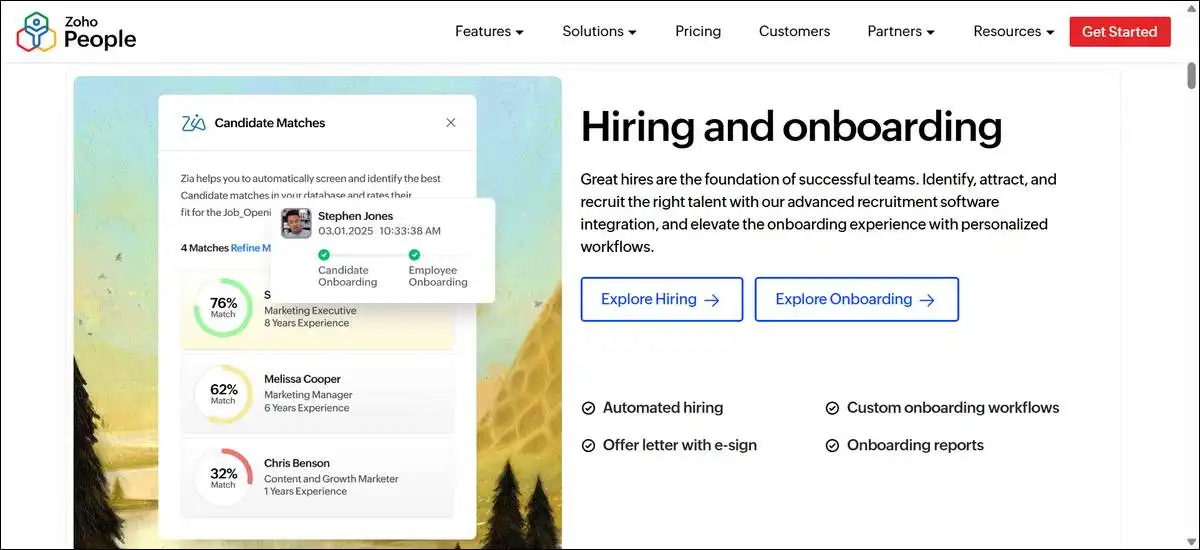
10. Zoho People: Best for Budget-Conscious Teams Needing Modular HR Databases
Zoho People is an affordable solution for tracking basic employee databases. We found that the customizable forms fit growing business requirements well.
You have the option to track attendance and manage customer help tickets. Employees can log daily work hours directly through their phone screens.
We like the outstanding affordability and the flexible Zoho ecosystem integrations. However, you may find the overall interface looks highly utilitarian.
The database features automated conversational assistants to process standard leave approvals. Verdict: This is the best low-cost database for basic administration.
- Starting Price: Paid plans start at $1.25 per employee every month.
- Pros:
- The platform provides extremely affordable employee database tracking options.
- You can customize database forms and timesheets to fit workflows.
- Cons:
- The overall interface looks highly utilitarian and basic for users.
- You must purchase separate Zoho modules to process payroll.
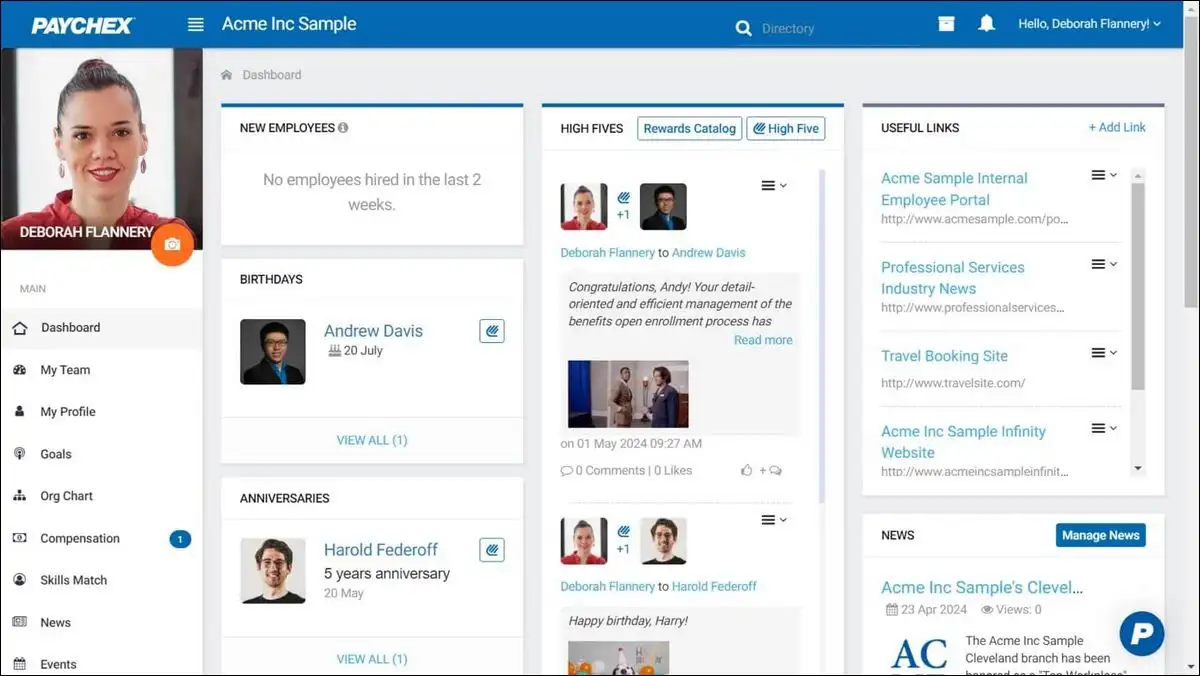
11. Paychex Flex: Best for Small Teams Seeking Human HR Expert Advice
Paychex Flex is a reliable option for small business US payroll. We observed that the human advisory service provides excellent compliance backing.
You can automate payroll tax filings and manage employee retirement contributions. You have the option to consult assigned human HR experts directly.
We appreciate the reliable US compliance support and dedicated account manager options. However, you can expect extra transaction fees for individual services.
The system uses automated alert checkers to highlight state-by-state regulatory updates. Verdict: You should choose Paychex if you require professional advisory backing.
- Starting Price: Core payroll tier starts at $39 and $5 per employee.
- Pros:
- You can consult assigned human compliance experts for immediate guidance.
- The retirement and 401k savings tracking systems are highly robust.
- Cons:
- You must pay extra transaction fees for individual document processing.
- The recruitment and applicant tracking options are very basic.
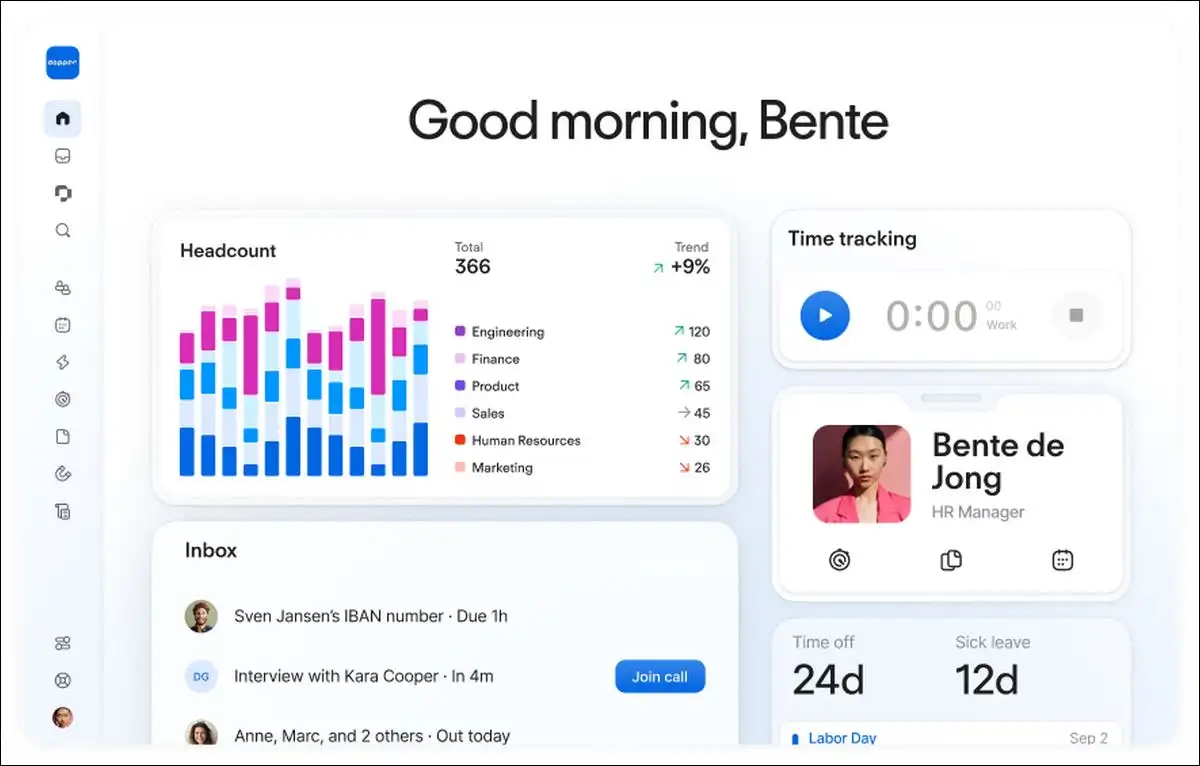
12. Personio: Best for European Small Businesses Navigating Local GDPR Rules
Personio serves European small businesses that require strict data security compliance. We found that the platform meets all local GDPR requirements natively.
You can manage employee records and track local absence requests easily. You have the option to organize recruitment applications across multiple countries.
We like the clean European payroll integration and strict GDPR safety features. However, you may struggle to manage US-based payroll operations.
The software uses compliance tools to audit hours against European work directives. Verdict: We recommend this system for small teams operating inside Europe.
- Starting Price: Custom quotes calculated based on your employee headcount.
- Pros:
- The software ensures absolute GDPR compliance across European business offices.
- You can organize localized European holiday and absence policies natively.
- Cons:
- The tool is not optimized for companies with US operations.
- The direct payroll integrations are limited to European banks.
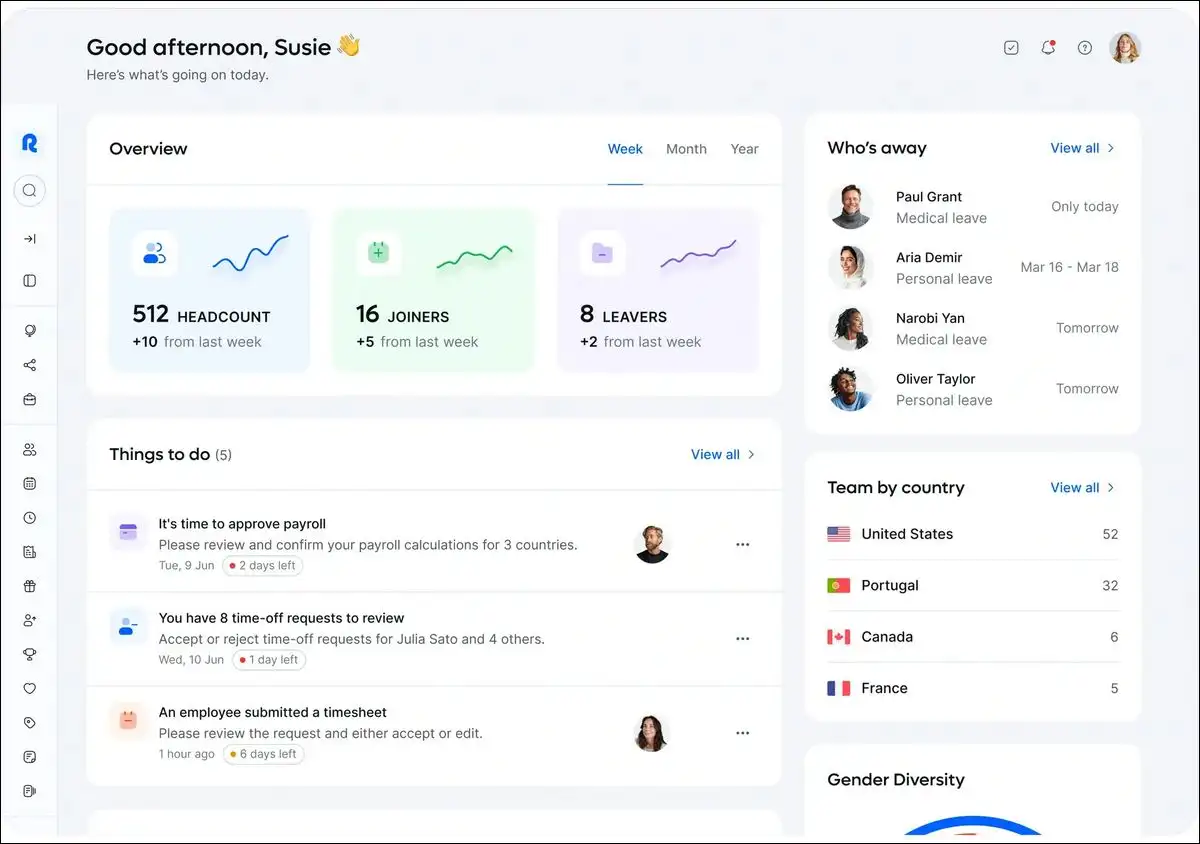
13. Remote.com: Best for Global Teams Seeking Absolute IP Asset Protection
Remote.com provides a secure framework for managing international remote workers. We observed that their owned-entity legal model offers superior compliance safety.
You have the option to manage global employee intellectual property risks. You can process international payroll across multiple currencies using simple dashboards.
We appreciate the zero-deposit policy and the excellent intellectual property guarantees. However, you may find the core database features are basic.
The platform uses automated contract generation tools to match local laws. Verdict: You should use Remote for absolute global asset security.
- Starting Price: Employer of Record services start at $599 every month.
- Pros:
- The company operates 100 percent-owned legal entities globally.
- The Remote IP Guard contract provides outstanding intellectual property safety.
- Cons:
- You may find the core database features are too basic.
- The pricing structure is expensive for large-scale remote workforces.
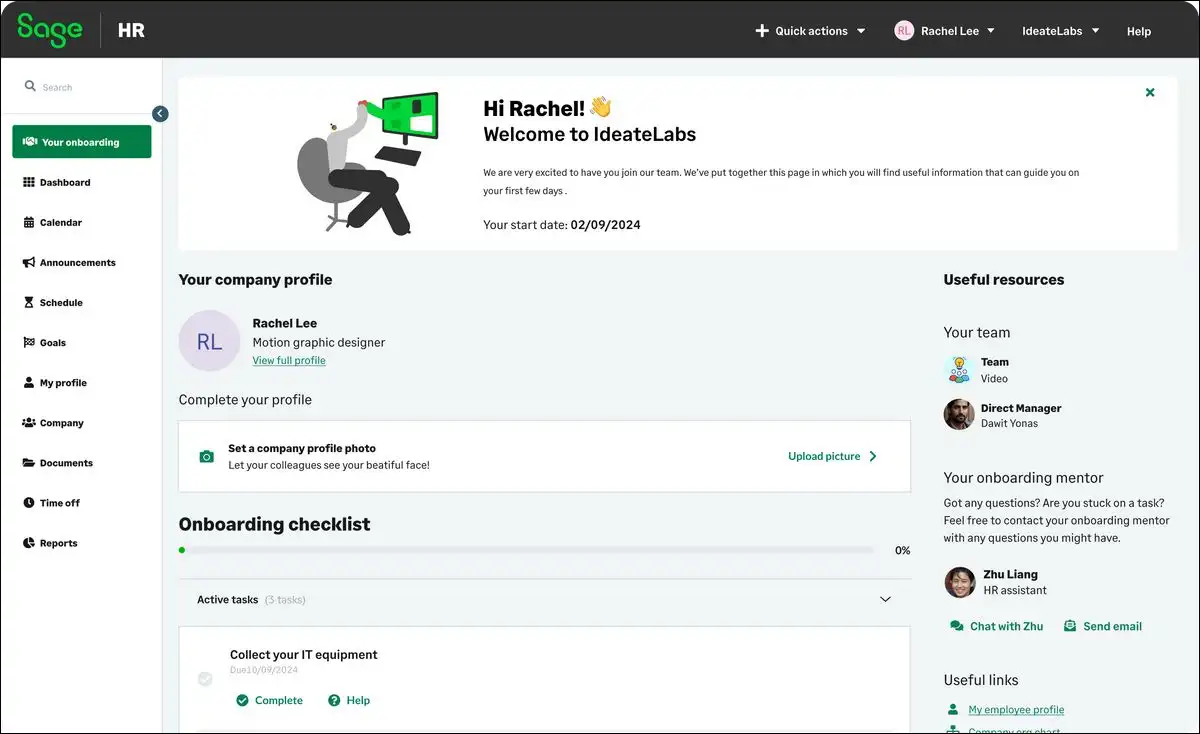
14. Sage HR: Best for Retail Teams Requiring Simplified Shift Management
Sage HR is a simple, modular platform for shift-based businesses. We found that you can customize modules to pay only for required features.
You have the option to schedule weekly shifts and track timesheets. Employees can clock in and out using their mobile phone screens.
We like the highly flexible modular pricing and simple shift schedulers. However, you may find the tool lacks high-level custom reports.
The system utilizes automated forecasting models to draft employee schedules easily. Verdict: This is an excellent, flexible scheduler for small local stores.
- Starting Price: Base modules start at $5.50 per employee every month.
- Pros:
- The flexible modular pricing lets you pay for needed features.
- The shift-scheduling module allows easy mobile phone clock-in options.
- Cons:
- The platform lacks high-level strategic talent planning tools.
- You may find the recruitment and applicant tools are limited.
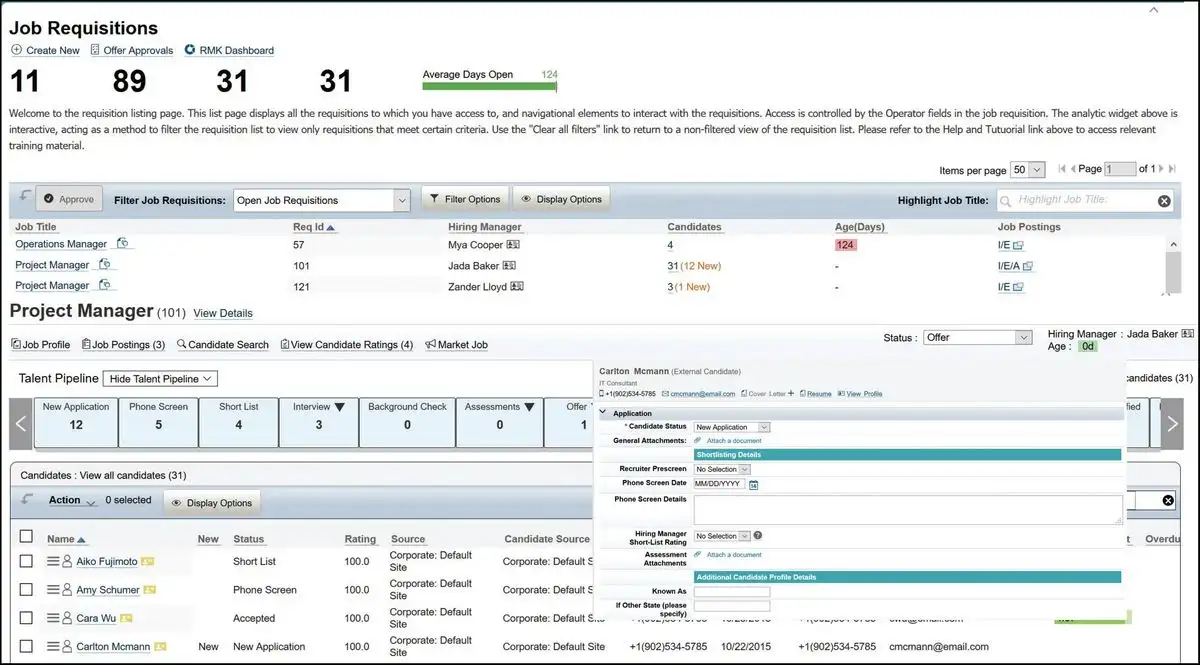
15. SAP SuccessFactors: Best for Large Enterprise Teams Needing Certified Training
SAP SuccessFactors is a powerful talent training engine for global corporations. We found that the enterprise learning systems are highly detailed.
You can establish mandatory certification compliance and manage employee career development. You have the option to track training progress across global teams.
We like the deeply localized compliance matrices and elite learning systems. However, you can expect a long setup time and complex interface.
The application utilizes smart software assistants to suggest personalized employee training. Verdict: This is the premier platform for enterprise training compliance.
- Starting Price: Custom enterprise quotes with specialized integration contract fees.
- Pros:
- The platform provides unmatched enterprise learning management certification tracking.
- You can establish direct, legally localized guidelines in many countries.
- Cons:
- The setup process requires a massive enterprise software implementation team.
- You may find the system has a very steep learning curve.
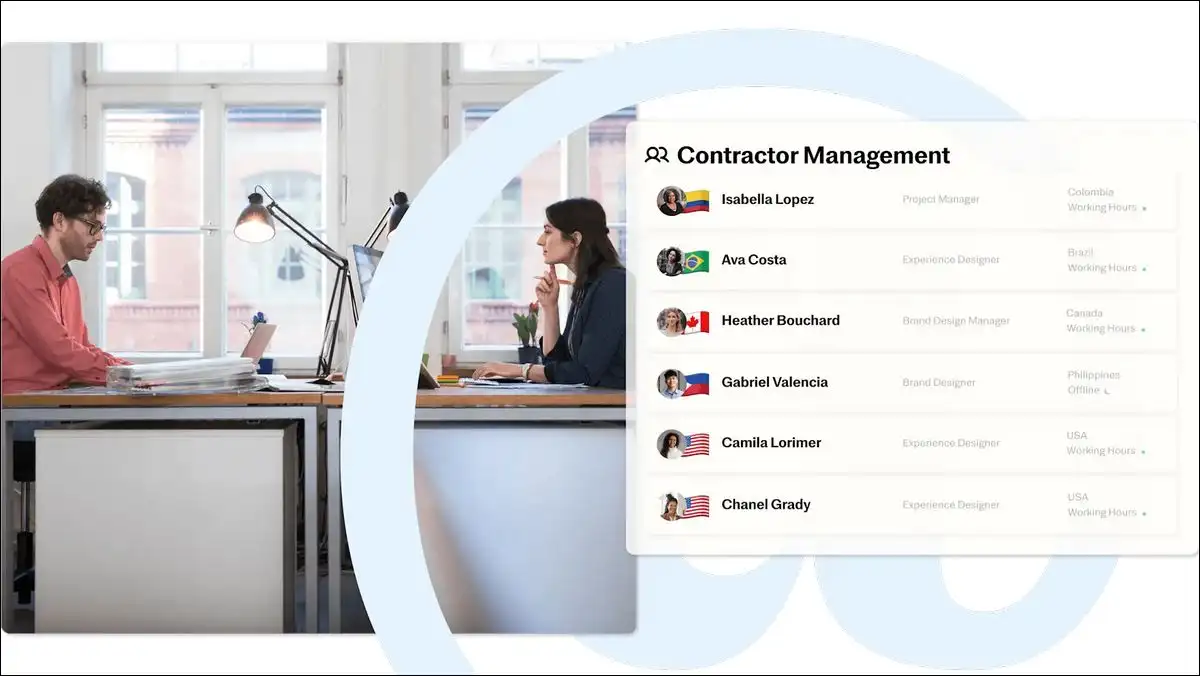
16. Justworks: Best for Small US Teams Requiring Access to Health Insurance
Justworks is a prominent co-employment platform for small US-based companies. We observed that the platform provides excellent health insurance options.
You have the option to automate state tax filings and compliance. You can offer premium employee benefits normally reserved for large corporations.
We appreciate the highly transparent pricing structure and incredible insurance deals. However, you can only hire workers based within the US.
The system uses automated enrollment software to guide health insurance selection. Verdict: This is the best co-employment partner for US startups.
- Starting Price: Basic PEO tier starts at $59 per employee every month.
- Pros:
- Small teams can secure premium health insurance rates normally restricted.
- The flat-fee pricing model is highly transparent and easy to budget.
- Cons:
- You can only hire employees who reside in the US.
- The co-employer model may restrict some of your operational choices.
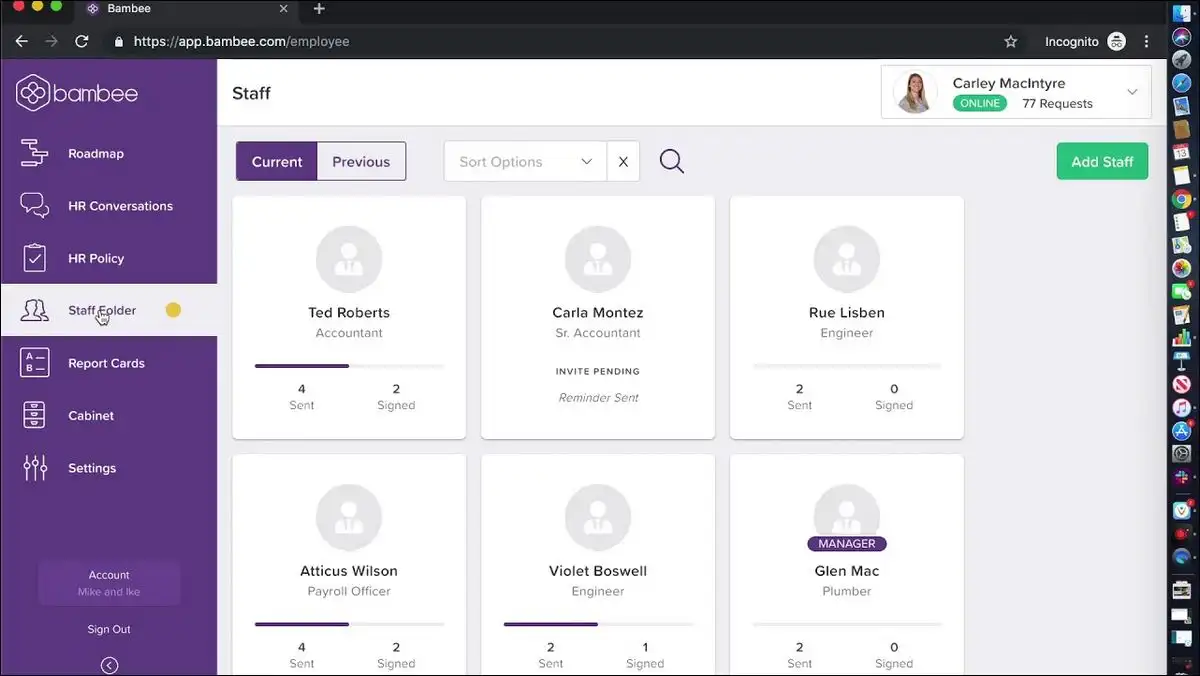
17. Bambee: Best for Micro-Teams Requiring Out-Sourced Human Compliance Support
Bambee is a unique hybrid platform for very small US businesses. We found that having an assigned human compliance expert reduces legal risks.
You have the option to draft employee handbooks and audit policies. You can resolve staff termination disputes under direct professional legal guidance.
We like the highly protective compliance tools and dedicated expert support. However, you may find the software lacks automated payroll features.
The system uses automated policy trackers to remind you of updates. Verdict: We recommend Bambee for micro-teams needing compliance safety support.
- Starting Price: Subscription packages start at $99 every month.
- Pros:
- You receive dedicated compliance guidance from a named human expert.
- The platform helps tiny businesses protect against wrongful termination lawsuits.
- Cons:
- The software does not contain native shift scheduling tools.
- You must purchase external platforms to process employee payroll.
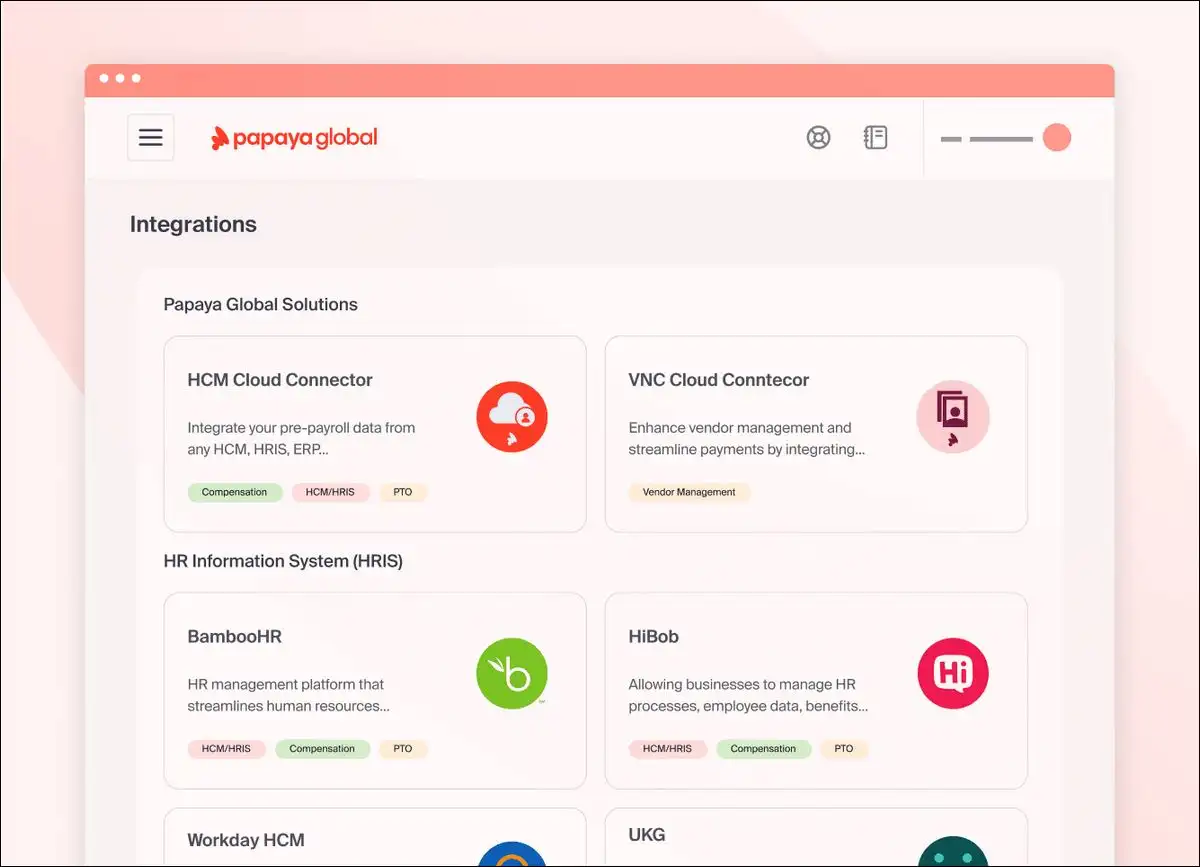
18. Papaya Global: Best for Multi-Country Teams Requiring Native Payment Integration
Papaya Global is a specialized payroll processor for multi-country organizations. We found that the licensed financial payment system transfers funds quickly.
You can manage global contractor invoices and pay international full-time workers. You have the option to execute local currency payouts in hours.
We appreciate the direct, licensed cross-border payment network and clean reports. However, you may find the software interface requires extensive setup.
The platform uses anomaly checkers to flag international payment calculation errors. Verdict: This is the best system for global treasury payroll processing.
- Starting Price: International payroll processing starts at $20 per employee.
- Pros:
- The licensed payment system executes local currency transfers in hours.
- The variance detection systems instantly flag international calculation errors.
- Cons:
- The database interface has a very steep learning curve.
- The software lacks internal team engagement or cultural tools.
Also read: WeInvoice.io Is An Invoice Generator for Freelancers & Small Businesses
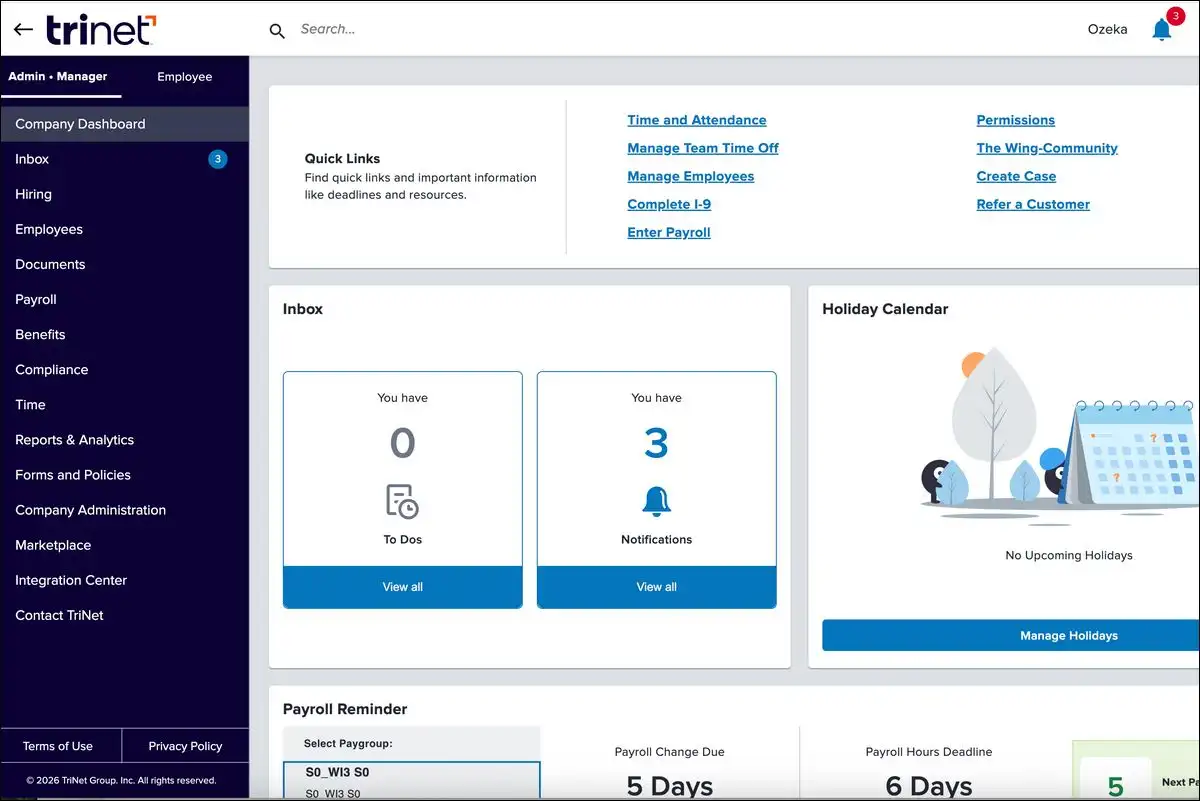
19. TriNet Zenefits: Best for Small Teams Requiring Simple Benefits Setup
TriNet Zenefits is an attractive option for digital-first small businesses. We observed that the platform has a very clean interface dashboard.
You can connect the software directly with your existing insurance brokers. You have the option to track employee onboarding progress through simple checklists.
We like the highly modern user experience and robust broker choice. However, you can expect slow customer service support post-acquisition.
The software uses automated checks to verify identity records during onboarding. Verdict: We suggest this platform for clean digital-first US administration.
- Starting Price: Essentials plan starts at $8 per employee every month.
- Pros:
- We found that the database dashboard is exceptionally clean.
- You can connect your own external insurance brokers with ease.
- Cons:
- Users report slower support response times post-acquisition by TriNet.
- The native applicant tracking and recruitment tools are highly basic.
20. Employment Hero: Best for Teams operating in the United Kingdom and Australia
Employment Hero is a leading software choice for modern Commonwealth businesses. We found that the local labor compliance features are highly robust.
You have the option to organize recruitment tracking and process payroll. Employees can access retail discounts through the native mobile benefits store.
We like the built-in modern awards calculations and great mobile incentives. However, you cannot use this system for North American employees.
The application utilizes smart checkers to highlight manual award calculation errors. Verdict: This is the best local payroll solution for Australian teams.
- Starting Price: Customized regional packages based on active user headcount.
- Pros:
- The system automates Australian modern awards calculations natively and safely.
- Employees receive cash-back incentives through the standard Swag application.
- Cons:
- You cannot run this payroll system for North American employees.
- The system customization options are restricted for large enterprises.
21. Paylocity: Best for Growing Businesses Needing a Unified HR, Payroll, Finance, and IT Platform
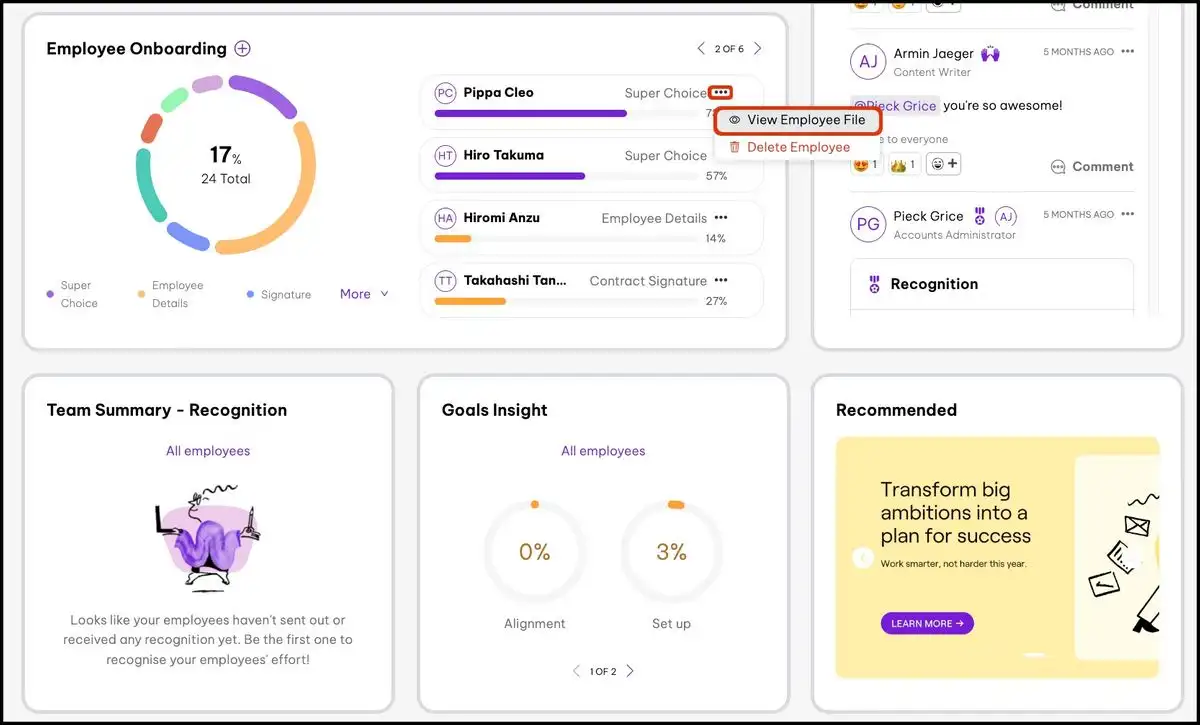
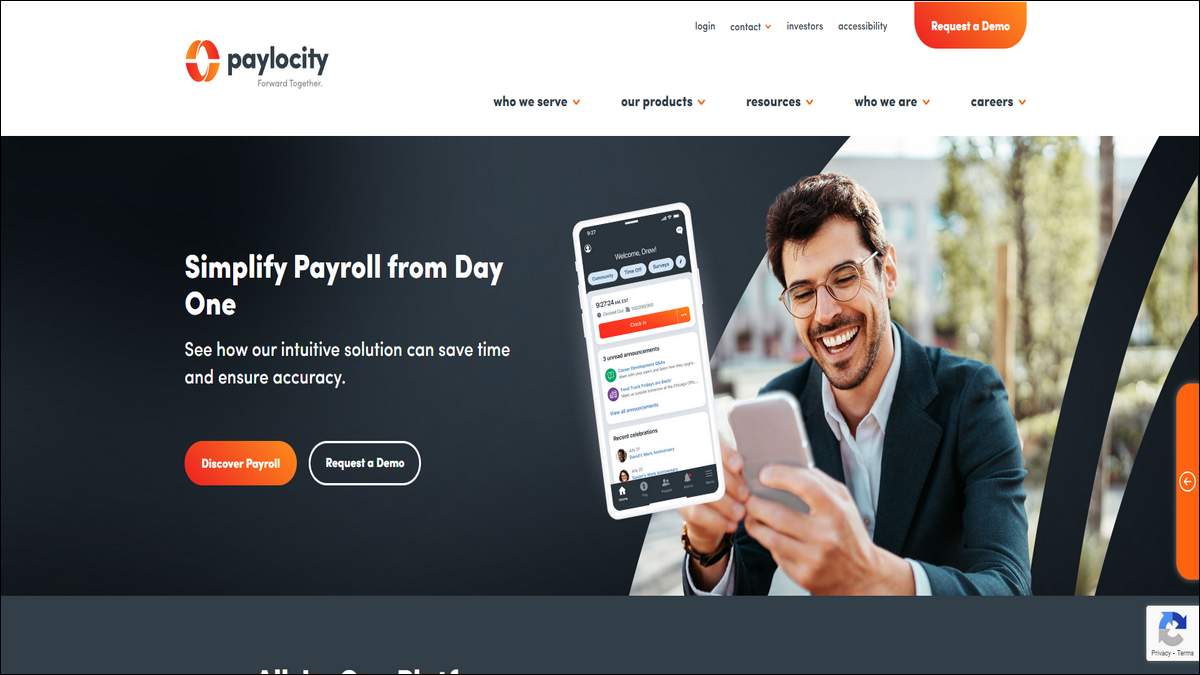
Paylocity is a cloud-based platform that unifies HR, payroll, finance, and IT under one system. We found that the platform serves companies across small, midsize, and enterprise tiers, spanning 1 to 500+ employees.
You can manage core HR, time and labor, and talent tools like recruiting, onboarding, performance, and learning. You have the option to extend the same login into finance tools such as expense management, corporate cards, and AP automation, plus IT asset and access management.
We like the single unified login across HR, finance, and IT, and the employee-facing mobile app and community feed. However, published pricing isn’t available, so you’ll need a custom quote to compare true costs.
The platform uses Ignite AI, Paylocity’s embedded AI layer, to automate workflows across HR, payroll, and finance tasks. Verdict: We recommend Paylocity for growing companies that want HR, finance, and IT on one platform instead of stitching together separate tools.
- Starting Price: Custom quotes based on employee headcount and selected HR, payroll, finance, and IT modules; Paylocity does not publish fixed pricing online.
- Pros:
- The platform unifies HR, payroll, finance, and IT under one login.
- The mobile app and community feed keep employees engaged daily.
- Cons:
- You cannot get a fixed price online; quotes require a sales conversation.
- You’ll want a bit more setup time if you’re only after core payroll
The 2026 Content Edge: Combat “Skillfishing” with Verification Tools
Agentic AI Automates Repetitive Workflows and Checks Critical Payroll Details
We observed that Agentic AI has entered the primary workforce sector rapidly. ADP Spark 2026 reports show that 48 percent of enterprises use these tools.
These autonomous assistants help teams organize physical hardware and audit records without manual steps. You have the option to monitor automated configurations easily.
Screeners Block AI Candidate Fraud Through Secure Early Technical Verification
We observed that skills-based recruiting has changed significantly in 2026. Software Advice reports that 81 percent of recruiting teams use automation.
However, candidate fraud has emerged as a major operational challenge. Sourcing candidates has become easy, but actual verification remains difficult.
Applicants frequently use generative writing systems to exaggerate professional skills. We refer to this specific recruitment challenge as the skillfishing epidemic.
Modern applicant tracking software must shift focus toward early-stage verification. You have the option to deploy automated screening tasks directly.
This helps your hiring managers verify skills before initial interviews. You can configure live code sandboxes or interactive writing tasks.
You may also utilize secure video screening to confirm candidate identity. These proactive validation steps protect your team from bad hiring decisions.
Here’s workflow diagram demonstrating how ATS software prevents skillfishing:
The Anti-Skillfishing Recruitment Funnel
How Modern 2026 ATS Screeners Stop AI-Exaggerated Applications
Navigating Regulatory Audits: The EU AI Act Limits Black-Box Automation
Explainable AI Minimizes Legal Liabilities Under Severe Penalty Threats
You must monitor international regulatory updates to avoid massive corporate fines. The European Union officially enforced the EU AI Act in August 2026.
This legislation classifies workforce management automation systems as highly risky. The new guidelines require software to supply clear explainable reports.
You must prove that your recruitment algorithms are free from bias. Failing to compile detailed bias audits carries severe financial penalties.
Non-compliant organizations face global fines of up to 35 million euros. Reputable providers are quickly launching explainable compliance tracking dashboards.
We recommend auditing your current vendor to ensure total data safety. You should confirm that your system features explainable compliance metrics.
Step-by-Step Migration Blueprint: Establish Safe Workflows to Avoid Delayed Payroll
Phase 1: Audit Your Employee Records and Deduct State Tax Assets
We designed a three-step blueprint to help you transition to new systems safely. Following these polite guidelines helps you avoid delayed employee salary payouts.
Following these exact steps helps you avoid delayed employee salary payouts. We recommend organizing your transition process using numbered operational phases.
- Audit and map your employee data records thoroughly. You can extract active worker profiles and clean tax history details. You have the option to delete outdated legacy entries before transfer.
- Configure your sandbox staging environment and test scenario calculations. You may run simulation payrolls to verify tax rate configurations. You should test hourly deductions across multiple regional offices.
- Run two full parallel payroll cycles using both systems. You can compare the exact financial outputs to ensure pennies match. You may execute the final launch once you confirm zero discrepancies.
Here’s a step-by-step flowchart for migrating HR software without payroll disruption:
Secure Staged Migration Path
The Safe 3-Phase Journey to Prevent Active Payroll Failures
Also read: Virtual Meeting Etiquette: Data-Backed Rules for Hybrid Teams to Cut Waste & Boost Inclusion
Final Thoughts: Choose Your Platform Based on Core Regulatory Scale
We believe that selecting workforce software requires careful compliance auditing. You should assess your organizational scale and international expansion plans first.
A mismatch in platform architecture can cause severe administrative blockages. You have the option to shortlist platforms based on regional focus.
Startups can consider Gusto or BambooHR for simple US-based administration. Global companies may select Rippling or Deel for cross-border payroll.
We suggest prioritizing systems that provide verified capability screening tools. Protect your hiring funnel from fraud and audit automated decisions regularly.