WeInvoice.io Explained: An Invoice Generator for Freelancers & Small Businesses
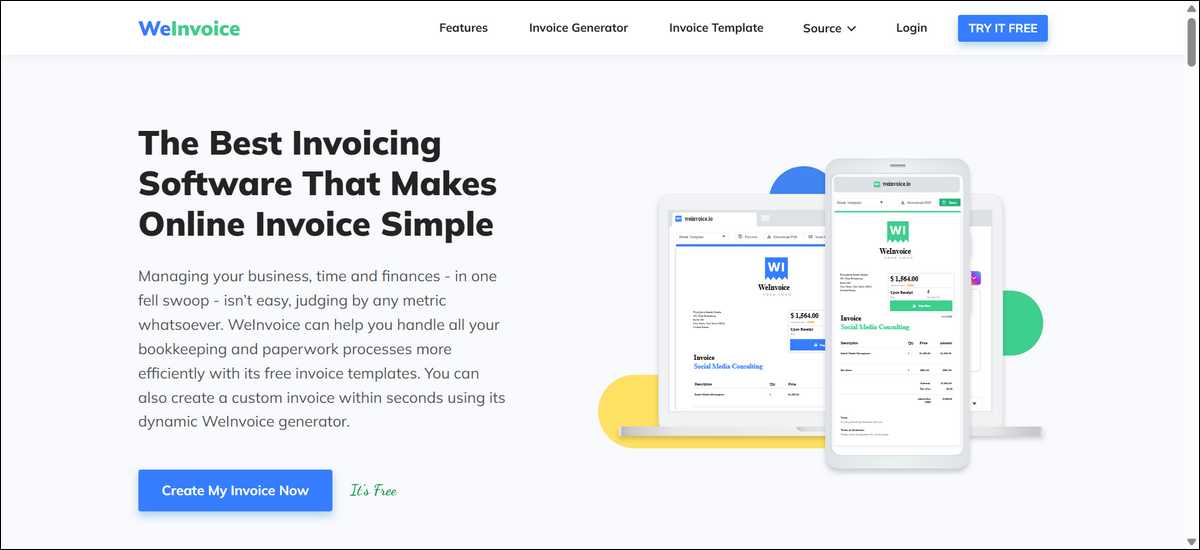
WeInvoice.io gives you a straightforward way to create professional invoices without a heavy setup. It works well when your needs stay simple and focused on speed, plus clean presentation. At the same time, it may not suit everyone, especially if you need recurring automation or deeper accounting features.
In this article, we put together details from the official site, hands-on tests shared, user feedback on review platforms, and recent data on common invoicing challenges. It looks at real use cases across different types of work so you can see where it fits and where it might fall short.
Key Takeaways
Here are the main points from current information:
- WeInvoice suits freelancers and small businesses that send basic to moderately detailed invoices a few times per week. It prioritizes quick creation and ready templates.
- Tests reported in 2026 showed first invoices taking around seven minutes, with later ones often under three minutes. Email open tracking worked in the cases examined.
- The free tier covers core needs like unlimited invoices, contacts, and storage in tested scenarios. Paid plans start near five to seven dollars per user each month for extras such as recurring invoices.
- It doesn’t include a native mobile app or advanced payment gateways like Stripe. Many users manage payments through separate services.
- The site includes helpful educational guides on invoice types, payment terms, and best practices. These resources support users who want to improve their overall process.
- Alternatives like Wave or Zoho Invoice often work better if you need built-in accounting or more free recurring options. WeInvoice stays narrower on purpose.
These findings come from available reports and tests. Your own workflow will show whether the balance feels right.
What Is WeInvoice.io and How Does It Work
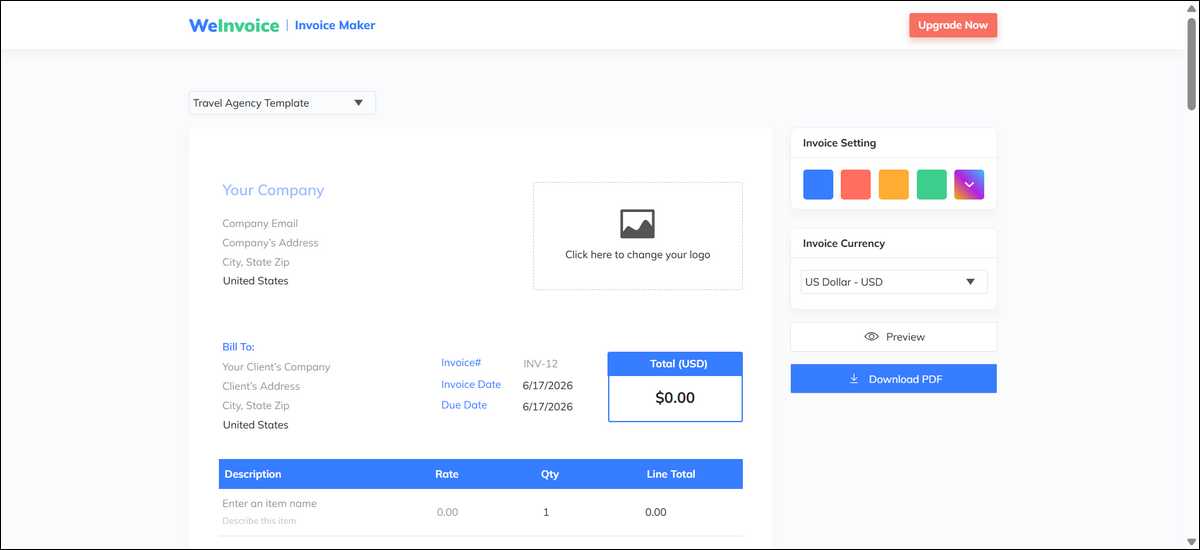
WeInvoice.io works as a web-based tool that lets you create professional invoices quickly through a simple browser interface. You don’t have to install anything extra, and you can customize and store the results without much fuss.
The platform gives you a drag-and-drop editor along with templates for different fields. For example, you might use ones tailored to photography, auto repair, consulting, or general services.
You can add your logo, adjust colors, include line items with taxes or discounts, and generate clean PDFs. Basic email sending with open tracking and contact storage also comes included.
That connects nicely to how the whole thing feels approachable. Many people appreciate the minimal learning curve because the editor lets you build or tweak invoices by adding or removing fields as needed. The site also provides free guides that explain topics like net 30 terms, proforma invoices, and how to handle overdue payments.
These resources help you understand the bigger picture while you use the tool.
Pricing Details: Free Tier and Paid Options
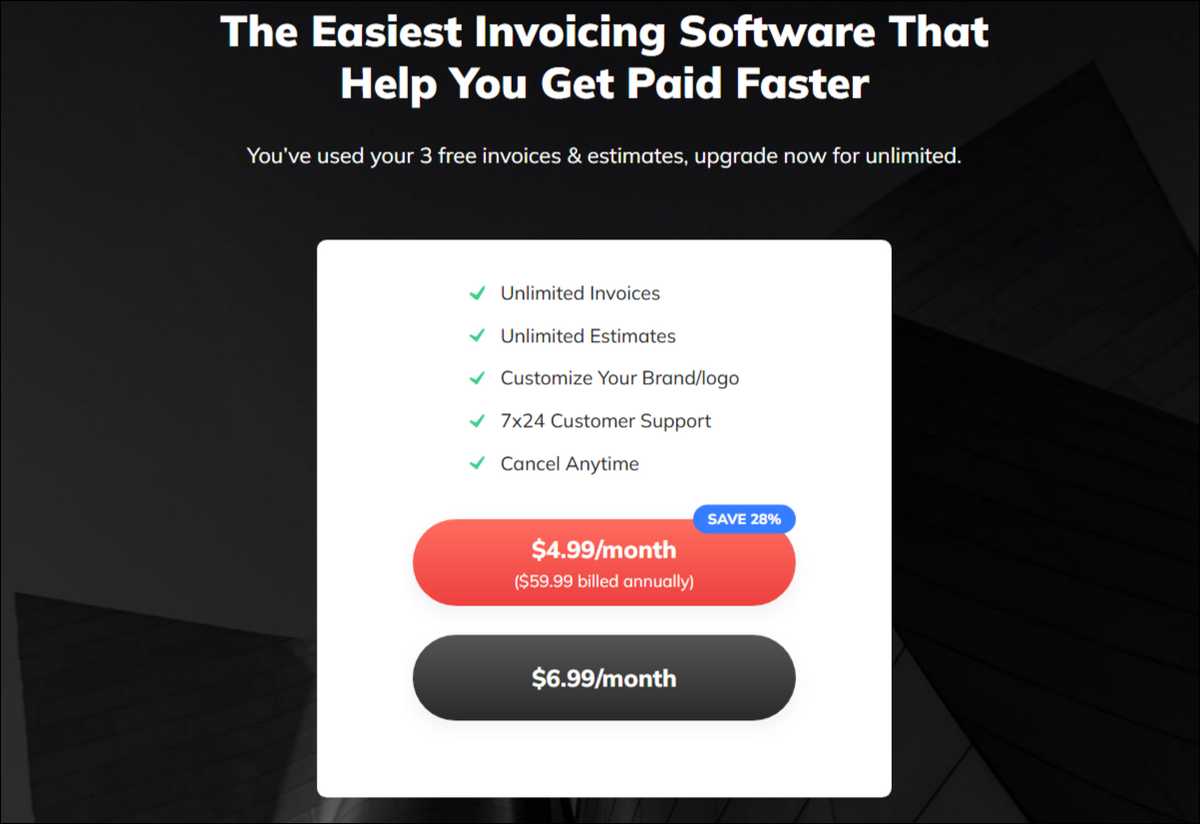
WeInvoice uses a freemium model so you can start creating invoices at no cost with the core features. The free tier includes invoice creation, PDF downloads, logo uploads, contact storage, and basic email sending based on available details.
You have the option to upgrade if you need more. Paid plans add recurring invoices, payment reminders, and time tracking. Current reports place the cost at about 6.99 dollars per user per month or 4.99 dollars per user per year when paid annually.
Some listings mention a short trial period for new users.
Here’s how the options break down in simple terms:
| Feature | Free Tier | Paid Plan |
|---|---|---|
| Core invoice creation and storage | Available with no strict limits in tests | Available |
| Templates and logo customization | Full access | Full access |
| Email tracking | Basic notifications | Basic plus reminders |
| Recurring invoices | Manual only | Automated |
| Time tracking | Not included | Included |
| Support | Ticket-based | Ticket-based |
You can start with the free tier for most basic work. If you need recurring invoices later, you’ve got the option to upgrade affordably. That said, you should always check the current dashboard after signing up because details can shift slightly.
Hands-On Testing Results Reported in 2026
Hands-on tests shared in mid-2026 reviews show that WeInvoice handles typical invoice creation efficiently for freelancers and small service businesses. One detailed test involved creating real invoices for clients across consulting, design, writing, coaching, and photography work.
Creation times started at about seven minutes for the first invoice and dropped below three minutes for later ones. Email delivery with open tracking notifications arrived within two hours in the cases checked. PDF files came out clean, and logo plus color customization worked smoothly. Multi-currency and basic tax calculations performed as expected.
Another review highlighted the simple workflow and searchable records. Users found it faster than formatting invoices manually in word processors for standard jobs. The main limits noted were less design flexibility than dedicated graphic tools and the lack of full accounting features.
Together, these tests suggest reliable performance for straightforward needs. Here’s what stood out across both:
- Speed improved quickly once users got familiar with the interface.
- Tracking added helpful visibility without extra steps.
- No watermarks appeared on outputs during the reported free-tier use.
- Access worked through browsers on both desktop and mobile, though it lacked a dedicated app feel.
These results reflect actual attempts rather than promotional claims. They indicate that outcomes depend on how well your work matches the tool’s focused design.
Real-World Scenarios: Different Users
Different types of work interact with WeInvoice in their own ways. Let’s look at how three common profiles experience it.
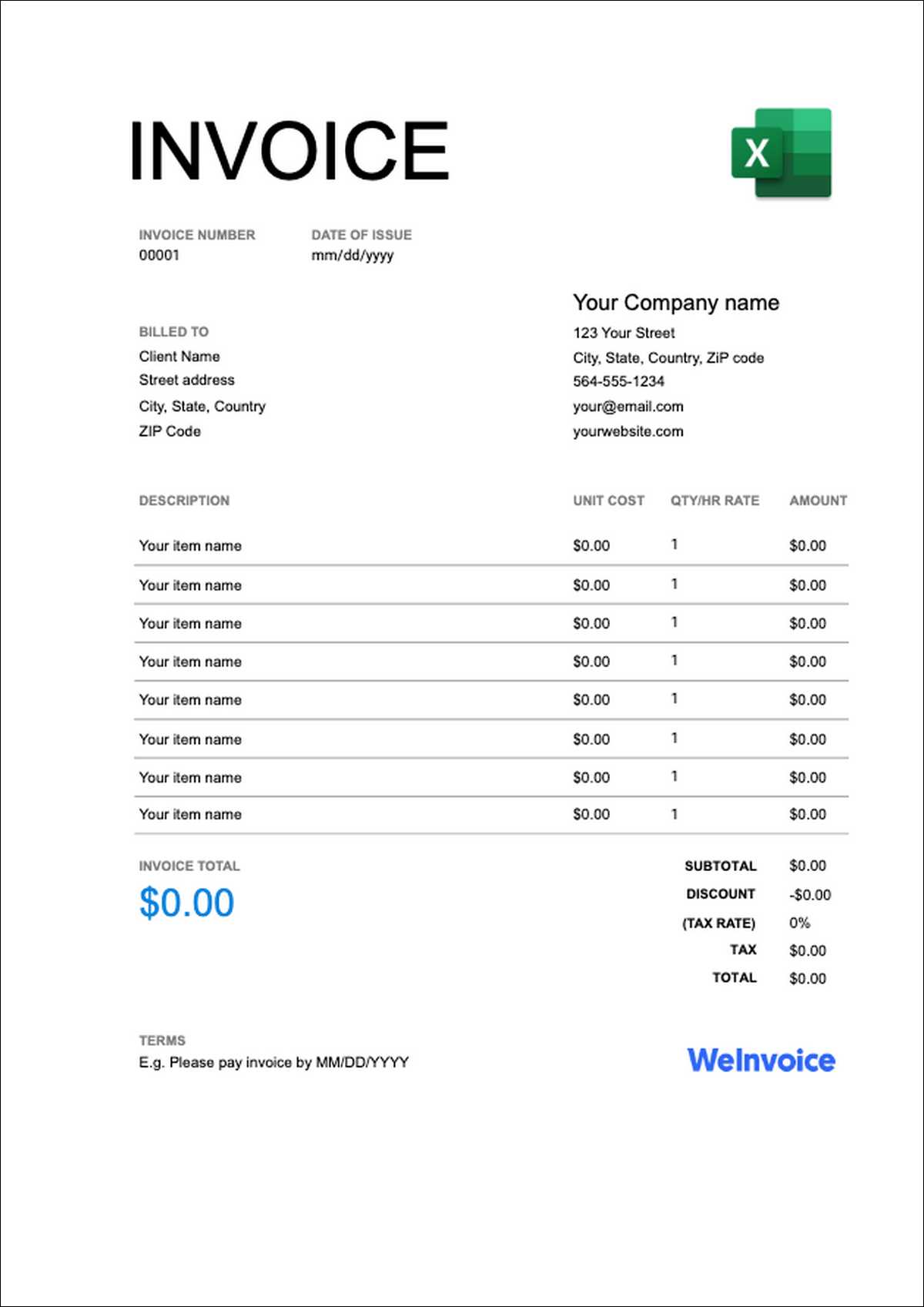
- For freelance photographers, the templates support clear invoices that list services, usage rights, and deposits. Logo placement helps maintain a polished brand image, and quick creation reduces admin time after shoots. You might still need the paid plan if you handle many recurring client retainers, though.
- On the other hand, independent consultants and content writers usually bill by project or hour with detailed notes. Tests showed easy addition of descriptions and totals. Email tracking helped confirm delivery in some cases without extra follow-ups. The site guides on payment terms proved useful for setting expectations upfront. One limit is that time tracking sits behind the paid plan, so manual logging may still be needed.
- Trades contractors, such as those in auto repair, benefit from industry-specific templates that handle parts and labor line items. PDF receipts support local transactions and records. Speed matters when clients wait for invoices on-site. For international work involving customs forms, some manual adjustments may still be required since the focus stays on standard invoices.
These examples show good alignment with service-based solo or small-team work. Businesses with heavy inventory needs, team approvals, or complex project billing often find broader platforms more suitable.
Invoicing Challenges Small Businesses Face These Days
Many freelancers and small businesses still spend real time on admin tasks and following up on payments. Here’s the bigger picture from recent reports.
According to Intuit QuickBooks ‘ Small Business Late Payments Report, 56 percent of surveyed small businesses in the US reported being owed money from unpaid invoices, with an average of 17,500 dollars per business. Nearly half of those affected had portions overdue beyond 30 days.
Related small business insights also indicate that payments often arrive about eight days late on average. A noticeable share of owners spend five or more hours per week chasing late payments. Manual processes add to error rates that can affect cash flow and client relationships.
WeInvoice can help with part of this picture by speeding up creation and offering basic tracking. Clean templates may encourage faster payment through a professional appearance. However, it doesn’t automate follow-ups on the free tier or connect with full accounting records that larger operations rely on for receivables management.
The practical point is that tools reducing creation time and adding simple visibility make a difference when combined with clear payment terms and consistent habits.
WeInvoice supports the first elements for many users while leaving the rest in your hands.
Pros of WeInvoice
Here are some real advantages you’ll notice when your work stays within its scope.
- Creation speed stands out once you get used to it. Most standard invoices moved from start to finished PDF in under seven minutes in reported tests.
- Template choices cover many common industries. You can often find a ready option for photography, repair services, consulting, or general work.
- The free tier removes cost barriers for core use. Many functions, including storage and contacts, showed no tight caps during moderate testing.
- Brand customization stays easy and effective. Logo uploads and color changes produce professional-looking results without extra design skills.
- Educational guides on the site provide helpful context. Topics like invoice types and payment terms support better habits beyond the software.
- Paid upgrades stay affordable. Monthly or yearly options remain low compared with many other business tools.
That said, each of these strengths comes with a boundary. Speed applies mainly to standard invoices. Templates work well for most needs yet offer less creative flexibility than dedicated design programs.
Free access covers a lot until recurring features or reminders become daily requirements.
Limitations and Cons You Should Know
At the same time, there are areas where WeInvoice may not meet every need.
- No dedicated mobile app is available. Browser access works on phones, but it can feel less smooth than native apps on other platforms.
- Payment processing options stay basic. Built-in gateways are limited, so many users handle actual payments through separate services.
- Recurring invoices require moving to a paid plan. Frequent repeat billing means either manual work or an upgrade.
- Accounting features are not included. There is no bank sync, profit reporting, or expense tracking built in.
- Review volume on major platforms remains modest. Scores for ease of use look positive, yet they rest on smaller sample sizes than some competing tools.
- Advanced automation sits outside its focus. Team collaboration, approval flows, or specialized compliance needs usually require other solutions.
These points matter most for growing businesses or those with specialized requirements. They matter less for solo freelancers who send straightforward invoices and manage payments externally.
You can weigh them against your current volume and plans.

WeInvoice Compared to Wave, Zoho Invoice, and Similar Tools
If you’re comparing options, here’s how WeInvoice stacks up against a couple of popular alternatives.
Comparison of main options based on 2026 information:
| Feature | WeInvoice | Wave | Zoho Invoice |
|---|---|---|---|
| Starting price | Free tier with generous core access; paid around 5-7 dollars per month | Free core features available | Free tier with strong options |
| Invoice creation speed | Fast after short practice (3-7 minutes in tests) | Fast | Fast with some learning |
| Templates | 15-plus industry-specific choices | More basic selection | 18-plus options |
| Recurring invoices | Paid plan required | Limited on free tier | Available on free tier |
| Email tracking | Basic open notifications | Focused on payments | Strong set of options |
| Mobile experience | Browser-based only | Dedicated app | Dedicated app |
| Built-in accounting | None | Yes in core offering | Partial through ecosystem |
| Best everyday fit | Simple professional invoices | Full books plus invoicing | Feature-rich free use with more tools |
Wave often appeals when you want accounting and payments together in one low-cost system. It includes more features but can feel broader if you only need invoicing. Zoho Invoice provides recurring billing and client portals on its free tier plus connections to other tools. Some users mention a bit more initial learning.
WeInvoice keeps a narrower focus. It tends to win on immediate simplicity and template variety for people who do not need the extras. It gives less ground when recurring work or mobile-native access becomes important daily. Other choices like FreshBooks add project tracking at higher prices.
The best match depends on your invoice volume, need for automation, and comfort with managing separate tools for payments or books. Trying two options with your actual work for a short period usually shows which one feels more natural.
Who Is WeInvoice Best For?
Putting it all together, WeInvoice works well for freelancers, solopreneurs, and small service businesses that send a moderate number of invoices each month and value speed along with professional presentation. Photographers, consultants, writers, coaches, and local tradespeople often find this profile matches their work.
It works for users who prefer to keep invoicing separate from full accounting systems. The low starting barrier and supporting guides help those still shaping their billing routines. Basic international or multi-currency needs receive straightforward support.
It may not fit as well for businesses that require automated recurring billing without paying extra, native mobile apps for on-the-go work, or integrated bookkeeping and reporting. Teams that need collaboration features or advanced payment processing will likely look elsewhere as they grow.
Edge situations include very high invoice volumes where manual steps add up or highly regulated fields needing specific formats beyond standard PDFs. In those cases, more specialized platforms usually deliver stronger long-term results.
The direct answer to the main question is that WeInvoice serves many freelancers and small businesses with straightforward needs quite practically. It isn’t the single best choice for every workflow.
Matching it to what you do today usually leads to better day-to-day results than aiming for every possible future feature.
How to get started with WeInvoice: A Practical Walkthrough
If you want to try it, here’s a simple way to begin. You can often start creating an invoice without completing a full registration right away.
Follow these basic steps to test it with your own details:
- Go to the site: https://weinvoice.io and pick a template or open the generator.
- Add your business information and upload a logo in the customization area.
- Enter client details and add line items with prices.
- Apply any taxes, discounts, or extra notes.
- Preview the layout and adjust fields using the drag-and-drop tools.
- Generate a PDF or send it by email to check the tracking.
- Save the client as a contact and tag the invoice for easy future search.
Start with one real client invoice to see the full flow from start to finish. Check how the PDF looks when opened on both a computer and a phone browser. Reading the free guides on the site about payment terms or numbering before you send anything can help set clear expectations.
If recurring work forms a regular part of what you do, look at the paid plan details early so you know the upgrade path.
People Also Ask:
People often ask these questions about WeInvoice.
Core features generally work without payment details at the start. It helps to confirm this during your first signup.
Basic multi-currency and receipt options cover common situations. More complex customs or specialized tax forms may still need manual additions.
Tests showed notifications arriving when the recipient opened the message. It gives simple visibility rather than detailed analytics.
The free tier requires you to recreate them manually each time. The paid plan adds automation for this specific need.
No direct integrations appear in current information. Users typically export PDFs or data for use in separate records.
Ticket-based help receives generally positive notes for basic questions. Response times can vary with overall volume.
Most descriptions focus on single-user access. Team options or workarounds are worth checking directly with current details.
Wrapping Up!
In the end, WeInvoice offers a focused and low-friction option for creating professional invoices in 2026. Its strengths in quick creation, template variety, and accessible starting price make it practical for many freelancers and small service businesses. Clear limitations around mobile apps, recurring automation, and accounting depth mean it serves a specific segment well rather than every possible user.
You can test it with your actual invoice types before making a decision. A short side-by-side check with one alternative that matches your other priorities, such as accounting integration or mobile access, often clarifies the better personal fit. The right tool reduces admin time and supports clearer client communication without adding steps you don’t need.
Choose based on the work you handle today and the way you prefer to operate. Simple needs frequently benefit most from simple tools that stay out of the way once the invoice is sent.