Is Adobe Podcast Premium Worth $9.99 per Month in 2026? Honest Limits, Features, and ROI Breakdown
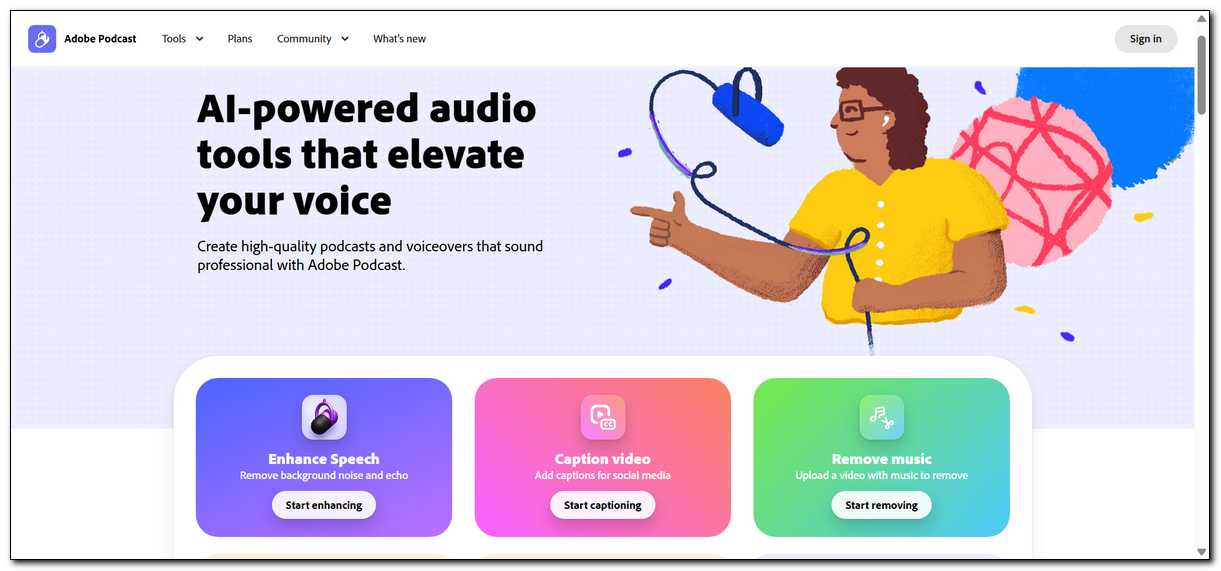
Many creators find Adobe Podcast Premium worth the $9.99 monthly fee once they regularly hit the free plan limits or need better controls for video and multi-guest work. Casual users with light schedules often stay on the free tier without issues.
The value depends on how much time the extra features actually save you in real projects. Here’s a closer look at the exact differences, practical examples, and honest return on investment.
Adobe Podcast Premium Costs $9.99 per Month and Removes the Main Daily Restrictions
Adobe Podcast Premium costs $9.99 per month. You’ll get a 30-day trial to test it first. The plan works as a standalone subscription in most cases. You can cancel anytime through your Adobe account settings.
Premium lets you go beyond the daily enhancement cap and raises file size limits. It also unlocks source separation tools added in the March 2026 update. You’ll notice the difference most clearly when you produce more than one longer episode per week.
That said, the free plan still covers basic needs for many people.
Also read: 20 Free iLovePDF Alternatives
The Free Plan Works for Light Use but Reaches Its Limits Fast
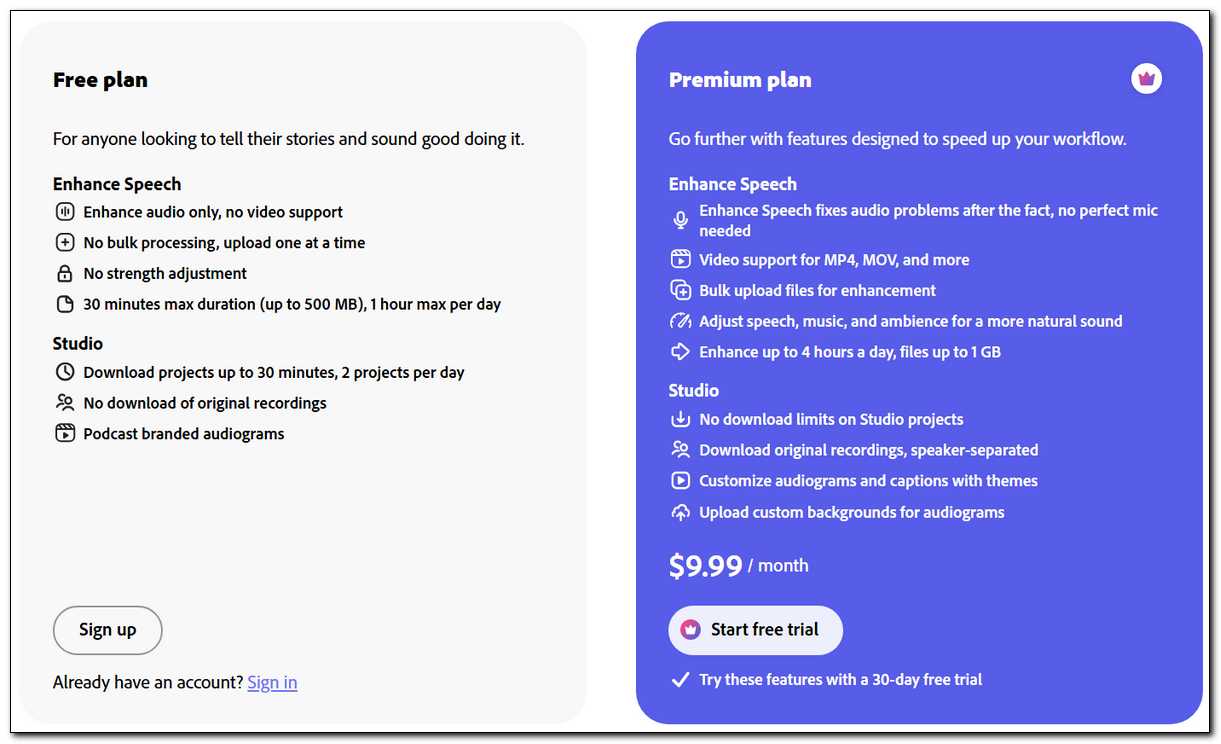
The free plan gives you one hour of enhancement time each day. Files stay capped at 30 minutes and 500 megabytes. You can still record and edit in Studio, yet you face a limit of two project downloads per day. Audiograms include Adobe branding on this tier.
These rules suit testing or very occasional projects. They start to slow you down once episodes run longer or you handle several files in one day. Bulk uploads stay unavailable on free.
Here’s what that looks like in practice.
Free Plan Limits at a Glance
- One hour of enhancement per day
- 30-minute maximum file length
- 500 MB file size cap
- Two project downloads daily
- No bulk processing
- No video file support
- No source separation tools
Premium Unlocks Higher Limits and New Controls from the March 2026 Update
With Premium, you can raise your daily enhancement time to four hours. Files can reach two hours long and one gigabyte in size. You have the option to use bulk uploads so you can process several files together. Video support for MP4 and MOV files opens up as well.
The March 2026 update added source separation on Premium. You can adjust speech, music, and background layers separately after enhancement. You also have the option to download isolated stems for further work in other programs.
These additions help most when background music competes with voices or when you import recordings from Zoom and similar tools. You still review the final audio because the AI can sometimes remove subtle sounds or introduce small artifacts.
Results stay strongest when your original recording has decent clarity.
Text-Based Editing and Remote Recording Deliver Value on Both Plans
Studio lets you edit audio by changing words in the transcript. Delete a sentence in the text, and the matching audio section disappears. This method feels natural if you already edit documents regularly. It works on free and Premium alike.
Remote recording captures separate high-quality tracks from each person even when internet connections vary. Local device capture helps keep clarity. The latest update added multi-track import so you can bring in files from other platforms and edit them with one unified transcript.
Mic Check runs before you record on either plan. It checks your setup and suggests quick fixes for distance or background noise. You get better results when you start with clear source audio.
This approach works well across plans, but you’ll see bigger workflow gains once volume picks up.
Different Creators See Different Time Savings with Premium
Different creators see different time savings with Premium depending on how often they create content. A solo hobbyist who releases one short episode per month usually stays comfortable on the free plan. The limits rarely get in the way. Most people in this group test the tool and continue without upgrading.
A weekly educational creator who produces three 40-minute lectures often feels the free plan cap. Premium’s four-hour enhancement allowance removes daily waiting. Bulk uploads cut down on repetitive steps. Here’s how it breaks down for a few common situations.
A video podcast producer who records remote interviews benefits from Premium video support and multi-track import. Text editing speeds up rough cuts. Source separation makes it easier to balance music under voices. The extra controls reduce the need to switch between several programs.
An educator who cleans batches of student recordings or lecture audio gains from strength adjustment and stem downloads. Free works for occasional files. Regular batches move faster on Premium.
Time Savings Form the Main Return on the $9.99 Monthly Cost
Time savings form the main return on the $9.99 monthly cost. Manual cleanup of a noisy 30-minute recording often takes one to two hours. Adobe Podcast Enhance usually reduces review time to 20 to 40 minutes. The difference adds up across multiple episodes each month.
Think about your own time value. If one episode saves you 1.5 hours and you value that time at $40 per hour, the savings equal $60. At $9.99 per month, the cost pays for itself quickly once you publish more than a couple of pieces regularly.
You might also like that these numbers improve as you get more comfortable with the workflow.
Monthly ROI Examples by Creator Type
- Solo hobbyist (1 episode): Roughly 0.5 hours saved per episode. Time value around $20. Net benefit after Premium cost stays modest.
- Weekly podcaster (4 episodes): About 1 hour saved per episode. Time value around $160—clear positive return.
- Educator with batch content (8 files): Roughly 0.75 hours saved per file. Time value around $240. Strong net benefit.
- Video podcast producer (3 episodes): About 1.5 hours saved per episode. Time value around $180. Good return once volume grows.
These examples assume decent source audio. Poor recordings require more review time on either plan. The AI reduces effort but doesn’t remove the need to listen through outputs.
Every Feature Brings Practical Caveats You Should Know
It’s also worth keeping the practical caveats in mind with every feature. Premium source separation gives you independent control over layers. You can lower music while keeping voice clear. The AI sometimes misjudges emphasis, so you may still adjust levels by hand.
Higher daily limits remove the one-hour wall. You can handle more content without waiting for the next day. Large batches still need individual checks for consistency.
Text-based editing speeds rough cuts. It hides waveform complexity. Heavy overlapping speech or detailed edits sometimes work better in a traditional editor for final precision.
Remote recording captures clean, separate tracks. It performs better than compressed conference calls for quality. Participants still need decent microphones and stable connections on their side.
Video support and multi-track import expand what you can do inside the browser. They integrate well with files from Zoom or Riverside. Full desktop video editors still offer more export options and effects.
The free plan already delivers solid basic enhancements. Many creators achieve good results without paying. Premium mainly removes friction for higher volume or more complex projects.
Adobe Podcast Works Best as One Step in a Larger Workflow
Adobe Podcast focuses on fast AI cleanup and text editing. It doesn’t replace a full digital audio workstation for precise mixing. Many people move enhanced files into Adobe Audition when they need deeper control.
For video projects, you can export clips and continue in Adobe Express or Premiere Pro. The tool serves as an early step rather than the only program you use.
Other options like Descript provide similar text editing plus voice cloning features. Cleanvoice focuses on automated removal of filler words and silence. Your choice depends on whether you want Adobe integration or specific AI strengths at a different price point.
The Free Plan Remains Enough for Many People
Stay on free if you publish one or two short episodes per month. The one-hour daily enhancement and 30-minute file limit cover most hobbyist needs. Test the tool thoroughly before you upgrade.
Use free when you want to check AI quality with your own audio first. Many creators run several projects on free and only move to Premium once volume increases. The trial period offers a low-risk way to compare both tiers side by side.
Common Questions About Adobe Podcast Premium
Does Premium include Adobe Audition or other Creative Cloud apps?
What happens if I exceed the free daily enhancement limit?
Can I cancel Premium anytime?
How well does the AI handle accents or non-English audio?
Does text-based editing work on video files?
Are there any long-term considerations with the AI?
Can I use Adobe Podcast fully on a mobile device?
Make the Choice Based on Your Real Production Volume
Adobe Podcast Premium provides clear time savings for creators who regularly exceed free limits or work with video and multi-guest projects. The $9.99 monthly cost returns value quickly once you publish several pieces per month. Casual users often continue productively on the free plan without paying.
Test with the trial using your actual audio files. Compare output quality and workflow speed on both tiers. The right decision depends on how much the removed restrictions and added controls affect your specific process. Many people start on free and upgrade only when volume or complexity makes the extra features worthwhile.


