ComicInk.ai Video Generation Launch: How the AI Comic Platform Creates Consistent Multi-Scene Films from Text or Existing Comics
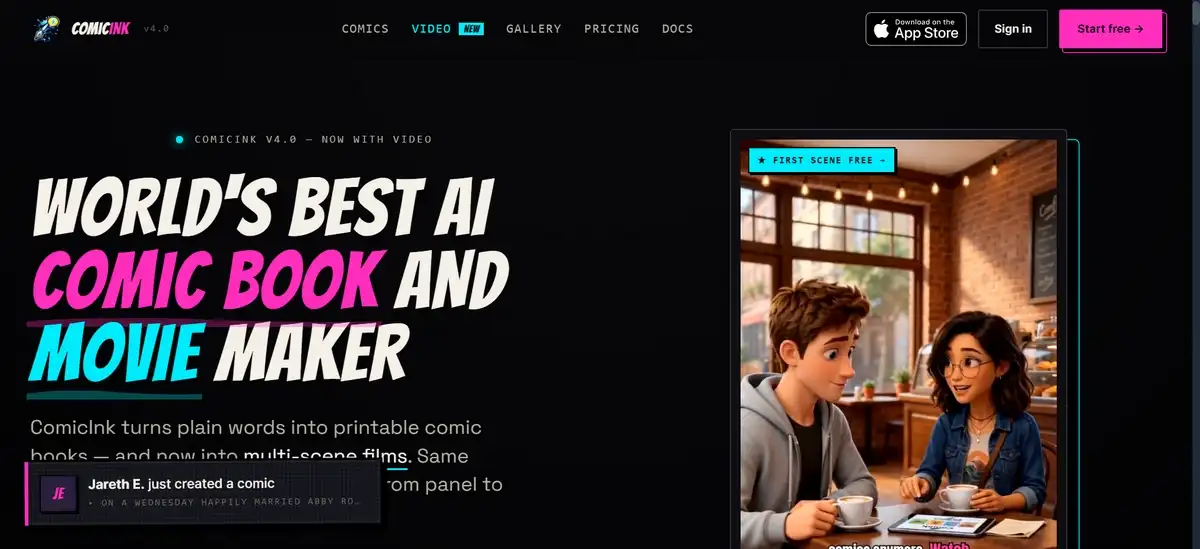
If you have been using ComicInk.ai for creating comics for some time, you would be happy to know that they’ve added a new feature to their platform.
ComicInk.ai now lets you create both comic books and short films from the same story idea. You can start with a text prompt and generate a print-ready comic along with a multi-scene video that keeps characters, props, and locations consistent across both formats. This setup can save time when you want matching content for print and motion.
The platform uses a simple credit system and offers an iOS app for comics plus web tools for video. Recent updates in version 4.0 brought the video features online around June 2026.
Key Findings
Here are the main points from the official site and related sources:
- Video tools became available in version 4.0 around late June 2026.
- You can generate films directly from a prompt or convert an existing comic into an animated version.
- Character and asset locking work across comic panels and video scenes.
- Output supports 720p video with captions, music, and voices included.
- Pricing follows a credit model with packs starting at $9.99.
- Broader market reports place the AI-generated comic segment at roughly $1.5 billion to $1.8 billion for 2025, with continued growth expected.
These details come straight from the ComicInk site and supporting research summaries. The sections below explain each area in more detail.
Also read: LongHair AI Review
What ComicInk.ai Offers for Comics and Video
ComicInk.ai works as one connected space where you can produce both comic books and films. You describe your story once, and the system can create matching output in two formats.
You have the option to build characters first, then generate pages or scenes that stay consistent. The same account links the iOS app for comics with the web version for video work.
Key capabilities include:
- Character references that lock appearance across projects
- AI helps with story scripting and panel layouts
- Print-ready comic export as PDF or image files
- Video conversion that adds motion, camera moves, and audio
- Support for multiple art styles that carry over between comics and films
This approach can help when you want the same characters to appear in a printed issue and a short animated clip without rebuilding references each time.
How Video Generation Works in Practice
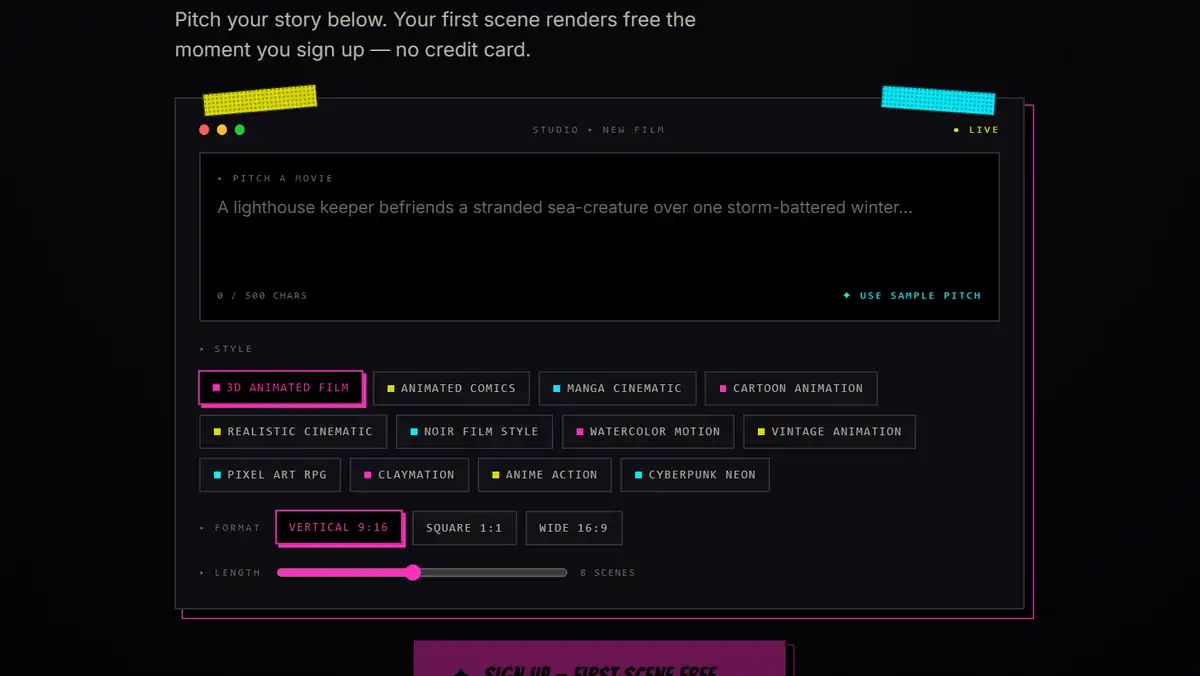
You can create a video in two main ways. Both paths use the same system that keeps characters consistent once you lock them.
- Direct prompt to film works like this: You enter a story description or outline. The system can break it into scenes automatically. You review the storyboard, lock your cast and locations, then render the scenes with motion and sound. After rendering, you have the option to edit captions, music, or individual shots in the editor before exporting.
- Comic-to-film conversion follows a similar flow: Load a finished comic issue. Choose the conversion option. The system reuses your existing panels and characters. You can add camera movement and audio layers, then export the result as a 720p file.
Both options support up to around 16 scenes to start, with room to add more manually. Each scene runs about 10 seconds. You can work in any of the 22 supported languages for dialogue and narration.
Technical Details and What You Get
Video output currently reaches 720p resolution. The company notes higher resolutions as planned for later updates. You can choose MP4 or WebM format when you export.
The editor gives you control over these elements:
- Timed captions that you can edit or toggle
- Background music from a library or your own files
- Spoken dialogue with consistent character voices
- Camera moves and pacing adjustments per scene
Art styles selected for the comic can apply to the video as well. This helps maintain a unified look when you produce both versions from one project. You keep full commercial rights to everything you create.
Pricing and Cost Examples
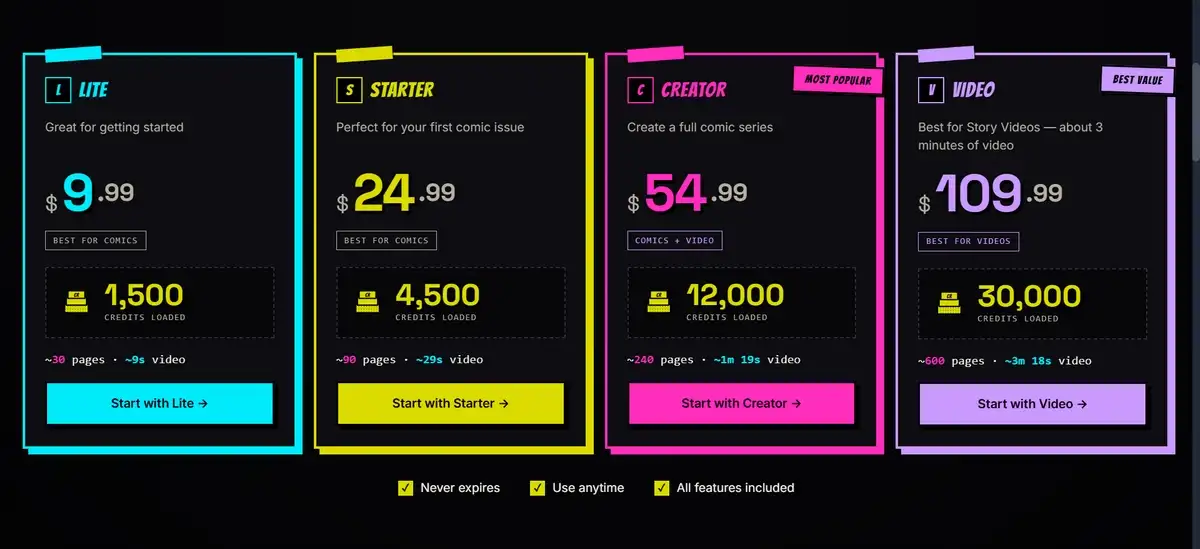
ComicInk uses credits instead of recurring subscriptions. Credits do not expire, so you can buy what you need when you need it.
Here is a clear overview of the main packs:
Pricing Packs Overview
| Pack Name | Price | Credits | Rough Comic Pages | Rough Video Length |
|---|---|---|---|---|
| Lite | $9.99 | 1,500 | 30 | ~9 seconds |
| Starter | $24.99 | 4,500 | 90 | ~29 seconds |
| Creator | $54.99 | 12,000 | 240 | ~1 min 19 sec |
| Video | $109.99 | 30,000 | 600 | ~3 min 18 sec |
A single comic page usually costs about 50 credits. A 10-second video scene costs around 1,500 credits.
For a quick example, a 60-second film might need six scenes. That comes to roughly 9,000 credits total. The Creator pack covers this amount with some room left over. You can test the first scene for free before deciding on a pack.
How ComicInk Compares with Other Tools
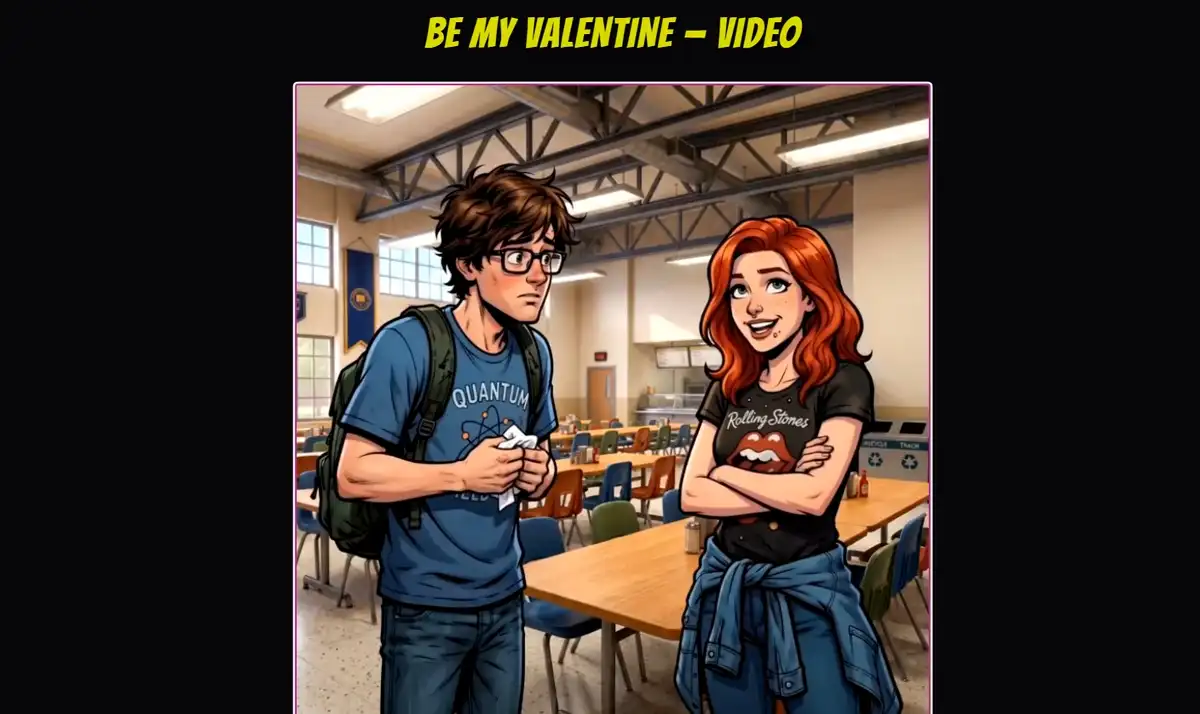
Several platforms handle comic creation or video generation. ComicInk shows some clear differences in how it handles consistency and workflow.
Main strengths you may notice:
- Strong character locking across both comic pages and video scenes
- One account that handles story input, comic pages, and film conversion
- Credit pricing that lets you pay only for what you generate
- Built-in options to publish comics and sell access through a storefront
Other tools often focus on either static comics with good layout tools or short video clips with strong motion. Many require extra steps to keep characters looking the same across a longer story. ComicInk combines the steps in one place and reuses locked assets automatically.
You can check the official blog posts from June 2026 for their own side-by-side thoughts on similar tools.
Practical Ways You Can Use These Tools
You might find these workflows helpful depending on your goals.
- Build a short series and release both print issues and short films that match visually.
- Test story ideas quickly on the free credits before spending more.
- Turn finished comic pages into simple animated versions for social media or websites.
- Work in different languages by selecting from the supported options during generation.
- Export files and continue editing in other programs if you want extra effects.
These steps stay flexible. You can start small, review results, and adjust before moving to larger projects.
Market Background and Points to Consider
Market reports from early 2026 estimate the AI-generated comic book space at about $1.5 billion to $1.8 billion for 2025. Growth looks steady as more creators explore tools that speed up visual storytelling.
For individual users, the main practical points include the current 720p video limits and the fact that longer films use more credits. You can begin with short tests and scale up once you see results you like.
Ownership stays with you, and commercial rights come with the generated files.
Limitations That Are Worth Knowing
The video resolution sits at 720p for now. Scene counts start with an automatic suggestion around 16 and let you add more by hand. Voice and music quality depend on your chosen settings and source material.
The iOS app focuses mainly on comic creation and editing. Video features run on the web version. Your account connects the two, but you switch between devices for full access.
Public examples of finished projects remain limited at this stage. Most guidance comes from the official June 2026 blog posts on the site.
Also read: Best Promptchan AI Alternatives
Final Verdict
Overall, ComicInk.ai gives you a straightforward way to produce comics and short films that share consistent characters and worlds. The locking system can reduce repetitive work, and the credit model offers flexibility compared with monthly subscriptions.
Video features are still fairly new, so higher resolution and longer projects may improve over time. For many creators, the current tools already support useful day-to-day workflows, especially when matching print and motion content matters.
You can try the free first scene directly on the site to see how the output fits your needs. Then decide whether the credit costs make sense for the type and volume of projects you have in mind.
The combination of comic and video tools in one account fills a practical gap that separate platforms often leave open.