
Warmup Cache Requests: Step-by-Step Guide for WordPress, Next.js, CDNs & AWS RDS
Warmup cache requests help you pre-populate caches before real visitors arrive. In return, this reduces cold starts and improves response times on WordPress sites, Next.js apps, CDNs, and AWS RDS databases. To add more, you can reach better cache hit ratios and lower origin load when you follow clear steps for each layer.
You will get the best results by combining good URL choices, rate limits, and simple checks afterward. The steps below come from real patterns and official sources. In this guide, we bring practical and easy-to-follow steps to achieve better results for your app or website.
Let’s get started with the basic things first before!
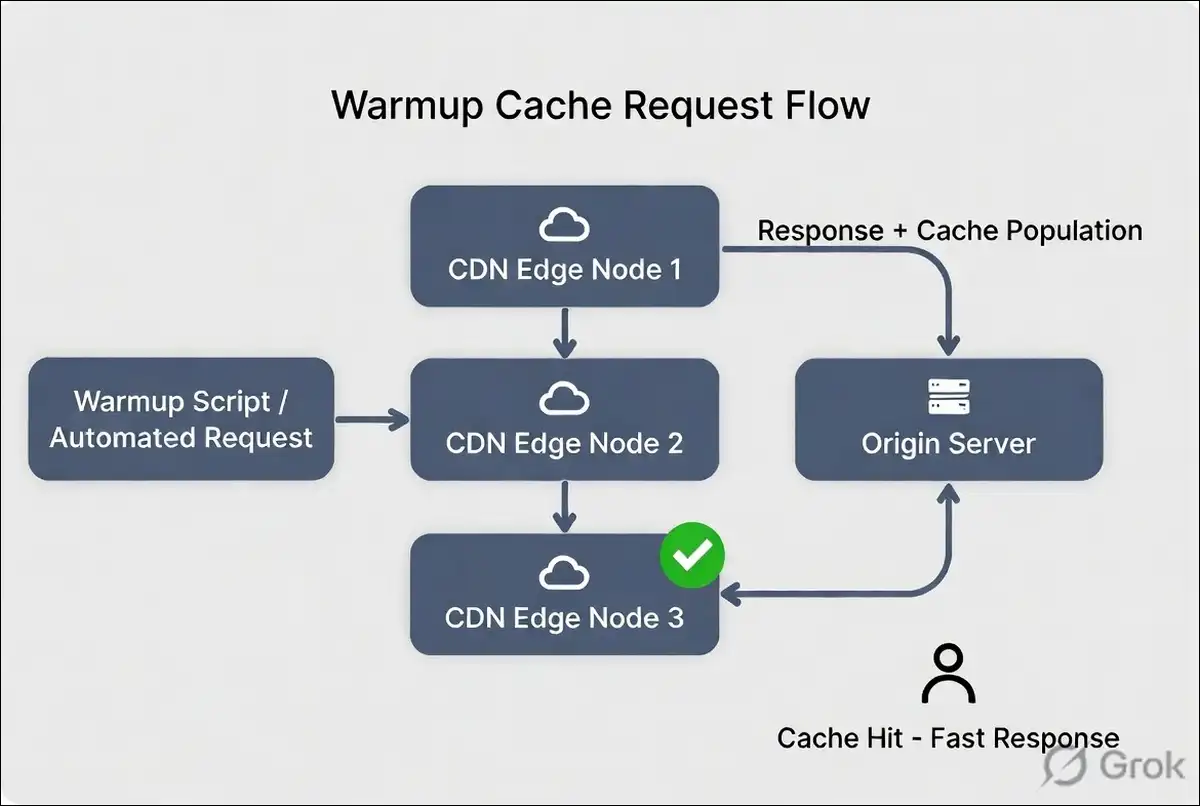
Preparation and Core Principles
Preparation works best when you pick the right pages and assets first. You can focus on high-traffic static content and read-heavy APIs. You may want to skip personalized or checkout paths since they change often and can cause privacy issues.
Key points to keep in mind
- You can pull URLs from your sitemap or analytics reports.
- You have the option to limit requests to 2 to 5 per second so your origin stays comfortable.
- Matching cache keys exactly, including query strings and headers, often makes a big difference.
- Testing everything on a staging site first can save time later.
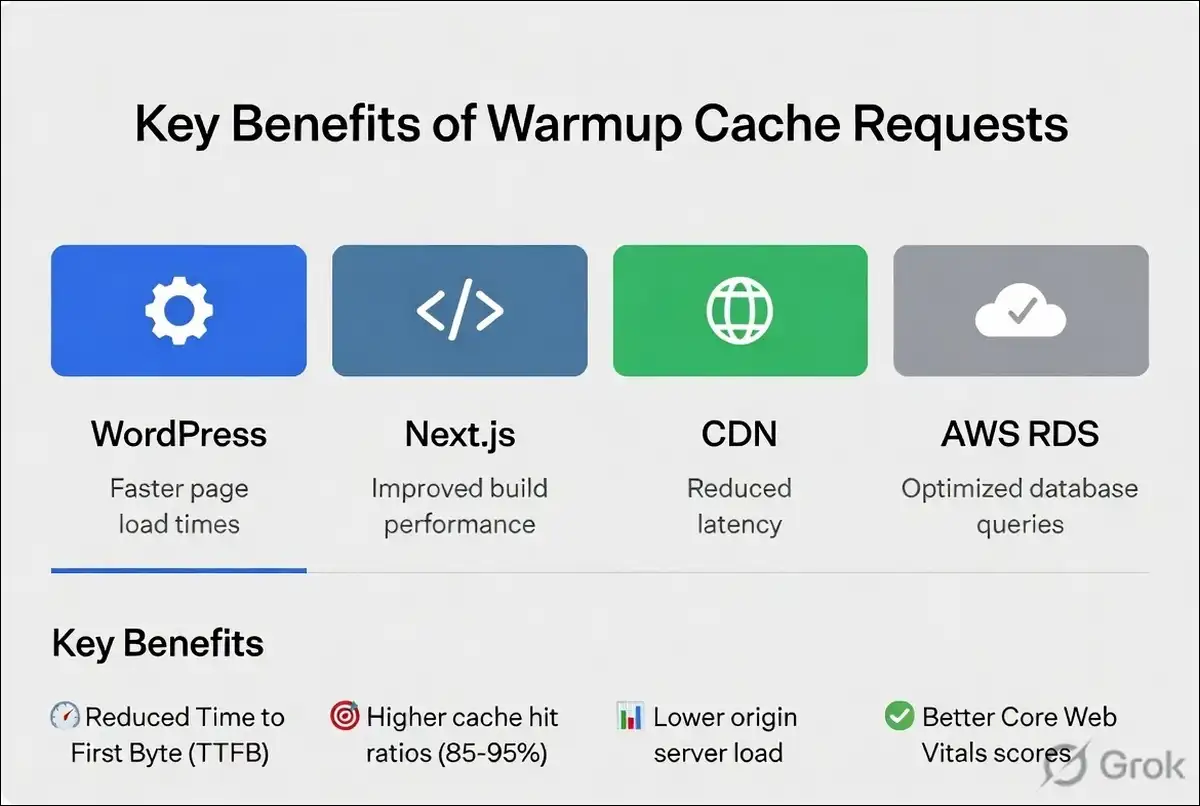
You can expect hit ratios to reach 85 to 95 percent once these basics are in place. Cold cache TTFB often sits between 500 and 2000 milliseconds while warm caches drop well below 100 milliseconds at the edge.
Cold Cache vs Warm Cache: Performance Comparison
| Metric |
Cold Cache (Before Warmup) |
Warm Cache (After Warmup) |
Improvement |
|---|---|---|---|
| Cache Hit Ratio | Often < 50% | 85 – 95% | +35% to +80% |
| Time to First Byte (TTFB) | 500 – 2000 ms | < 100 ms | 5x – 20x faster |
| Origin Server Load | Very High | Significantly Reduced | 70 – 90% less |
| User Experience Impact | High bounce rate risk | Fast & consistent | Much better |
Note: Results vary depending on your infrastructure, traffic patterns, and implementation quality.
Implementation for WordPress Environments
WordPress sites often see fast improvements with tools that run warmup automatically after purges. You might try NitroPack because it can queue important pages using your sitemap or visitor data and spreads the load gently.
For more control, a short manual script can also work well. Many people run it right after deployments or content changes. You can combine both methods for better coverage.
You have the option to follow these numbered steps for NitroPack warmup
- Turn on the Cache Warmup option in the dashboard.
- Choose homepage mode or add your XML sitemap as the source.
- Mark priority pages and leave out dynamic ones.
- Save the settings and let it run after the next cache clear.
Manual scripts give you extra flexibility. You can write a small loop with curl or WP-CLI and add delays between requests. Starting with just a few pages and watching your server response times often works well.
Automated tools usually need less ongoing work and can handle load spreading for you. Manual scripts offer more custom options but may need updates when your site changes.
Implementation for Next.js and Modern Frontend Applications
Next.js applications can warm caches nicely through Incremental Static Regeneration and edge functions. You have the option to trigger revalidation on key routes after a deployment finishes. Edge paths often respond quickest when you warm them ahead of time.
You can call your own API routes during a post-deploy step. This fills in data that static generation might miss. A lightweight script that hits important pages with the right headers usually does the job.
You have the option to follow these numbered steps for a basic Next.js warmup
- List routes that use ISR or cached fetch calls.
- Build a small script or GitHub Action that requests those routes.
- Add the revalidate tag or force-cache setting where it helps.
- Include short delays between requests to avoid spikes.
You will probably notice faster first loads on revalidated pages when fresh data already sits in cache. Checking your hosting logs can confirm the requests are completed without errors.
CDN-Level Warmup Strategies
CDNs store content across many edge locations. One warmup from a single region often leaves other locations cold. You may run scripts from different regions or use tiered caching features to improve coverage.
Networks like Cloudflare do not always warm every location automatically for lower-traffic sites. You can take charge with geo-targeted requests or scheduled jobs that hit representative spots.
You have the option to follow these numbered steps for CDN warmup
- Select 5 to 10 key URLs that reflect your global traffic.
- Send requests through proxies or runners in several regions.
- Keep cache-control headers so the CDN stores the responses.
- Review edge hit ratios in your CDN dashboard afterward.
This approach can work especially well for static HTML and media files. Dynamic API responses may need extra attention to headers and cookies.
Also read: RTP vs. SRT vs. WebRTC vs. MoQ vs. HLS
Database Buffer-Pool Warmup on AWS RDS
AWS RDS for MariaDB and MySQL gives you a built-in way to warm the InnoDB buffer pool. The system can save hot pages to disk during normal shutdowns and reload them on startup.
You may see faster queries after restarts when you use standard storage.
You can enable two parameters and then use stored procedures for on-demand control.
You have the option to follow these numbered steps to set up buffer pool warming
- Set innodb_buffer_pool_dump_at_shutdown and innodb_buffer_pool_load_at_startup to 1.
- Restart the instance or wait for the next normal shutdown.
- Run mysql.rds_innodb_buffer_pool_dump_now for an immediate save.
- Run mysql.rds_innodb_buffer_pool_load_now to reload the saved state.
- Create a scheduled event if you want automatic dumps every hour.
Gains can show up most clearly on standard storage. Provisioned IOPS volumes usually see smaller improvements. Testing on a non-production instance first often helps.
Automation, Triggers, and Monitoring
Automation can make warmup a consistent habit. You can link scripts to deployment success events or content publish hooks. Predictive methods that read access logs also help when traffic patterns stay steady.
Monitoring shows whether the work actually helps. You can track cache hit ratio, TTFB, and origin request count before and after each run.
Metrics to watch
- Cache hit ratio: You can aim for 85 to 95 percent after warmup.
- TTFB: Look for drops from hundreds of milliseconds to under 100 milliseconds at the edge.
- Origin requests: Expect reductions of 70 to 90 percent on warmed paths.
You can set simple alerts for when hit ratios fall below 80 percent. Synthetic checks from different regions can help you spot coverage gaps early.
Metrics table
| Metric | Typical Before Warmup | Target After Warmup |
|---|---|---|
| Cache hit ratio | Often below 50 percent after purge | 85 to 95 percent |
| TTFB | 500 to 2000 ms | Under 100 ms at edge |
| Origin load | High during cold periods | Reduced 70 to 90 percent |
Risks and How to Reduce Them
Warmup requests can strain your origin if rate limits are skipped. You might also warm the wrong content when cache keys differ between environments. Security stays important too.
You may want to limit warmup endpoints to trusted IPs or add light authentication.
Common risks and easy fixes
- Thundering herd after a full purge: You can spread requests out and use request collapsing when available.
- Cache key mismatch: Logging real traffic URLs and matching them exactly in your script often helps.
- Stale data: Timing warmup runs to work with your invalidation process can reduce issues.
- Extra load on dynamic paths: You have the option to exclude authenticated and personalized routes.
When your main database already handles cold reads well, heavy warmup may add little value. In those situations, lazy loading or write-through patterns often work better.
Wrapping Up This Guide!
Warmup cache requests can bring real improvements in TTFB and hit ratios when you use them on the right resources with proper controls. WordPress users often like automated tools. Next.js teams can benefit from edge and ISR patterns. CDNs may need distributed execution. AWS RDS buffer pool warming can help most after restarts on standard storage.
This method works best as one part of a measured performance plan. You can start small, check the numbers, and grow only where the data shows clear gains. Avoiding most issues becomes easier when you use rate limits and verify cache keys from the start.
Simple monitoring can keep everything effective as your site grows.
Frequently Asked Questions
What does a warmup cache request actually do? +
It sends a controlled request to fill your cache before real visitors arrive. This helps reduce cold starts and improves response times across your site.
How many requests per second work safely for warmup cache requests? +
Most setups stay comfortable at 2 to 5 requests per second with short delays between batches. This prevents origin overload while still warming the cache effectively.
Does warmup cache requests help with dynamic content? +
It works best on static or semi-static pages. Highly personalized or authenticated content usually stays excluded because it changes frequently.
How do I check if warmup cache requests made a difference? +
You can compare cache hit ratio and TTFB before and after implementation. Look for steady improvement over a few days along with reduced origin load.
You now have clear steps for each environment. You can apply them to one platform at a time and watch the metrics. The numbers usually show the value when you keep the process steady and measured.