How LongHair AI and Virtual Try-On Tools Help You Plan and Achieve Your Dream Hair

Virtual try-on tools give you a realistic preview of long hair on your own face before you commit to years of growth. As such a tool, LongHair AI stands out because it combines a fast AI filter with practical guidance on hair care and 2026 trends.
Other tools focus more narrowly on the filter itself. So, I tested several such options in 2026 to find that the differences in output quality, extra resources, and ease of use became clear quickly.
You can use these tools to reduce uncertainty as they help you decide which lengths and textures might suit you better. They also support better planning when paired with real growth data.
What LongHair AI Offers and How the Tool Works
LongHair AI lets you upload a photo and see long hairstyles applied to your face in seconds while also providing guides on growth and care.
Basically this AI tool analyzes face shape and hairline for more natural blending than basic filters. The platform stays focused on long hair specifically. This combination sets it apart from pure try-on apps.
The core tool stays free to start. You can claim free credits on your first use. Clean downloads come without watermarks. You have the option to use an HD upgrade for higher-resolution files suitable for printing or sharing.
Also read:
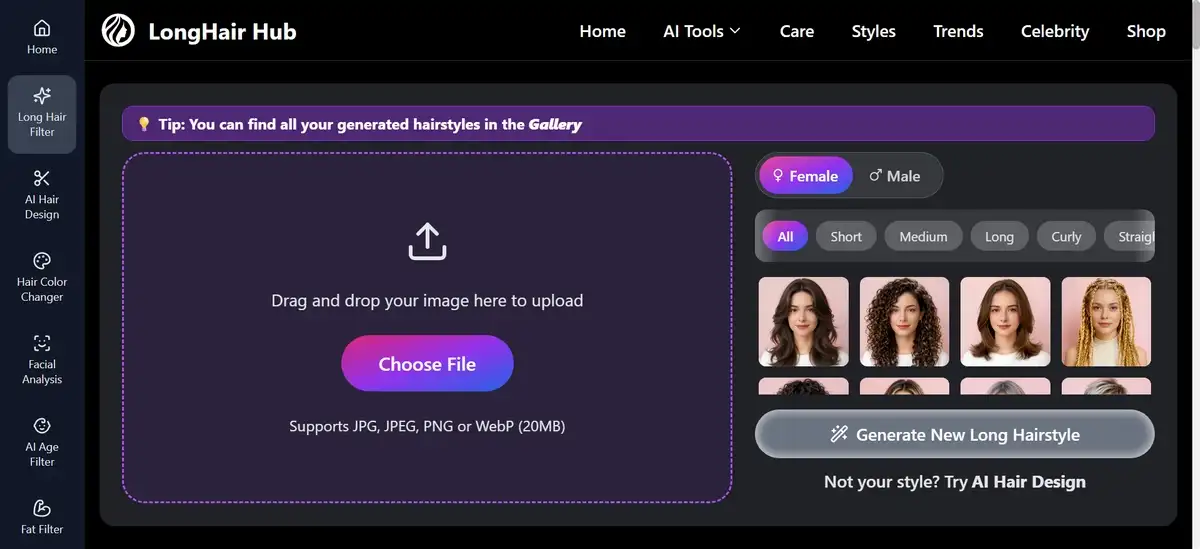
You can follow this simple three-step approach if it helps.
- Take or select a clear front-facing photo with good lighting. Keep hair pulled back if possible.
- Upload the image to the LongHair AI site or filter page. Choose a style category such as wavy, layered, or straight long looks.
- Click generate. Review the result. Download the preview or try another style.
In my tests, the AI usually processed images in about three seconds. It supports various textures, including straight, wavy, curly, and tighter coils. Both men and women can use the tool. Results adjust volume and flow to match your features.
You have the option to filter styles by face shape or occasion. Examples include long layers with curtain bangs for round faces or polished lengths for oval shapes. The site also offers related tools such as a hair color changer and face shape detector.
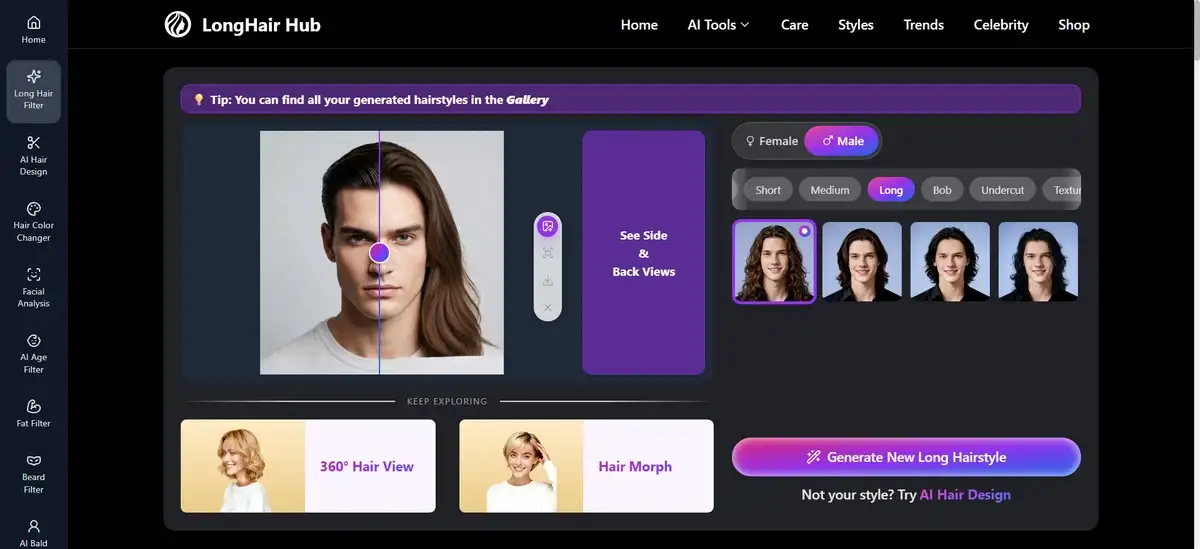
When I tested it, the output preserved my skin tone and facial structure well. Long layers looked proportional rather than pasted on. However, some styles needed a second try with adjusted volume.
Overall, the realism exceeded basic social media filters I tried before.
How LongHair AI Compares to Other Virtual Try-On Tools In 2026
There are several AI tools that let you preview long hair, but they differ in style variety, customization, extra content, and output quality. LongHair AI leads when you want both the filter and guidance on actual hair growth.
Pure filter tools move faster for quick experiments but provide less support afterward.
The table below summarizes the main differences. It may require horizontal scrolling on smaller screens. Key points are also described in the individual reviews that follow.
Tool Comparison Table
| Tool | Customization | Speed & Realism | Extra Content | Privacy | Price |
|---|---|---|---|---|---|
| LongHair AI | 50+ long styles. Face shape + texture support. | ~3 seconds. Strong blending. | Growth guides + 2026 trends. | 24-hour deletion. No training use. | Free core. Optional HD upgrade. |
| Pixelbin | Prompt-based custom descriptions. Works from any length. | Seconds. Natural textures. | Use-case tips. | No login. Strong emphasis. | Completely free. |
| AILabTools | 20+ women’s + 10+ men’s styles. Color options. | Instant. Good texture on long looks. | API access. Basic FAQ. | 24-hour deletion. | Free online. API separate. |
| YouCam / Similar | 150+ total styles. 2026 updates. | Fast. Solid face matching. | App integration. | Standard policies. | Free tier + in-app options. |
LongHair AI Tool
When I tested LongHair AI, the face-shape analysis produced balanced proportions on long layered styles.
The output handled volume and movement better than simpler filters. I tried beachy waves and polished straight lengths. Both blended at the hairline without obvious artifacts.
Key features include over fifty long-hair options, support for multiple textures, and quick generation. You can also access care articles and trend roundups on the same site.
The platform emphasizes privacy by automatically deleting data after 24 hours.
Pros
- Combines visualization with educational content on growth and care.
- Free credits and clean downloads add convenience.
- Results felt motivating for planning real growth.
Cons
- Occasional need for retakes on complex textures.
- HD upgrade requires extra steps or payment for maximum resolution.
Price stays free for basic use. You can upgrade to HD for higher-quality files.
My Verdict: LongHair AI works well when you want more than a quick preview. The added growth and care resources make it useful for anyone thinking seriously about longer hair.
Pixelbin Long Hair Filter
I tried Pixelbin’s filter on the same test photos and found the prompt-based approach gave strong control.
I described “waist-length soft waves with natural volume” and received clean results in seconds. The tool handled short starting hair well and produced subtle layers.
Features focus on flexibility. You type a description instead of picking from presets. It supports male and female faces. No account is needed. Outputs include upscaling options.
Pros
- Speed and customization stand out.
- The no-login format feels private and simple.
- Practical tips on the site help improve first-try results.
Cons
- Less built-in style guidance than LongHair AI.
- You rely more on your own descriptions for the best outcomes.
Price remains completely free for standard use.
My Verdict: Pixelbin suits users who prefer typing custom instructions and want fast, no-friction testing. It pairs well with LongHair AI when you need both preset inspiration and fine-tuned prompts.
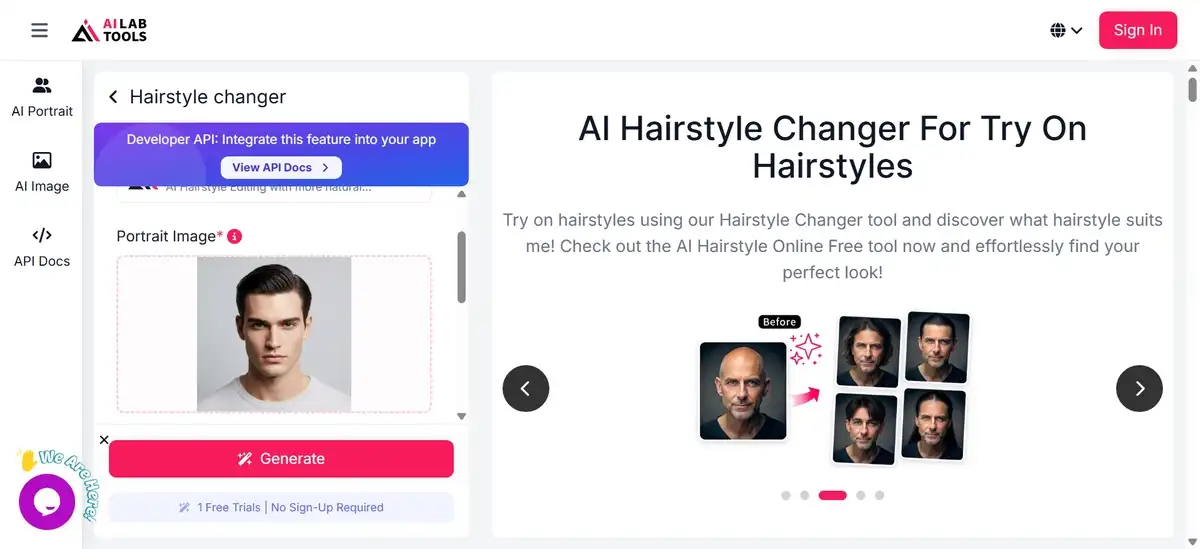
AILabTools Hairstyle Changer
This tool offers many style examples and color variations. In my tests, the long-hair options preserved texture and volume better than average. Face-shape suggestions appeared in the results. The interface lists dozens of looks, which helps with browsing.
Features include separate men’s and women’s sections plus long-specific models. An API exists for developers who want to integrate the tool elsewhere.
Pros
- Variety and the option to explore colors alongside length.
- Privacy handling matches the 24-hour deletion standard.
Cons
- Busier interface with repetitive lists.
- Educational content stays minimal compared with LongHair AI.
Price stays free for the online tool. API access may involve separate arrangements.
My Verdict: AILabTools works for quick variety checks and color experiments. It serves as a solid backup when you want many options in one place without extra reading.
The Science Behind Growing Long Hair
Hair grows at a fairly consistent rate for most adults, and understanding the numbers helps set realistic timelines when AI previews show a desired length.
Data referenced by Dyson and the Society of Hair Testing places average scalp growth at roughly one centimeter per month. That equals about six inches per year. Actual speed varies with genetics, age, hormones, nutrition, and health. Some people see faster growth in the summer months.
Key facts that may help with planning
- Average growth rate: About 1 cm per month or 0.5 inch.
- Yearly potential: Roughly 6 inches under good conditions.
- Main influences: Genetics, scalp health, nutrition, and gentle handling matter more than any single product.
AI previews help here. They turn an abstract goal into a visible image. Many people report increased motivation after seeing a realistic version of longer hair on themselves. You can use the preview to choose styles that will work with your growth stage rather than fighting it.
You have the option to combine the visual plan with steady care. Focus on scalp massage, regular trims to remove damage, and protection from heat. These steps support the growth rate your body already produces.
Average Hair Growth Timeline
Based on the average rate of ~1 cm per month (about 6 inches per year)
This is an average illustration.
Your actual growth depends on genetics, health, and care.
Typical look: Chin-length bob or short style
Typical look: Just past chin, approaching shoulder length
Typical look: Shoulder to mid-back length
Typical look: Lower back length — true long hair
Typical look: Very long — approaching waist or beyond
Long Hair Trends Worth Trying with AI Previews In 2026
Several styles appear frequently in 2026 discussions, and AI tools let you test them on your face before any commitment. LongHair AI and similar platforms make it easy to rotate through options in one session.
Current trends and how they may suit different needs
- Glass Hair 2.0 and liquid texture waves: Emphasize high shine and healthy movement. These often suit most face shapes when volume stays natural.
- Butterfly 2.0 layered cuts: Add internal layers for movement while keeping overall length. They often work well on medium to thick hair.
- Soft mermaid and waterfall waves bring relaxed volume. These flatter oval and heart-shaped faces especially.
- Wispy bangs (Gucci- and Birkin-inspired): Add softness and pair nicely with longer lengths. Preview helps confirm forehead and cheekbone fit.
- Modern Rapunzel lengths and polished layers require patience and consistent care. The AI view helps you visualize maintenance at different stages.
You can try several of these in one session. Note which ones feel most like “you” rather than chasing every trend.
Practical Steps to Get Better Results from Any Virtual Hair Tool
Clear input photos improve output quality across all the tools I tested. You can follow these steps for stronger first results if you like.
- Use even, natural light. Avoid harsh overhead or colored lighting.
- Pull hair away from the face or wear a headband. Show your full hairline and jawline.
- Keep the camera at eye level and steady. Blurry images reduce accuracy.
- Try the same photo across two tools for comparison.
- Adjust one element at a time when results need refinement, such as volume or bang style.
You have the option to save multiple versions. Compare them side by side later. This practice reveals which styles hold up across different lighting or angles.
Some tools respond better to specific descriptions. Others work well with preset categories. Test both approaches on your photos.
Privacy and Data Considerations with These AI Tools
Most current tools delete uploaded photos within 24 hours, which reduces long-term storage risk. You should still review each site’s policy before uploading sensitive images. LongHair AI states photos are not used for model training. Similar claims appear on Pixelbin and AILabTools.
You might find this simple checklist useful when reviewing any tool.
- Read the privacy section on the site.
- Note the exact deletion timeline.
- Decide whether the convenience outweighs any data concerns for your situation.
- Consider using a secondary email where accounts are required.
You have the option to avoid tools that ask for unnecessary information. Consider what you do with downloaded images. AI-generated previews can look realistic, yet they may not reflect exact future results after real growth and styling.
My Final Verdict on Using LongHair AI and Similar Tools for Your Hair Goals
LongHair AI currently offers the strongest mix of realistic previews and supporting information on growth and care. The free access and quick results make it easy to start. Other tools, such as Pixelbin, add useful customization when you need precise descriptions.
These platforms reduce the guesswork in choosing a direction. They do not replace consistent care or professional advice for actual hair health. Use the previews as planning aids rather than guarantees.
Hair growth takes time, and a realistic preview can keep motivation steady during that process. You can pair the visual experiment with steady habits around scalp health and gentle handling. The combination gives you both inspiration and a practical path forward.
You can begin with one clear photo and a few style tests today. The insights from the results often clarify next steps better than text descriptions alone.