20 Best Pokémon Games & Experiences for Android in 2026 (Official + Legal Classics)
Get the 20 best Pokémon games for Android in 2026 — official titles like GO, UNITE & Champions plus legal emulation of classics, with performance tips and comparisons.

Android phones give you solid ways to play Pokémon in 2026. Nine official games run natively right now, and legal emulation adds classic main-series titles from earlier generations. This guide covers 20 strong options with current details, performance notes, and practical steps so you can choose what fits your phone and schedule.
Key findings from 2026 data
- Pokémon GO keeps the largest active player base among official titles.
- Pokémon Champions launched on mobile June 17 and reached 1 million downloads quickly.
- Legal emulation works well on most Android devices for older games. GBA and DS titles run smoothly on mid-range phones.
- Pokémon HOME connects progress across several official games.
- Most competitor lists focus on unofficial clones and skip safety steps or setup guides.
Many players get good results by mixing one or two official games with a couple of emulated classics that match their available time and device. That said, it’s worth starting with what feels easiest for you.
Official Pokémon Games on Android in 2026

1. Pokémon GO still leads for players who like real-world movement.
It turns your phone into a map where you walk, catch Pokémon with the camera, and join raids with millions of others. Events happen almost every week, and many trainers report two to four hours of active play on a full battery when AR mode stays off. You can download it free from the Google Play Store and create an account right away. Linking a Nintendo account early gives you the option to connect with Pokémon HOME later.
Many players find it helpful to turn off AR during longer sessions to save battery. Some events favor players who can travel or play at specific times, but mid-range Android phones handle it well with battery saver settings enabled. It’s the best choice if you enjoy getting outside and being part of a huge community. That said, data and battery use rise quickly if you keep AR on for hours.
Key facts
- Over 650 million lifetime downloads.
- Roughly 50 to 70 million monthly active users in recent estimates.
2. Pokémon UNITE delivers fast team battles on mobile.
You pick a Pokémon and play 5v5 matches that last about ten minutes. Strategy matters more than raw power, and the game supports cross-play with other platforms. You can install it from the Play Store and complete the short tutorial if you’d like. Touch controls feel responsive on most screens, and you can play with friends or random teammates.
Some players note a learning curve with item builds and positioning. Performance stays smooth on mid-range devices, though high graphics settings can warm the phone during long sessions. It’s a strong pick if you enjoy short, competitive matches and working with a team. Battery use stays moderate for most players, but ranked mode can feel more intense if you’re new to the game.
Key facts
- Over 100 million downloads.
- Monthly active users sit around 9 to 15 million in available estimates.
Also read: How to use Pokemon Fusion Generator?
3. Pokémon Masters EX focuses on story and sync pair collection.
You team famous trainers with Pokémon and battle in turn-based stages. The narrative gives context for many characters, and gacha elements let you pull new pairs. You can download it from the Play Store and start the main story whenever you’re ready. Linking your Nintendo account gives you the option to connect with HOME support later. Battery use stays moderate compared with real-time games.
Gacha progression can feel slow without spending, but the game shines for fans who enjoy character stories more than pure competition. Older Android phones run it without issues at default settings. It works well in short sessions of 10 to 20 minutes, so it’s a good fit if you like story-driven gameplay on the go.

4. Pokémon TCG Pocket brings digital card collecting to phones.
You open packs, build decks, and battle other players. The interface stays simple while still offering depth for experienced players, and many enjoy the daily login rewards and events. You can get it free on the Play Store, and the tutorial teaches basics quickly. Most battles finish in a few minutes, which suits commute play.
Pack opening relies partly on luck, so competitive players may want to study current meta decks online. The game runs cleanly on budget Android devices with stable internet. It’s a relaxed option if you enjoy collecting and building decks without needing long play sessions. Battery use stays low, making it easy to pick up and put down throughout the day.
5. Pokémon Sleep tracks your rest and rewards consistent habits.
Wear your phone or a compatible device while you sleep. The app logs movement and gives Pokémon-themed insights the next morning, and events often tie into sleep streaks. You can download it and follow the setup for your phone placement. It uses little battery overnight when set correctly.
Results vary if your sleep schedule changes often or if the phone moves during the night, so it appeals most to players who already track habits. Data stays private within the app unless you choose to share. It’s a passive choice if you want something that runs in the background and ties into your daily routine without active gameplay.
6. Pokémon Café ReMix offers relaxing match-3 puzzles.
You serve Pokémon customers by matching icons and completing orders. The theme feels light and charming, and levels progress steadily without heavy pressure. You can install it from the Play Store and begin the café story. Touch controls respond well, and battery drain stays low during typical play.
Later levels can require repeats or helpers that cost resources, but it works as a calm alternative to battle-heavy titles. Older phones handle it without slowdown. It’s a good pick if you enjoy short, relaxing sessions of five to fifteen minutes and prefer puzzle gameplay over battling or collecting.
7. Pokémon TCG Live supports serious competitive card play.
You build decks from a large card pool and face other players online. The rules match the physical Trading Card Game, and many use it to practice for in-person events. You can download it free and complete the beginner decks. The client updates with new sets, and performance stays reliable on current Android versions.
The learning curve is steeper than Pocket, so players who enjoy deck building and long-term strategy get the most from it. Battery use rises during extended online sessions. It’s the better choice if you want serious competitive play and don’t mind investing time in learning the meta and building strong decks.
8. Pokémon HOME acts as the central storage and transfer hub.
You move Pokémon between supported games and view your collection. It also offers some basic features like boxes and a Pokédex viewer, and cross-game progress works when titles support it. You can download it from the Play Store and link your Nintendo account. Transfer options appear once you connect compatible games.
Not every game supports full transfers yet, and some features stay limited compared with the console version. It runs lightly and uses minimal resources. It’s essential if you play multiple official games and want a safe place to store and move your Pokémon across titles.

9. Pokémon Champions brings focused battles to mobile right after its June 2026 launch.
You battle other trainers in ranked, casual, or private matches. Mega Evolutions and team building take center stage, and save data carries over from the Nintendo Switch version when you link the same account. You can install it from the Play Store and link your Nintendo account for cross-progress. Battles feel responsive on touch screens.
Some early players noted performance quirks and small text on certain devices, but the game rewards practice with specific teams. It reached 1 million downloads within days and holds a 4.8-star rating. It suits players who want pure battling without exploration elements and don’t mind a bit of early adjustment on their phone.
Also read: How to Play Pokemon Go From Home (without hacks)
Legal Emulation Experiences on Android in 2026
Legal emulation lets you play main-series games you already own. You dump ROMs from your own cartridges or digital purchases, and you can use reputable emulators from the Play Store or official sites. Performance varies by device and title.
10. Pokémon FireRed and LeafGreen run excellently on almost any Android phone.
These GBA remakes of the original Kanto games offer clear stories and solid post-game content. Touch controls or a Bluetooth controller both work well, and fast-forward features help with grinding. You can download a GBA emulator first, then load your legally obtained ROM. The games feel portable and complete.
No official online trading or events, so you miss modern quality-of-life features found in newer titles. Still, many players return for the straightforward adventure. Battery lasts several hours on mid-range phones, and save states make short sessions easy. It’s a strong starting point if you want classic Kanto gameplay without needing powerful hardware.
11. Pokémon Emerald expands the Hoenn region with extra features.
It includes the Battle Frontier and weather mechanics that affect encounters. The story and exploration reward patient players. You can use the same GBA emulator setup as FireRed. Adding a controller helps with comfort during longer play. Many complete the main story in 30 to 40 hours.
Some later areas feel repetitive without fast-forward, and the game stays single-player only. It offers strong value for fans of classic structure and post-game challenges. Battery use stays low, so it works well even on older Android devices.
12. Pokémon Platinum improves on earlier Sinnoh games with more content.
Distortion World and a stronger story stand out. The game balances challenge and accessibility. You can load your own ROM after emulator setup with DraStic or RetroArch DS cores. The game rewards multiple play styles, and touch screen input works for menus.
DS emulation can show minor accuracy issues on some cores, and performance drops on very old Android devices. Players who enjoy exploration and legendaries get the most here. Battery use stays reasonable for a DS title, making it a good choice if you want deeper story and post-game content on the go.
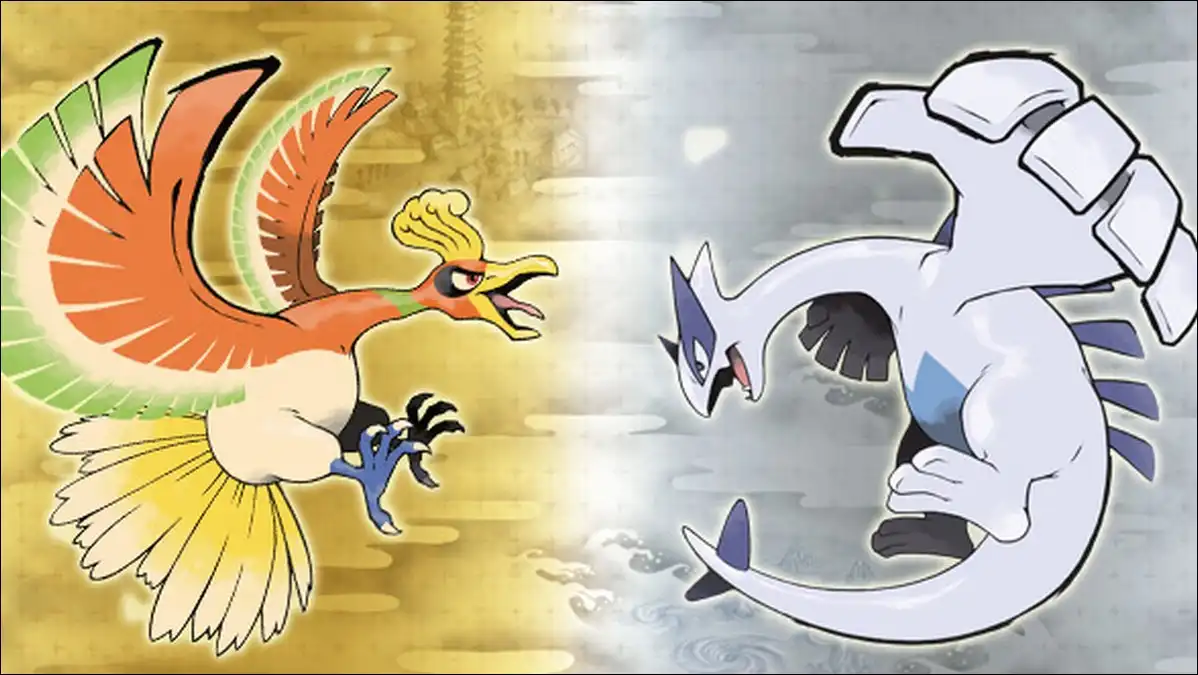
13. Pokémon HeartGold and SoulSilver bring Johto and Kanto together.
Following two regions in one game creates a long journey, and Pokémon following you adds charm. Emulator choice stays the same as other DS titles, and a controller improves comfort for extended sessions. Many finish the main content in 40 to 50 hours.
The dual-region scope can feel lengthy on a phone screen, so battery drain increases during long play without breaks. It remains one of the most complete classic experiences available via emulation. Save states help you pick up where you left off easily.
14. Pokémon Black and White introduce a fresh story and new mechanics.
The narrative challenges older traditions while the games look sharp on DS hardware, and post-game content stays substantial. You can set up your DS emulator once, then load the ROM. Touch controls handle battles cleanly, and many players finish the story in 35 to 45 hours.
Some story choices divide players, and online features from the original release no longer work officially. The experience still holds up well for single-player fans. Battery use stays moderate, so it works fine on most current Android phones.
15. Pokémon Black 2 and White 2 expand the Unova story further.
They add new areas, seasons, and a stronger post-game. Difficulty options help different skill levels. You can load the ROM after the base game if you want story continuity. The pair offers high replay value and runs smoothly alongside the first games on the same emulator.
The increased content can overwhelm new players, so some prefer starting with Black and White. Fast-forward reduces repeat battles, and battery life supports several short sessions per charge. It’s a great follow-up if you enjoyed the first pair.
16. Pokémon X and Y bring 3DS visuals and Mega Evolutions to phones.
The Kalos region and character customization add variety, and battles feel faster than earlier generations. Citra or compatible forks run these on stronger Android phones. Mid-range devices may need frame skips or lower resolution. A legal ROM is required, and setup takes a bit more configuration.
Performance varies more than older generations, and some players notice minor slowdown in crowded areas. The games reward fans who like Mega Evolutions and fashion options. Battery use is higher than on GBA titles, so plan shorter sessions if you’re on a mid-range phone.
17. Pokémon Sun and Moon shift to a more story-driven Alola adventure.
Trials replace gyms and the narrative receives more focus, while island life elements add personality. You can use a capable 3DS core and your own ROM. Touch controls suit the menu-heavy design, and 30- to 60-minute sessions fit well.
The heavier story focus divides players who prefer classic gym structures, and emulation accuracy has improved but still trails native hardware slightly. It’s a good choice for narrative fans who enjoy the larger modern screens on current phones.
18. Pokémon Ultra Sun and Ultra Moon add more content to the Alola games.
Extra story branches and Ultra Beasts increase length and variety, so they suit players who finished the base versions. You can set up once with the base emulator, then load the Ultra ROMs. Many complete these in 40 to 50 hours.
The added content can feel like more of the same for some, and emulation demands decent hardware for best results. Battery planning helps during longer exploration stretches. Players who enjoyed Sun and Moon usually appreciate the expansions and extra legendaries.
19. Pokémon Sword and Shield bring larger-scale adventures with Wild Area exploration.
Dynamax battles and the open zones change pacing, and the games support more modern features. Switch emulation on Android remains more demanding. Flagship phones with strong cooling handle it best, and you can expect tweaks for stable performance. A legal ROM and capable emulator core are required.
Performance and accuracy trail native Switch hardware, and some areas may need lowered settings. Battery life drops faster than DS or GBA titles. These games suit players with powerful Android devices who want newer mechanics and bigger exploration areas.
Also read: Best Pokemon Go Spoofers for Android/iOS
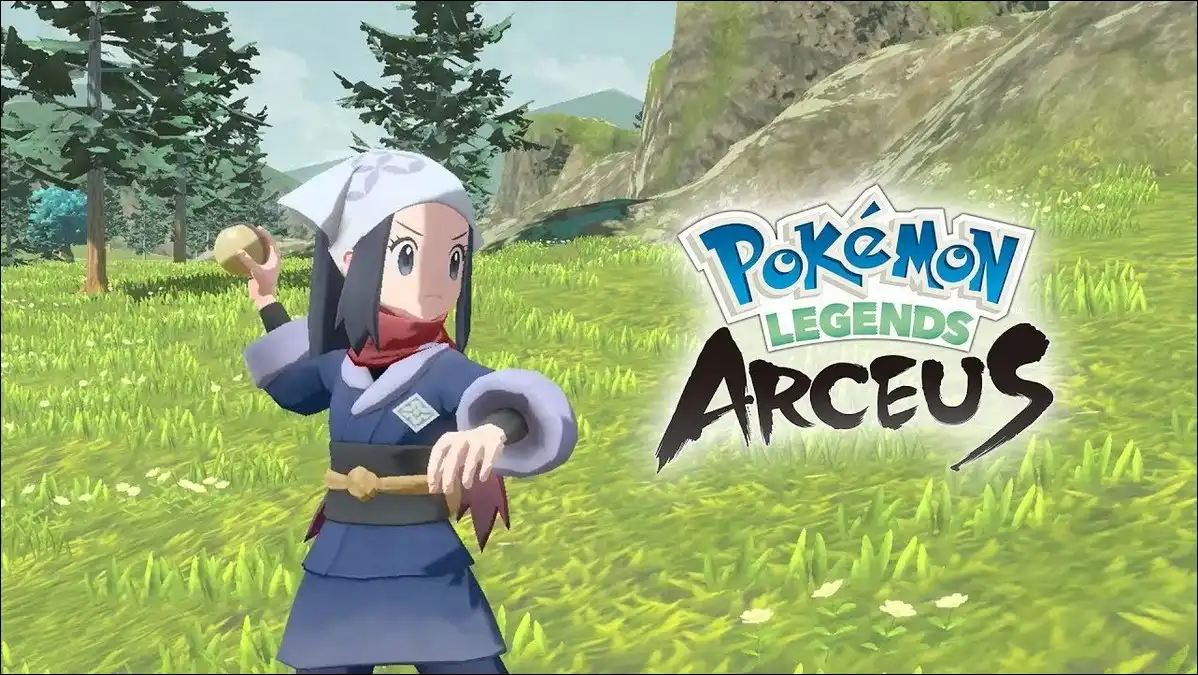
20. Pokémon Legends: Arceus offers open-zone catching and action elements.
It changes the traditional formula with real-time elements and research tasks, and many consider it a fresh direction. Switch emulation works on high-end 2026 phones with optimization. Frame rates vary by area, and battery use stays higher during active play. You can use your own ROM and a tuned emulator profile.
It demands more powerful hardware than older titles, and some players miss traditional turn-based battles. It provides a distinct experience for those ready for change and rewards experimentation with catching styles on phones that can handle the demands.
How to Set Up Legal Emulation on Android
Here’s a simple way to get started with legal emulation on your Android phone.
You can download the emulator from the Google Play Store when available or the official site. Then, you would only need to obtain ROM files only from games you own by dumping your own cartridges.
Place ROMs in the emulator folder and scan for games. Adjust speed settings, save states, and controls. Test one game before adding more.
Only use your own ROMs and avoid random download sites. Keep emulators updated for best compatibility and security. Performance improves on phones with good cooling and recent processors.
Comparison Table: Quick Match for Your Situation
This table is optimized for mobile screens with fewer columns. Scroll horizontally if needed, or check the individual game sections above for more depth.
| Game or Experience | Best For | Battery Impact | Quick Note |
|---|---|---|---|
| Pokémon GO | Real-world play, events | High with AR | Largest community |
| Pokémon UNITE | Short competitive matches | Medium | Team-based battles |
| Pokémon Masters EX | Story and collection | Low-Medium | Character focus |
| Pokémon TCG Pocket | Card collecting | Low | Quick sessions |
| Pokémon Sleep | Passive wellness | Very Low | Overnight tracking |
| Pokémon Café ReMix | Relaxing puzzles | Low | Short levels |
| Pokémon TCG Live | Serious card competition | Medium | Deck building depth |
| Pokémon HOME | Collection management | Very Low | Hub for transfers |
| Pokémon Champions | Pure battling | Medium | New 2026 option |
| FireRed / LeafGreen | Classic Kanto story | Low | Very portable |
| Emerald | Hoenn exploration | Low | Battle Frontier endgame |
| Platinum | Sinnoh story | Low-Medium | Strong post-game |
| HeartGold / SoulSilver | Long dual-region journey | Medium | Following Pokémon feature |
| Black / White | Fresh narrative | Low-Medium | Modern DS visuals |
| Black 2 / White 2 | Expanded Unova | Medium | High replay value |
| X / Y | Mega Evolutions, customization | Medium | 3DS visuals |
| Sun / Moon | Story-driven Alola | Medium | Trial system |
| Ultra Sun / Ultra Moon | Extra Alola content | Medium | More legendaries |
| Sword / Shield | Wild Area scale | High | Demanding hardware |
| Legends: Arceus | Action catching | High | Different pace |
Pro Tips for Android Pokémon Play in 2026
You can turn off AR in GO when possible to save battery. Use battery saver modes in emulators and close background apps during longer sessions. Flagship phones handle newer emulation better than budget models. Download only from official stores or trusted emulator sites. Never share ROMs, and link Nintendo accounts where supported for progress protection.
You can use Pokémon HOME to move supported Pokémon between official games. Emulation stays separate but gives access to stories and mechanics the mobile games don’t offer. Start with one official game that matches your free time and add one or two emulated classics for deeper single-player stories.
Suggested visual placement: After the comparison table. Alt text: Clean comparison table screenshot showing Pokémon game options for Android with columns for battery impact and best use case.
Wrapping Up
Android in 2026 gives you convenient official games and deep classic experiences through legal emulation. The strongest results come from honest choices that match your device, schedule, and what you enjoy most about Pokémon. Start simple, test performance on your phone, and expand from there.
You can support official releases when you can while enjoying the full library available through careful emulation. You now have clear options and practical steps. Pick one title today and see how it fits your routine.