5 Best English to Tamil Translator Apps in 2026
You Want to Speak Tamil. The Right App Makes It Easy.
Tamil is one of the world’s oldest living languages. With over 80 million native speakers, it carries centuries of history in every syllable. Whether you are visiting Tamil Nadu, working closely with Tamil-speaking clients, or simply trying to learn the language — finding a translator app that actually works is not optional. It is essential.
Here is the real challenge though. Not every translation app handles Tamil well. Some mangle the script entirely. Others grab the literal meaning but miss the context. And a few perform beautifully on a fast Wi-Fi connection, then fall apart the moment you step into an area with no signal.
That is why we put this guide together. We researched and tested the best options currently available in 2026.
What you will find below is a clear, honest breakdown of the top five English to Tamil translator apps — what each one does well, where it falls short, and who it is best suited for.
Why Choosing the Right App Actually Matters
Tamil is a classical language with a rich and complex script. It uses 12 vowels, 18 consonants, and several special characters that do not exist in the Latin alphabet. That structural depth makes accurate translation genuinely harder than it is for many other languages.
And when a translation goes wrong, the consequences can be surprisingly serious. Think about misreading a medical label, giving someone the wrong directions, or saying something unintentionally rude in a business meeting. These are not hypothetical concerns — they happen more often than people expect.
A good English to Tamil translator does more than swap one word for another. It understands context. It handles pronunciation well enough to be useful in real conversations.
And critically, it works when you actually need it — including when you are offline and far from a stable internet connection. Those are the qualities we kept at the center of every assessment in this guide.
How We Picked These 5 English to Tamil Translator Apps
We did not simply look at download counts or star ratings and call it a day. We focused on what genuinely matters to people using these apps in real situations. Here is what guided our evaluation:
- Translation accuracy for Tamil, especially for everyday conversational sentences and not just formal text
- Offline support, which is critical when you are traveling through areas with poor or no connectivity
- Voice and camera translation features, because real-world use rarely involves sitting at a desk and typing
- Platform availability across Android, iOS, or both
- User ratings and authentic reviews from 2025 and 2026
- Value — whether the free version is actually useful, or whether everything meaningful is locked behind a subscription
With that framework in mind, here are our five picks.
Quick Feature Comparison: All 5 Apps at a Glance
Before diving into the details, here is a side-by-side look at the key features of each app. Use this as a quick reference before we get into the full breakdown.
| App | Offline | Camera | Voice | Group Chat | Platform | Price |
|---|---|---|---|---|---|---|
| Google Translate | ✅ | ✅ | ✅ | ✅ | Android, iOS | Free |
| Microsoft Translator | ✅ | ✅ | ✅ | ✅ | Android, iOS, Windows | Free |
| iTranslate | Pro only | Pro only | ✅ | ❌ | Android, iOS | Free / Pro |
| EN↔Tamil Translator | ❌ | ❌ | ✅ | ❌ | Android | Free (Ads) |
| SayHi Translate | ❌ | ❌ | ✅✅ | ❌ | Android, iOS | Free |
Now let us walk through each app properly.
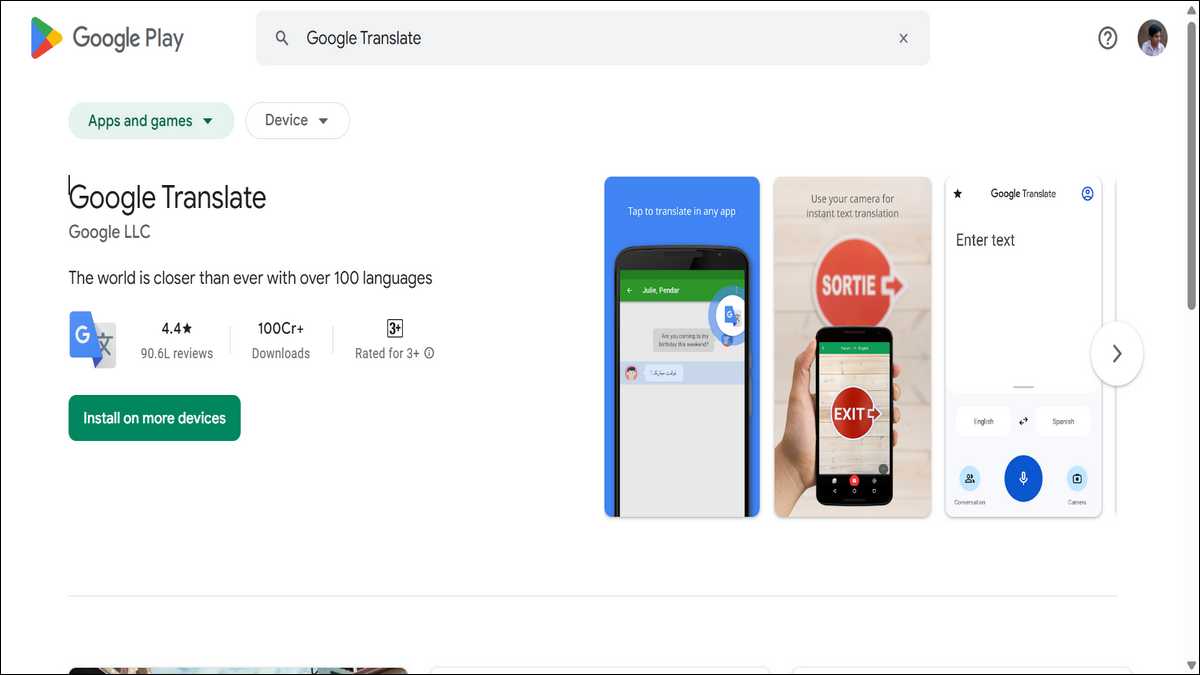
1. Google Translate — The Best All-Around Choice
What Makes It Stand Out
Google Translate remains the most complete English to Tamil translator you can find right now. It has been around since 2006, but it has come a long way from those early days.
Late in 2024, Google integrated its Gemini AI model into the app, and the improvement in Tamil translation accuracy — especially for conversational language — is genuinely noticeable.
One of the most practical features is offline support. You download the Tamil language pack in advance over Wi-Fi, and from that point on, the app works without any internet connection at all.
For anyone traveling through rural parts of Tamil Nadu or South India, that alone makes it worth having.
Features You Will Use Every Day
Point your camera at a Tamil street sign, a restaurant menu, or a product label. The app translates it on your screen in real time. You do not type a word. This is one of those features that sounds like a gimmick until you actually need it — and then you wonder how you ever managed without it.
Voice translation works reliably too. Speak your English sentence, and the app produces Tamil text and audio almost immediately.
There is also a conversation mode designed for two people. Each person speaks in their own language, and the app translates both directions in real time. For a face-to-face situation with a Tamil speaker, this mode feels remarkably natural.
There is even a handwriting input feature. You draw Tamil characters on the screen with your finger, and the app recognizes them. It sounds niche, but it is surprisingly useful when you encounter handwritten text that you cannot photograph clearly.
Where It Falls Short
No app is perfect, and Google Translate has its gaps. Idiomatic Tamil expressions can still trip it up. A phrase that makes perfect sense in one cultural context might come out wooden or confusing in the translation.
It also does not always navigate the difference between formal and informal Tamil registers — a distinction that matters quite a bit in everyday Tamil conversation.
- Best for: Everyone. It is the most well-rounded option with the deepest feature set.
- Platform: Android, iOS | Price: Free
You can download this app here.

2. Microsoft Translator — Best for Work and Group Settings
Built for Professional Use
Microsoft Translator is not trying to be a travel app. It is a productivity tool — and a very good one. If your day involves Microsoft 365, multilingual meetings, or colleagues who speak Tamil, this app fits into your workflow in a way that none of the others can match.
It connects directly with Microsoft Teams, Word, Outlook, and PowerPoint. You can show live Tamil subtitles during a presentation without switching apps.
You can translate a Tamil email right inside Outlook. These might sound like small conveniences, but when you are in the middle of a busy workday, not having to context-switch between apps saves meaningful time.
The Group Conversation Feature Is Genuinely Useful
The feature that truly sets Microsoft Translator apart is real-time group conversation translation. Multiple people can join the same session from their individual phones.
Each person speaks in their own language, and everyone reads the translation on their own screen simultaneously.
Picture a teacher delivering a lesson in English while Tamil-speaking students follow along through their phones in real time. Or an international team meeting where no one has to wait for a human interpreter.
We think this feature alone makes the app worth keeping on your phone if you work in a multilingual environment.
Limitations to Be Aware Of
The app handles formal, structured content well. Where it stumbles is with longer, more complex Tamil sentences and idiomatic expressions.
Some users have noted that the output can feel awkward in casual conversation. For professional documents and workplace communication, it is excellent. For chatting with a friend, Google Translate still has the edge.
- Best for: Professionals, educators, and anyone embedded in the Microsoft 365 ecosystem.
- Platform: Android, iOS, Windows | Price: Free
You can download this app here.
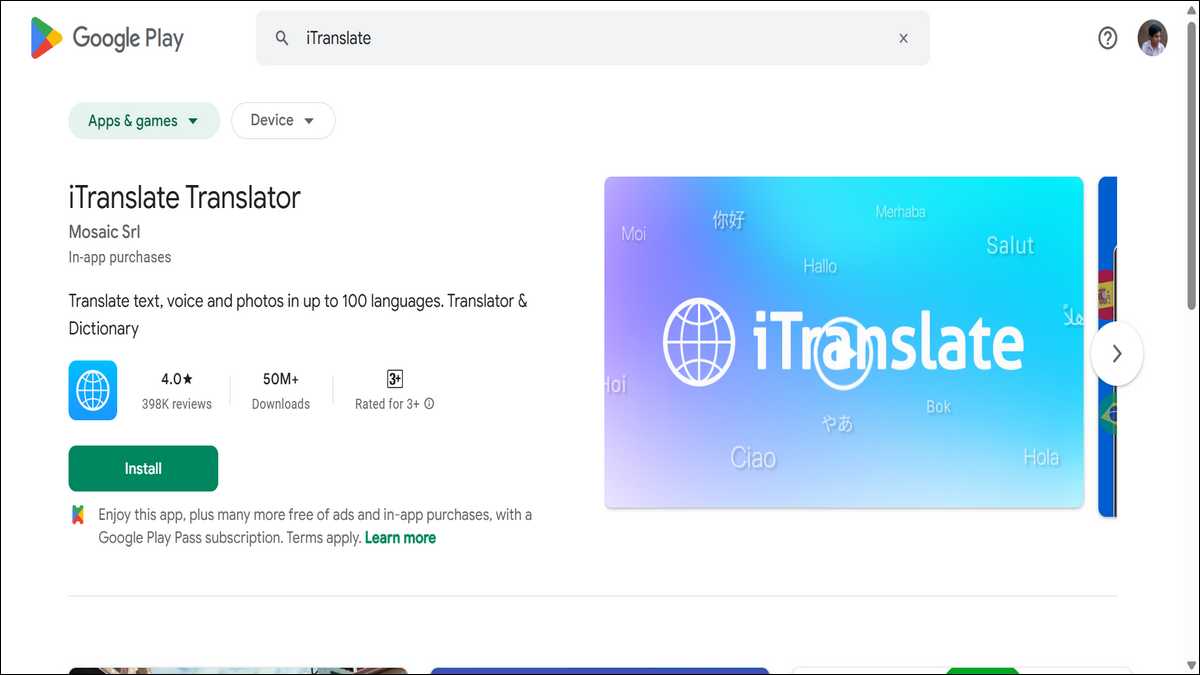
3. iTranslate — Best for iPhone Users
A Long-Standing Favorite on the App Store
iTranslate has been on the App Store for well over a decade. It supports more than 100 languages and dialects, Tamil firmly among them. Apple has featured it in television ads — which is not a small endorsement. The product has earned that visibility.
The interface is genuinely clean and well-designed. Everything is exactly where you expect it to be, and getting from open-app to translated text takes very few taps.
For iOS users who care about how their apps look and feel, iTranslate is the kind of translation tool that feels like it belongs on an iPhone.
Voice Translation That Sounds Natural
Where iTranslate really earns its place on this list is voice translation. The app does a solid job of picking up natural English speech and returning Tamil audio with clear, natural-sounding pronunciation.
This is particularly useful when you need to say something aloud to a Tamil speaker rather than just handing over a screen for them to read.
The built-in dictionary mode is another layer worth mentioning. You can look up Tamil words and see definitions, usage examples, and related vocabulary.
This pushes the app beyond pure translation and into something useful for people who are actively learning Tamil, not just getting by with it.
The Catch: A Paywall for Key Features
Here is where it gets complicated. Offline translation, camera translation, and full voice-to-voice mode are all locked behind the Pro subscription.
The free tier handles basic text translation, and honestly that covers a lot of everyday use. But if you want the full experience — the features that make a translator app genuinely powerful — you will need to pay.
- Best for: iPhone users and Tamil language learners who want a polished, well-designed experience.
- Platform: Android, iOS | Price: Free (Pro subscription required for full features)
You can download this app here.
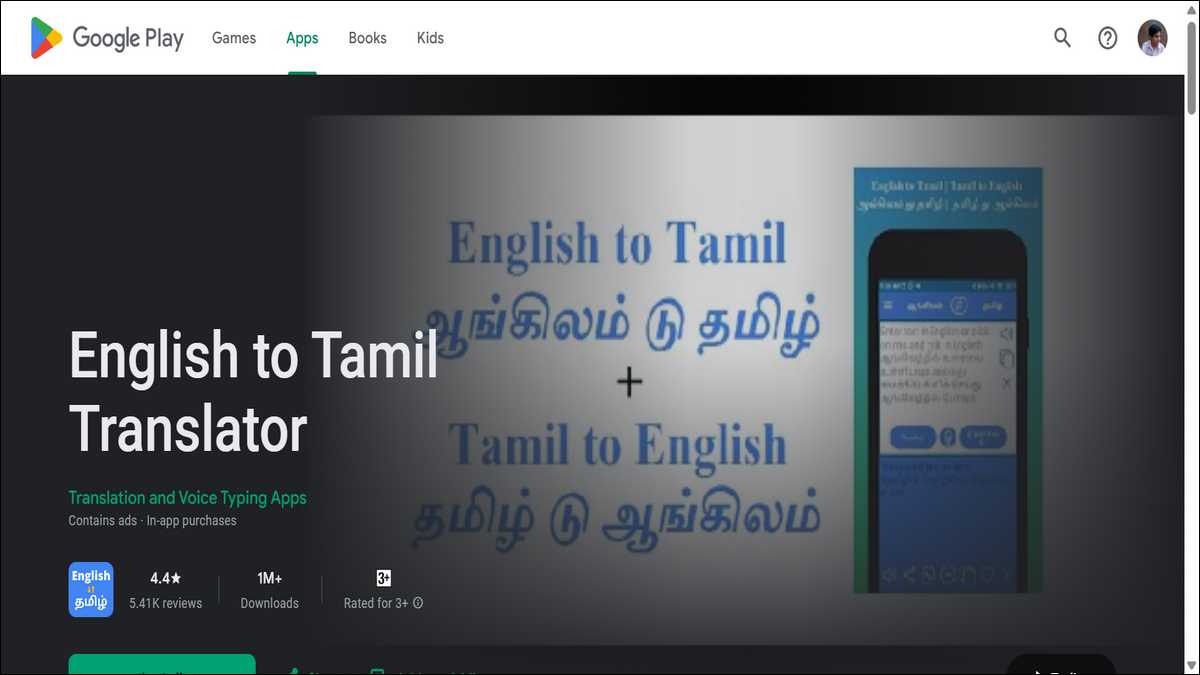
4. English to Tamil Translator — Best Dedicated App for Android
A Simple App Built for One Job
This app is not trying to compete with Google Translate on features. It exists to translate between English and Tamil — and nothing else. That focus is actually its biggest selling point.
With over 1.2 million downloads on Android and a rating of 4.73 out of 5 stars, it clearly resonates with the people who use it.
The app weighs just 8.28 MB. It opens quickly, runs smoothly, and does not drain your battery. You type or paste your English text, and Tamil translation comes back almost instantly.
A single button swaps the direction so you can translate Tamil back into English just as easily.
Voice Typing and Easy Sharing
Rather than typing your sentence, you can speak it. The app listens, transcribes it, and translates it into Tamil in one seamless step.
There is also audio playback of the Tamil output, which is genuinely helpful if you need to say something out loud and want to hear the correct pronunciation first.
Sharing the result is easy too. One tap sends the translated text directly to WhatsApp, Facebook Messenger, or whatever messaging app you prefer.
For people who frequently communicate with Tamil-speaking contacts over chat, that single-tap sharing is a small feature that quickly becomes a habit.
Limitations Worth Knowing
The app uses Google Translate’s engine under the hood, so translation quality is roughly what you would expect from that. The difference is the interface.
Several recent user reviews mention that ads appear fairly often, which some people find disruptive. If a clean, uninterrupted experience matters to you, that is worth factoring in.
There is also no offline mode, no camera translation, and no group features. This is a simple tool for straightforward use. But for quick, daily English to Tamil translation on Android, it handles the job without any fuss.
- Best for: Android users who want a fast, no-frills, dedicated English to Tamil translator.
- Platform: Android | Price: Free (with ads)
You can download this app here.
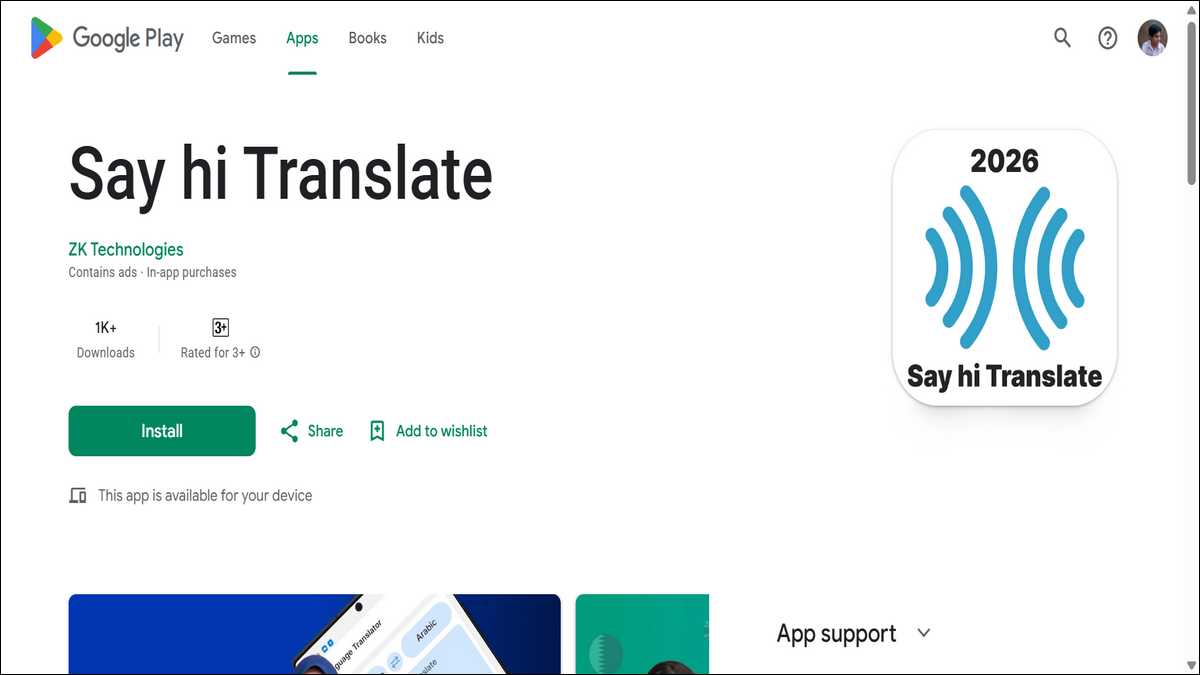
5. SayHi Translate — Best for Real-Time Voice Conversations
Designed Around Talking, Not Typing
SayHi Translate takes a fundamentally different approach from every other app on this list. It is built for voice, first and foremost.
If you find yourself needing to hold a live back-and-forth conversation between English and Tamil, this app manages it more smoothly and naturally than most of its competitors.
The interface reflects that priority. There are two large buttons — one for each language. You press yours, you speak, and the translated voice plays back immediately.
That is essentially the entire experience. There is no navigation to figure out, no menus to dig through. In a fast-moving real conversation, that simplicity is exactly what you want.
Customizable Voice Speed Is More Useful Than It Sounds
One of the more thoughtful features here is the ability to adjust how fast the Tamil speech plays back. Slow it down and you can hear every syllable clearly — genuinely helpful if you are learning the language and trying to improve your ear.
Speed it up, and it fits the rhythm of a quick, natural exchange.
The speech recognition handles clear English speech well, and the Tamil output sounds natural rather than robotic.
For situations like navigating a local market, asking for help at a clinic, or finding your way around an unfamiliar neighborhood — SayHi handles those moments with real ease.
Not the App for Heavy-Duty Translation
SayHi does not offer offline support, camera translation, or any kind of group conversation feature. It lacks the depth of Google Translate or the workplace integration of Microsoft Translator.
If you need a translator that does everything, this is not your app. But if spoken conversation is your primary need, and you want something that just works without getting in the way, SayHi is the strongest option for that specific use case.
- Best for: Travelers and anyone who needs smooth, real-time spoken Tamil translation.
- Platform: Android, iOS | Price: Free (with in-app purchases)
You can download this app here.
Which App Should You Download? Use This Table.
Everyone’s situation is different. Rather than making a blanket recommendation, here is a simple guide to match your specific need with the right app.
| Your Situation | Best App to Use |
|---|---|
| You travel often and need offline Tamil translation | Google Translate (download the Tamil language pack) |
| You work in an office with Tamil-speaking colleagues | Microsoft Translator (Teams & Outlook integration) |
| You use an iPhone and want a polished experience | iTranslate (clean UI, great iOS integration) |
| You need quick text translation on Android | English to Tamil Translator app (simple and fast) |
| You want real-time Tamil voice conversation | SayHi Translate (best voice-to-voice quality) |
| You are a student learning Tamil vocabulary | iTranslate or Google Translate (dictionary mode) |
3 Tips to Get the Most Out of Any Tamil Translator App
Even the best app has boundaries. A few simple habits, though, can meaningfully improve your results across the board.
Use short, clear sentences. Long sentences with multiple clauses and nested ideas translate poorly in almost every app. Break your thought into two or three shorter sentences before you translate, and the output will be noticeably cleaner and more accurate.
Download offline packs before you travel. Do this while you are still on Wi-Fi at home. Both Google Translate and Microsoft Translator let you save the Tamil language pack to your device. When you land somewhere with no signal, you will be glad you did it in advance.
Double-check anything important. For medical information, legal documents, or formal professional communication, always verify the translation with a human expert. These apps are excellent for everyday conversation and travel. They are not reliable enough for high-stakes content where an error could have serious consequences.
Final Thoughts: The Right App Depends on You
All five apps we covered here are genuinely good choices for English to Tamil translation in 2026. But they are good in different ways, for different people.
If you want one app that handles everything — offline use, camera translation, voice conversations — go with Google Translate. It is free, it keeps improving, and nothing else on this list matches its overall feature set.
If your primary need is professional, try Microsoft Translator. The Microsoft 365 integration and the group conversation feature make it the obvious choice for workplace use.
If you are on an iPhone and care about design and user experience, iTranslate is worth trying. Just go in knowing that the best features require a paid subscription.
If you want something simple and dedicated for Android, the English to Tamil Translator app does exactly what it promises without overcomplicating things.
And if you mostly need to speak rather than type — if live, spoken conversation is your main use case — SayHi Translate handles that better than any of the alternatives.
We hope this guide helps you find the right fit. Whether you are a first-time visitor to Tamil Nadu, a professional building relationships with Tamil clients, or a language learner taking your first steps with the script — the right translator app can open more doors than you might expect.
Download one, spend a few days with it, and see how it changes the way you connect.