What Is Adaptive Smartphone Charging and Why Is It Needed?
How do you charge your smartphone? Most likely, you plug it into an outlet before bed and leave it there overnight. In the morning, you just have to pick up the charged device in order to repeat the entire procedure again that evening. This scenario is convenient and allows you not to sit over the phone for a whole hour, waiting for you to take it off the charge. To under this topic more thoroughly, we have this guide, where we discuss what is Adaptive charging in smartphones, and how we get the benefits from this technology.
Another thing is that saving our time and attention costs us the loss of the battery’s capacity and, accordingly, the ability to accumulate energy. And to prevent this from happening, adaptive charging was invented. This charging technology is quite impressive, and you might be using it without knowing that your mobile phone supports it.
First, let’s figure out if it’s harmful to charge your smartphone all night. While no manufacturer explicitly prohibits this, in fact, overnight charging makes the battery wear out faster. This is due to the fact that, after being charged at 100%, the smartphone begins to experience micro-losses of energy, which it has to immediately replenish.
In this state, he is constantly under load. Of course, the battery will not lose its entire resource at one time or in 10, but, probably, 100-150 night charges can cause a negative result.
What Adaptive Charging Does
Adaptive smartphone charging is a smart feature designed to extend your device’s battery life by controlling how and when it charges.
Adaptive charging is trying to, if not eliminate, then at least minimize the negative effects of overnight charging. Its purpose is to dynamically change the speed at which the smartphone is charging.
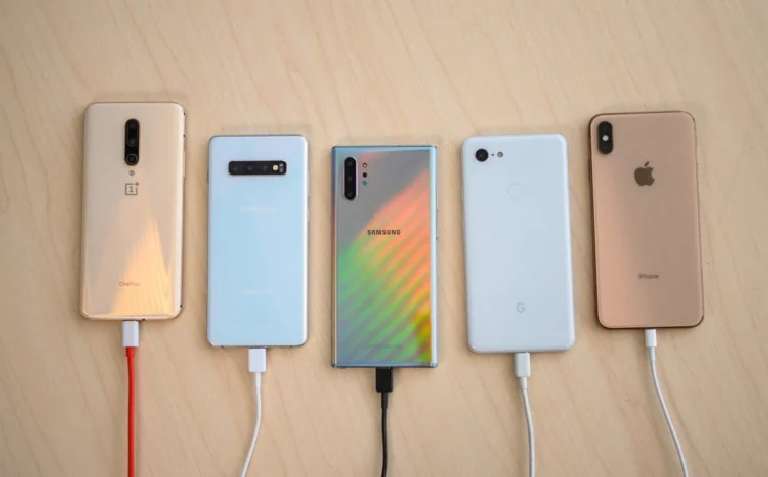
Special algorithms study the user’s preferences, remember at what time he usually puts the smartphone on charge and how long the device spends at the outlet. If it is daytime hours, most likely, charging should be quick, but if it is night or evening hours, then the process can be extended for several hours.
Adaptive charging tackles this by:
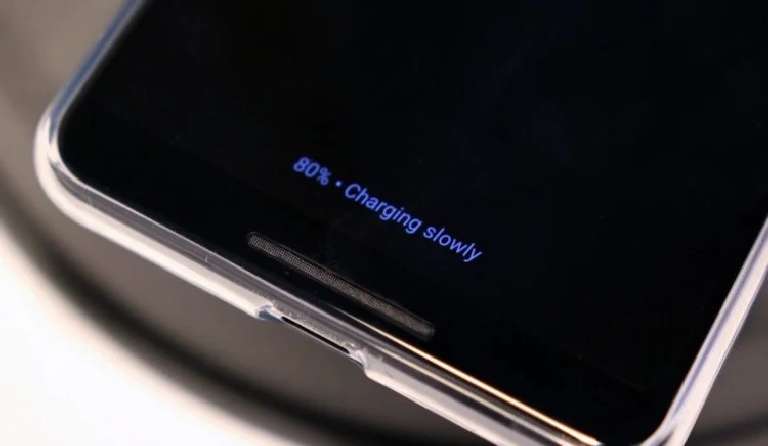
- Learning Your Habits: Using machine learning, it studies your routine—sleep patterns, alarms, and usage—to charge slowly to 80% overnight, then top up to 100% just before you wake. For example, if you plug in at 10 PM and wake at 7 AM, it may hold at 80% until 6 AM.
- Reducing Wear: Keeping the battery between 20-80% for most of the night minimizes stress, preserving capacity. Most devices aim to retain 80% health after 500 cycles.
- Brand Variations: Google calls it Adaptive Charging (Pixel phones, Android 14+), Apple uses Optimized Battery Charging (iOS 13+), Samsung offers Protect Battery (limits to 85%), and OnePlus has Optimized Charging.
The first 80% in the adaptive charging mode, as in the usual mode, is supplied with a fast current. That is, if necessary, you can, for example, charge your smartphone by half or a little more in 15-20 minutes and immediately remove it from charging.
But, if the device is not disconnected from the power supply, charging will either stop altogether in order to resume closer to morning (more often), or it will go very, very slowly (less often), replenishing the remaining 20% within a few hours. But in both cases, the purpose of adaptive charging is to provide the user with a charged smartphone with a minimally worn-out battery.
with smartphones boasting larger batteries, faster charging (like USB Power Delivery and Qi2 wireless), and heavy use for gaming, streaming, and work, battery health is more critical than ever. Features like Google’s Adaptive Charging, Apple’s Optimized Battery Charging, and Samsung’s Protect Battery adjust charging speeds to avoid overcharging, especially overnight, preserving your battery’s capacity.
This guide explains how adaptive charging works, how to use it on Android and iOS devices, and tips to keep your battery healthy in today’s fast-paced tech world.
How to Enable Adaptive Smartphone Charging
Adaptive charging is often enabled by default, but you can check or tweak settings. Here’s how for newer devices:
- Google Pixel (Android 14/15):
- Open the Settings app.
- Tap Battery > Adaptive Preferences.
- Toggle Adaptive Charging to “On.” Set an alarm (5 AM–10 AM) and plug in after 9 PM for best results.
- Note: It learns your routine over weeks; ensure consistent sleep habits.
- Apple iPhone (iOS 18):
- Go to Settings > Battery > Battery Health & Charging.
- Tap Charging Optimization and select Optimized Battery Charging.
- It slows charging past 80% based on your usage and alarm (via Clock app).
- For faster charging, toggle Clean Energy Charging off if available.
- Samsung Galaxy:
- Open Settings > Battery > Battery Protection.
- Choose Adaptive (slows past 80%) or Maximum (caps at 85% all the time).
- Note: Works with wired and Qi2 wireless chargers (e.g., 15W wireless).
- OnePlus (OxygenOS 15):
- Go to Settings > Battery > Optimized Charging.
- Turn it on to pause at 80%, resuming near wake-up time.
- Pair with a fast USB-C charger (e.g., 80W) for best results.
Tip: If your battery isn’t full by morning, give it 1-2 weeks to learn your routine, or charge without adaptive mode for urgent needs.
Why the smartphone does not charge after 80%
Apple was the first to use adaptive charging in its current form in its iPhones. This happened earlier this year. The company liked the result so much that it decided to extend the action of the mechanism to its laptops, which are afraid of wear and tear even more than smartphones because many of them are constantly connected to the outlet.
For Apple, Huawei introduced a similar mechanism into its smartphones, and then went on the knurled one. Only the form changed (some stopped charging altogether, while others simply slowed it down very much, making it so that it lasted 6-8 hours, depending on specific conditions).
Do smartphones need adaptive charging? It’s actually a very individual thing. Despite the fact that my Honor View 20 supports it – however, in the case of Magic UI, the mechanism is called “Smart Charging” – I do not use it for several reasons. Firstly, I treat the battery as a consumable that will have to be changed sooner or later.
Secondly, thanks to fast charging, my smartphone can be charged in just 40 minutes, and there really is no point in charging it overnight. Well, and thirdly, a standard battery lasts 2 years. During this time, the smartphone manages to get bored with me, and I just sell it.
So, that end this article that revolves around the topic; Smartphone Adaptive charging. We hope that this must have cleared your thoughts regarding this technology. If you still have any doubts or something that is still bothering you, just reach us through the comment section below. We would be happy to answer your questions.
Tips for Battery Health with Adaptive Charging
Maximize your smartphone’s battery life with these tips:
- Use Adaptive Charging: Enable it to keep your battery at 80% overnight, reducing wear. Pair with a consistent sleep schedule for best results.
- Choose Compatible Chargers: Use USB-C chargers with USB-PD (20W+ for iPhone, 25W+ for Android) or Qi2 wireless pads (15W) for smooth adaptive charging.
- Avoid Extreme Conditions: Keep your phone between 32°F and 95°F (0°C to 35°C). Avoid charging in direct sunlight or freezing temps to prevent damage.
- Limit Full Charges: If adaptive charging isn’t available, charge to 80% manually to reduce stress. Unplug after reaching 100% to avoid trickle charging.
- Monitor Battery Health: Check capacity in Settings > Battery > Battery Health (iPhone) or Battery Status (Samsung). If below 80% after 2 years, consider a replacement.
- Use Low-Power Modes: Enable power-saving modes during heavy use (e.g., gaming) to ease battery strain alongside adaptive charging.
Final Words
Adaptive smartphone charging is a game-changer now, protecting your battery from wear by smartly adjusting power flow. Whether you use a Google Pixel, iPhone, Samsung Galaxy, or other device, features like Adaptive Charging, Optimized Battery Charging, and Protect Battery help your battery last longer.
Enable it in settings, pair it with a compatible USB-C or Qi2 charger, and follow our tips to keep your phone running strong. In a world of fast charging and heavy use, adaptive charging ensures your smartphone stays reliable—start using it today!