WPS Office Isn’t Free Anymore: 12 Alternatives That Actually Are (2026)
Quick answer: The best free WPS Office alternatives in 2026 are LibreOffice for offline work, ONLYOFFICE for Microsoft file accuracy, SoftMaker FreeOffice for older computers, and Google Docs for live collaboration. If privacy pushed you out, you may want CryptPad or Proton Docs and Sheets, both encrypted so the provider can’t read your files.
What Changed With WPS Office (And Why You’re Here)
You probably opened a document you’d edited for years, and the font dropdown was greyed out. Maybe a PDF highlight refused to save. Or a read-only banner showed up with no warning at all.
You’re not imagining it, and you’re definitely not alone. Reddit threads in r/software document this from November 2025 straight through May 2026. One user summed it up plainly: “You can still view documents and type, but any form of actual editing is locked out.”
Here’s the part most articles miss, though. This wasn’t a bug, and it wasn’t a company running out of money. Instead, Kingsoft Office’s own financial filings explain exactly what happened, and I’ll walk you through those numbers below.
For this guide, I tested 12 free alternatives. You’ll get honest trade-offs for each one, a full comparison table, the security record WPS doesn’t advertise, and a step-by-step migration guide that actually removes WPS from your machine.
Key Findings
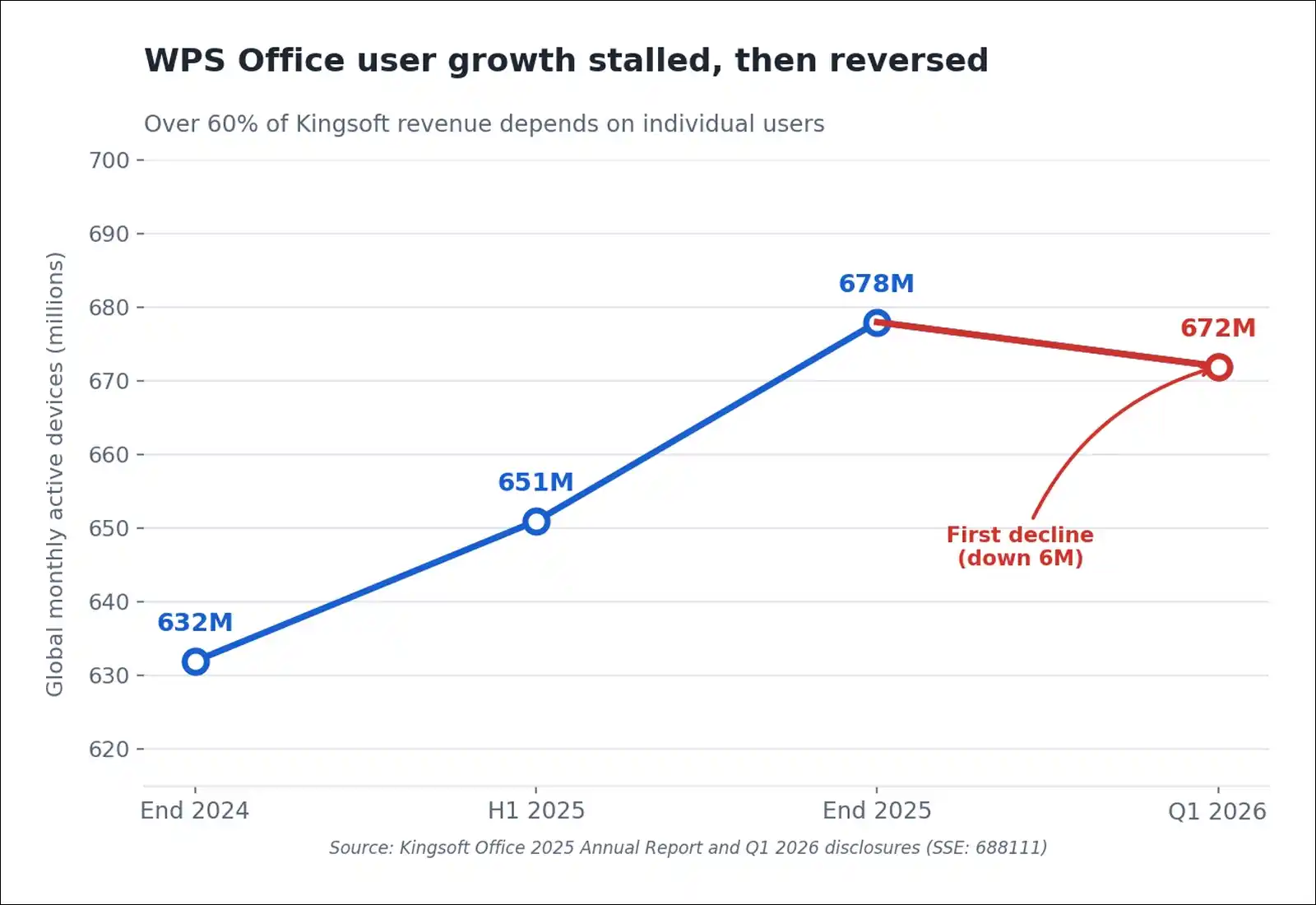
- WPS Office monthly active devices fell from 678 million to 672 million between end-2025 and Q1 2026, the first plateau in years, according to the Kingsoft Office 2025 Annual Report (SSE: 688111)
- Over 60% of Kingsoft’s revenue comes from individual users, while international revenue sits at roughly 5% after a decade abroad
- Kingsoft holds ¥8.5 billion (about $1.3 billion) in wealth-management products and paid ¥580 million in dividends in 2025. So the paywall was a choice, not a rescue
- WPS Office carried two CVSS 9.3 remote code execution flaws (CVE-2024-7262, CVE-2024-7263) exploited in the wild, and CISA added the first to its Known Exploited Vulnerabilities catalog
- LibreOffice recorded 44,809,742 downloads in 2025, its highest year ever, per The Document Foundation Annual Report 2025
- Schleswig-Holstein saves over €15 million a year running roughly 30,000 government desks on LibreOffice, now about 80% migrated
Why WPS Office Stopped Being Free
WPS locked its free tier because user growth stopped, not because the company needed cash. Kingsoft’s published numbers make this reasonably clear once you line them up.
The Numbers Behind The Decision
Kingsoft Office trades on the Shanghai Stock Exchange as 688111, so its filings are public. Here’s what they show.
User growth
| Metric | Figure |
|---|---|
| Global MAU, end 2025 | 678 million (+7.29%) |
| Global MAU, Q1 2026 | 672 million (declined) |
| Overseas MAU | 245 million |
| Overseas paying users | 2.85 million (~1.2%) |
Money
| Metric | Figure |
|---|---|
| Total revenue FY2025 | ¥5.929 billion (+15.78%) |
| Domestic revenue | ¥5.606 billion |
| Overseas revenue | ¥320 million (~5%) |
| Individual business share | Over 60% |
| Idle cash in wealth products | ¥8.5 billion (~$1.3B) |
| Dividends paid 2025 | ¥580 million |
Now look at that overseas conversion rate: 245 million users abroad produce 2.85 million paying customers. That’s roughly 1.2%.
So the growth engine stalled internationally. Meanwhile, more than 60% of company revenue leans on individual users. And when you can’t add new users fast enough, you monetize the ones you already have.
Here’s a line chart showing WPS Office global monthly active devices rising from 632 million in 2024 to 678 million by end of 2025, then falling to 672 million in Q1 2026.
That ¥8.5 billion sitting in wealth-management products matters here too. This wasn’t a company scrambling to survive.
What The Free Tier Restricts Now
I pulled this list from WPS pricing pages, MajorGeeks’ documented limitations, and user reports.
- Upgrade pop-up ads throughout the interface
- Watermarks on some exports
- PDF-to-Word and PDF-to-Excel conversion requires payment
- Batch conversion requires payment
- OCR text extraction requires payment
- PDF merge and split require payment
- Premium templates are paid
- Cloud storage caps at 1 GB, while paid tiers give 20 GB
- E-signatures are paid
- AI features are paid, with daily quotas
- Since late 2025, users report read-only mode and locked font controls
The Membership Maze
On top of that, WPS pricing restructured repeatedly. An early basic membership ran ¥69 a year. That became a ¥148 Super Member tier in 2023. Then came a Grand Membership with AI benefits, listed at ¥348 a year.
Separate packages for PDF tools, cloud storage, and templates sit alongside these. Weibo CEO Wang Gaofei publicly complained that after buying Super Member Pro, newer AI memberships still required extra payment.
The C-Drive Cache Issue
Then in June 2026, WPS drew criticism over cache handling. The software defaults to writing temporary cache files and cloud backups to the system C drive. Users reported accumulations reaching tens of gigabytes.
Meanwhile, the convenient one-click cleanup sits inside a paid “C Drive Clean Master” tier. Kingsoft issued a statement calling the coverage “false statements” and warned of legal action. In a prior WeChat post, though, the company had already acknowledged “default C drive occupation and unclear cleaning access.”
I’ll cover how to clear this manually in the migration section below.
Is WPS Office Safe? The Security Record
WPS Office has a documented history of critical vulnerabilities, plus a disclosure approach that security researchers criticized. I want to be fair here, because vulnerabilities happen to every vendor. It’s the handling that stands out.
The 2024 Vulnerabilities
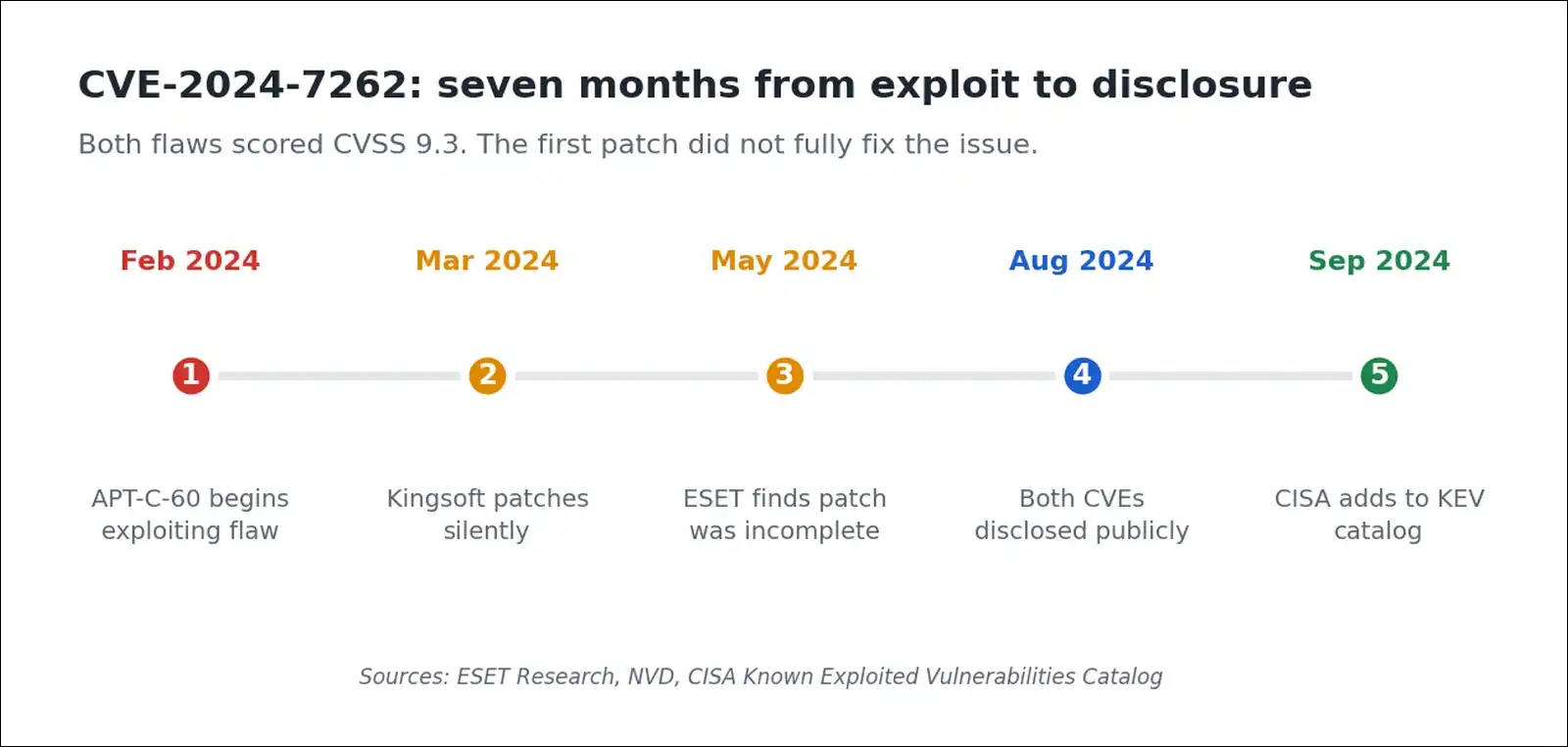
ESET researchers found a remote code execution flaw in WPS Office for Windows while investigating a threat group.
| Detail | Finding |
|---|---|
| CVE-2024-7262 | CVSS 9.3, actively exploited |
| CVE-2024-7263 | CVSS 9.3, first patch was incomplete |
| Threat actor | APT-C-60 cyberespionage group |
| Payload | SpyGlace backdoor |
| Affected versions | Windows 12.2.0.13110 to 12.2.0.16412 |
| Attack method | MHTML spreadsheet, one click triggers RCE |
| CISA action | Added to KEV catalog, Sept 2024 |
Why The Handling Matters More Than The Bugs
ESET researcher Romain Dumont noted that Kingsoft silently patched CVE-2024-7262 in March 2024, without disclosing that attackers were already using it.
Then Dumont checked the patch. It hadn’t properly fixed the flaw. By manipulating the case of variable names, attackers could still load arbitrary libraries. That became CVE-2024-7263.
ESET’s conclusion was direct. The discovery “underlines the importance of a careful patch verification process.”
Cloud Document Scanning
Separately, WPS documents stored in the cloud aren’t end-to-end encrypted. Kingsoft has stated it’s obligated to review hosted files for compliance with China’s Cybersecurity Law.
Back in 2022, an author reported a private million-word document being locked for “sensitive content” before she’d shared it anywhere. Access was restored after she contacted support.
You may find that acceptable for coursework and grocery lists. For client contracts or legal drafts, though, you might want something else.
A Note On “Chinese Spyware” Claims
You’ll see this phrase in Reddit threads. I’m not going to repeat it, because nobody has evidenced it.
Here’s what is evidenced: two CVSS 9.3 flaws, a CISA KEV listing, a silent and incomplete patch, and confirmed cloud scanning obligations. That record’s factual and worth knowing. Speculation beyond it just isn’t useful to you.
How I Evaluated These 12 Alternatives
I scored each suite against seven criteria. Testing ran through July 2026 on Windows 11 and Ubuntu 24.04.
- Genuine free-tier scope. What you can actually do without paying anything
- Microsoft format accuracy. DOCX, XLSX, PPTX round-trip behaviour
- Offline capability. Whether it works with no internet at all
- Collaboration. Real-time co-editing availability
- Privacy and data handling. What leaves your machine
- Platform coverage. Desktop, web, mobile
- Update cadence and security response. How fast flaws get fixed
My test file was a 42-page report with a generated table of contents, four nested tables, six embedded images, and custom heading styles. Alongside that, I used a workbook with pivot tables and conditional formatting.
Versions tested: LibreOffice 26.2.5, ONLYOFFICE 9.4.0, SoftMaker FreeOffice (Rev 1230), Proton Docs and Sheets (web, July 2026).
The 12 Best Free WPS Office Alternatives in 2026
1. LibreOffice
Best overall replacement for most people leaving WPS.
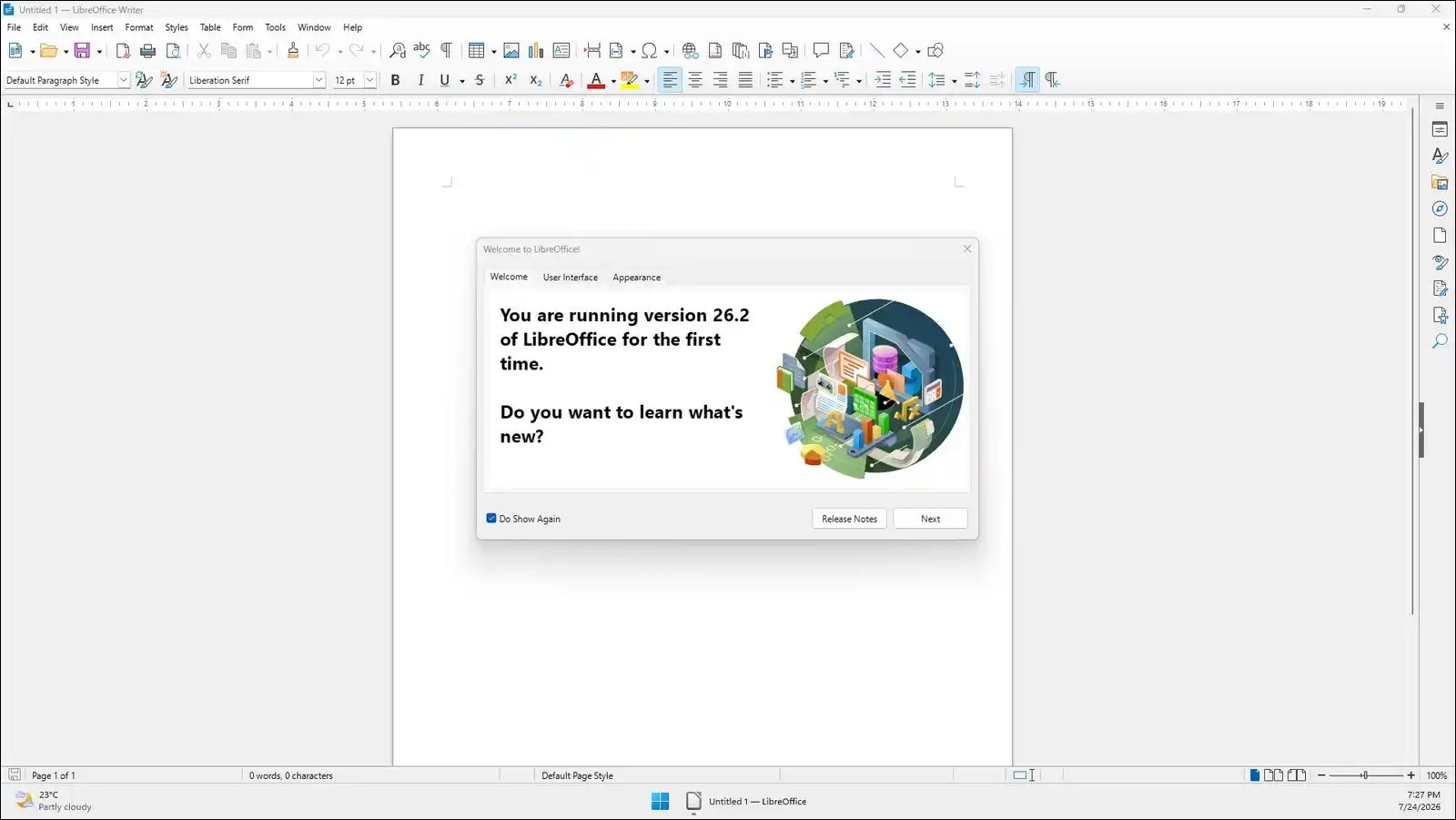
LibreOffice gives you Writer, Calc, Impress, Draw, Base, and Math from The Document Foundation, a Berlin non-profit. The current stable release is 26.2.5, with 26.2 having shipped 4 February 2026.
That version added Markdown import and export, connector shapes in Calc, and genuinely multi-user Base. Collabora Productivity alone contributed over 2,000 commits.
My 42-page test document opened with correct pagination and an intact table of contents. Two table borders shifted slightly, though.
You can install it with no account, no ads, and no telemetry prompts. TDF has been explicit here: “We have zero plans to put AI into LibreOffice.”
- Trade-offs: The interface looks functional rather than modern. There’s no built-in real-time co-editing yet. Also, official Linux builds now need an x86-64-v2 CPU, so roughly 2009 or newer.
- Verdict: If you want one recommendation and want to stop reading, take this one.
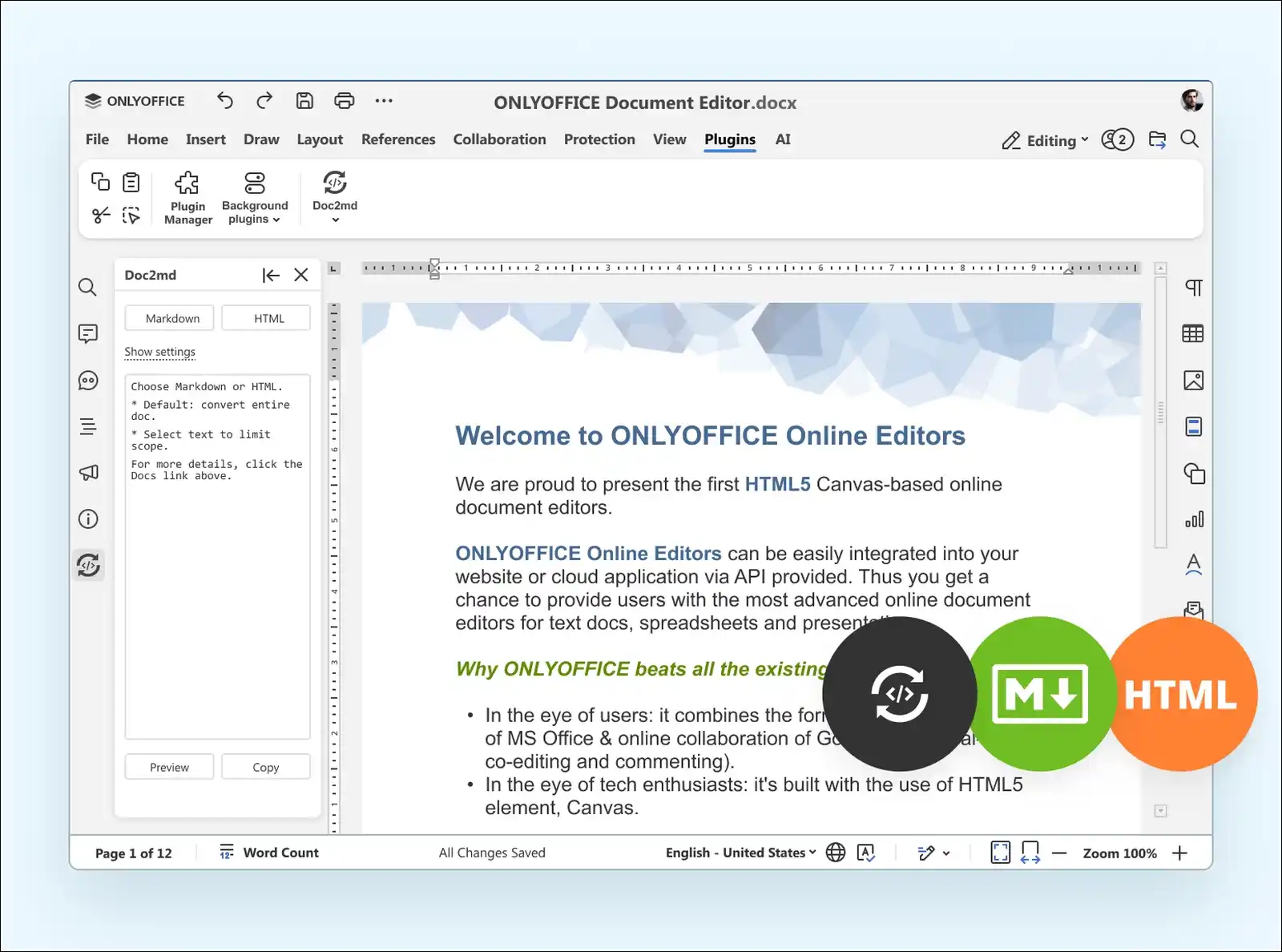
2. ONLYOFFICE Desktop Editors
Best Microsoft file accuracy of any free suite I tested.
ONLYOFFICE comes from Ascensio System SIA, headquartered in Latvia. I mention that because a persistent Reddit claim says it’s Russian, and that’s simply incorrect.
The current version is 9.4.0, released 19 May 2026. It’s AGPL v3 licensed, and you’re free to use it personally or commercially.
Here’s why it wins on accuracy. ONLYOFFICE uses OOXML natively as its working format. Since it isn’t translating between two document models, tracked changes, comments, and complex tables survive round-trips cleanly.
My test document round-tripped through Word with zero visible changes. That was the only suite where that happened.
- Trade-offs: The install runs 250 to 530 MB depending on platform. It’s also a smaller community than LibreOffice. And some Nextcloud users report occasional save-sync hiccups.
- Verdict: Choose this if colleagues will keep editing your files in real Microsoft Office.
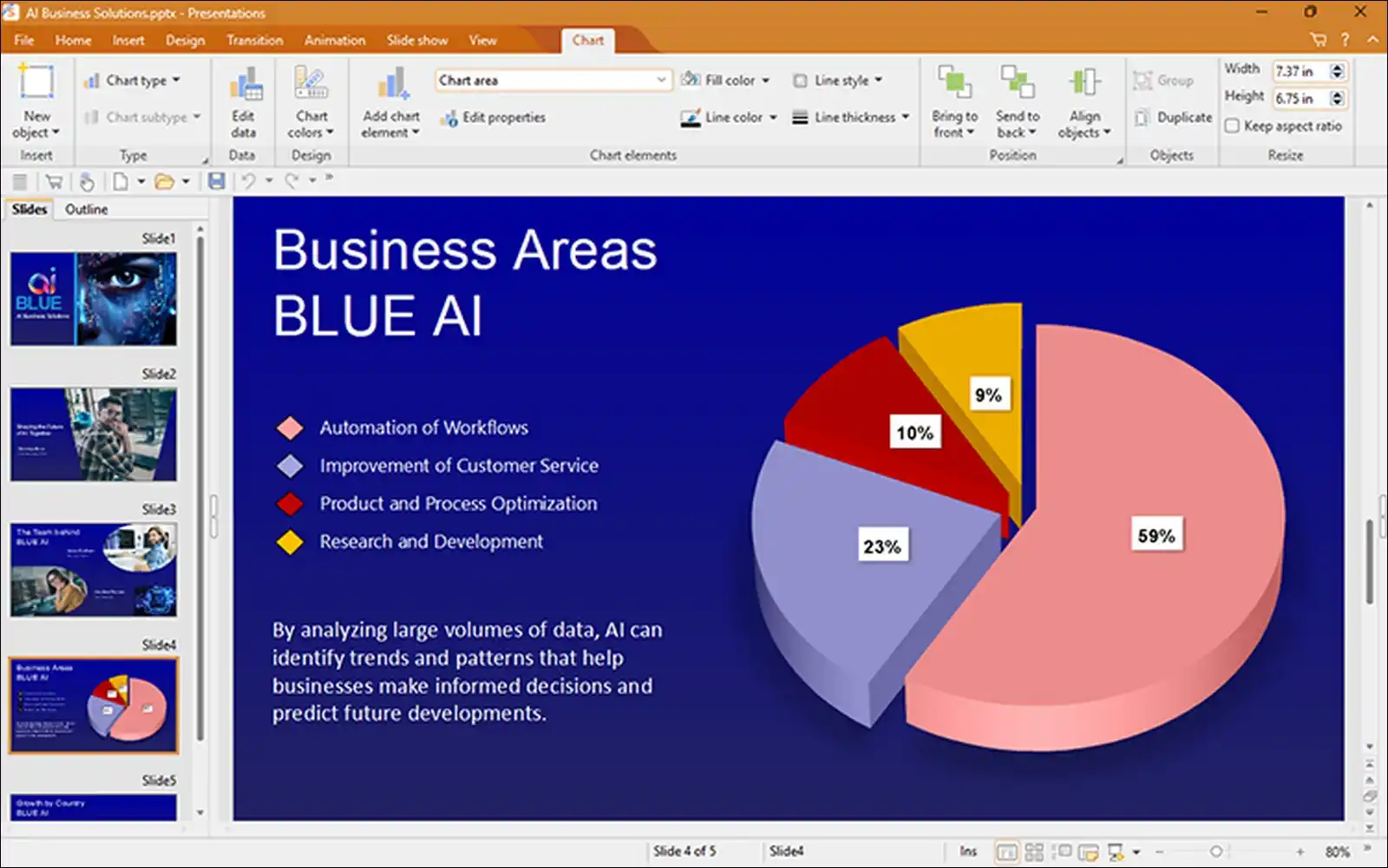
3. SoftMaker FreeOffice
Best for older laptops and portable use.
FreeOffice comes from SoftMaker Software GmbH in Nuremberg, Germany. You get TextMaker, PlanMaker, and Presentations. It’s proprietary rather than open source, despite what some roundups claim.
That said, it’s free for personal and commercial use permanently. That commercial permission is unusual, and it matters if you freelance.
PlanMaker ships roughly 350 to 430 functions, pivot tables, goal seek, and 80+ chart types. You also have the option to toggle between ribbons and classic menus, which helps if you liked the WPS layout.
Here’s something no mainstream article mentions. The Portable Freeware Collection brings a portable installation of this too. You copy the program folder, add empty portable.txt and updater.ini files, and it runs from a USB stick at roughly 62 to 65 MB.
Trade-offs: There’s no real-time collaboration and no native cloud service. Mobile apps also gate printing and PDF export behind a subscription.
Verdict: The pick for constrained hardware, or a machine you can’t install software on.
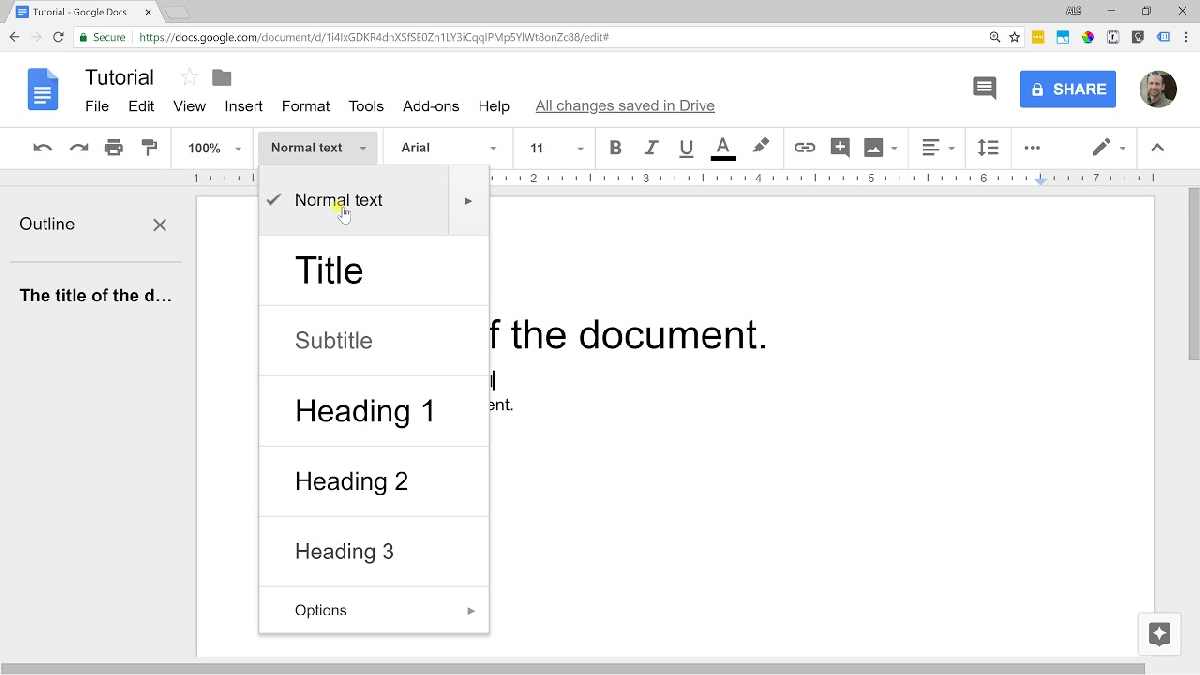
4. Google Docs, Sheets and Slides
Best free option if collaboration is your main need.
Google’s suite is free with any Google account, and it includes 15 GB of Drive storage shared across Gmail and Photos.
Real-time co-editing is still the benchmark here. You get simultaneous editing, comment threads with @mentions, suggestion mode, and version history. Sheets covers XLOOKUP, pivot tables, and 35+ chart types.
Offline editing works in Chrome or Edge through the Google Docs Offline extension. Several competing articles claim Docs is online-only, but that’s outdated.
- Trade-offs: Docs converts DOCX into Google’s internal format on import, then converts back on export. My test document lost two font substitutions and reflowed one table. So fidelity is moderate, not excellent.
- One honest note: Free Google accounts sit inside an advertising business. If data handling pushed you out of WPS, then this may not resolve your concern.
- Verdict: Excellent for group projects, less ideal for pixel-precise documents.
Also read: Best Google Translate Alternatives
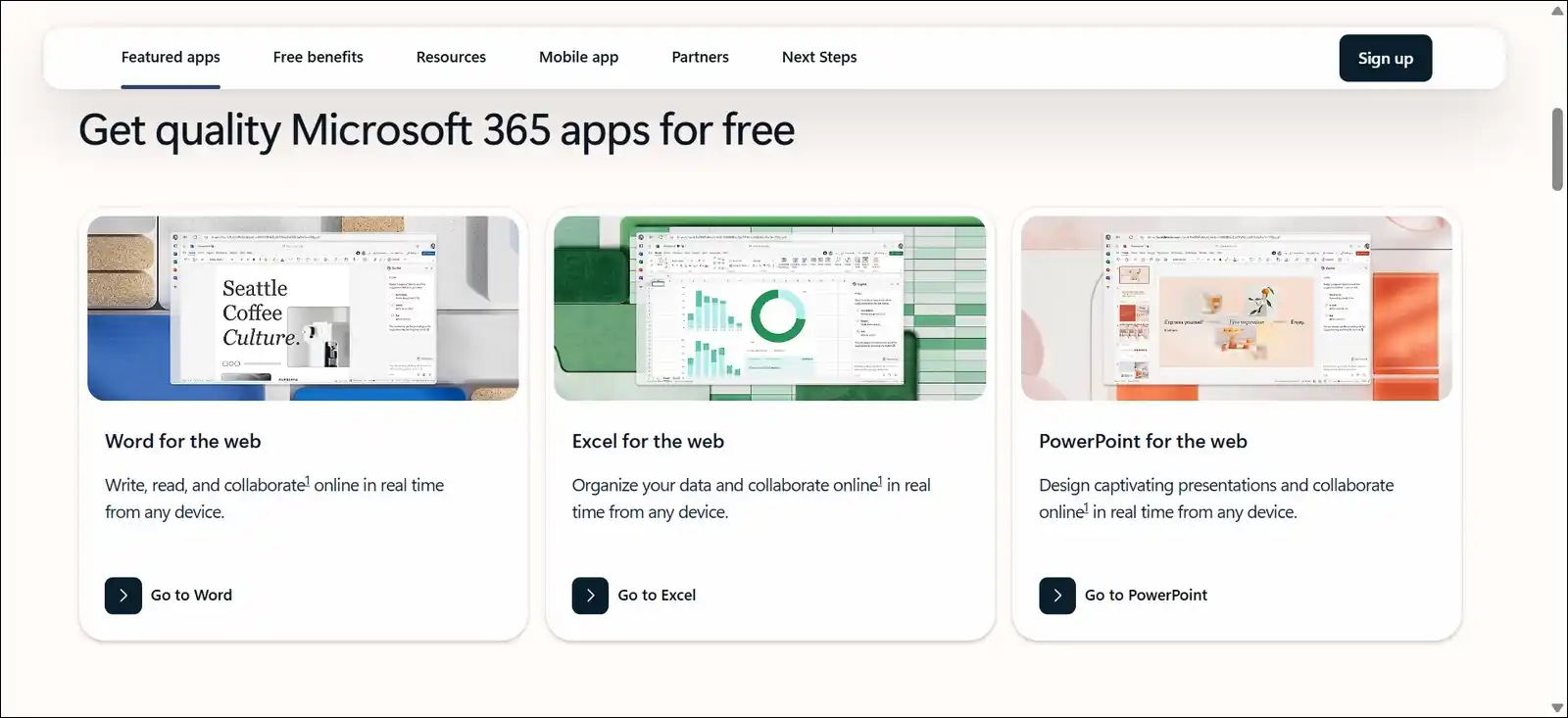
5. Microsoft 365 for the Web
Best when a file absolutely must look right in Word.
Through Microsoft 365 for the Web, you get browser versions of Word, Excel, PowerPoint, and OneNote free with a Microsoft account, plus 5 GB of OneDrive.
Important 2026 change: Microsoft ended its free ad-supported desktop editing preview. According to Microsoft Support, notices began 14 July 2026, and users moved to view-and-print-only from 24 July 2026. Creating and saving now needs the web apps or a paid subscription.
The web apps do remain free, though. Microsoft has confirmed they aren’t being retired.
Fidelity is perfect, because this is genuinely Office. My test document opened identically to the desktop version.
- Trade-offs: There’s no macro or VBA support, and pivot charts aren’t available. Design tools are reduced too. Plus it needs internet and a Microsoft account.
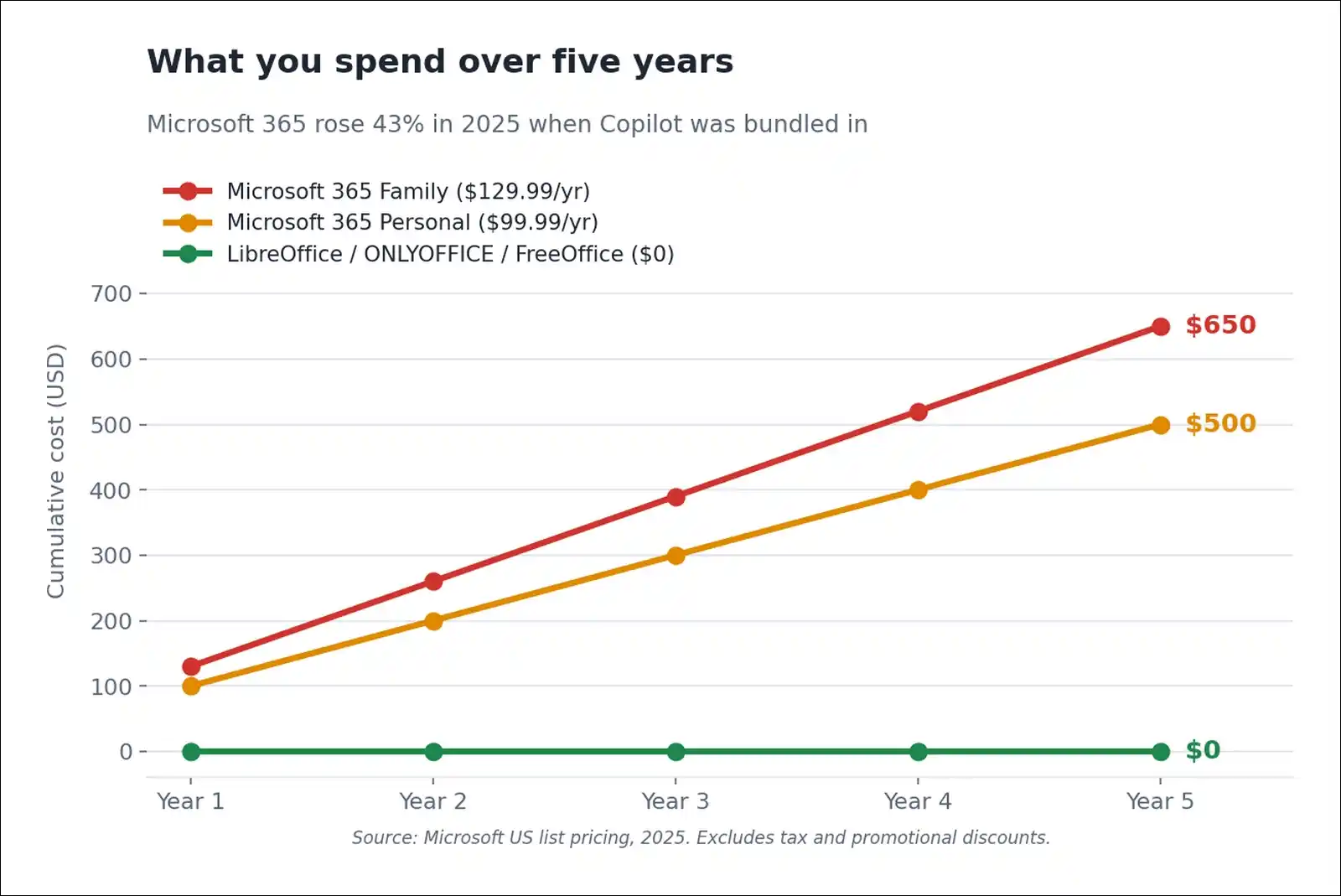
- Pricing context: Microsoft 365 Personal rose to $99.99 a year and Family to $129.99, roughly a 43% increase when Copilot was bundled. Cheaper “Classic” tiers at $69.99 and $99.99 still exist. However, you have to select them manually in account settings, and most buyers never find them.
- Verdict: Worth keeping a browser tab for final-check work, even if you use something else daily.
6. Collabora Online (CODE)
Best self-hosted browser editing.
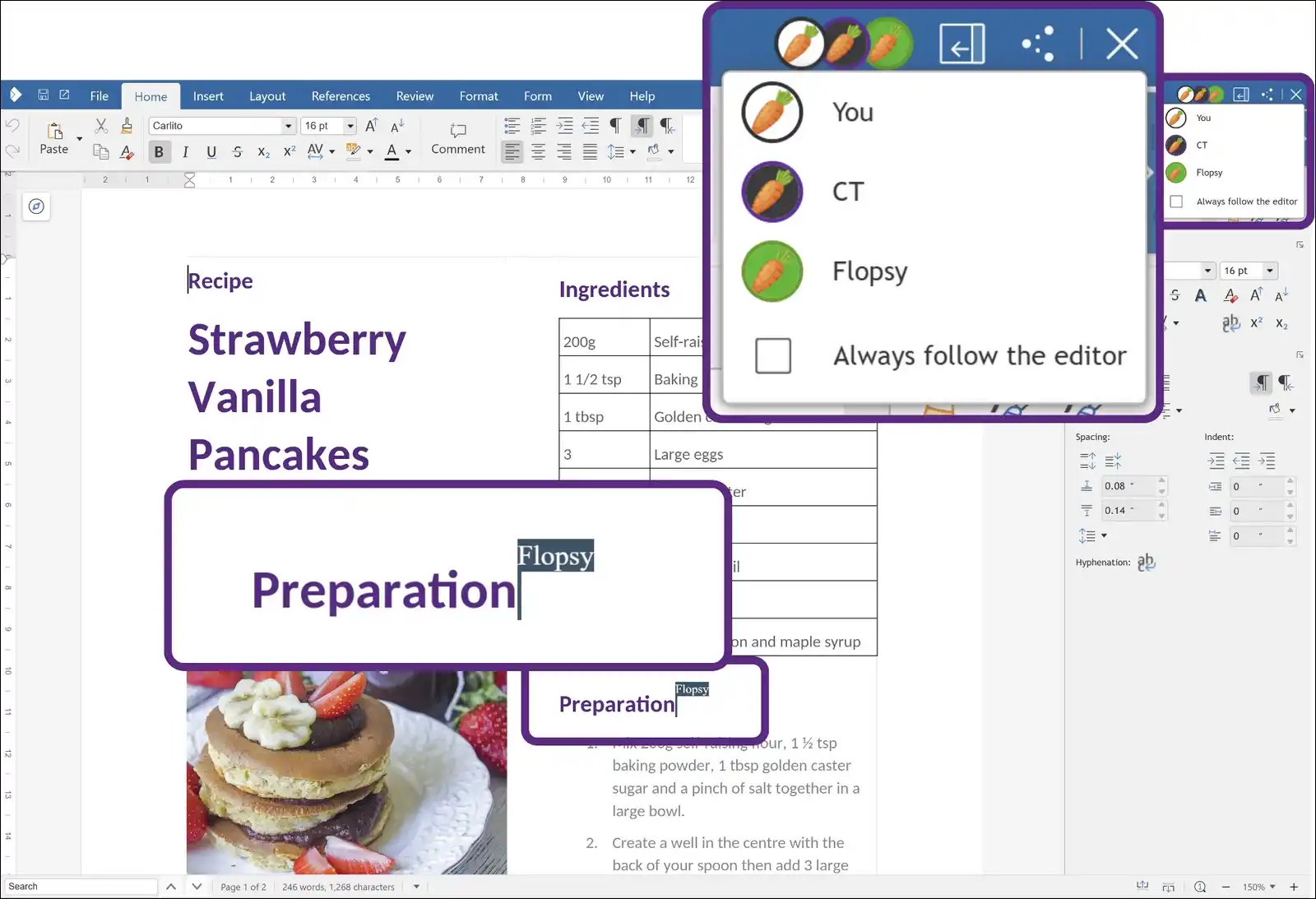
Collabora Online is essentially LibreOffice running in a browser, built by Collabora Productivity. The free build is CODE, and it also powers Nextcloud Office.
CODE is free for up to 20 concurrent document editors. That covers households, small teams, and most self-hosters comfortably.
Rendering happens server-side, so documents look identical regardless of the client device. You’ll want to budget around 1.3 GB of RAM for it. A Nextcloud plus Collabora stack wants roughly 2.5 to 3 GB.
It also uses the open WOPI standard, so it plugs into Nextcloud and ownCloud without vendor-specific APIs.
- Trade-offs: Collabora’s own FAQ notes CODE carries no SLA and no long-term support, and it isn’t recommended for production-critical use. It’s weaker on Excel-specific features like Power Query, too. The community also consistently advises running it as a separate Docker container rather than Nextcloud’s built-in CODE server.
- Verdict: Good if you want Google-style collaboration on hardware you own.
7. CryptPad
Best if privacy is the reason you left WPS.
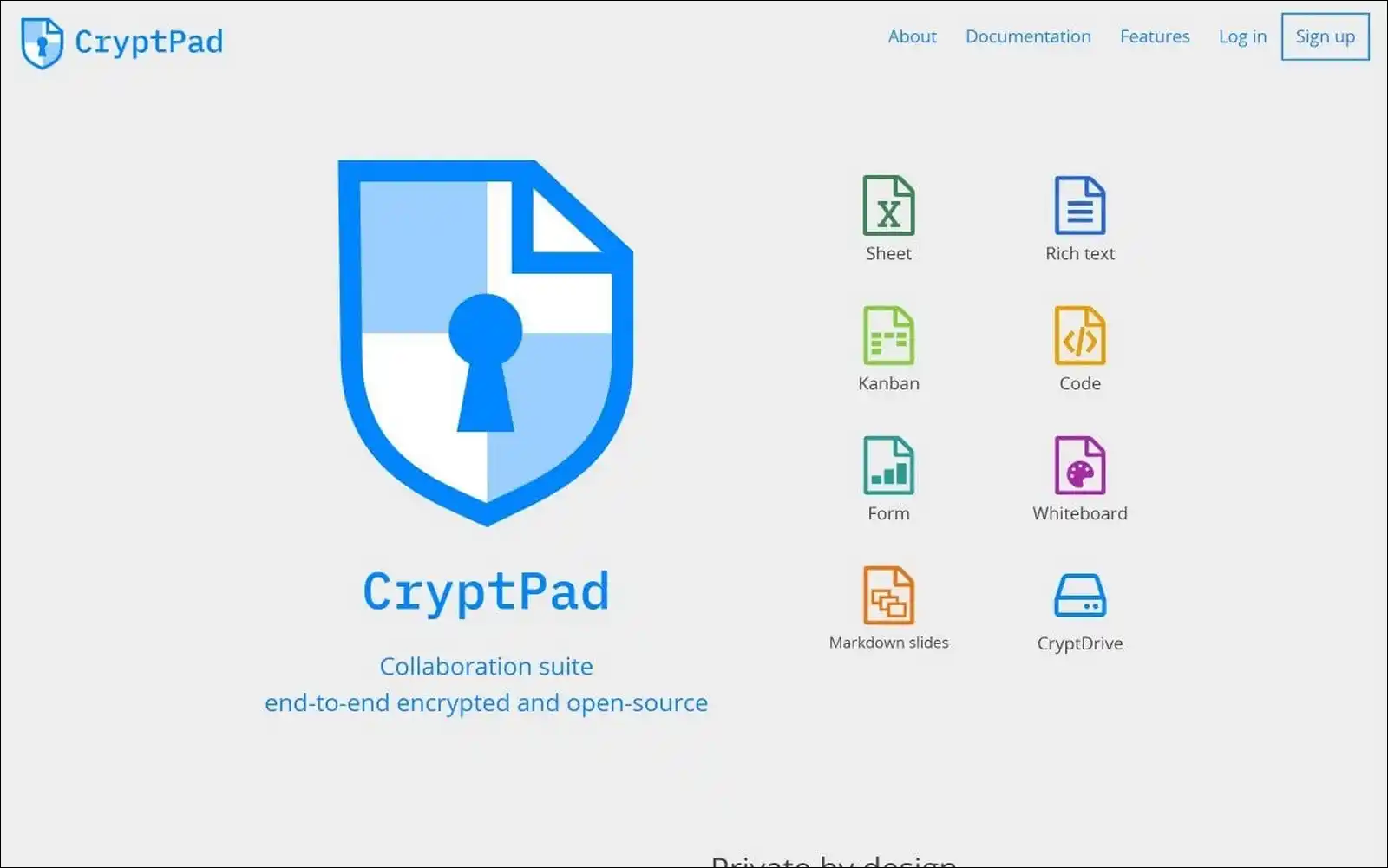
CryptPad comes from XWiki SAS in Paris, France, and it’s AGPL licensed. You get ten tools, including rich-text docs, Sheet, Slides, Kanban, Whiteboard, and Forms.
The encryption model is the whole point. Keys are derived in your browser, and the server stores only ciphertext. The decryption key lives in the URL fragment after the #, which browsers never send to servers.
So even the CryptPad team running cryptpad.fr can’t read your documents. The encryption has been independently audited.
This directly answers the WPS cloud-scanning concern. Server-side reading is mathematically impossible, not just prohibited by policy.
Free registered accounts give you 1 GB storage with 25 MB upload caps. Guest access needs no account at all, though documents delete after 90 days of inactivity.
- Trade-offs: Client-side crypto costs speed, so documents past roughly 50 pages stutter on older hardware. The mobile experience is genuinely rough. And if you lose your password, the data’s gone by design.
- Verdict: Nothing else on this list offers this guarantee.
8. Nextcloud Office
Best full replacement for WPS Cloud, not just the editor.
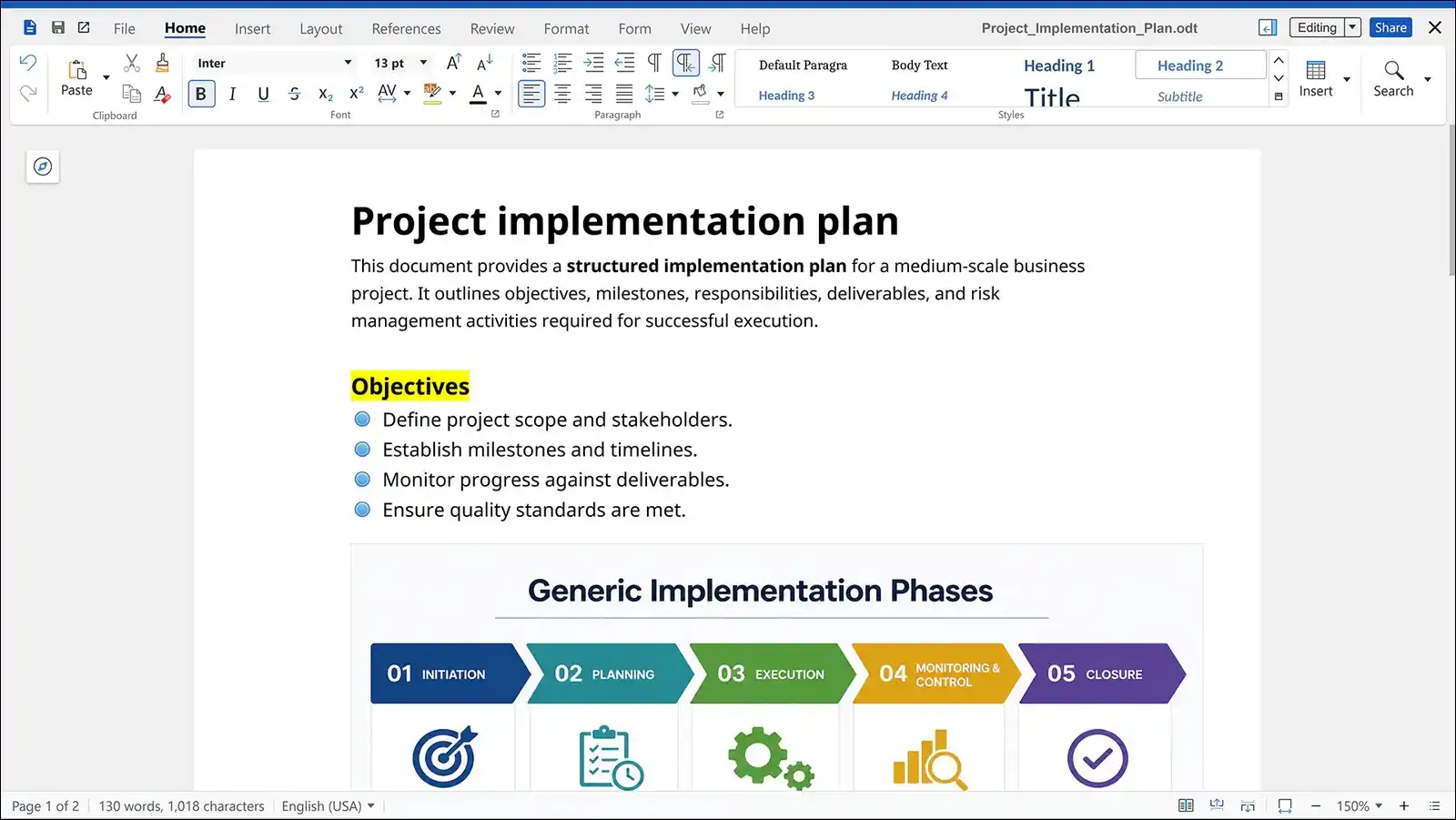
Nextcloud Office is a self-hosted platform covering file sync, sharing, calendar, and contacts, with browser editing supplied by Collabora or ONLYOFFICE.
This matters if your real complaint was the cloud rather than the word processor. WPS bundles 1 GB of vendor-controlled storage that gets scanned. Nextcloud flips that, since you own the server and pick the engine.
Choosing your engine: Collabora gives better ODF fidelity at about 1.3 GB RAM. ONLYOFFICE gives better Microsoft fidelity at about 500 MB, and it feels snappier. Nextcloud only uses one at a time, though.
For context, Schleswig-Holstein uses Nextcloud to replace SharePoint across roughly 30,000 employees, alongside a 40,000+ mailbox email migration.
- Trade-offs: You become a sysadmin. Plan for 4 GB total RAM, and expect to configure Docker and a reverse proxy.
- Verdict: Strong for families and small businesses ready to run their own stack.
9. Zoho Office Suite
Best ad-free web suite.
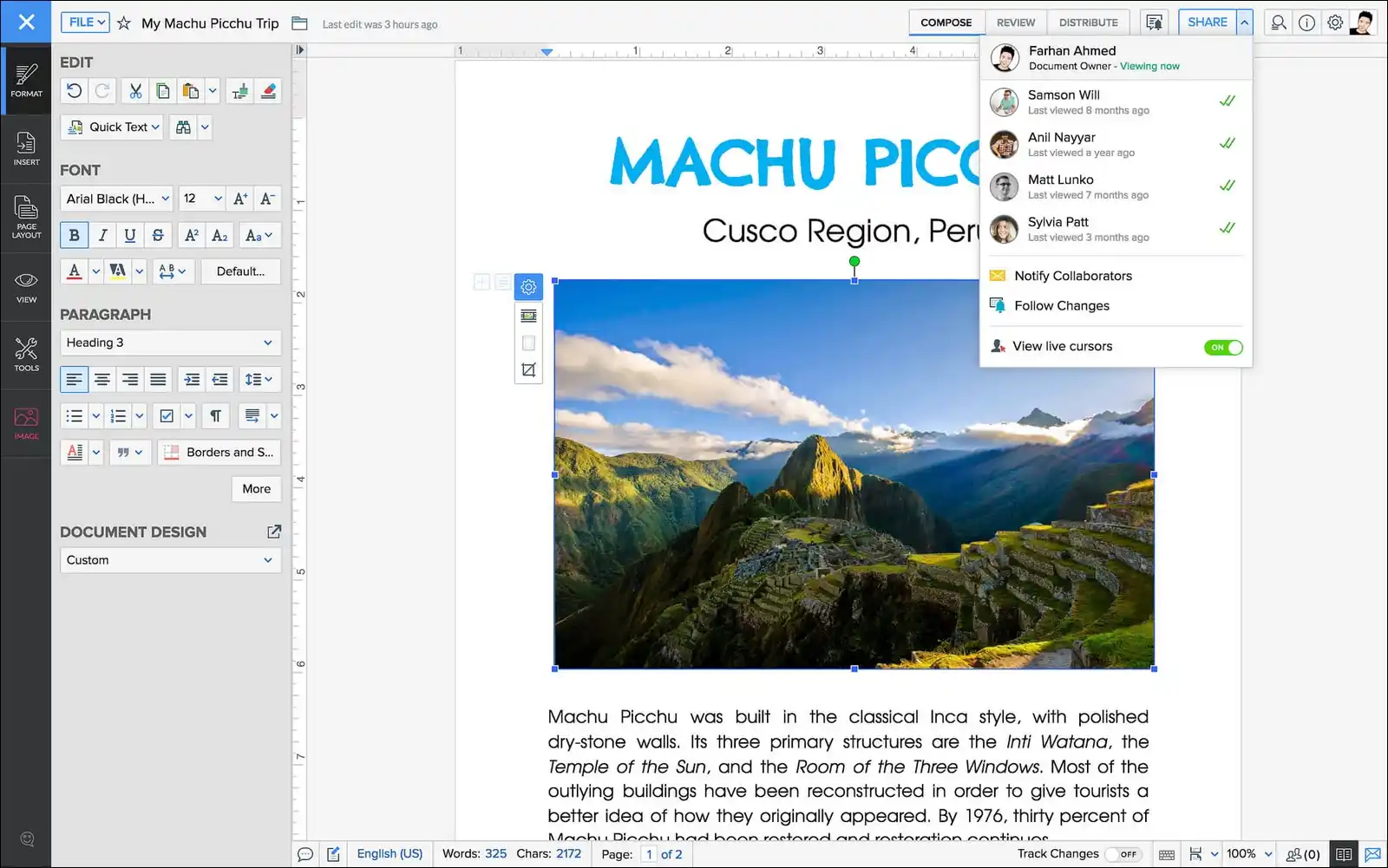
Zoho Office Suite gives you Writer, Sheet, Show, and a PDF Editor, free for individual users. There are desktop apps for Windows and macOS, plus mobile apps.
Zoho’s stated position is worth quoting. In 25+ years, the company says it has never sold user information for advertising and never earned revenue from third-party ads.
That puts it in a genuine middle ground. Maybe you’re leaving WPS over ads and data handling, but you don’t want Google’s ad-funded ecosystem either.
Correcting a common error: Several roundups list Zoho as online-only. In fact, the desktop apps for Writer, Sheet, and Show edit offline and sync when reconnected. The Android Sheet app works offline with no signup at all.
Sheet ships 350+ functions, pivot tables, and a Data from Picture feature that turns a scanned receipt into a spreadsheet.
- Trade-offs: The interface differs noticeably from Microsoft’s, so there’s a learning curve. Format fidelity is good, though not best-in-class.
- Verdict: A solid choice if you want browser work without ad-tech.
10. Apple Pages, Numbers and Keynote
Best for Apple users, with one trend worth watching.
These are free with any Apple ID on macOS, iOS, and iPadOS, and also through iCloud.com web apps that work on Windows and Android browsers. So you don’t need Apple hardware to use the web versions.
Keynote remains excellent for animation and transition quality. Real-time collaboration works across Apple devices and the web.
The 2026 development: Apple introduced Creator Studio at $12.99 a month, adding premium templates and image tools to these apps. Then in February 2026, Apple removed the iWork section from its website. And on 13 April 2026, the pre-Creator-Studio app versions stopped being available for download.
Apple’s commitment is clear, though. “Keynote, Pages, Numbers, and Freeform will remain free for all users to create, edit, and collaborate with others.”
- Trade-offs: Microsoft fidelity is good rather than excellent, and there’s no VBA. Numbers also uses a canvas model that tends to confuse Excel users.
- Verdict: Free and polished. Just note the pattern of paid tiers appearing on previously free apps, since that’s exactly what happened at WPS.
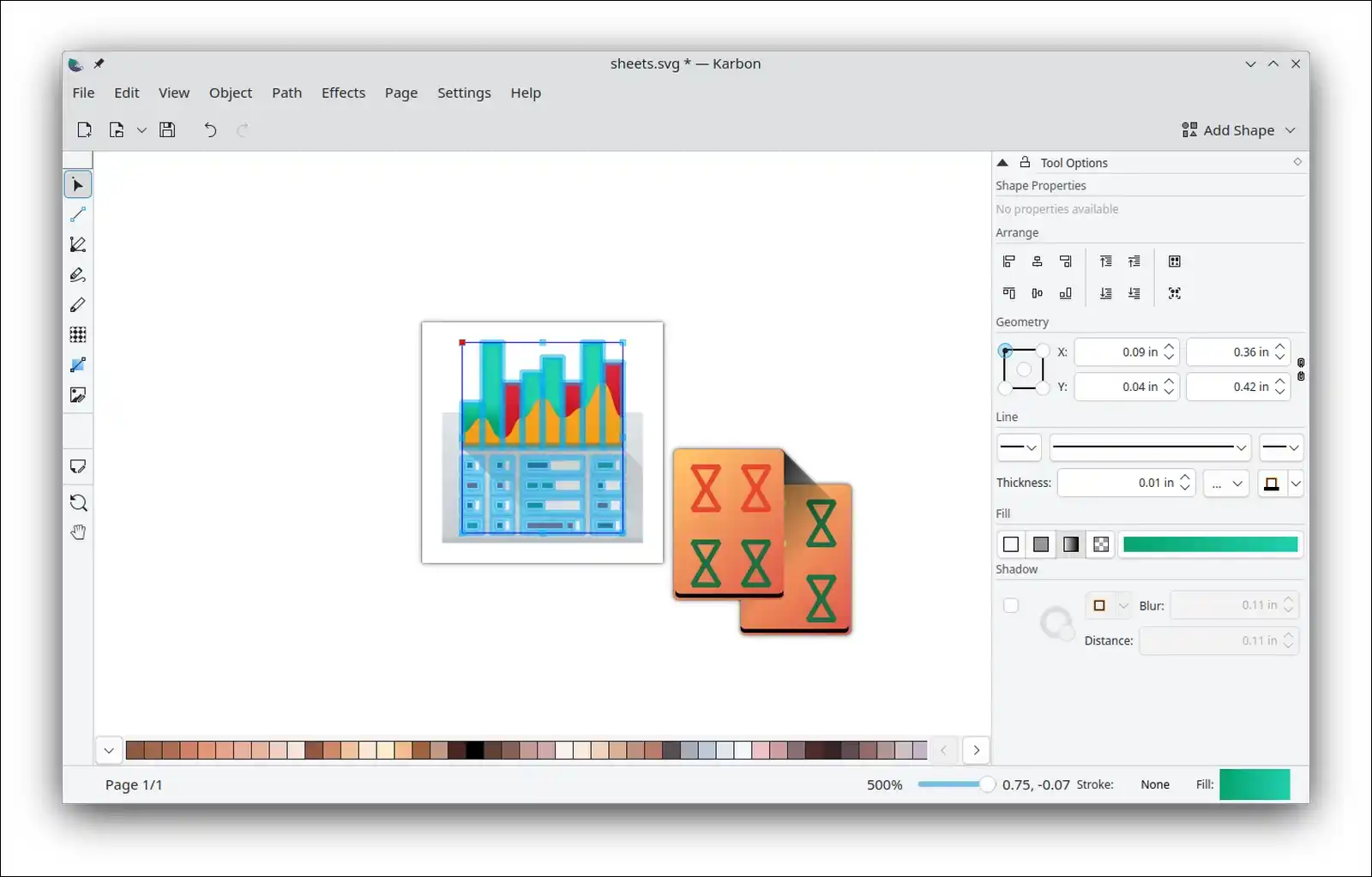
11. Calligra Suite
Best for low-spec Linux and KDE desktops.
Calligra is the KDE community’s suite: Words, Sheets, Stage, plus Karbon for vector graphics and Plan for project management.
I’m including it because every other article recycles the same five names. Calligra does serve a real case, since it’s notably lighter than LibreOffice and integrates natively with KDE Plasma.
It uses a docker-panel interface rather than ribbons or classic toolbars, so tool panels sit to the side. Some people find this better on widescreen displays. Others find it disorienting.
Native ODF support throughout also makes it a good citizen in ODF-standardised environments.
- Trade-offs: Microsoft format support is materially weaker than LibreOffice, ONLYOFFICE, or FreeOffice. Complex DOCX and XLSX files will lose formatting. Development is slower too, and Windows support has been inconsistent.
- Verdict: A niche pick. It’s good for old Linux hardware and ODF-only work, but not for daily Office file exchange.
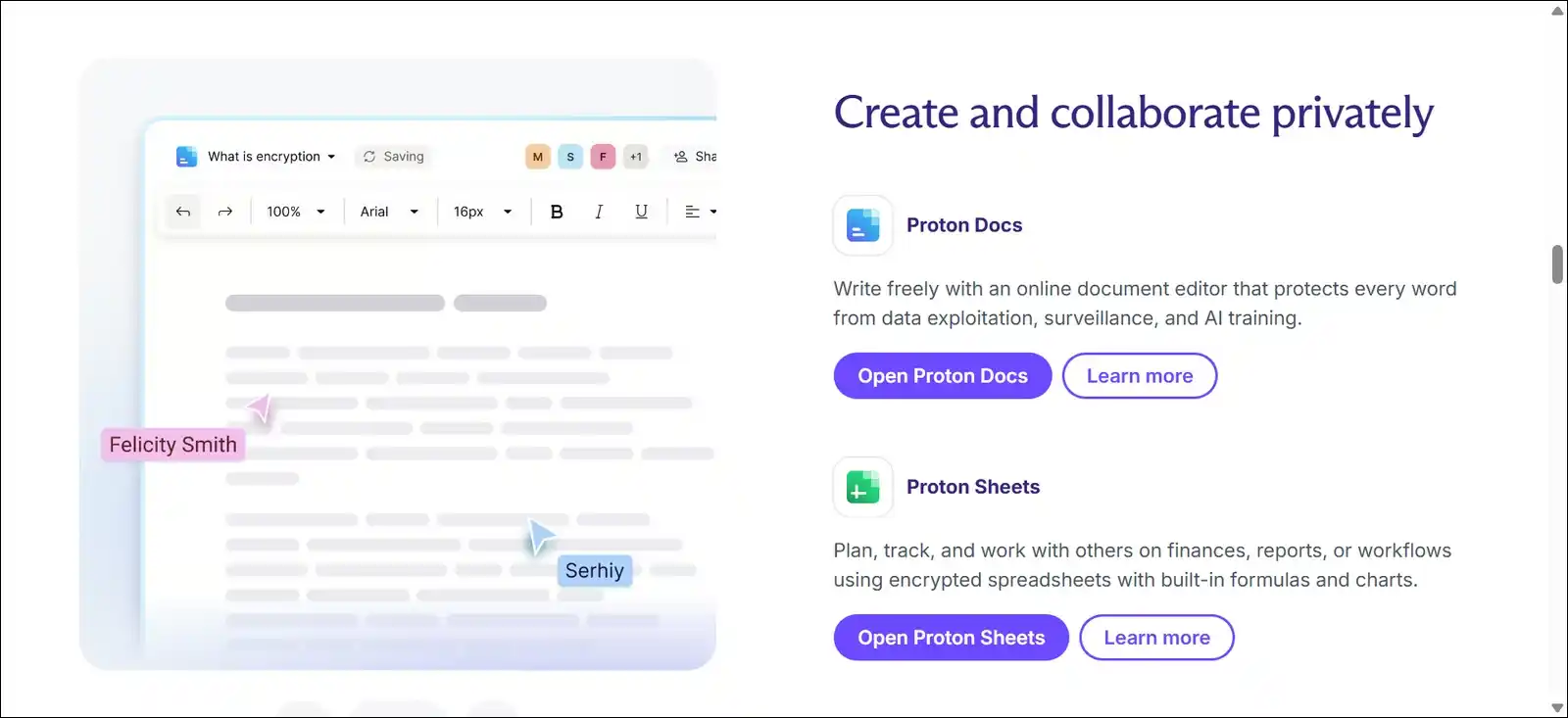
12. Proton Docs and Sheets
Best encrypted option that still feels normal to use.
Proton Docs and Sheets come from Proton AG in Geneva, the team behind Proton Mail. Both sit inside Proton Drive, and both are included on the free plan.
Docs launched in July 2024, and Sheets followed in December 2025. Everything is end-to-end encrypted by default, so Proton can’t read your content, formulas, or metadata.
Here’s what makes it different from CryptPad. Proton deliberately copied the layouts you already know. Drive product lead Anant Vijay told The Verge the resemblance to Excel and Google Sheets was intentional, to feel “immediately familiar.” So you get encryption without relearning where the toolbar buttons live.
The free tier gives you 5 GB after completing three quick setup steps, and encryption is identical across free and paid plans. You can import CSV and XLS files, use common formulas, build basic charts, and co-edit in real time.
- Trade-offs: There’s no presentation app yet, so slides need a different tool. Full co-editing works best when collaborators also use Proton. And there’s no native Linux app, though the web client works.
- Verdict: A good middle ground if CryptPad felt too unfamiliar but Google felt too exposed.
One To Avoid: Apache OpenOffice
I want to flag this separately, since many online sources still recommend it, including WPS’s own listicle.
The last significant feature release was version 4.1, in 2014. That’s twelve years ago. The most recent maintenance release is 4.1.16, from 10 November 2025.
Here’s the documented timeline from Apache’s own records.
| Date | Status |
|---|---|
| Oct 2024 | “Amber”, issues over 365 days old |
| Jul 2025 | Raised to “red” |
| Nov 2025 | 4.1.16 fixed CVE-2025-64401 |
| Mar 2026 | Raised to “red” again |
Worth noting: CVE-2025-64401 had already been fixed in LibreOffice back in May 2023. So that’s a gap of roughly two and a half years.
I’m not criticising the volunteers, since they’re doing what they can with limited resources. But office suites open untrusted files from email, and unpatched flaws in a file parser are a real risk.
What to do instead: Move to LibreOffice. It’s the direct fork, it opens every OpenOffice file, and it maintains an active security response.
Let’s compare all these:
I’ve split these by what you’re probably checking for, so they stay readable easily:
Cost and licensing
| Suite | Cost | Open Source |
|---|---|---|
| LibreOffice 26.2 | Free forever | Yes (MPL 2.0) |
| ONLYOFFICE 9.4 | Free desktop | Yes (AGPL v3) |
| SoftMaker FreeOffice | Free, incl. commercial | No |
| Google Docs | Free | No |
| Microsoft 365 Web | Free | No |
| Collabora CODE | Free (≤20 editors) | Yes |
| CryptPad | Free (1 GB) | Yes (AGPL) |
| Nextcloud Office | Free (self-host) | Yes |
| Zoho Office | Free | No |
| Apple Pages/Numbers | Free | No |
| Calligra Suite | Free | Yes |
| Proton Docs/Sheets | Free (5 GB) | Yes |
| WPS Office | Freemium | No |
Offline and Microsoft accuracy
| Suite | Offline | DOCX/XLSX |
|---|---|---|
| LibreOffice | Full | Very good |
| ONLYOFFICE | Full | Excellent |
| SoftMaker FreeOffice | Full | Very good |
| Google Docs | Limited | Moderate |
| Microsoft 365 Web | No | Perfect |
| Collabora CODE | Server-side | Good |
| CryptPad | Partial | Basic |
| Nextcloud Office | Server-side | Engine-dependent |
| Zoho Office | Yes (apps) | Good |
| Apple Pages/Numbers | Yes | Good |
| Calligra Suite | Full | Weak |
| Proton Docs/Sheets | No | Basic (CSV/XLS) |
| WPS Office | Yes | Very good |
Collaboration, storage and ads
| Suite | Live Co-Edit | Free Storage | Ads |
|---|---|---|---|
| LibreOffice | No | Local only | None |
| ONLYOFFICE | Yes (cloud) | 12 users free | None |
| SoftMaker FreeOffice | No | Local only | None |
| Google Docs | Best | 15 GB shared | None |
| Microsoft 365 Web | Yes | 5 GB | No |
| Collabora CODE | Yes | Your server | None |
| CryptPad | Yes | 1 GB | None |
| Nextcloud Office | Yes | Your storage | None |
| Zoho Office | Yes | Zoho account | Never |
| Apple Pages/Numbers | Yes | iCloud tier | None |
| Calligra Suite | No | Local only | None |
| Proton Docs/Sheets | Yes | 5 GB | None |
| WPS Office | Limited | 1 GB | Yes |
VBA Macro Support (The Silent Migration Blocker)
| Suite | VBA Support |
|---|---|
| ONLYOFFICE | Partial |
| WPS Office | Partial |
| LibreOffice | Limited |
| SoftMaker FreeOffice | Limited |
| Google Sheets | No (uses Apps Script) |
| Apple Numbers | No |
| Microsoft 365 Web | No |
So if a business-critical macro workbook exists, you’ll want to test it before committing.
Which One Should You Choose?
Just pick your situation from this list.
| Your Situation | Best Pick |
|---|---|
| You swap DOCX with Office users daily | ONLYOFFICE |
| You want offline power, no account | LibreOffice |
| Your laptop is old or slow | SoftMaker FreeOffice |
| You collaborate live with a team | Google Docs |
| One file must be perfect in Word | Microsoft 365 Web |
| Privacy drove you out of WPS | CryptPad |
| You want encryption, familiar layout | Proton Docs and Sheets |
| You want browser work, no ad-tech | Zoho |
| You use Mac, iPad or iPhone | Pages, Numbers, Keynote |
| You self-host and want control | Nextcloud + ONLYOFFICE |
| You’re on Apache OpenOffice today | LibreOffice |
And here’s the short reasoning behind the top four:
- ONLYOFFICE keeps native OOXML intact, so nothing shifts
- LibreOffice has no ads, no cloud, and no AI prompts
- SoftMaker FreeOffice runs at ~62 MB portable on modest hardware
- Google Docs is still the collaboration benchmark
How to Migrate Off WPS Office
Before You Start
- Inventory your file types. Count DOCX versus XLSX versus PPTX versus PDF. If PDF editing dominates, you may need a suite plus a dedicated PDF tool
- Pick your most complex file. The long report, or the pivot-table workbook. This becomes your test case
- Check for VBA macros. No free suite offers full parity, so test before committing
- Download everything from WPS Cloud. You only get 1 GB free, so this should be quick. Then verify local copies open properly
- Note your fonts. Font substitution causes most “the layout broke” complaints
Removing WPS Office Completely (Windows)
Most guides stop at the uninstaller, and that leaves the C-drive cache behind.
- Close all WPS processes. Press
Ctrl+Shift+Esc, then end every WPS and Kingsoft task. If WPS reappears after restart, repeat this in Safe Mode - Uninstall normally. Go to Settings, then Apps, then Installed apps. Remove WPS Office and any separate Kingsoft entries
- If it doesn’t appear there, you can run the bundled uninstaller at
C:\Program Files (x86)\WPS Office\uninst.exe - Delete the leftover folders. Check these paths:
C:\Program Files (x86)\WPS Office\C:\Users\<YourName>\AppData\Roaming\Kingsoft\C:\Users\<YourName>\AppData\Local\Kingsoft\%localappdata%\Temp\wps\INetCache\
- Clean the registry. Press
Win+R, typeregedit, pressCtrl+F, then search for “WPS Office” and “Kingsoft” and delete matching keys. Do export a backup first through File, then Export - Reset file associations. WPS claims .docx, .xlsx, .pptx, .pdf and image types, and users report it breaking Explorer preview panes. So right-click each file type, choose Open with, then Choose another app, select your new suite, and tick “Always use this app”
- Empty the Recycle Bin and restart
- Optional integrity check. Open Command Prompt as admin and run
sfc /scannow, thendism /online /cleanup-image /restorehealth
Easier alternative: Revo Uninstaller’s free portable version handles the uninstall, then runs a leftover scan. You select all, delete, and repeat once.
On macOS: You’ll want to delete ~/Library/Application Support/Kingsoft and ~/Library/Caches/Kingsoft.
Verifying Your Files Survived
- Open your most complex file in the new suite
- Check page count, table of contents pagination, table borders, image positions, font substitution warnings, headers and footers, and charts
- Save as DOCX, close it, then reopen. Round-tripping is where problems show up
- Send it to someone using real Microsoft Office, then ask them to open and re-save it
- For anything final, export to PDF. When a document must look identical everywhere, PDF removes the variable
Clearing The C-Drive Cache (If You’re Staying Temporarily)
If you still need WPS during a transition, you can clear cache manually. Check these paths:
%localappdata%\Kingsoft\%appdata%\Kingsoft\%localappdata%\Temp\wps\
Kingsoft has stated that cleaning WPS’s own cache is free long-term. That said, manual cleanup of large file volumes takes time, so a full uninstall resolves it permanently.
What Else Changed in the 2026 Office Market
Microsoft Ended Free Desktop Editing
This is worth knowing before you assume Microsoft’s a free fallback.
According to Microsoft Support, in-app notices began 14 July 2026. Then users moved to the standard free desktop experience from 24 July 2026. After that, free desktop apps open, view, and print only.
The free web apps do stay, though. Microsoft has confirmed they aren’t going anywhere.
Meanwhile, business pricing rose from 1 July 2026. Business Basic went from $6 to $7 per user monthly, and Business Standard went from $12.50 to $14.
Governments Are Switching, And Saving
This is the part that gives free suites real credibility.
| Organisation | Detail |
|---|---|
| Schleswig-Holstein, DE | ~80% migrated, €15M+ saved yearly |
| Denmark | Digital Affairs Ministry moved to LibreOffice |
| France | Gendarmerie: 97% of 103,000+ PCs on GendBuntu |
| Italy | Defence Ministry: 150,000 desktops |
| Austria | Bundesheer completing migration |
Schleswig-Holstein also budgeted €9 million in 2026 as a one-time investment to finish the job. Digitalisation Minister Dirk Schrödter framed it plainly. “Instead of investing our IT funding in license fees, we use it to finance development and support contracts.”
The legal backdrop helps too. Back in 2024, the European Data Protection Supervisor ruled that the European Commission’s use of Microsoft 365 violated GDPR.
LibreOffice Had Its Best Year
The Document Foundation recorded 44,809,742 downloads in 2025, its highest annual figure ever. Cumulative downloads have now passed 400 million since 2011.
TDF estimates roughly 200 million users, though it deliberately doesn’t track people. Notably, 85% run Windows, which contradicts the “Linux-only” assumption.
Spotting The Next Paywall
The WPS pattern is recognisable, and you may want to watch for it elsewhere.
- A generous free tier attracts a large user base
- Growth reaches a ceiling
- Revenue targets stay high anyway
- Features get unbundled and moved behind payment
- Existing users absorb the cost
Apple’s Creator Studio arrival on previously-free iWork apps follows a similar shape, although Apple has committed to keeping core editing free.
Open-source suites can’t follow this path in the same way, though. LibreOffice is MPL-licensed under a non-profit, and ONLYOFFICE desktop editors are AGPL v3. Those are structural guarantees rather than promotional ones.
Frequently Asked Questions
Quick answers about WPS Office’s free tier changes and the alternatives worth switching to.
Is WPS Office still free in 2026?
A free tier exists, but it’s significantly more restricted than before. Since November 2025, users have reported read-only mode, locked font controls, and unsaveable PDF highlights. PDF conversion, OCR, batch processing, merge, split, and e-signatures all require payment now.
Why did WPS Office stop letting me edit?
Kingsoft moved features behind its paid tiers. Company filings show monthly active devices fell from 678 million to 672 million, while over 60% of revenue depends on individual users. So with growth stalled, the company monetized its existing base.
Is WPS Office safe to use?
It has carried serious flaws. CVE-2024-7262 and CVE-2024-7263 both scored CVSS 9.3, and the APT-C-60 group exploited them to deploy the SpyGlace backdoor. CISA added the first to its Known Exploited Vulnerabilities catalog. So if you do use it, keep it fully updated.
What’s the best free alternative to WPS Office?
LibreOffice suits most people. That said, you may prefer ONLYOFFICE if you exchange Microsoft files daily, SoftMaker FreeOffice for older hardware, or Google Docs for live collaboration.
Which free suite opens Word files most accurately?
ONLYOFFICE. Because it uses OOXML natively rather than converting, formatting, tracked changes, and comments survive round-trips better than alternatives.
Can I use a free office suite for commercial work?
Yes. LibreOffice, ONLYOFFICE, and SoftMaker FreeOffice all permit commercial use at no cost, and FreeOffice states this explicitly.
Do free office suites support Excel macros?
Only partially. ONLYOFFICE offers partial VBA support, LibreOffice is limited, and Google Sheets and Apple Numbers don’t support VBA at all. So test critical workbooks first.
Is LibreOffice better than WPS Office?
For free users in 2026, generally yes. LibreOffice has no paywall, no ads, no cloud scanning, and an active security response. WPS does have a more familiar interface, but that advantage shrinks once features are locked.
Is ONLYOFFICE really free?
The desktop editors are free for personal and commercial use under AGPL v3. Confusion comes from ONLYOFFICE also selling server products. Community Edition supports up to 20 users, and DocSpace cloud is free for up to 12.
How do I completely uninstall WPS Office?
Uninstall through Settings, then delete leftover folders in Program Files and AppData, clean Kingsoft registry entries, and reset file associations. You’ll find the full steps in the migration section above.
Will my documents still open after switching?
Almost certainly. Every suite here reads DOCX, XLSX, and PPTX. Still, test your most complex file first and watch for font substitution.
Is Apache OpenOffice safe in 2026?
The Apache Security Team rated it “red” in March 2026 for unfixed vulnerabilities over a year old. So LibreOffice is the recommended migration path.
What’s the lightest free office suite?
SoftMaker FreeOffice. A trimmed portable install runs roughly 62 to 65 MB, and you have the option to split individual apps out at 22 to 24 MB each.
Which free office suite is actually encrypted?
CryptPad and Proton Docs and Sheets both use end-to-end encryption, so neither provider can read your files. Proton feels closer to Google Docs, while CryptPad offers more tools including Kanban and Whiteboard.
Final Verdict
Here’s our final verdict on this list:
- Take LibreOffice if you want one answer and nothing else. It’s free by structure rather than by promotion, it had its best download year ever in 2025, and roughly 30,000 German government desks run on it while saving €15 million a year.
- Take ONLYOFFICE if Microsoft file accuracy matters most. In my testing, it was the only suite that round-tripped a complex DOCX through Word with no visible changes.
- Take SoftMaker FreeOffice if your hardware’s limited. A 62 MB portable install that permits commercial use is genuinely useful.
- Take CryptPad if privacy drove your decision. Its encryption is enforced by mathematics, not by a policy that can be revised next quarter.
Your next step’s simple. Pick one suite, open your most complex document in it, run the round-trip test, then uninstall WPS cleanly using the steps above.
Last updated: 27 July 2026 | Versions tested: LibreOffice 26.2.5, ONLYOFFICE 9.4.0, SoftMaker FreeOffice Rev 1230, Proton Docs and Sheets (web)
![Top 10 CamScanner Alternative Apps for Android [2021]](https://techshali.com/wp-content/uploads/2021/06/Top-10-alternatives-to-CamScanner-App-for-Android-390x220.jpg)