Can Quntis Monitor Light Bar Glow 51 cm Help With Digital Eye Strain?
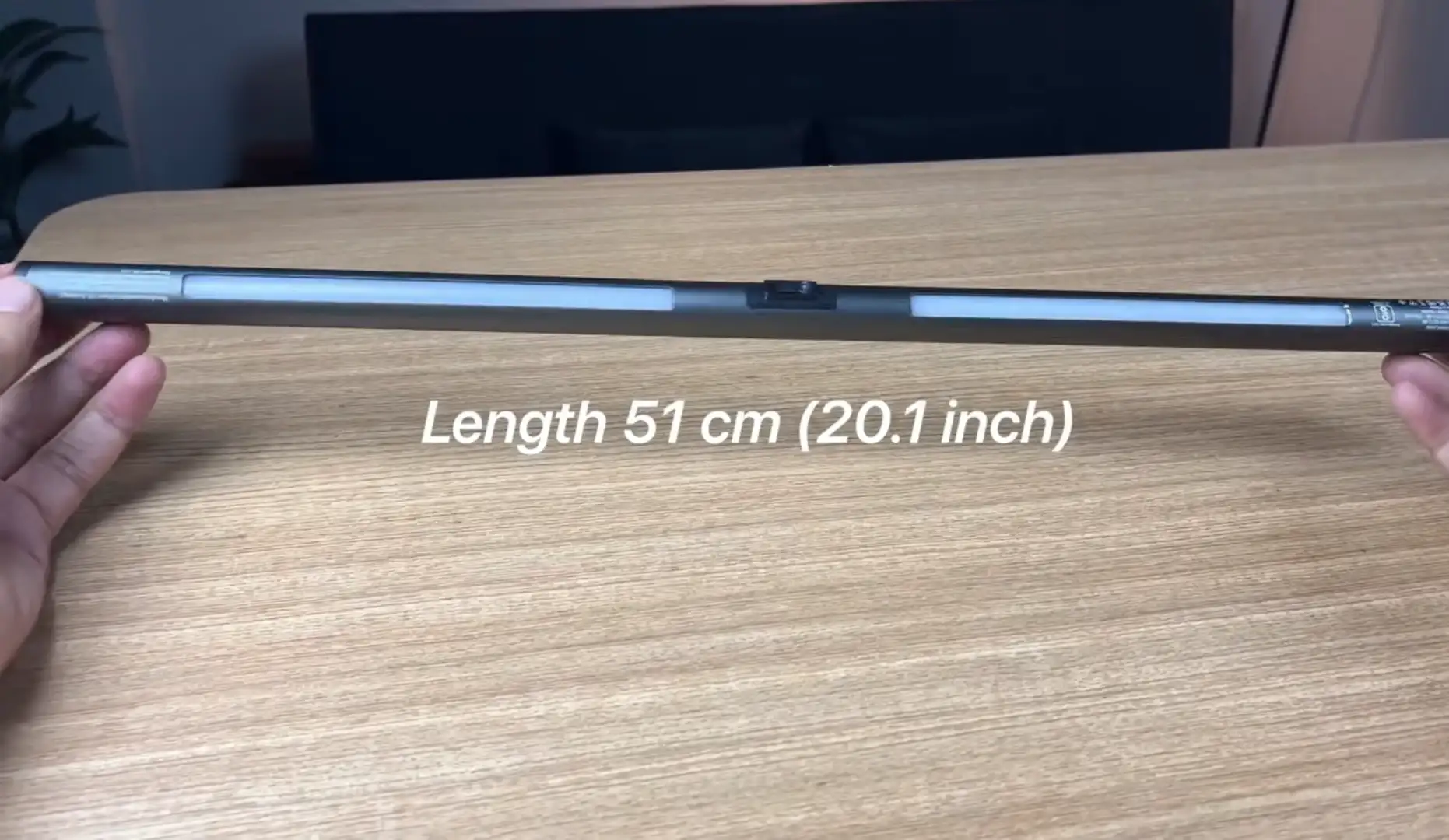
Quntis Monitor Light Bar Glow 51 cm (20.1 inch) Grey may help with digital eye strain when poor lighting or screen glare contributes to your discomfort. However, it is not an eye-strain treatment. Its main benefit is changing the lighting around your monitor, which can reduce reflections and harsh contrasts in some desk setups.
Digital eye strain has several possible causes. Lighting is only one part of the picture. Your viewing distance, screen position, blinking, dry eyes, display settings, and work habits can also affect symptoms.
Quntis Monitor Light Bar Glow Can Help When Lighting Is the Problem
A monitor light bar can improve the visual environment around your screen. The Quntis Glow 51 cm combines front lighting with rear ambient lighting, giving you more control over the light surrounding your workstation.
This matters because excessive or poorly positioned light can create reflections on a display. OSHA recommends reducing glare and using well-distributed, indirect lighting around computer workstations.
The Quntis model also has an eye-care hood designed to reduce direct light reaching your eyes. Quntis provides adjustable lighting from 3000K to 6500K, with a rated 900-lux center illuminance and Ra95 color rendering.
These features can make a difference when your desk has uneven or harsh lighting.
Digital Eye Strain Has More Than One Cause
Digital eye strain is not simply a problem caused by bright screens. It can involve dry eyes, blurred vision, headaches, discomfort, and other symptoms after prolonged digital-device use.
Research identifies several factors that can contribute to visual discomfort. These include lighting, glare, display characteristics, viewing distance, and reduced blinking during screen tasks.
That means a monitor light bar addresses only part of the problem.
| Factor | Can the Quntis Glow help? |
|---|---|
| Reflected screen glare | Potentially, yes |
| Uneven desk lighting | Yes, depending on setup |
| Harsh direct lighting | Potentially |
| Dry eyes | No direct treatment |
| Reduced blinking | No |
| Incorrect viewing distance | No |
| Poor monitor position | No |
| Excessive screen time | No |
Why Screen Glare Matters
Reducing glare may improve visual comfort during computer work. Bright reflections make screen content harder to see and can increase visual effort.
OSHA specifically identifies reflected light from windows, overhead fixtures, and other sources as a workstation glare problem. It recommends positioning lighting so reflections do not appear on the display.
Research has also found that glare can negatively affect reading performance. One study found slower reading under adverse glare conditions, including increased fixation duration.
The Quntis Glow therefore makes the most sense when used as controlled task lighting. It should not be treated as a cure for digital eye strain.
How the Quntis Glow 51 cm Handles Lighting
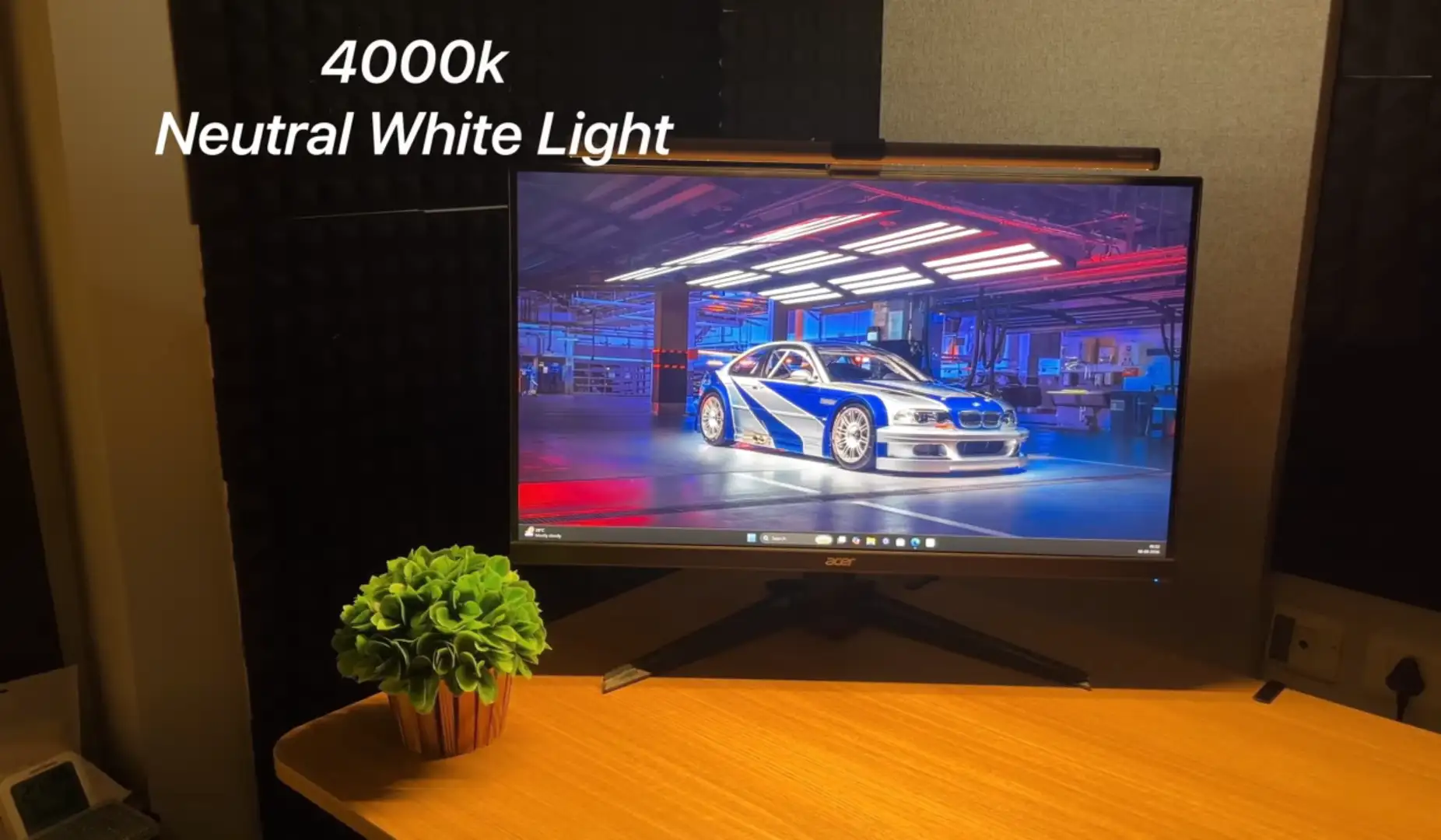
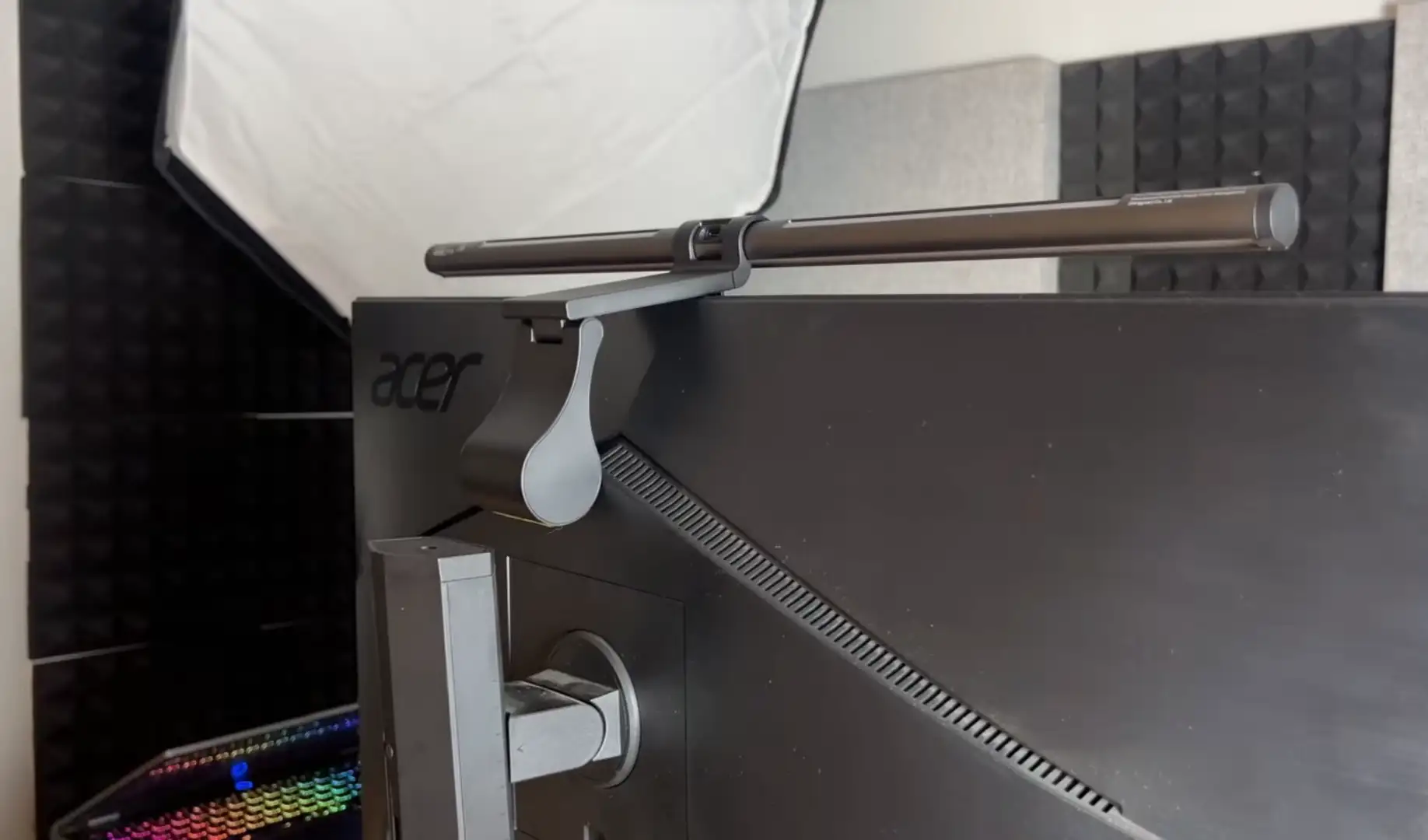
The Quntis Glow 51 cm uses a front light and a rear backlight. The front light illuminates the work area, while the rear light can provide ambient illumination behind the display.
Its specification sheet lists 3000K to 6500K color adjustment and stepless dimming. The product also uses an adjustable weighted mounting clip for compatible flat and curved displays.
The model supports monitors from 17 to 32 inches and monitor thicknesses from 0.3 to 7 cm. It also supports webcam use according to Quntis’s specifications.
Those details matter because lighting performance depends heavily on how the bar sits above your particular display.
The 900-Lux Number Needs Some Context
The Quntis Glow 51 cm is rated at 900 lux at the center. That does not mean your entire desk receives 900 lux. Lux describes illuminance at a measured location, so coverage matters as much as the peak figure.
This distinction is often missed in monitor-light articles. A center measurement can look impressive while illumination falls toward the keyboard edges or other desk areas.
For that reason, I would treat 900 lux as a specification rather than proof of uniform desk lighting. The more useful question is how evenly the light reaches your actual working area.
The 3000K to 6500K Range Gives You More Control
Color temperature can change how the workspace feels. The Quntis Glow lets you move between warmer and cooler settings across a 3000K to 6500K range.
A warmer setting may suit relaxed evening work. A cooler setting can provide a different appearance during daytime tasks.
However, color temperature should not be treated as an eye-strain cure. Lighting research considers color temperature alongside illuminance, glare, luminance, direction, and other visual factors.
The Rear Light Can Help With Harsh Contrast
The rear light can add illumination behind the monitor. This may help when your screen is bright while the surrounding wall or desk area is very dark.
The goal is not to make the room bright. The goal is to avoid an unnecessarily harsh lighting contrast.
Quntis lists an expanded backlight area for the Glow 51 cm. The manufacturer positions this feature as part of the product’s visual-comfort design.
In practice, the result depends on your desk position. A rear light can have more visible effect when your monitor sits close to a wall.
The Eye-Care Hood Has a More Specific Role
The built-in hood is designed to limit direct light entering your eyes. That approach makes sense because direct or reflected light can create uncomfortable visual conditions.
However, the hood does not make the product a medical device for treating eye strain. It is better understood as part of the lamp’s optical design.
The difference is important. Quntis can design the light to control where illumination goes, but individual eye symptoms have multiple possible causes.
How to Use Quntis Monitor Light Bar Glow for Better Comfort
You can improve the result by setting up the light carefully.
- Position the monitor at a comfortable viewing distance.
- Keep the screen slightly below your natural eye level.
- Aim the front light toward your work surface.
- Adjust brightness until the desk looks evenly lit.
- Use a warmer setting if it feels more comfortable at night.
- Check the display for visible reflections.
- Adjust the bar if light reaches your eyes directly.
- Use the rear light when the wall behind the monitor is very dark.
- Keep windows and other bright sources from reflecting into the screen.
- Take regular breaks during extended screen sessions.
These steps address the wider workstation rather than relying on the light bar alone. EyeWiki also recommends appropriate ergonomics, glare control, suitable viewing distance, and breaks as part of managing digital eye strain.
What Quntis Monitor Light Bar Glow Cannot Fix
A monitor light bar cannot solve every cause of digital eye strain.
If you experience persistent discomfort, the underlying issue may involve dry eyes, an uncorrected prescription, binocular vision problems, excessive screen exposure, or other factors. Research describes digital eye strain as a multifactorial condition rather than a simple lighting problem.
You may also get little benefit if your workstation already has comfortable, evenly distributed lighting. Adding another light source can even create unwanted reflections if you position it poorly.
Who May Benefit Most From the Quntis Glow 51 cm?
The Quntis Glow 51 cm may make the most sense for people who notice lighting-related discomfort.
It can be particularly relevant if you:
- Work at a computer late at night.
- Have a dark wall behind your monitor.
- Notice reflections from desk lamps.
- Work with printed documents beside your monitor.
- Want adjustable warm and cool lighting.
- Prefer lighting above the display instead of a desk lamp.
- Need a light compatible with a 17 to 32-inch monitor.
It may provide less benefit if your existing workstation already has balanced, glare-free lighting.
A Better Way to Think About Eye Comfort
The Quntis Monitor Light Bar Glow 51 cm should be viewed as a lighting tool, not an eye-strain treatment.
Its 900-lux center rating, adjustable color temperature, front lighting, rear lighting, and eye-care hood can help you control the visual environment around your monitor.
The strongest benefit is likely to come from reducing glare and improving uneven lighting. Those changes address factors known to affect computer-work visual comfort.
If your symptoms continue despite improving your workspace, lighting alone may not explain them. In that situation, an eye examination can help identify other contributing factors.
Bottom line: Quntis Monitor Light Bar Glow 51 cm may help with digital eye strain when poor workstation lighting contributes to your discomfort. Its value comes from controlling glare and surrounding illumination, not from treating the underlying causes of eye strain.
Official website and product link:
https://www.quntis.com/products/led-screenlinear-glow-series-ml215-20-1inch