Techlokesh.org Explained: Features, Content, and Honest Review
A straightforward look at what this tech platform actually offers, who it's built for, and whether it's worth bookmarking.

If you are an aspiring mobile video editor or content creator, you’ve likely come across Techlokesh.org while searching for viral CapCut templates or third-party apps. While the platform offers a massive library of visual overlays and digital tools, downloading resources outside of official app stores always carries inherent risks.
Instead of a basic overview, this is a hands-on technical audit of Techlokesh. We will break down the usability of their editing templates, investigate the safety of their download links, and provide a clear verdict on whether this platform is safe for your device.
If you found it through a search result, this article will tell you exactly what you’re dealing with. Here’s an honest look at what it offers, who it’s for, and whether it’s safe to use.
How We Tested the Platform
To provide an objective review, we didn’t just read their “About” page. We actively tested the site’s infrastructure over 48 hours:
- Template Integration: We downloaded three trending video templates and tested their seamlessness when exporting to standard mobile editing apps.
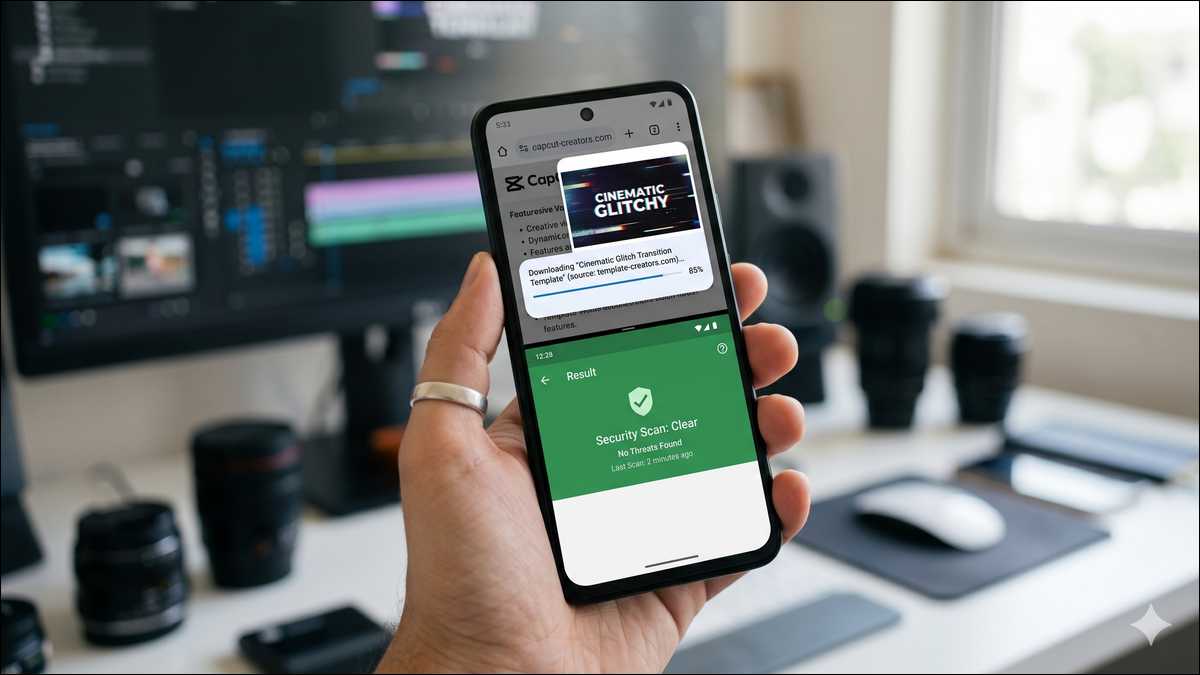
- Security Audit: We ran two of their direct download files through VirusTotal to check for embedded malware or aggressive adware.
- User Experience: We navigated the site on an Android device to test ad-density and identify any deceptive “fake download” buttons designed to trick users.
Who Is It Actually Built For?
Not every tech site serves the same crowd. Techlokesh.org isn’t going after The Verge’s audience or TechCrunch readers. It’s written for everyday users — people who want practical answers without wading through technical language.
Students learning digital tools for the first time will find the tone easy to follow. Content creators looking for editing tips and templates will find useful guides. And anyone trying to figure out a new app or fix a basic device issue will appreciate how clearly the steps are laid out.
That positioning matters. It sets expectations before you spend time on the site — and it tells you when to look elsewhere if you need something more advanced.
What Kind of Content Does Techlokesh.org Publish?
The site covers several distinct topics. Here’s what you’ll actually find when you browse.
- Photo and video editing guides make up a big chunk of the content. Step-by-step tutorials for tools like CapCut and VN Editor — covering effects, transitions, templates, and export settings. These are real walkthroughs, not vague overviews.
- App templates show up regularly too. Name art video templates and creative editing templates — useful for content creators who want a head-start on a specific visual style without building from scratch.
- Tech how-tos cover general digital literacy. Things like setting up a blog, understanding basic SEO, and fixing common Android issues. Simple, task-focused, and written for people without a tech background.
- Digital trends and tech news fill out the rest. Coverage of AI updates, new app releases, and gadget news — kept accessible rather than deeply analytical.
- Cybersecurity basics also pop up here and there — introductory guides on password habits, spotting phishing attempts, and protecting personal data. Nothing advanced, but genuinely useful for users who are new to thinking about digital safety.
How the Site Is Structured
The layout is clean and easy to use. Categories are clearly labelled, articles are easy to find, and the mobile experience is smooth. You’re not fighting the interface to get to what you need.
Articles follow a consistent format: a short intro, numbered steps where relevant, and a brief wrap-up at the end. That works well for how-to content — you can jump straight to the section you need without reading everything from the top.
One thing worth knowing: the site accepts guest posts from outside writers. So not every article comes from the same editorial team. Some content may include promotional recommendations alongside the practical stuff.
We’ll get into that more in the honest assessment section.
Traffic and Platform Scale — The Real Numbers
Techlokesh.org is a small platform. That’s not a dig — it’s just useful context for how to weigh the content you find there.

According to Similarweb’s February 2026 analysis of techlokesh.org, the site gets around 2,400 monthly visits. The global rank sits at roughly 6.6 million, and the India-specific rank is around 740,000 — which tells you the primary audience is based in India.
The raw traffic number is modest. But the engagement data is more interesting. The bounce rate is 34.3% — pretty low for a content blog. Most sites sit between 50% and 70%. A 34.3% rate means visitors are clicking through to other pages rather than bouncing straight out. That’s a good sign for content relevance.
Pages per visit averages 2.20, and the average session runs about 55 seconds. Modest, but in line with a site where people come in, find a specific answer, and move on.
Here’s the full picture at a glance:
| Metric | Data (Similarweb, Feb 2026) |
|---|---|
| Monthly Visits | ~2,400 |
| Global Rank | #6,631,701 |
| Country Rank (India) | #740,909 |
| Bounce Rate | 34.3% |
| Pages per Visit | 2.20 |
| Avg. Visit Duration | ~55 seconds |
| Top Traffic Source | Direct (41.97%) |
| 2nd Traffic Source | Organic Search |
| Primary Market | India |
The 41.97% direct traffic figure stands out. Direct traffic usually means returning visitors — people who already know the site and come back on purpose. For a platform this size, that’s a solid signal of a small but loyal audience.
What It Does Well
Here’s where Techlokesh.org genuinely earns its place.
- The beginner-friendly tone holds up across the site. Technical terms get explained when they appear. Steps are numbered and sequential. Visuals support the text. For someone new to video editing or trying to get to grips with an unfamiliar app, that approach cuts through the friction that makes most tech tutorials annoying.
- The editing and template content is practical. The CapCut and VN Editor guides are specific and actionable — covering real workflows, not surface-level overviews. If you’re trying to nail a particular effect or use a trending template format, this kind of walkthrough saves real time.
- It’s free, and the ad experience is fine. No paywall. No subscription. You read what you need and leave. For students and casual users who aren’t going to pay for tech guidance, that frictionless access is the whole point.
- It’s safe to browse. HTTPS encryption is in place. No widespread reports of malware or phishing. For a small indie tech blog, that’s the baseline you need confirmed before spending any time there.
What to Keep in Mind
No honest review skips the limitations. Here’s what’s worth knowing.
It’s a small platform with limited authority. Around 2,400 monthly visits puts it well below established tech publications. There are no widely recognised bylines, no verified editorial team, and no confirmed founding story publicly available. That doesn’t make the content wrong — but cross-reference anything important with larger, better-established sources when accuracy really matters.
Guest posts affect editorial independence. The site accepts outside contributions — including ones with backlinks and promotional intent. That’s normal for small content blogs. But it means some articles may reflect a contributor’s commercial angle rather than pure editorial judgment. Just read with that in mind.
Content depth has a ceiling. For beginners, the detail level is right. But if you’re an experienced user looking for advanced guidance — complex workflows, detailed settings, technical comparisons — you’ll hit the limits fast. The site isn’t built for that, and it doesn’t claim to be.
Some third-party reviews of the site aren’t reliable. A chunk of articles written about Techlokesh.org elsewhere look like AI-generated content farm posts — vague praise with no specific detail or verified data behind it. We’ve used primary and verifiable sources for this article. If you dig further yourself, treat those low-quality write-ups with appropriate scepticism.

How Techlokesh.org Compares to Similar Platforms
Here’s how Techlokesh.org fits into the broader landscape of tech content sites:
| Feature | Techlokesh.org | Large Tech Publications | Other Small Tech Blogs |
|---|---|---|---|
| Beginner-friendly tone | ✅ Strong | ⚠️ Varies | ⚠️ Varies |
| Editing and template guides | ✅ Yes — practical | ❌ Rarely covered | ⚠️ Sometimes |
| Editorial authority | ❌ Limited | ✅ Strong | ❌ Limited |
| Content depth | ⚠️ Beginner level | ✅ Advanced available | ⚠️ Beginner level |
| Free to access | ✅ Yes | ✅ Mostly | ✅ Yes |
| Safe to browse | ✅ Confirmed | ✅ Confirmed | ⚠️ Varies |
| Guest post content | ✅ Accepted | ❌ Typically not | ✅ Common |
The honest picture: Techlokesh.org does what small niche tech blogs do best — covers a specific audience’s practical needs in plain language, without the noise of bigger publications.
Where it falls short is authority, depth, and the editorial independence that comes with a larger, more established operation.
The Reality of Third-Party Downloads: Is it Safe
While Techlokesh provides excellent creative resources, users must navigate the platform with high digital literacy.
- APK Precautions: If you are downloading Android application packages (APKs) from the site, you must manually enable ‘Install from Unknown Sources’ on your device. We highly recommend running any downloaded APK file through a mobile antivirus scanner before execution, as third-party files bypass Google Play Protect.
- The Ad Trap: Like many free resource hubs, the site monetizes through heavy display advertising. Users must be careful to click the actual file link rather than deceptive ads disguised as ‘Download Now’ buttons.
Pros and Cons of using Techlokesh:
👍 Pros
- Extensive, free library of trending video editing templates.
- Beginner-friendly tutorials for mobile content creators.
- Fast updates mirroring current social media trends.
👎 Cons
- High density of display ads can be confusing for new users.
- Downloading third-party files always carries a baseline malware risk.
- Lacks official support or verification for hosted apps.
The End Note
Techlokesh.org is a legitimate, free, beginner-friendly tech blog. It publishes practical guides on video editing, app use, and everyday digital tasks — written clearly and easy to follow. As Similarweb’s traffic data confirms, the engagement numbers back that up — a 34.3% bounce rate is a real signal that visitors are staying and exploring rather than bouncing straight out.
It’s not a site you’d cite for authoritative tech analysis or deep technical guidance. It’s not in the same league as major tech publications for scale, editorial rigour, or depth. And the guest post model means some content warrants a closer look before you rely on it.
But for a beginner who needs step-by-step help with CapCut, VN Editor, or a general tech task — it does that job well. The writing is accessible, the format is practical, and the access is free. That combination serves its audience clearly.
If that’s what you came for, it’s worth your time. If you need something more advanced, you’ll know within a few minutes — and that clarity is useful in itself.