11 Best Cryptocurrency Mining Software in 2026 (Tested & Ranked)
We compare the 11 best cryptocurrency mining software in 2026 — CGMiner, NiceHash, Awesome Miner, Hive OS, Cudo & more. Free & paid options for ASIC, GPU, and fleet operators, with current pricing and verified status.
The best cryptocurrency mining software in 2026 are CGMiner, BFGMiner, MultiMiner, EasyMiner, NiceHash, Awesome Miner, Hive OS, Cudo Miner, Kryptex, minerstat, and lolMiner.
Each tool serves a different mining setup — from a single home ASIC to fleets of thousands of rigs — and the right pick depends on your hardware, skill level, and the coin you plan to mine.

What is cryptocurrency mining software?
Cryptocurrency mining software is the program that connects your hardware (ASIC, GPU, or FPGA) to a blockchain network so it can validate transactions and earn block rewards. Think of it as the control layer between your physical rig and the coin you’re mining — it manages pool connections, monitors hash rate and temperature, handles failover, and submits proof-of-work shares.
Mining software does not generate coins on its own. Your hardware does the actual hashing; the software simply tells it where to direct that work and how to report results back to you and the pool.
Also read:
Why does choosing the right mining software matter in 2026?
The right software directly affects your profitability. After the April 2024 halving, the block subsidy fell to 3.125 BTC, forcing miners to either reduce costs, increase efficiency, or find supplementary revenue from transaction fees.
Margins are tighter, network difficulty is at or near record highs, and a poorly configured miner can quietly bleed earnings through rejected shares, downtime, or suboptimal pool routing.
For context: Bitcoin mining difficulty rose 14.73% on February 19, 2026 to reach 144.40 T, with network hashrate near 961.53 EH/s. ASIC efficiency has improved roughly seven-fold over eight years, from 98 J/TH down to under 15 J/TH on the latest hardware.
Software that automates profit switching, alerts you to issues, and supports modern firmware is no longer a luxury — it’s how serious miners stay in the green.
What are the 11 best cryptocurrency mining software in 2026?
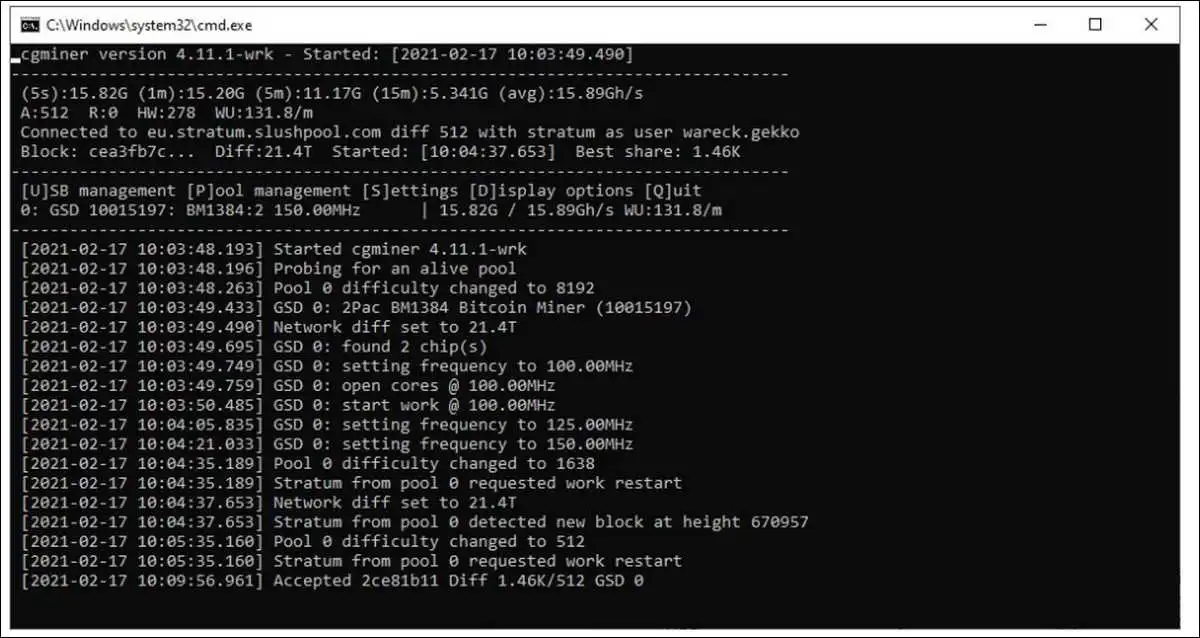
1. CGMiner — Best for ASIC operators who want full command-line control
CGMiner is the longest-running serious Bitcoin miner still in active use. First released in 2011 and written in C, it runs on Windows and Linux with very low overhead. Versions 3.10 and above removed GPU support and are built specifically for ASIC hardware — if you want to mine Scrypt coins like Litecoin or Dogecoin with a graphics card, you need version 3.7.2 or older.
The interface is purely command-line, which is a barrier for beginners but appreciated by miners who run unattended rigs. Features include multi-pool failover, hotkey controls, fan and clock adjustment, and a stable RPC interface for monitoring.
There is no GUI; per the maintainer’s FAQ, the project intentionally leaves that to third-party front-ends.
- Pricing: Free, open source.
- Best for: ASIC operators comfortable with terminals.
- Platforms: Windows, Linux.
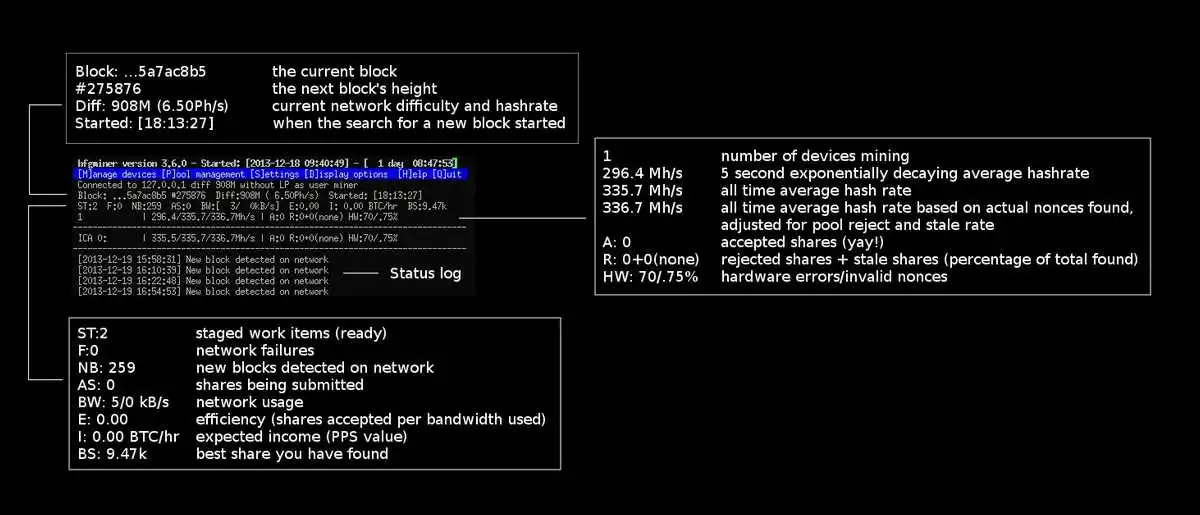
2. BFGMiner — Best for technical miners running ASIC and FPGA gear
BFGMiner is a fork of CGMiner maintained by Luke Dashjr. The current branch (5.5) supports a wide range of device drivers for Bitcoin SHA256d, with dynamic intensity, monitoring, and remote interface capabilities. It is modular — you compile in support for the specific ASICs and FPGAs you own — and ships with multi-pool failover, hotkey-driven status screens, and a JSON-RPC API.
Unlike CGMiner, BFGMiner can still target FPGAs, which makes it useful for niche hardware. GPU support exists in legacy forks but is essentially deprecated. The project’s documentation is dense, but for miners who want fine-grained control over multiple devices, BFGMiner is hard to beat.
- Pricing: Free, open source.
- Best for: Power users running mixed ASIC and FPGA setups.
- Platforms: Linux, Windows, macOS.
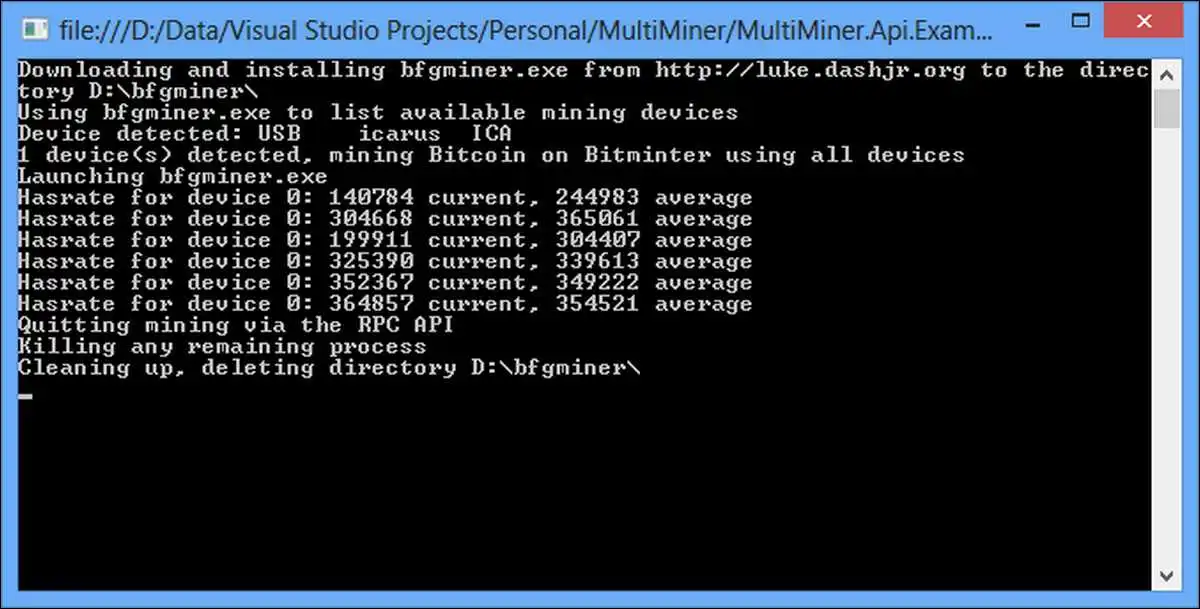
3. MultiMiner — Best GUI for beginners running BFGMiner under the hood
MultiMiner is the easiest way to use BFGMiner without touching a config file. It is a graphical application for crypto-coin mining on Windows, OS X, and Linux that simplifies switching individual devices between cryptocurrencies and uses BFGMiner as the underlying engine.
A first-run wizard walks you through pool setup, and the app automatically downloads the BFGMiner binary it needs.
Key features include profit-based coin switching using CoinChoose data, support for ASICs/GPUs/FPGAs, automatic restart of crashed miners, and remote monitoring via the MobileMiner API. Linux and macOS users need additional dependencies (Mono, X11), but Windows installation is essentially one-click.
- Pricing: Free; optional 1% donation to the developer.
- Best for: Beginners and intermediates who want a friendly front-end.
- Platforms: Windows, macOS, Linux.
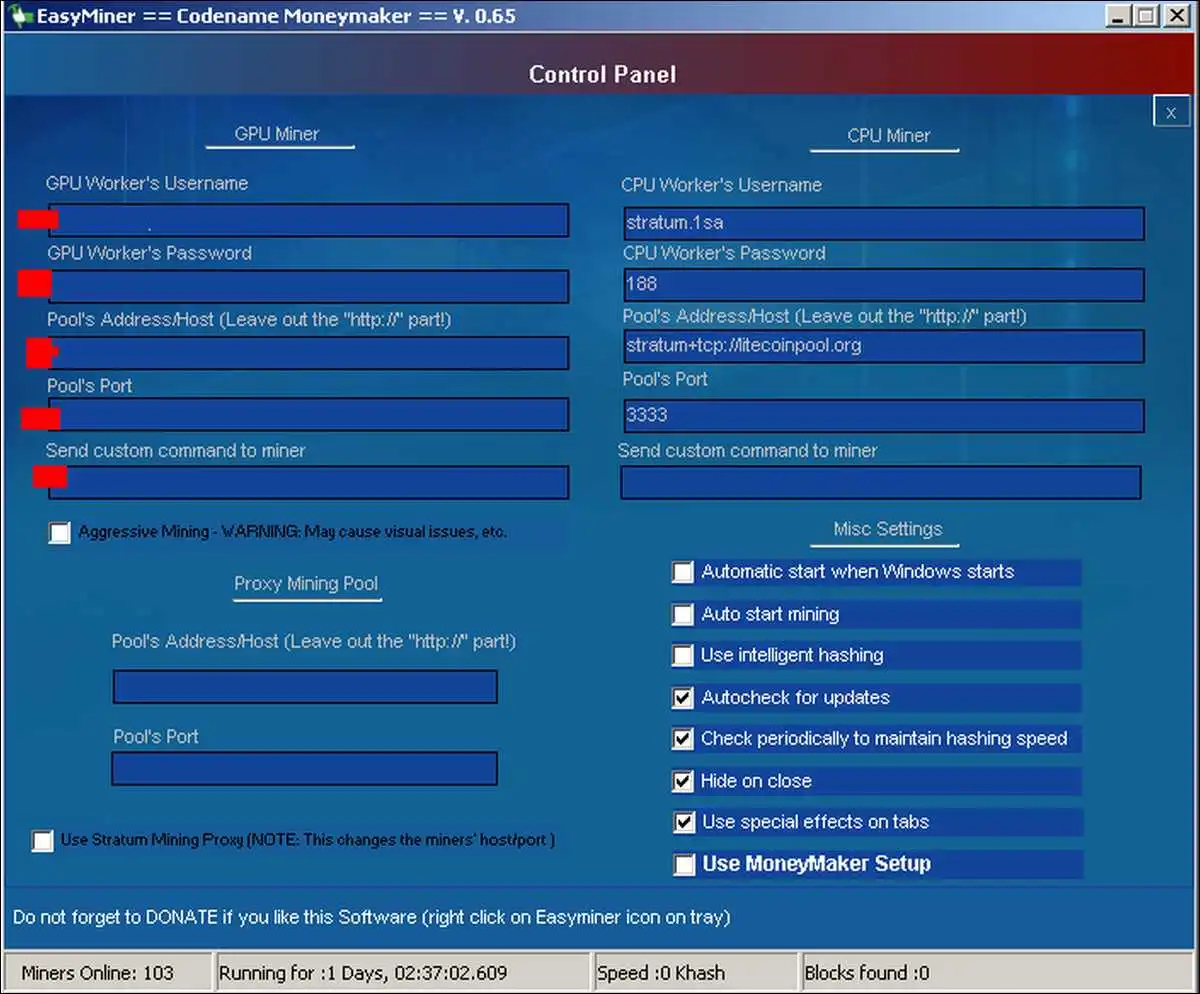
4. EasyMiner — Best free GUI for first-time miners
EasyMiner is a graphical front-end that wraps CGMiner, CPUMiner, and ccminer behind a dashboard, designed for users with no terminal background. It supports SHA-256 and Scrypt, but does not support modern algorithms like Ethash, KawPow, or Autolykos, and is not ideal for top-end NVIDIA or AMD graphics cards from 2024–2025.
A “MoneyMaker” mode auto-creates a Litecoin wallet and starts mining on a private pool the first time you launch the app — useful as a demonstration, though not realistically profitable today. The visual dashboard shows hash rate, accepted/rejected shares, and earnings.
Note that antivirus software like Avast has historically flagged EasyMiner and the underlying CPUMiner as malicious because attackers have repackaged similar binaries for botnets — you’ll likely need to whitelist it.
- Pricing: Free, open source.
- Best for: Beginners testing the waters on Windows.
- Platforms: Windows (Linux possible via Wine).
Also read:
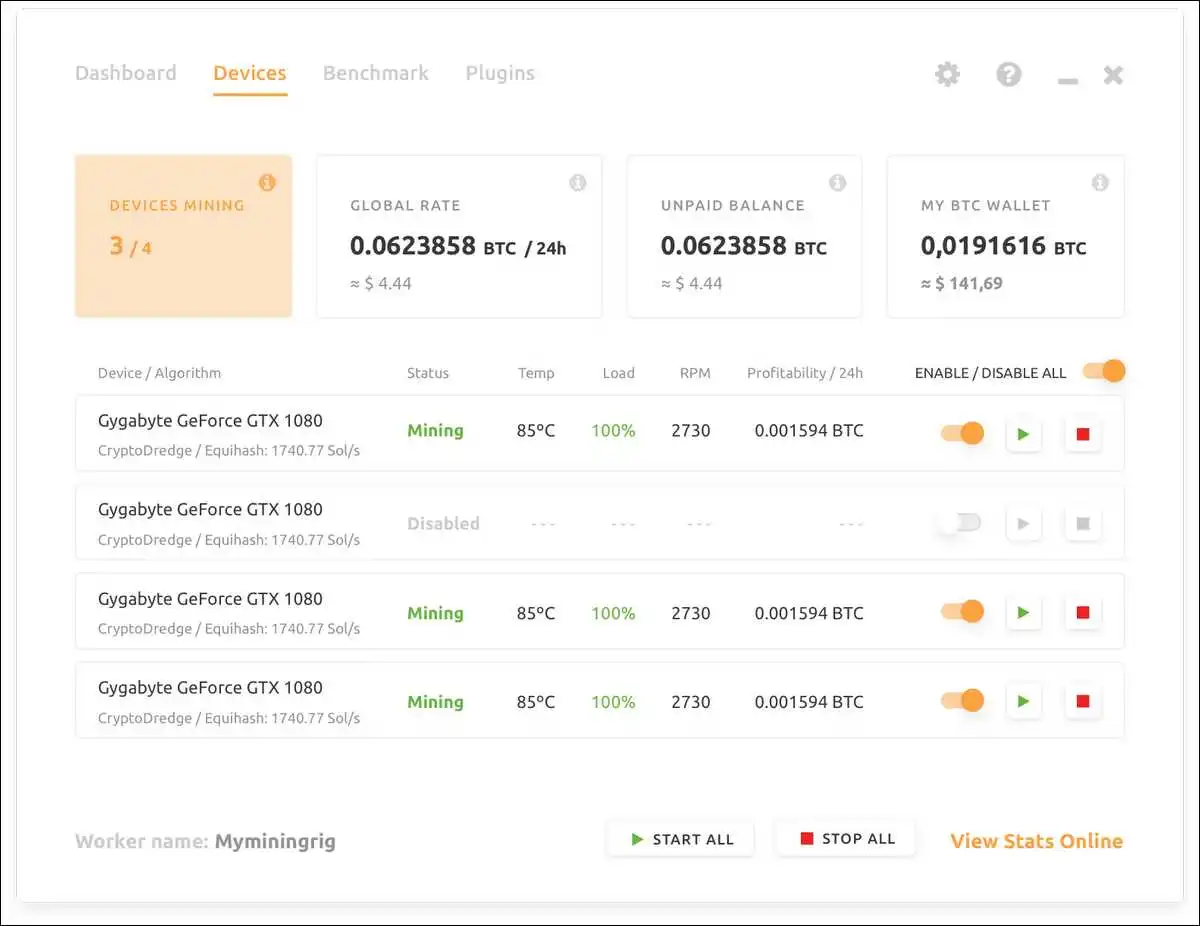
5. NiceHash Miner — Best for GPU owners who want a hands-off option
NiceHash is both mining software and a hashpower marketplace. It has over 2.5 million members with more than 250,000 daily active miners across 190 countries, with prices on the marketplace updating every 10 seconds and PPS payouts starting at 0.001 BTC every 4 hours. You point your hardware at NiceHash, it sells your hashpower to buyers, and you get paid in Bitcoin.
The NiceHash Miner client (formerly known as NiceHash QuickMiner for newer hardware) auto-benchmarks your GPU and selects the most profitable algorithm in real time.
Buyers pay the market price they bid for hashpower, and the platform now requires KYC, which improves compliance but excludes users seeking a no-KYC option. The platform suffered a major hack in 2017 but has since rebuilt its security architecture, including 2FA and SSL across the stack.
- Pricing: Free download; 2% withdrawal/marketplace fees apply.
- Best for: GPU owners who want plug-and-play earnings in BTC.
- Platforms: Windows, NHOS (custom Linux), Android, iOS.
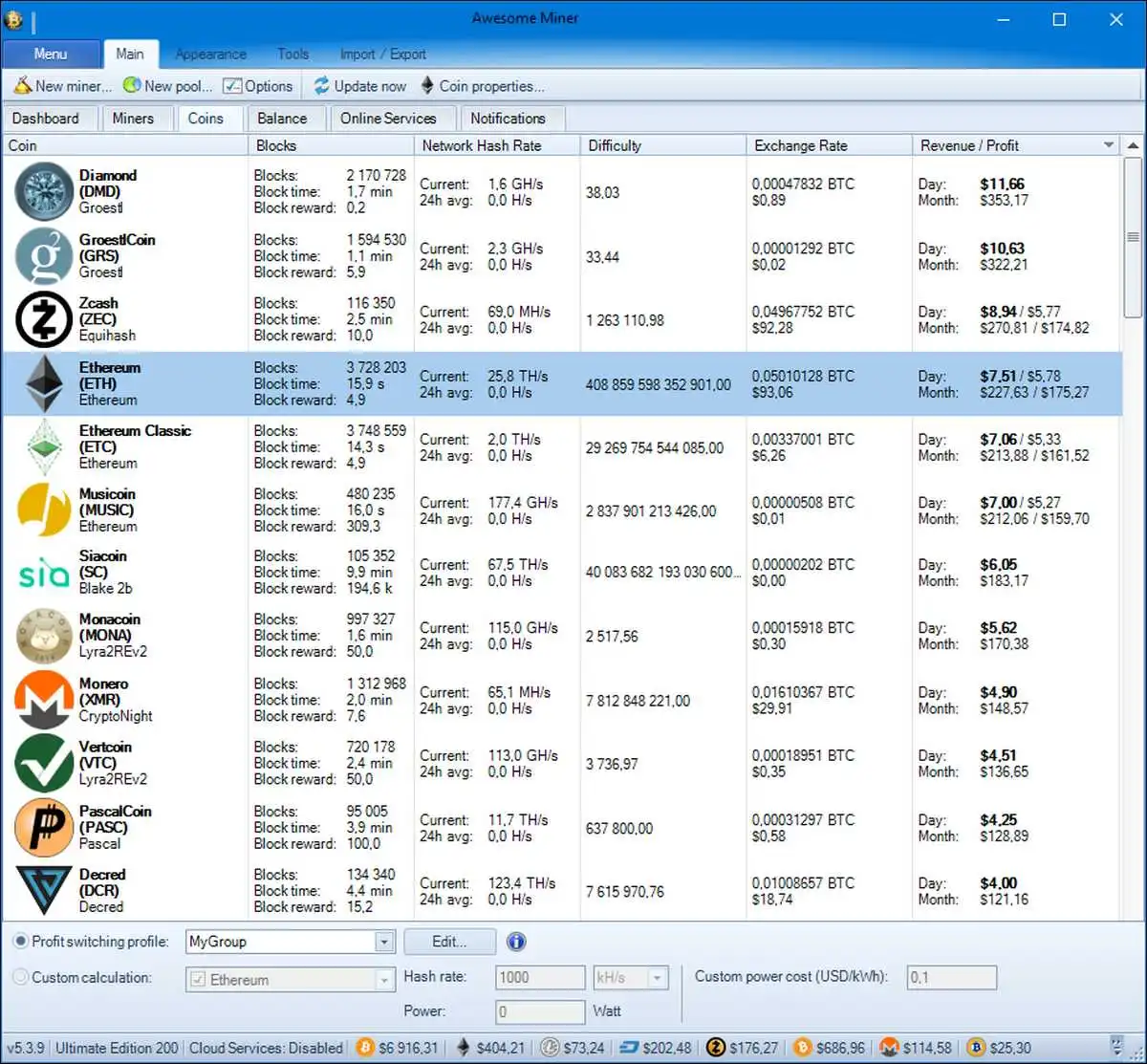
6. Awesome Miner — Best for managing fleets of 10 to 200,000 rigs
Awesome Miner is the dominant fleet manager for serious operators. Built by IntelliBreeze, a Swedish company, in 2014, it supports major pools including Zergpool, Prohashing, Nanopool, 2Miners, Ethermine, and many others. The platform handles ASIC, GPU, and CPU mining, profit switching, custom firmware deployment, and centralized alerts.
The free tier covers up to two miners; the monthly plan costs $4/month for two miners with cloud services and email support, and the yearly plan offers a 25% discount at $36 per year. There is also a 2.8% mining fee option that unlocks all features without a subscription, useful for operators using Awesome Miner’s custom Antminer firmware.
- Pricing: Free for 2 miners; from $4/month for paid tiers.
- Best for: Mid-to-large mining operations.
- Platforms: Windows; web dashboard.
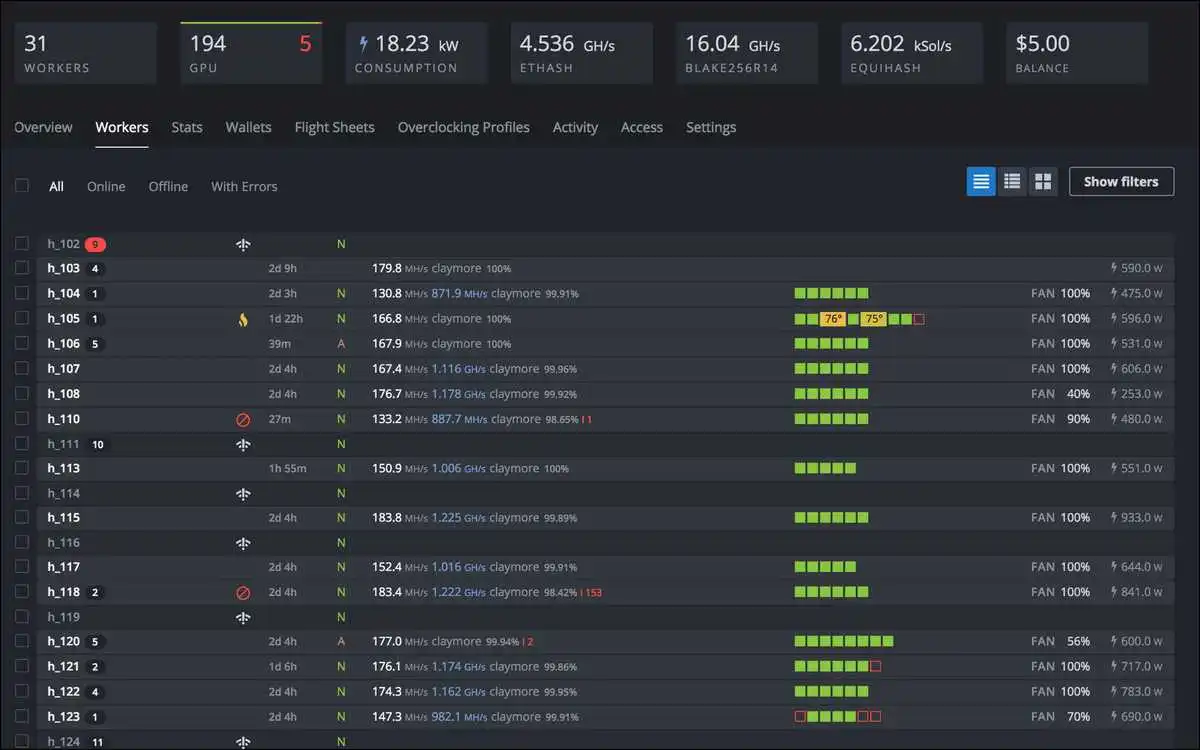
7. Hive OS — Best Linux-based OS for GPU farm operators
Hive OS replaces your rig’s operating system entirely. It’s a stripped-down Linux distribution built for mining, with a centralized web dashboard that lets you push configurations, switch pools, and monitor temperatures across hundreds of rigs from one place. The “Flight Sheets” system makes pool/coin/wallet switching nearly instant.
Hive OS is free for up to four workers, with paid tiers starting at €10/month for Basic (up to 10 workers) and €29/month for Pro (up to 50 workers), plus custom enterprise plans. It supports more than 200 mining algorithms and works with both GPUs and ASICs.
Power users appreciate the granular overclocking profiles and the ability to manage rigs without ever touching them physically.
- Pricing: Free for ≤4 workers; from €10/month thereafter.
- Best for: GPU farms and remote-managed operations.
- Platforms: Linux-based (installs on the rig itself).
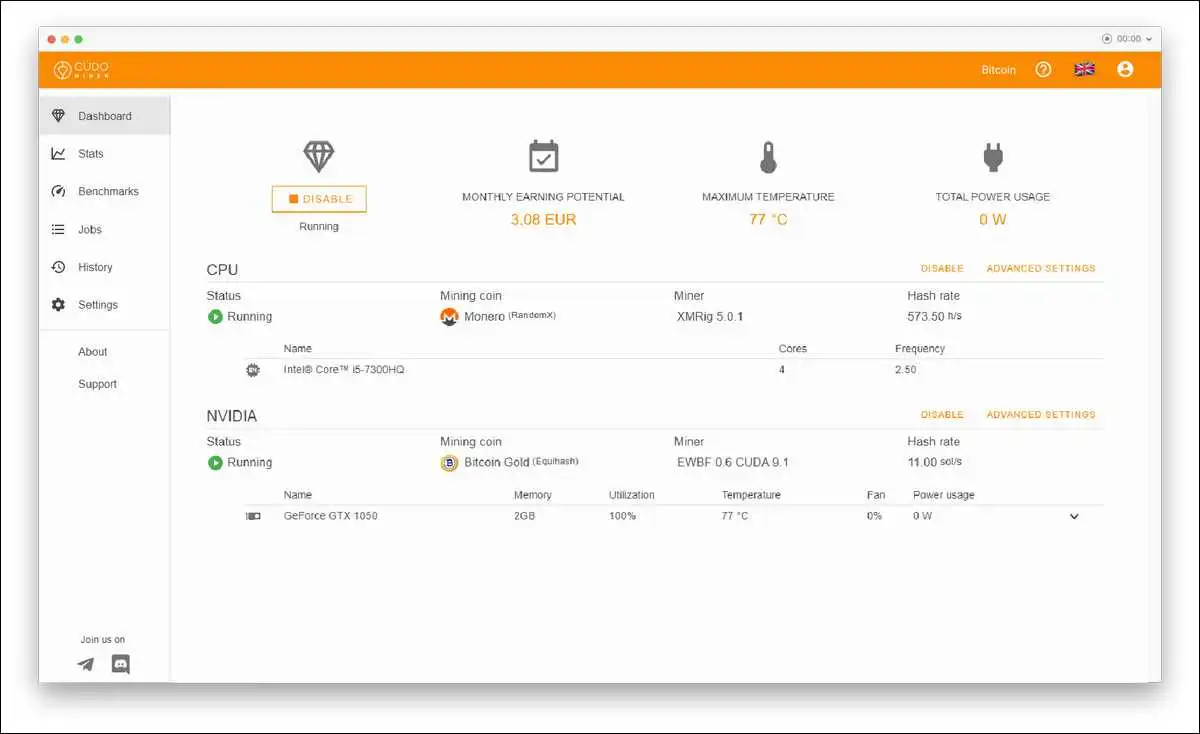
8. Cudo Miner — Best AI-driven profit switcher for casual miners
Cudo Miner targets users who want intelligent automation rather than manual tuning. The software auto-detects your CPU, GPU, and ASIC hardware, benchmarks it, and switches algorithms based on real-time profitability data. A web dashboard handles remote monitoring across multiple machines.
It is free for up to 2 miners, with Standard at $4.99/month per miner, Professional at $9.99/month, and Enterprise at $19.99/month, with annual discounts and lifetime licenses available.
The platform also offers custom firmware specifically engineered for ASIC operators that promises lower power draw and improved uptime.
- Pricing: Free for 2 miners; from $4.99/month per miner.
- Best for: Hobby miners and small operations wanting set-and-forget automation.
- Platforms: Windows, macOS, Linux.
Also read:
- XRP Price Prediction for the Next 5 Years [2026 to 2030]
- How Biitland.com Stablecoins Deliver Stable Crypto Transactions
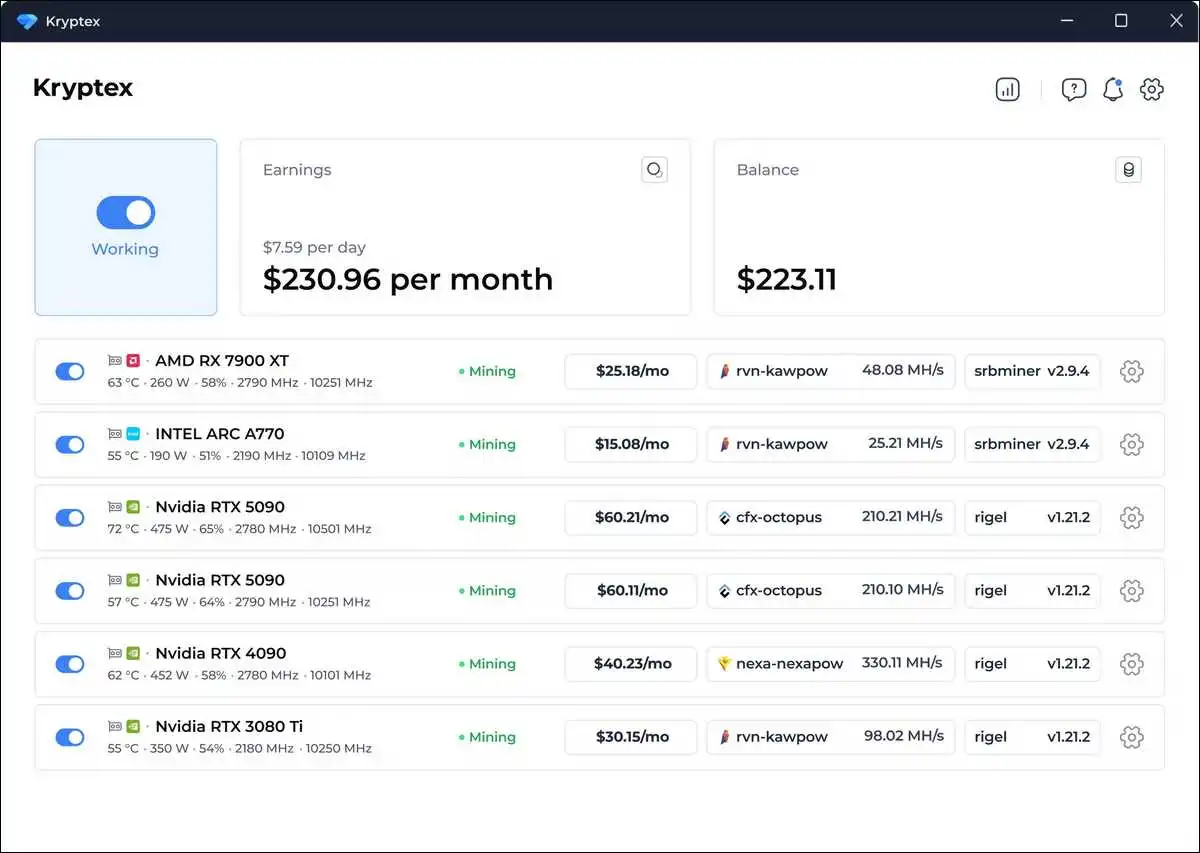
9. Kryptex Miner — Best for Windows gaming PCs that mine when idle
Kryptex turns an existing Windows machine into a passive mining rig. The software benchmarks your system, picks the most profitable algorithm in real time, and pays out in Bitcoin or fiat directly to a bank account. There are no command-line tools — just a single-click interface designed for users who don’t think of themselves as miners.
It supports common GPU algorithms and pays out via crypto wallet, bank transfer, or even gift cards (depending on region). Earnings are modest unless you have multiple high-end GPUs, but the appeal is simplicity: install, click start, leave running.
- Pricing: Free download; 1–3% service fee deducted from earnings.
- Best for: Gamers and hobbyists with idle GPU time.
- Platforms: Windows (limited macOS/Linux support).
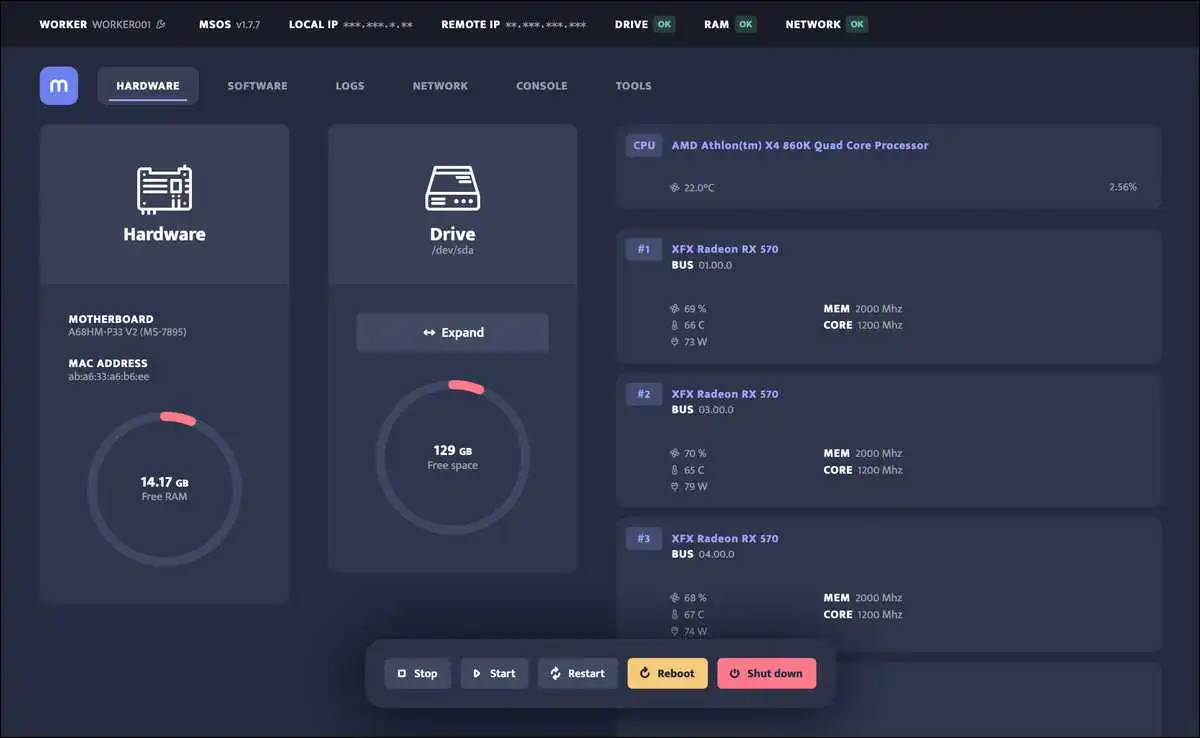
10. Minerstat — Best monitoring and management dashboard
Minerstat is more monitoring platform than miner — it sits on top of other miners (T-Rex, lolMiner, BzMiner, etc.) and gives you a unified view of your fleet. The dashboard tracks hash rate, temperature, fan speed, and power draw across rigs, and supports remote configuration changes, profit switching, and alerts via Telegram or email.
It’s particularly popular with multi-rig GPU operators who want detailed analytics without committing to Hive OS-style full operating system replacement. Pricing is per worker on a monthly basis, with a free tier for a single worker. Strong community ecosystem and an active development team make it a reliable choice through 2026.
- Pricing: Free single-worker tier; paid tiers per worker.
- Best for: Multi-rig operators wanting analytics over their existing setup.
- Platforms: Web dashboard; agent runs on Windows, Linux, and minerstat OS.
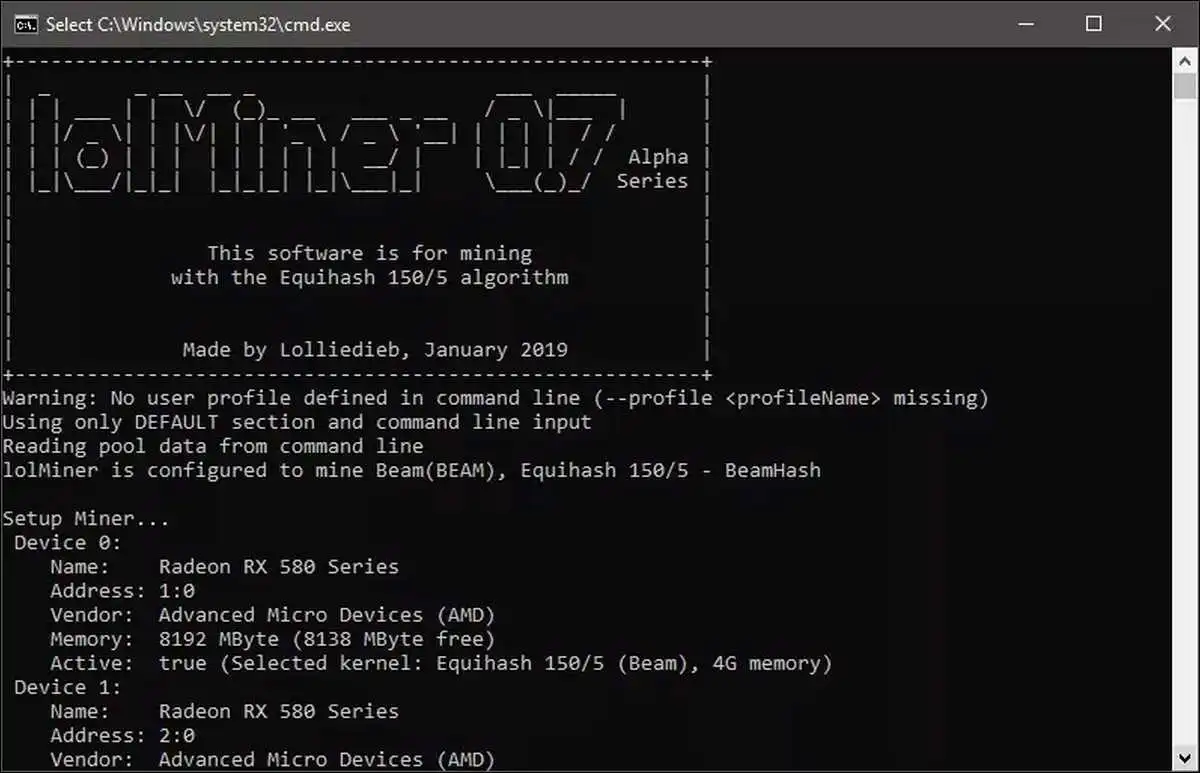
11. lolMiner — Best dedicated GPU miner for modern altcoin algorithms
lolMiner is one of the most actively developed GPU miners for ETChash, Etchash, KawPow, Autolykos2 (Ergo), Karlsen, and a host of newer proof-of-work algorithms that other tools have abandoned. It supports both NVIDIA and AMD cards, with frequent updates that target efficiency improvements on specific GPU generations.
It’s a command-line tool but ships with sample batch files for every supported coin, so getting started doesn’t require deep technical knowledge. Many GPU miners pair lolMiner with Hive OS or minerstat for a complete stack: lolMiner does the hashing, the dashboard handles the rest.
- Pricing: Free; 0.7%–1% dev fee depending on algorithm.
- Best for: GPU miners targeting current altcoin algorithms.
- Platforms: Windows, Linux.
Which mining software has been discontinued and should be avoided?
Several names that appear in older guides are no longer viable. If you stumble across them in a 2020-era list, skip them:
- Bitminter ceased mining operations on July 1, 2020. Approximately 1% of all bitcoins in circulation came from Bitminter over its lifetime, and the company directed users to withdraw remaining balances before mid-2021.
- MinerGate shut its services in late 2023. The company offered refunds via support@minergate.com through December 2023, with all requests completed by February 2024. GitHub
- GUIMiner stopped active development around 2020 and the official site has not received updates since. The project was a Python-based front-end for poclbm and is incompatible with modern hardware drivers.
- Diablo Miner, Ufasoft Miner, and Nheqminer are all functionally abandoned. They were designed for an era when GPU and CPU mining of Bitcoin or ZCash was viable, which ended once ASICs took over. ASICs have dominated Bitcoin mining since approximately 2013, and general-purpose CPUs and GPUs are no longer competitive for SHA-256.
How do you choose the right mining software?
Your hardware decides most of the answer. ASIC operators should look at CGMiner, BFGMiner, Awesome Miner, or Hive OS. GPU miners are better served by NiceHash, Cudo, Kryptex, lolMiner, or minerstat. CPU mining is essentially limited to a few privacy coins (Monero) and is rarely profitable on home hardware in 2026.
Your skill level matters too. Command-line tools (CGMiner, BFGMiner, lolMiner) give you the most control but assume you can debug a config file. GUI tools (EasyMiner, MultiMiner, Cudo, Kryptex) trade some flexibility for accessibility. There’s no extra credit for picking the harder option — a well-configured EasyMiner setup earns more than a misconfigured CGMiner one.
Scale is the third factor. If you’re running a single rig, a desktop client is fine. Past five or ten rigs, you need centralized management — Awesome Miner, Hive OS, or minerstat — or you’ll spend more time chasing problems than mining.
Finally, check what coin and algorithm you actually want to target. EasyMiner only handles SHA-256 and Scrypt. lolMiner covers most modern GPU algorithms. NiceHash abstracts the question entirely by letting buyers pay you in BTC regardless of what their orders are mining.
Is cryptocurrency mining still profitable in 2026?
It depends on your electricity rate and hardware. Miners running hardware above approximately 25 joules per terahash found themselves operating at a loss in most electricity markets after the halving. The latest ASICs — for example, the Antminer S21 XP at 13.5 J/TH — remain profitable in regions with cheap power, but older S17 and S19-series machines are increasingly uneconomic without industrial-scale electricity contracts, according to Coin Gabbar.
For GPU mining, profitability depends heavily on the coin. Ergo, Kaspa, Ravencoin, and a handful of smaller chains can still pay back electricity costs on efficient cards, but margins are thin and shift weekly. Always run a recent profitability calculator (WhatToMine, NiceHash, or minerstat’s built-in tool) against your actual electricity rate before committing.
Solo home mining of Bitcoin without an ASIC is not profitable at any meaningful scale. If you have idle GPU capacity and very low (or free) electricity, software like NiceHash, Cudo, or Kryptex can produce small but positive returns; otherwise the math rarely works.
Frequently Asked Questions
Most leading options — CGMiner, BFGMiner, EasyMiner, MultiMiner, lolMiner — are free and open source. Fleet managers like Awesome Miner and Hive OS offer free tiers and paid plans that scale with rig count. Marketplaces like NiceHash deduct fees from earnings rather than charging upfront.
No, not profitably. Bitcoin requires ASIC hardware. Even high-end gaming PCs cannot compete on SHA-256, and electricity costs on a standard CPU will exceed any rewards earned. You can mine some altcoins with a GPU, but check profitability against your electricity rate first.
Yes, frequently. Antivirus software often flags miners as potentially unwanted programs because attackers have historically bundled mining binaries inside malware. CGMiner, EasyMiner, and BFGMiner are common false positives. Always download from the official source and add an exception only after verifying the file hash.
Solo mining means trying to find blocks independently — you keep the entire reward when you succeed but may wait years between wins. Pool mining combines your hash power with thousands of other miners and distributes rewards proportionally to your contribution. Almost every home miner uses pools because the payouts are far more predictable.
Not generally. Cloud mining contracts often pay back less than direct mining after fees, and the sector has seen many scams. Hash power marketplaces like NiceHash are a more reputable variant, but most cloud mining platforms have a bad reputation and require careful research.
Download only from official websites or verified GitHub repositories. Check that the project has recent commits and active community support. Verify SHA-256 hashes when provided. Be skeptical of any “miner” that promises guaranteed daily returns — legitimate software earns based on hash rate and network conditions, not fixed promises.
In most countries, yes — but some, including China and Iran, have banned or heavily restricted it. Mining and managing software is legal in most jurisdictions, but national laws should be checked before starting since some countries like China and Iran have banned cryptocurrency mining. Tax treatment also varies; mining income is usually treated as ordinary income at fair market value when received.
Final Note
If you’re new to mining, start small. Install EasyMiner or Cudo on a machine you already own, point it at a reputable pool, and learn how the dashboards behave before spending on dedicated hardware.
If you’re scaling up, evaluate Awesome Miner or Hive OS before your fleet outgrows your ability to manage it manually. And in either case, run the numbers on electricity before assuming any of this is profitable for your specific setup.