10 Best Apps for Xiaomi 17 Ultra
In many ways, flagship phones like the Xiaomi 17 Ultra show how far Android hardware has come. The phone packs a powerful chipset, a high-refresh-rate display, and an advanced camera system that rivals dedicated cameras in some situations. But as with most modern smartphones, the real experience depends just as much on software as it does on hardware.
Xiaomi ships the 17 Ultra with HyperOS and a solid set of default apps. Still, some of the best experiences come from carefully choosing third-party apps that take advantage of the phone’s screen, performance, camera, and battery efficiency. With thousands of apps available on the Play Store, finding the ones that genuinely add value can take time.
To make that easier, we’ve rounded up ten apps that pair particularly well with the Xiaomi 17 Ultra. These apps focus on productivity, photography, media consumption, privacy, and everyday usability. None of them are gimmicks. Instead, they solve real problems or noticeably improve how you use the device day to day.

1. Google Photos
Google Photos remains one of the most useful apps for anyone who takes a lot of pictures, and the Xiaomi 17 Ultra is clearly built for photography. The app automatically backs up your photos and videos, organizes them by people, places, and objects, and makes searching through your library surprisingly easy.
On a phone with a high-resolution camera setup, storage can fill up quickly. Google Photos helps manage that by offering smart cleanup suggestions and cloud backups. Its editing tools are also practical rather than flashy. You can adjust lighting, remove distractions, and apply subtle enhancements without leaving the app.
The app runs smoothly on the 17 Ultra and works well with the phone’s large, bright display. While advanced features may require a subscription, the free tier is still useful for most users.
Also read: Best Xiaomi Ultra Phone Tips and Tricks
2. Snapseed
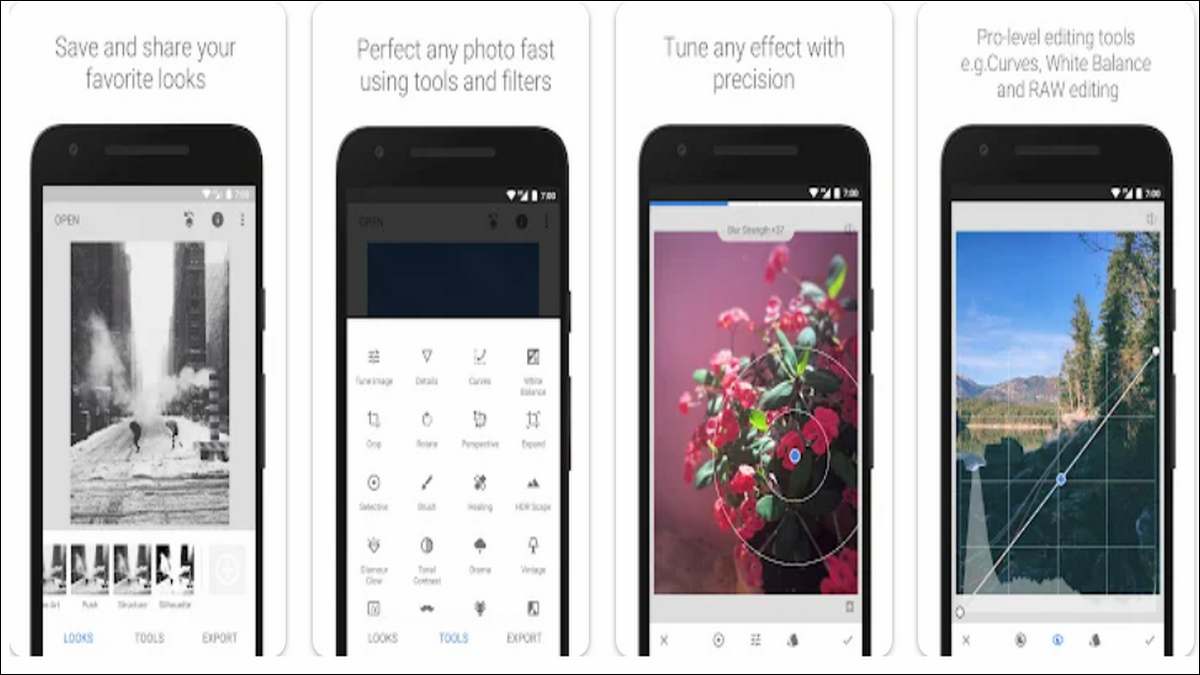
Snapseed is a strong companion for Xiaomi’s camera hardware. It’s a professional-grade photo editor that doesn’t overwhelm you with clutter. Instead, it focuses on precise controls and clean design.
The app offers tools like selective adjustments, healing, curves, and perspective correction. These are especially helpful when editing photos captured with the Xiaomi 17 Ultra’s main and telephoto lenses. You can fine-tune images without losing detail, which matters on a phone capable of producing large, sharp files.
Snapseed works entirely offline, which is useful when you don’t want to upload images to the cloud. It also avoids aggressive filters, making it a good fit for users who prefer natural-looking edits.

3. Spotify
For music streaming, Spotify continues to be one of the most reliable options. The Xiaomi 17 Ultra’s stereo speakers and high-quality Bluetooth support make it a good device for audio, and Spotify takes full advantage of that.
The app offers curated playlists, personalized recommendations, and offline downloads for premium users. Its interface is familiar and easy to navigate, even on a large screen. You can quickly switch between podcasts, albums, and playlists without digging through menus.
Spotify also integrates well with system controls and works smoothly in the background. Whether you’re using wired headphones or wireless earbuds, the app delivers consistent performance.
4. VLC for Android
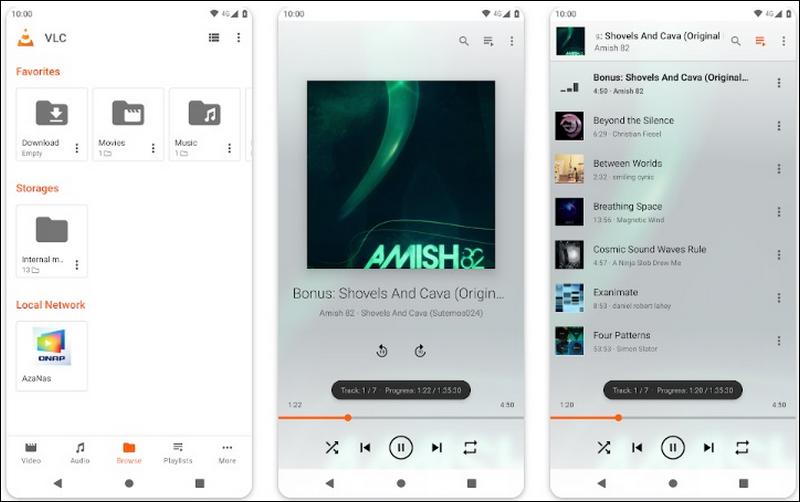
VLC is a simple solution for playing almost any video or audio file you throw at it. If you watch a lot of locally stored content on your Xiaomi 17 Ultra, this app is hard to beat.
It supports a wide range of formats without requiring additional codecs. You can adjust playback speed, manage subtitles, and stream content over a local network. On a phone with a large, high-resolution display, these features make a real difference.
VLC doesn’t include ads, trackers, or unnecessary permissions. That makes it a practical choice for users who value control and reliability over flashy design.

5. Microsoft OneNote
For note-taking and organization, OneNote fits well with the Xiaomi 17 Ultra’s productivity potential. The app lets you create structured notebooks, sync notes across devices, and mix text with images, drawings, and checklists.
On a large screen, OneNote’s layout feels less cramped than on smaller phones. You can comfortably review long notes or meeting summaries. The app also supports handwriting and stylus input, which is useful if you use accessories with your phone.
OneNote is especially helpful if you already use Microsoft services on a PC or tablet. Syncing is reliable, and offline access works as expected.
Also read: 16 Best Xiaomi Secret Codes You Must Know

6. Google Keep
If OneNote feels too heavy, Google Keep offers a lighter alternative. It focuses on quick notes, reminders, and lists rather than long documents.
Keep opens fast and stays out of your way. You can jot down ideas, pin important notes, and set location-based reminders. Voice notes are also supported, which pairs nicely with the Xiaomi 17 Ultra’s microphones.
The app syncs automatically with your Google account and works well across devices. For everyday tasks and simple organization, it does exactly what it needs to do.

7. AccuBattery
Battery life is one of the most important aspects of any smartphone experience. AccuBattery helps you understand how your Xiaomi 17 Ultra uses power and how you can extend battery health over time.
The app tracks charging patterns, screen usage, and app-level power consumption. Over time, it builds a clear picture of what drains your battery the most. This information is presented in a straightforward way, without forcing you to dig through complex charts.
AccuBattery is particularly useful if you want to avoid unnecessary battery wear. It can alert you when charging reaches a certain level, which helps preserve long-term capacity.

8. Nova Launcher
While HyperOS offers plenty of customization, Nova Launcher gives you even more control over how your home screen looks and behaves. It’s fast, flexible, and widely supported.
With Nova, you can adjust grid sizes, icon packs, gestures, and animations. On a large display like the Xiaomi 17 Ultra’s, this level of control helps you make better use of screen space. You can keep things minimal or pack more information onto each page.
The launcher runs smoothly and doesn’t noticeably impact performance or battery life. For users who like to fine-tune their setup, it’s a reliable option.

9. Instapaper
Instapaper is a long-standing read-it-later app that lets you save articles, blog posts, and web pages to read at your convenience, offline or online. It offers a clean, distraction-free reading interface that adapts well to the Xiaomi 17 Ultra’s large, high-resolution display, making it easy to catch up on saved content during commutes or breaks.
The app supports simple organization features like folders and highlighting, and it also includes optional premium features such as text-to-speech and speed-reading modes for users who want more control over how they consume saved material.
Instapaper works across Android, iOS, and web browsers, many users now adopt Instapaper as their primary read-it-later tool.

10. Bitwarden
Security and password management are easy to overlook, but they matter more as phones become central to daily life. Bitwarden is a password manager that focuses on transparency and ease of use.
The app securely stores your passwords, generates strong credentials, and syncs across devices. It integrates with Android’s autofill system, so logging into apps and websites is quick and consistent.
Bitwarden’s interface is straightforward, and its core features are available for free. On a premium phone like the Xiaomi 17 Ultra, it makes sense to pair the hardware with tools that protect your data properly.
End Note
From photography and media to productivity and security, these apps complement the phone’s strengths without adding unnecessary complexity. If you’re setting up a new Xiaomi 17 Ultra or refining an existing setup, starting with these tools is a practical way to get more out of the device.