Is Cursor AI Better Than ChatGPT for Coding? The Data-Driven Truth
Cursor AI wins for direct codebase execution. Whereas ChatGPT wins for high-level architectural reasoning. I’ve spent the last month testing both platforms. So, you can view the results in this data-driven guide.
The software development environment looks different in 2026. Developers don’t rely on a single tool anymore. Instead, we’re using a mix of specialized platforms. You might find this hybrid approach works best for you.
Key Insights
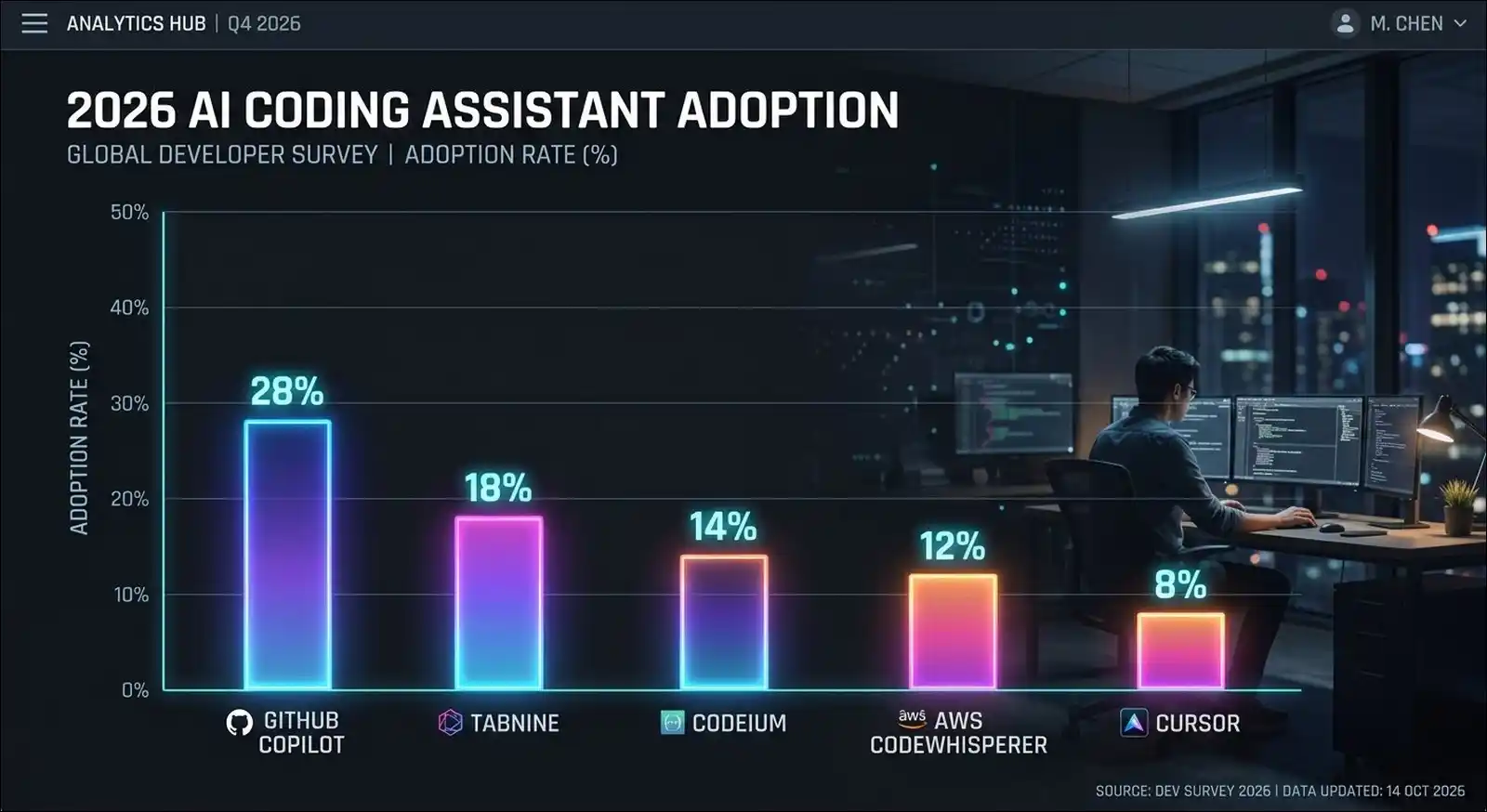
- Market Adoption: Cursor holds 18% of the specialized IDE market. ChatGPT retains 28% of developers for coding chats, according to the JetBrains survey.
- Task Completion: AI tools can actually increase complex task time. In fact, a recent METR study recorded a 19% time increase.
- A Third Option: Claude Code now actively rivals Cursor. Plus, it boasts a 91% customer satisfaction score.
The Core Differences: IDE Agents vs Autonomous Chatbots
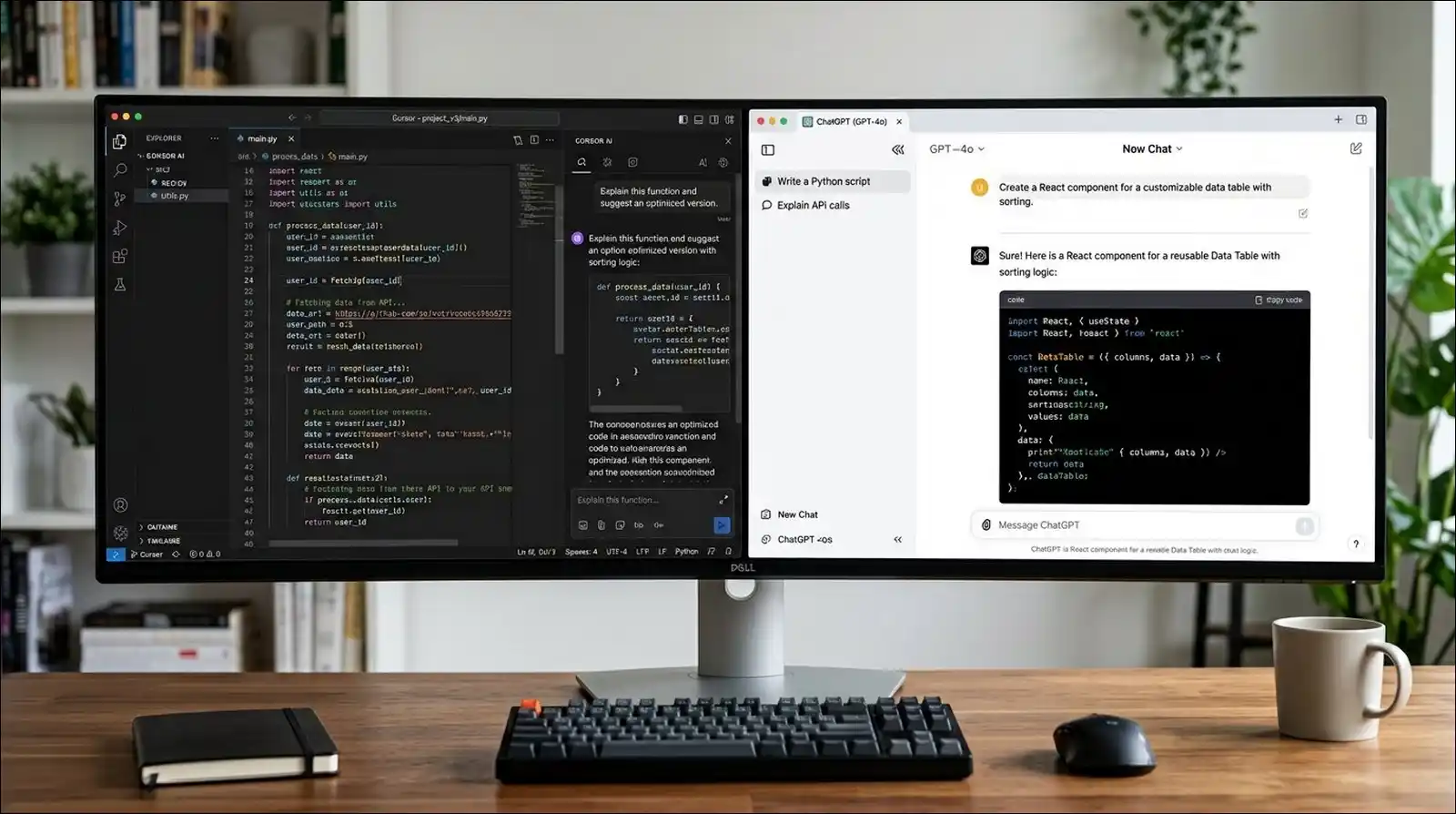
Cursor AI operates directly inside your project files. On the other hand, ChatGPT functions as an external planning assistant. You can choose the tool for your current task. Personally, I’m switching between them daily.
Cursor AI: Native Codebase Context
Cursor reads your entire repository automatically. Then, it employs a multi-agent interface for accurate edits. The tool modifies files right before your eyes. I’ve tested its real-time error detection recently. As a result, the system caught syntax errors almost instantly.
ChatGPT (GPT-5.6): High-Level Reasoning
OpenAI launched the GPT-5.6 update in June 2026. Now, you can choose between Sol, Terra, and Luna tiers. The new Model Context Protocol connects external apps natively. Additionally, the macOS app can read your active IDE. It sees the last 200 lines of code. I’ve found this incredibly helpful for debugging logic.
Market Share and Developer Adoption Trends
Developers clearly prefer a multi-tool approach in 2026. A recent JetBrains AI Pulse survey highlights this new reality. You may be surprised by the adoption numbers.
The Rapid Rise of Cursor
Cursor reached $2 billion in revenue by February 2026. It achieved this milestone incredibly fast. Specifically, JetBrains reports a 69% awareness rate. It also shows an 18% global work adoption rate.
Why Developers Still Rely on ChatGPT
Even so, many professionals still use ChatGPT for coding. The chatbot interface holds a solid 28% adoption rate. It excels at explaining unfamiliar frameworks. Plus, you can use it to draft API documentation quickly.
The Elephant in the Room: Claude Code
We can’t ignore Claude Code in this comparison. It tied Cursor with an 18% adoption rate. Startups and senior developers seem to prefer it. You might want to test its capabilities too.
The Productivity Illusion: Does AI Save Time?
Surprisingly, AI coding tools don’t always make you faster. In fact, the data shows they can actually slow you down. You may want to approach productivity claims with caution.
The 19 Percent Slower Reality
A recent METR open-source study revealed surprising facts. Experienced developers actually took 19% longer on complex tasks. This happened despite their predictions of faster completion. I’ve noticed a similar slowdown during my own complex tests.
Code Churn and Maintenance Debt
Furthermore, GitClear data shows code churn reached 5.7% recently. Therefore, AI tools can introduce significant technical debt. CodeRabbit also reports that AI pull requests have more vulnerabilities. However, you have the option to mitigate this with manual reviews.
Head-to-Head Feature Comparison
This table highlights the main differences between the tools. You can use it to guide your decision. I’ve optimized it for easy mobile reading.
| Feature | Cursor AI | ChatGPT 5.6 |
|---|---|---|
| Focus | Local file edits | System design |
| Context | Full repository | 200 lines max |
| Strength | Multi-file changes | Logic and planning |
Which Tool Should You Choose?
Ultimately, you’ll likely benefit from using both platforms. A hybrid workflow often yields the best results. You can assign different tasks to each AI.
How to Use Cursor AI Effectively
Cursor really shines during active development phases. I use it mostly for incremental changes. You may follow these steps for best results.
- Open your existing project folder in Cursor.
- Highlight the specific code block you want changed.
- Ask the AI agent to refactor the logic.
- Review the suggested inline edits carefully.
- Accept the changes into your codebase.
How to Use ChatGPT Effectively
On the flip side, ChatGPT works best before you start writing code. It helps you build a solid foundation. You may want to try this workflow.
- Open a new GPT-5.6 Sol chat window.
- Describe your overall system architecture goals.
- Ask the model to generate a project blueprint.
- Review the suggested database schemas and logic.
- Copy the finalized blueprint into your notes.
Also read: 10 Best Pippit AI Alternatives
The Final Verdict
Cursor AI is better for actual code implementation. Meanwhile, ChatGPT is better for system design and reasoning. I’d recommend maintaining access to both tools. Comparing them is like comparing different building tools.
You need both a blueprint and a hammer. You have the option to audit your team’s needs to decide.