Nastia AI for Business: 7 Tested Workflows (With Copy-Paste Prompts)
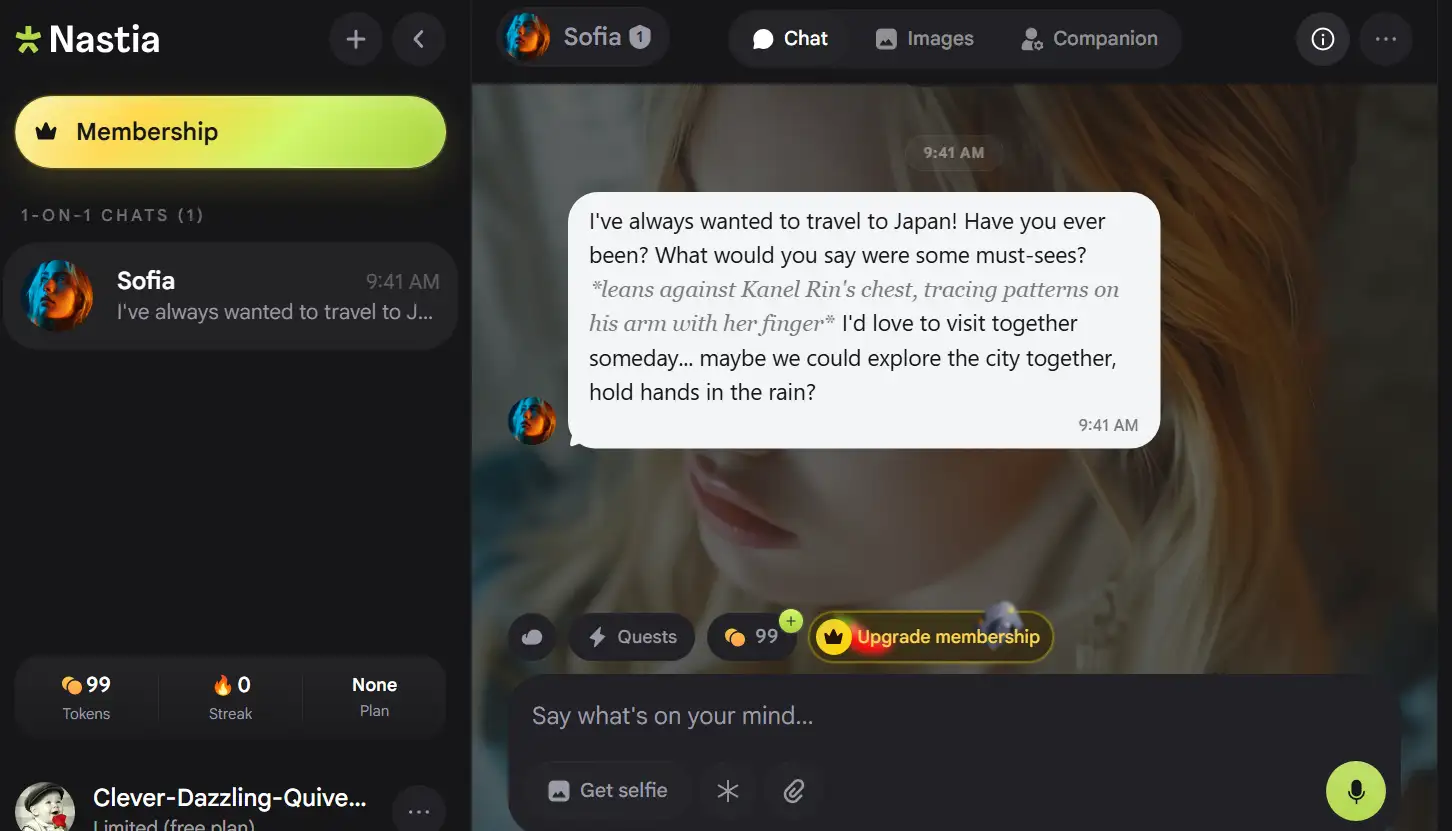
TL;DR: Nastia AI is marketed as an uncensored companion chat, but its real value for professionals lies elsewhere. It offers persistent memory, deep character building, group chats, and image generation. Those are the features you need for practice, prototyping, and creative work. This guide covers 7 tested workflows, the exact prompts I use, and the compliance risks you should know before you start.
I spent several weeks testing Nastia AI for work use, not dating use. So I built companions as interviewers, tough personas, and writing partners. I tracked what worked and what broke, and this article is the result.
Here’s what you should know first: Nastia isn’t a business tool, specifically. It doesn’t have a data-processing agreement, it lacks strict age verification, and it only supports English. But for sandboxed practice and creative prototyping, it can be genuinely useful. On top of that, it costs less than most “serious” business AI tools.
The math matters here, too. According to statistics, Nastia.ai gets about 2.6 million monthly visits. The audience is 77.77% male, and the largest age group is 18 to 24. A platform that size, with this feature set, clearly isn’t a hobby project anymore.
So here’s what I actually did with it. You’ll get 7 workflows, copy-paste prompts, the setup formula they share, token math, and the landmines I hit. Feel free to jump to any workflow below.
Key Findings
Here’s the short version of what matters for work use.
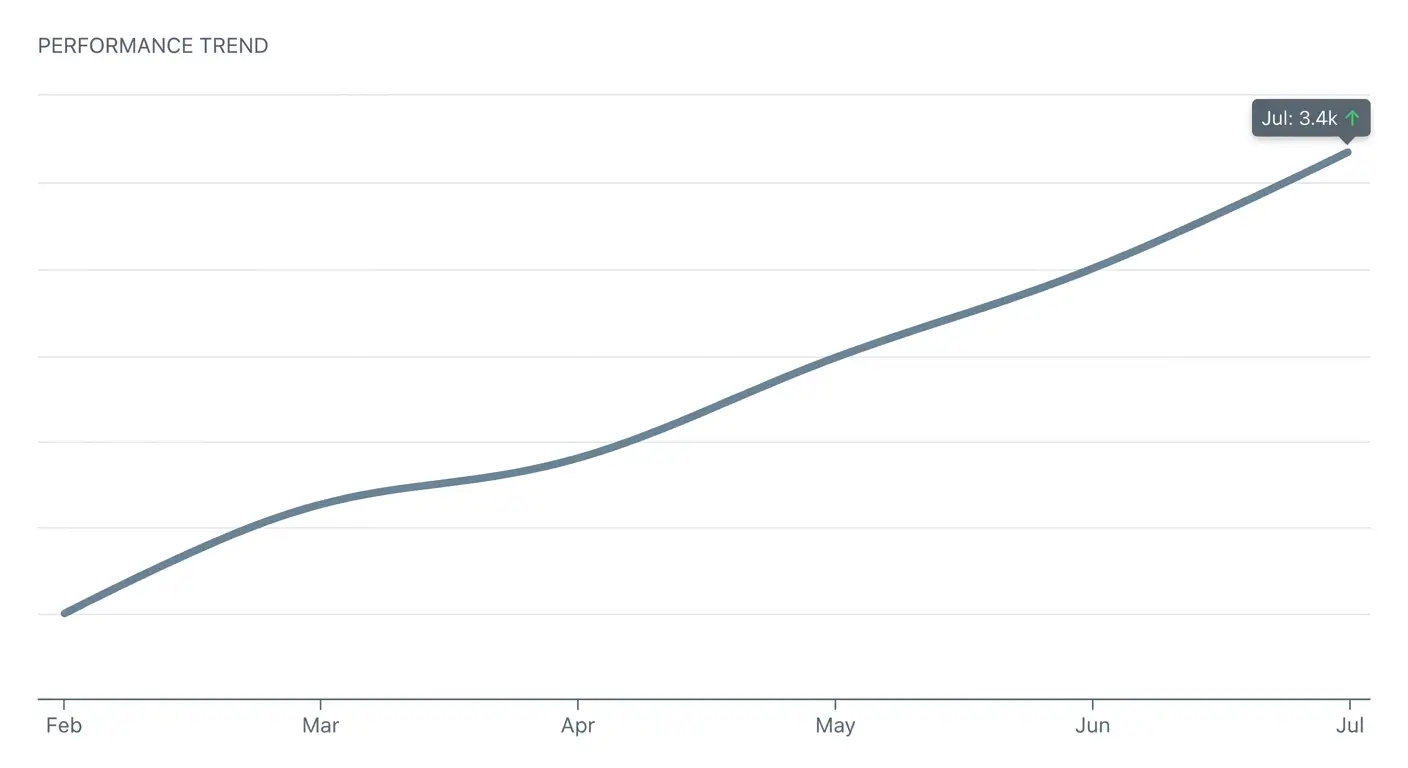
- Memory is the big one. Nastia shipped long-term memory in February 2026, according to the official update announcement on r/nastia. My 100-message test hit near 71% recall. That’s above average for this category.
- Characters go deep. Backstories up to 2,000 characters, a focus slider, and a 40-entry memory panel. ChatGPT and Claude don’t offer this.
- Group chats are rare. Multiple companions talk to each other in one chat. Character.AI has no real equivalent.
- Media is hit or miss. Images are fast, under 5 seconds in my tests. Video and voice are unreliable.
- Pricing is cheap but shifting. Basic is $11.99 monthly, Unlimited is $15.99, or about $7.33 and $8.33 billed annually. The free tier gives roughly 200 to 290 tokens a day, so verify at signup.
- Compliance gaps exist. No strict age verification, no PayPal, sales final, and Trustpilot sits at 2.3 out of 5.
One Setup Formula for All 7 Workflows
Before the workflows, you may want a reusable configuration system. Every workflow below uses the same formula, so build once and reuse often.
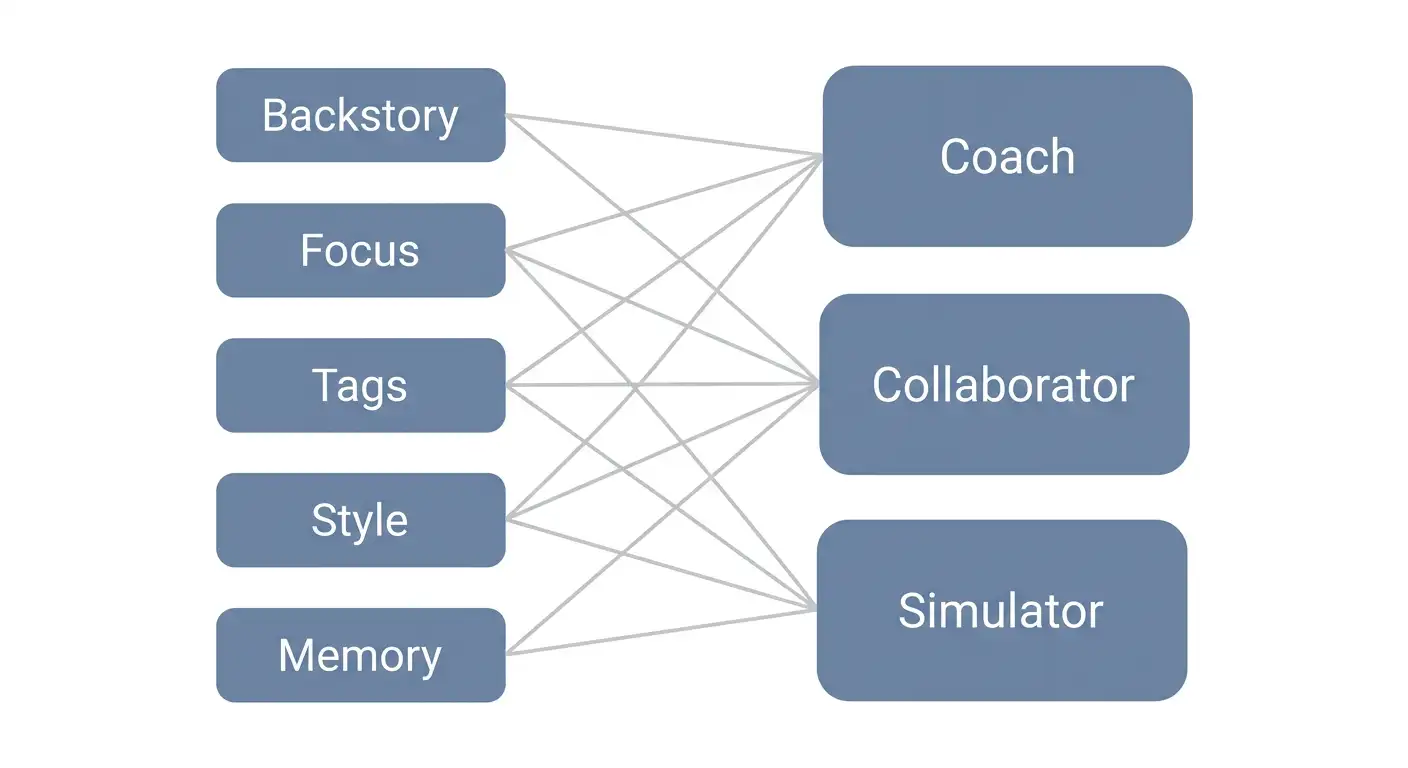
The 5 settings that matter for professional use
- Backstory, up to 2,000 characters. This is the field that shapes everything else. Write it like a character sheet plus a briefing document. Example: “You are a senior UX researcher. You ask one question at a time. You challenge vague answers politely.”
- Focus slider. Low focus means free association, good for brainstorming. High focus means disciplined task mode, good for interviews. I adjust this per session.
- Personality tags. Pick two or three tags that match the persona. “Analytical” and “Direct” suit a coach. “Playful” and “Curious” suit a brainstorm partner.
- Communication style. Write one line about output format. For example, “Always reply in bullet points under 100 words.”
- Memory settings. On paid plans, you can enable the memory-boosted model. Then use the notes field as a persistent project brief.
The 3 companion archetypes you’ll build
- The Coach. Challenges you, asks Socratic questions, stays disciplined: High focus.
- The Collaborator. Generates ideas, plays with concepts, goes off-script: Low focus.
- The Simulator. Plays a role or persona for training and tests: Strict backstory.
Token budget cheat sheet
Tokens are the currency here. Text costs about 1 token per message. Images cost roughly 10 to 15 tokens each, and voice messages also cost tokens.
With 200 to 290 free tokens per day, you get about 20 to 25 text messages, or one image plus a short chat. Heavy media workflows need the Basic or Unlimited plan. In practice, I run text-heavy workflows on the free tier and image workflows on paid.
Privacy baseline before any business use
Nastia says chats are encrypted, and signup needs no phone number. That’s true and useful, but it isn’t a compliance contract. Never share client data, credentials, or other people’s personal information. No data-processing agreement exists, and GDPR-compliance marketing doesn’t equal a signed DPA.
Workflow 1: Interview and Pitch Practice
This workflow turns a Coach companion into a mock interviewer. It’s the fastest way to feel Nastia’s memory pay off.
Who it is for: Job seekers, sales teams, founders, podcasters, anyone who talks for a living.
How I set it up
I built a Coach with “Direct” and “Analytical” tags. The backstory read: “You are a rigorous interviewer. You ask one question at a time. You push back on weak answers.” I set the focus slider to high.
The prompts
- “Role-play a [role] interview for [company or field]. Ask me one question at a time. After each answer, challenge one weak point before moving on.”
- “Pretend you are a skeptical investor evaluating my pitch. Raise the 3 hardest objections you can think of. Then let me re-pitch to each one.”
- “Score my last answer from 1 to 10 for clarity, specificity, and confidence. Then show me a rewritten version.”
How to run it
You can keep sessions to around 15 minutes. The memory update matters here. In my testing, the companion remembered my progress across sessions, and that’s the reason this workflow works now. With session-scoped chatbots, you’d restart every time.
What to watch for
Nastia is English-only, so non-English speakers will want a translator as backup. I’d also avoid pasting confidential company information into prompts. Fictional or generic scenarios work just as well.
Workflow 2: Creative Brainstorming and Writer’s Block
This one uses a low-focus Collaborator to free-associate with you. It’s the workflow I reach for on an empty page.
Who it is for: Writers, content teams, scriptwriters, brand naming, anyone stuck on an empty page.
How I set it up
I built a Collaborator with “Playful” and “Curious” tags. I dropped the focus slider to low. That combination produces free association instead of rigid answers.
The prompts
- “Give me 20 headline options for [topic] across 5 different tones. No repeats, no generic advice.”
- “I am stuck at [plot point or outline gap]. Ask me 5 questions about my world or audience to get me unstuck. Then offer 3 unexpected directions.”
- “Act as a ruthless editorial partner. Here is my draft: [paste]. Find the 3 weakest sentences and the 1 idea worth doubling down on.”
- “Generate 10 blog title ideas that combine [keyword] with [audience pain point]. Mark the 2 best.”
How to run it
Paste raw material and let the companion react. I got the best results when I treated the first response as a starting point, not a final answer. When a response misses, you can hit the Reroll button.
What to watch for
Heavy daily use gets repetitive around week two. I rotate personas when this happens. And remember, every fact the companion states is unverified, since it doesn’t cite sources.
Workflow 3: Character and Story Prototyping for Games and Fiction
This is where the deep character builder earns its keep. You can script a full persona and then test how it reacts.
Who it is for: Indie game studios, fiction writers, tabletop RPG designers, comic artists.
How I set it up
This is where the 2,000-character backstory shines. I write the name, appearance, voice, personality, goals, secrets, and speech patterns into one block. Mainstream tools don’t expose this depth.
The prompts
- “Here is my character backstory: [paste up to 2,000 characters]. Role-play this character in a scene where [scenario]. Stay in character for 10 exchanges.”
- “As [character], describe your reaction to [plot event] in your own voice. Then tell me what you would never say aloud.”
- “Draft 3 dialogue options a player could choose in this scene: one diplomatic, one aggressive, one deceptive. Show how each changes the next scene.”
The visual layer
You can use the image generator to prototype character looks. Upload face and pose references, and the generator returns results in under 5 seconds in my tests. The February 2026 update added image inpainting, so you can select a region and regenerate just that part. That makes character iteration fast.
What to watch for
Image quality is competent, though not exceptional. Keep the NSFW toggle off for any client-facing work.
Visual suggestion: Before-and-after of the image inpainting feature, one region selected and regenerated. Alt text: “Nastia AI image inpainting example showing a selected facial region regenerated with a new expression.”
Workflow 4: Social Skills and Conversation Practice
This workflow leans on Nastia’s rare group chat feature. Multiple companions react to each other, which feels closer to real conversation.
Who it is for: Sales trainers, account managers, support teams, ESL speakers, anyone who wants safer practice than a live human.
How I set it up
This workflow uses group chats. I created two companions: a chatty small-talk persona and a difficult-customer persona. I added a Coach to the same conversation as an observer. Group chat is the rare feature here, and it changes the exercise.
The prompts
- “Group chat: [Companion A] is a difficult customer. [Companion B] is a chatty small-talker. Simulate a 5-minute networking event with me. After it ends, Coach, give me feedback on how I handled each.”
- “Simulate a salary negotiation with me. Push back twice. Then tell me where I lost ground and how to recover.”
- “Practice small talk with me for 3 minutes. Afterwards, list 3 phrases I can reuse and 2 topics to avoid with strangers.”
How to run it
From my experience, you’ll want to keep the group to three companions maximum. Larger groups drift off topic. The focus slider helps keep each persona on its role.
What to watch for
Frame this as practice, not therapy. Nastia isn’t a clinical tool, and I say that plainly in my own materials. On top of that, keep minors out of any team training. The platform has no strict age verification, which is a real compliance flag.
Workflow 5: UX Research Persona Interviews
This workflow turns a persona spec into a companion you can interview for weeks. Memory is what makes it possible.
Who it is for: Product teams, UX researchers, founders validating ideas, marketers building personas.
How I set it up
I turned the persona spec into a companion identity. Demographics, goals, pain points, tech comfort, buying triggers, all went into the backstory. I set focus to high and wrote the research brief into the notes field.
The prompts
- “You are [persona]. I will interview you about [product or idea] for 10 minutes. Answer as the persona, including skepticism and confusion. Never break character.”
- “As [persona], tell me about the last time you tried to solve [problem]. What did you use? What frustrated you? What made you quit?”
- “Rate this feature description for clarity from a [persona] perspective: [paste]. Then restate it the way you would explain it to a friend.”
Why it works
Memory carries the persona across sessions. That’s what makes longitudinal interviews possible, where you interview the same persona about an evolving product over weeks. Session-scoped chatbots can’t do this.
What to watch for
One persona is a sample size of one, so treat this as hypothesis generation, not statistically valid research. Long sessions can hit memory resets around 40 messages. I log key persona details in the notes field as insurance.
Workflow 6: Voice and Tone Studies for Content Teams
This workflow uses Nastia’s voice messages as a rough script audition. It’s handy for pacing checks before you record for real.
Who it is for: Copywriters, brand voice teams, podcasters, video creators.
How I set it up
I encoded a brand voice into the backstory. For example: “You write like [brand or author]. Short sentences, dry humor, no jargon.” Then I used the voice message feature to audition script pacing.
The prompts
- “Rewrite this paragraph in [brand voice]: [paste]. Keep the facts identical. Change only the tone.”
- “Give me 3 versions of this product description: confident, playful, minimalist. Then tell me which fits [audience] best and why.”
- “Read my script aloud in the brand voice. Then list where the rhythm breaks and suggest cuts.”
How to run it
Voice messages work as a rough audition. I found them useful for pacing, though not for final production. The feature glitches sometimes.
What to watch for
I wouldn’t promise video deliverables based on this platform. Short video generation was unreliable in my tests. Use Nastia for tone drafts, then produce final assets elsewhere.
Workflow 7: Daily Stand-Up Brain and Stress-Debrief Journaling
This workflow gives you a non-judgmental daily check-in partner. Persistent memory is what turns it into a journal.
Who it is for: Solo founders, remote workers, freelancers, anyone without a built-in thinking partner.
How I set it up
I built a Coach with an “Encouraging” tag. Weekly goals go in the notes field. Focus sits at medium. The persistent memory makes this a continuity journal, which is the point.
The prompts
- “Daily check-in. Here is what I did today: [paste]. Ask me 2 clarifying questions. Then summarize my top priority for tomorrow.”
- “I feel overwhelmed by [situation]. Break it into 3 actions I can take today, ranked by impact.”
- “Sunday review. Here is my week: [paste]. What patterns do you notice in how I spend time? Suggest 1 experiment for next week.”
Why it works
The context here goes beyond the product itself. About half of U.S. adults report loneliness, according to the U.S. Surgeon General’s 2023 advisory.
A 2024 APA poll found 30% of adults aged 18 to 34 feel lonely weekly. For remote workers, a non-judgmental check-in partner has real utility.
What to watch for
Nastia isn’t a therapist. I include a disclaimer and crisis resources in any content I publish about mental wellness. You’ll also want to track your billing carefully. Trustpilot complaints cluster on plan changes, and support can be slow.
The Prompt Library Quick-Reference Table
Bookmark this table. Every prompt from this article lives here, with expected output and the plan tier I recommend. On a phone, swipe the table sideways if any row feels cramped.
| Workflow | Prompt start | Expected output | Best plan |
|---|---|---|---|
| 1. Interviews | “Role-play a [role] interview…” | Q&A, pushback, scoring | Free or Basic |
| 1. Pitches | “Pretend you are a skeptical investor…” | Objections, re-pitch loop | Free or Basic |
| 2. Brainstorm | “Give me 20 headline options…” | Idea list, no filler | Free |
| 2. Draft review | “Act as a ruthless editorial partner…” | 3 weak spots, 1 key idea | Free |
| 3. Characters | “Here is my character backstory…” | In-character scene, options | Basic |
| 3. Visuals | “Generate [character] in [scene]…” | Image in under 5 seconds | Basic or Unlimited |
| 4. Group practice | “Group chat: simulate a networking event…” | Multi-persona simulation | Basic |
| 4. Negotiation | “Simulate a salary negotiation…” | Roleplay, feedback | Free or Basic |
| 5. Personas | “You are [persona]…” | In-character interview | Basic |
| 5. Feature clarity | “Rate this feature description…” | Persona-view feedback | Basic |
| 6. Tone rewrite | “Rewrite this in [brand voice]…” | Tone variants | Free |
| 6. Script pacing | “Read my script aloud…” | Voice note, pacing notes | Basic |
| 7. Check-in | “Daily check-in. Here is what I did…” | Summary, next priority | Free |
| 7. Sunday review | “Sunday review. Here is my week…” | Patterns, one experiment | Free or Basic |
Nastia AI vs the Tools You Already Pay For
You might wonder why not just use ChatGPT or Claude. Fair question, and I asked it myself. So I compared them directly for these workflows.
| Dimension | Nastia AI | ChatGPT or Claude | Character.AI |
|---|---|---|---|
| Monthly cost | $11.99 to $15.99, about $7.33 to $8.33 annual | Free to $20+ | Free, c.ai+ at $9.99 |
| Long-form memory | Yes, since February 2026, paid tier | Session-scoped | Improving, weaker continuity |
| Character builder | 2,000-char backstory, focus slider, memory panel | System prompts | Persona fields |
| Multi-companion group chat | Yes | No | Limited |
| Uncensored content | Yes, by design | No | No |
| Image, video, voice | Yes, with reliability issues | Yes, quality varies | Image filtered, live voice |
| Business trust signals | None: no DPA, Trustpilot 2.3/5 | Strong: enterprise, compliance | $1 billion valuation, consumer focus |
| Platform | PWA only, no app store app | Apps everywhere | Web and apps |
| Languages | English only | Multi-language | Multi-language |
The verdict per use case:
- Choose Nastia for: roleplay-style training, persona simulation, character prototyping, continuity journaling. Those are its strengths.
- Choose a mainstream tool for: client data, multi-language work, enterprise compliance, real-time voice calls. Nastia doesn’t compete there.
The market split shows up in the numbers. Character.AI reports 20 million monthly active users and about $32.2 million in revenue.
Nastia has no public revenue figure at all. One is a platform, the other is a niche tool, so treat them accordingly.
What I Left Out on Purpose: Honest Limitations
Every tool has limits, and Nastia is no exception. Here are the ones I found, so you don’t discover them the hard way.
NSFW and brand safety
Nastia is uncensored by design, and that’s its core positioning. There’s no strict age verification, which several reviewers flagged. Keep any business use in adult contexts. Set strict SFW backstories. Never demo the platform in front of clients or teams without explicit consent.
Data and compliance reality
There’s no data-processing agreement and no enterprise support. The anonymous signup and encrypted chats are useful, but they aren’t SOC 2. The Trustpilot score of 2.3 out of 5 reflects real billing friction. Payments are card only, and sales are final. Budget internal admin time for plan changes.
Product reliability
Memory resets happen around 40 messages in long sessions. Video generation fails often in practice, and voice messages glitch. The platform is English-only and PWA-only. The app store listings named “Nastia AI” are unrelated clones with roughly 1-star ratings, not the real product.
What the free tier cannot do
The free tier gives 200 to 290 tokens daily, which covers text workflows but not media. Image-heavy or voice-heavy workflows need Basic or Unlimited. Video workflows need patience and a backup tool.
The Ethics and Compliance Sidebar: Read This Before Deploying Anything
This section exists because the industry has a recent precedent. In April 2025, Italy’s data protection authority fined Replika’s parent company Luka 5 million euros for GDPR violations, including no valid legal basis and no effective age verification. The Replika GDPR fine coverage explains the three core failures: legal basis, privacy notice, and age checks.
Nastia has no strict age verification either. That’s the same category of risk. If you deploy it in a business, keep minors out, document your decision, and limit what data enters the system.
Here’s a 5-point internal policy checklist I use for any team experimenting with companion AI:
- Approval. Get sign-off from the person who owns privacy and brand risk.
- Audience. Confirm every participant is an adult.
- Data rules. Ban client data, personal data, and credentials from prompts.
- Review cadence. Recheck the platform’s terms monthly, because they change.
- Opt-out. Give people an easy way to opt out.
On the wellbeing side, keep the framing honest, too. A companion can help with the loneliness that about half of U.S. adults report, per the Surgeon General’s advisory. It can’t replace professional care. If your content touches mental wellness, say that plainly and link to crisis resources.
Final Thoughts
In the end, Nastia AI’s professional value comes from three things: persistent memory, deep character building, and group chats. Not from its marketing. Once you see it that way, the workflows pretty much write themselves.
So start small. Build one Coach companion on the free tier today. Paste one interview prompt. Save the prompt table for your team. That’s the full first week.
Stay honest about the limits. This is a sandbox tool, not an infrastructure purchase. Use it for practice and prototyping. Keep client data out. Keep minors out. Recheck the pricing monthly, because it shifts.
Our verdict: Worth it for creators and small teams who want a cheap, configurable practice partner. Not worth it for compliance-heavy or client-facing work. That split is the whole story.
Which workflow should I expand into a full tutorial? Tell me in the comments, or join the newsletter for the pricing tracker.
FAQ: Quick Answers
Here are the questions I get most often, answered in one breath each.
Is Nastia AI safe to use for work?
For sandboxed practice and prototyping, yes. For client data or compliance-critical work, no. There’s no data-processing agreement, and age verification isn’t strict.
How many free tokens does Nastia give?
Sources report 200 to 290 per day. The number has changed several times. Verify at signup before you plan around it.
Does Nastia AI have an official app?
No. The real product is a Progressive Web App you install from the browser. Store apps named “Nastia AI” are unrelated clones.
Can Nastia AI speak other languages?
No. The platform is English-only.
How much does Nastia AI cost?
Free tier, then $11.99 to $15.99 monthly, or about $7.33 to $8.33 monthly billed annually.
Is Nastia AI legal for businesses?
Legal and compliant are different things. It’s legal to use. It isn’t compliant for regulated data without your own controls in place.
Does Nastia remember past conversations?
Yes, since the February 2026 memory update, on paid plans. Long sessions can reset around 40 messages, so log critical context.
Is Nastia AI a replacement for therapy?
No. It’s practice and support. It isn’t clinical care.