Watch Live Sports on StreamEast Using Firestick with Kodi
Learn how to watch live sports on StreamEast with Firestick and Kodi, because this simple guide covers setup, safety, and streaming tips.
Watching live sports is a thrill, and I know you want a reliable way to catch every game. StreamEast, paired with a Firestick and Kodi, can make this happen. This guide walks you through the process step-by-step. We’ll cover setup, safety, and alternatives, ensuring you’re ready to stream. Let’s get started!

What Is StreamEast, and Why Use It?
StreamEast is a free sports streaming website. It offers live events like NFL, NBA, soccer, and MMA. I like its simple interface, which lists games by date and sport. You don’t need an account, but ads can pop up. Using it with Firestick and Kodi gives you a big-screen experience.
StreamEast isn’t an official app on Firestick. You’ll access it through a browser or Kodi add-ons. This setup is popular for cord-cutters. However, its legal status is murky, so we’ll discuss safety later. For now, know it’s a go-to for free sports streaming.
Also read: How to Solve Kodi Buffering Issue When Viewing Streaming Content
Why Combine Firestick and Kodi?
Firestick is a budget-friendly streaming device. It’s portable and plugs into your TV’s HDMI port. I use mine for Netflix, but it’s also great for sports. Kodi, an open-source media player, boosts Firestick’s power. It lets you install add-ons for live sports.
Kodi’s flexibility is its strength. You can customize it with add-ons like The Crew or Mad Titan Sports. These pull streams from sites like StreamEast.
Together, Firestick and Kodi create a smooth, TV-friendly streaming setup. It’s perfect for game nights at home.
Setting Up Your Firestick for Kodi
Before streaming, you need Kodi on your Firestick. Here’s how to set it up:
- First, go to Firestick’s home screen.
- Click “Settings,” then “My Fire TV.”
- Select “Developer Options.”
- Turn on “Apps from Unknown Sources.”
This lets you install Kodi, which isn’t in the Amazon App Store.
Next, download the Downloader app. Search for it in the App Store.
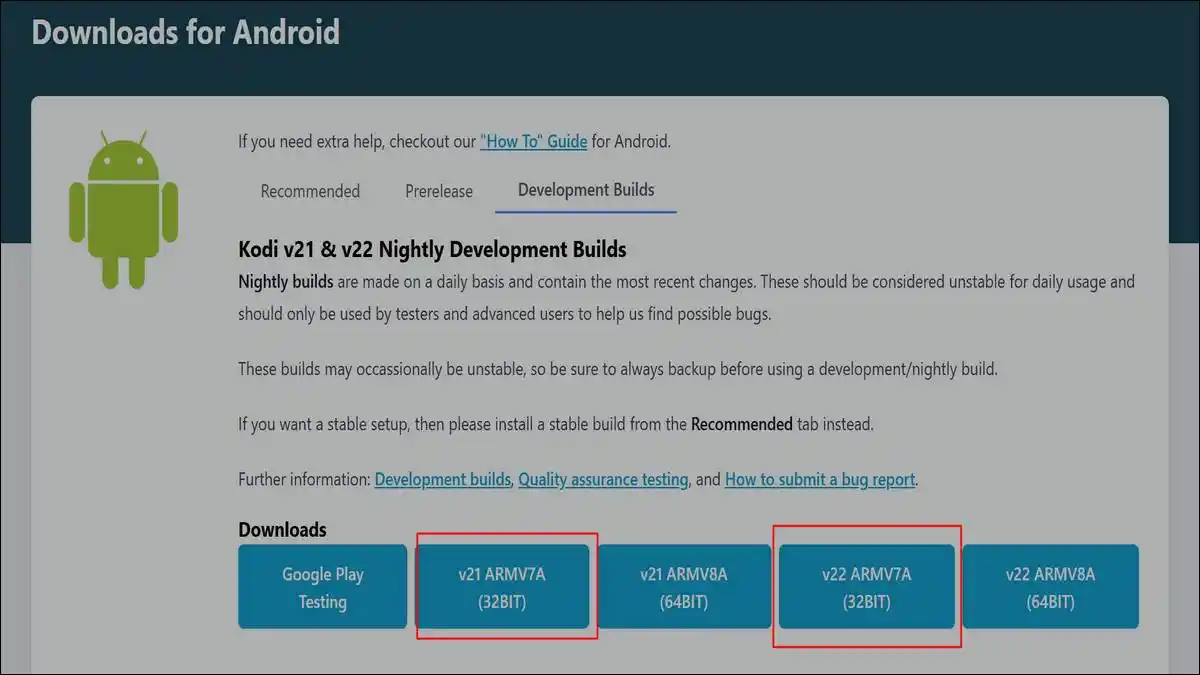
Open Downloader and type “https://kodi.tv/download.” Choose the Android version (ARMV7A 32-bit). Install Kodi and open it. You’re now ready to add sports add-ons. This process takes about 10 minutes.
Installing Kodi Add-Ons for Sports Streaming
Kodi alone doesn’t stream sports. You need add-ons. I recommend The Crew or Mad Titan Sports. They’re popular and pull streams from sites like StreamEast.
- To install, open Kodi and go to “Settings.”
- Click “File Manager” and add a source. Use the URL for your add-on’s repository.
- For The Crew, enter “https://team-crew.github.io/.”
- Name it “Crew” and save.
- Go to “Add-ons,” then “Install from ZIP file.”
- Select “Crew” and install the repository.
- Next, install the add-on from the repository.
Repeat for Mad Titan Sports if desired. Now, you’re set for streaming.
Popular Kodi Sports Add-Ons
| Add-On | Repository URL | Sports Covered | Key Features |
|---|---|---|---|
| The Crew | https://team-crew.github.io/ | NFL, NBA, Soccer, MMA | Live streams, replays, ad-free |
| Mad Titan Sports | https://magnetic.website/ | Football, Basketball, Baseball | Multiple links, user-friendly |
| Rising Tides | https://mullafabz.xyz/ | Boxing, Golf, Soccer | Live games, highlights, archives |
Also read: 10 Best Kodi Addons That You Must Install
How to access StreamEast via Firestick Browser
You don’t always need Kodi. StreamEast works through Firestick’s Silk Browser.
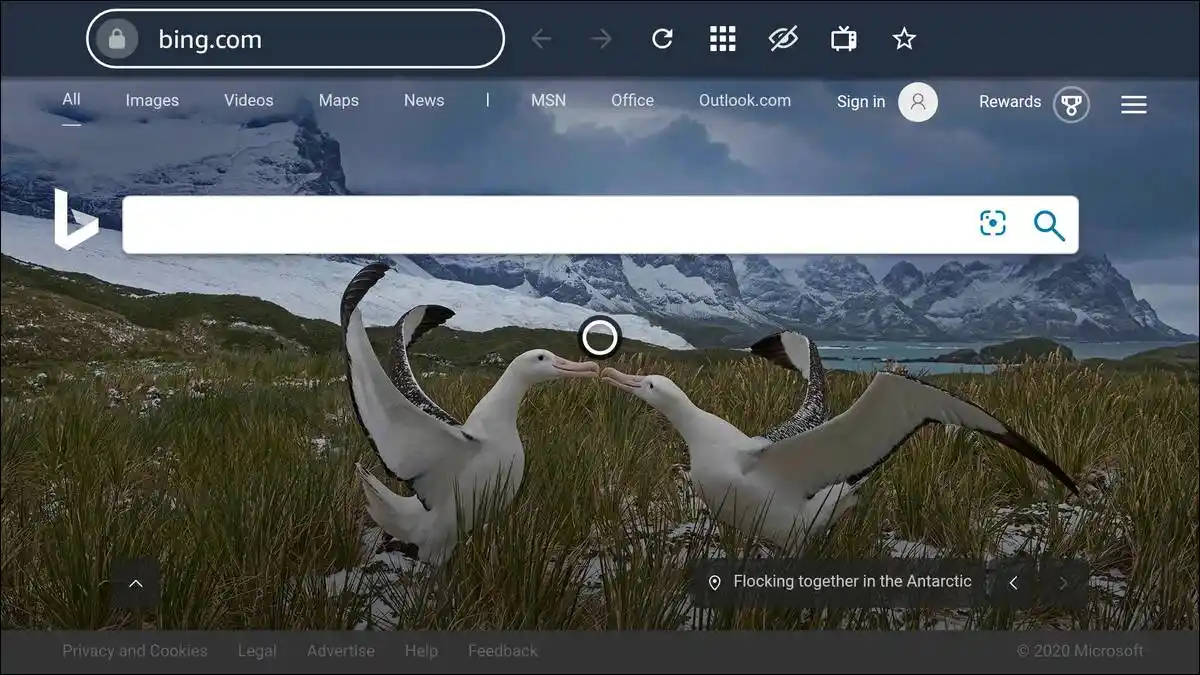
I find this method simpler for quick streaming.
- Open the App Store and download Silk Browser.
- Launch it, then type “streameast.to” in the address bar.
- The site loads, showing sports categories and schedules.
Browse for your game. Click a stream link, and it plays. Streams are usually 720p or 1080p, but ads may appear. I suggest closing pop-ups carefully.
This method skips Kodi setup but lacks its ad-free perks. It’s great for casual viewers.
Staying Safe While Streaming
StreamEast operates in a legal gray area. It’s not an official provider, and streams may use copyrighted content. I always use a VPN to stay safe. A VPN hides your IP address and encrypts your connection. ExpressVPN or NordVPN are reliable choices for Firestick.
Install your VPN from the App Store. Connect to a server where StreamEast works, like the US. This also bypasses geo-restrictions. Without a VPN, your ISP or authorities might track your activity. Safety matters, so don’t skip this step.
Step-by-Step Guide to Streaming Sports
Let’s walk through streaming a game. First, ensure Kodi and your add-on are installed.
- Open Kodi and select your add-on, like The Crew.
- Navigate to the sports section. You’ll see categories like NFL or Soccer.
- Choose your sport and find a live game.
- Click the game, and select a stream link. If one fails, try another.
Streams should load in seconds. For browser streaming, open Silk, visit StreamEast, and pick a game. Connect your VPN first for safety. Enjoy the match on your TV!
Troubleshooting Common Issues
Sometimes, streams buffer or fail. I’ve faced this, and it’s frustrating. First, check your internet speed. You need at least 10 Mbps for HD streaming. If Kodi add-ons don’t work, update them. Go to the repository and check for new versions. Restart Kodi after updating.
For browser issues, clear Silk’s cache in Firestick settings. If StreamEast is down, try mirror sites like streameast.xyz. A VPN can fix geo-blocked streams. If problems persist, switch to another add-on or site. Patience usually solves it.
Troubleshooting Streaming Issues
| Issue | Possible Cause | Solution |
|---|---|---|
| Buffering Streams | Slow internet | Upgrade to 10+ Mbps, restart router |
| Add-On Not Working | Outdated add-on | Update via repository, restart Kodi |
| StreamEast Unavailable | Site down or geo-blocked | Use mirror site, connect VPN |
Exploring StreamEast Alternatives
StreamEast isn’t the only option. I’ve tried others when it’s down. Sportsurge offers free streams for NBA, NFL, and MMASQ. It’s browser-based and works on Silk. DaddyLive, available as a Kodi add-on, covers global sports with fewer ads. Both are solid backups.
For legal options, consider ESPN or Peacock. They’re on the App Store but require subscriptions. Free trials are often available. These ensure high-quality, legal streams.
Weigh your budget and preferences when choosing. Mixing free and paid services works for me.
Pros and Cons of Using StreamEast with Kodi
StreamEast is free, which I love. It covers major sports and has a clean interface. Kodi add-ons like The Crew make streaming ad-free. Firestick’s portability is a bonus.
You can watch anywhere with an HDMI port. Together, they’re a powerful combo for sports fans.
However, there are downsides. StreamEast’s legality is questionable, risking legal trouble. Ads can be annoying without Kodi. Streams may buffer on slow connections.
VPN costs add up if you prioritize safety. Knowing these helps you decide if this setup suits you.
Also read: Buffstreams Alternatives for Sports Fans
Tips for the Best Streaming Experience
I’ve learned a few tricks for smooth streaming. Use a wired internet connection if possible. It’s more stable than Wi-Fi. Keep Kodi and add-ons updated to avoid bugs.
Check StreamEast’s schedule ahead of time to plan your viewing. Games are listed under “Today” or “Tomorrow.”
Test streams before the game starts. This avoids last-minute stress. If using a VPN, pick a server close to you for speed. Clear Firestick’s storage regularly to prevent slowdowns. These small steps make a big difference.
Legal and Ethical Considerations
I can’t stress safety enough. StreamEast’s free streams often use copyrighted content. This could lead to legal issues, depending on your country. Using a VPN reduces risks, but it’s not foolproof. I prefer mixing legal services like ESPN with free ones to stay ethical.
Always research your local laws. Some countries are stricter about streaming. If you’re unsure, stick to official apps. They’re safer and support sports leagues. Your peace of mind is worth it.
Wrapping Up Your Sports Streaming Journey
You’re now equipped to watch live sports on StreamEast with Firestick and Kodi. From setup to safety, we’ve covered it all. I enjoy this method for its cost and flexibility, but always prioritize safety with a VPN. Try it for your next game, and explore alternatives if needed.
Streaming sports should be fun, not stressful. Follow these steps, troubleshoot issues, and enjoy the action. Have questions? Drop them below, and I’ll help. Happy streaming!
Frequently Asked Questions
StreamEast operates in a legal gray area, so safety is a concern. I recommend using a VPN, like ExpressVPN, to hide your IP address. This protects your privacy and reduces risks while streaming on Firestick.
Yes, you can use Firestick’s Silk Browser to access StreamEast. Simply visit “streameast.to,” choose a game, and stream. However, browser streaming may have more ads compared to Kodi add-ons.
Buffering often happens due to slow internet. Ensure you have at least 10 Mbps for HD streams. Also, try a wired connection, clear Firestick’s cache, or use a VPN to improve stream quality.
Yes, services like ESPN and Peacock offer legal sports streaming. They require subscriptions but provide high-quality, reliable streams. Free trials are often available, making them great options for sports fans.
To update add-ons, open Kodi and go to the add-on repository. Check for updates in the “Add-ons” section. Install any new versions and restart Kodi to ensure smooth streaming.