How to Keep Kids Safe from Malu49 and Similar Sites
Learn how to protect your kids from Malu49 and similar risky websites with practical tips. Know how to talk to your kids, set rules, use parental controls, and teach smart online habits to keep them safe.
The internet is a vibrant space where kids play, learn, and connect with friends. However, it also hides dangers, especially on websites like Malu49 that may expose children to adult content, strangers, or privacy risks.
As a parent or carer, you want to ensure your child’s safety online. This guide explains the risks of such sites and offers simple, practical steps to protect your kids.
For instance, a recent study conducted by Pew Research Center study says 96% of teens use internet every day, and nearly half are online constantly. With sites like Malu49 often lacking strong safety measures, it’s crucial to act proactively.
Let’s start by understanding what these sites are and why they pose a threat.

What Are Malu49 and Such Sites?
Malu49 represents a category of websites that can be unsafe for kids. These platforms often feature adult content, unmonitored chats, or lax privacy rules.
Unlike child-friendly sites, they rarely verify users’ ages, which allows kids to access risky areas without restrictions.
Why Kids Visit These Sites
Kids are naturally curious, and this curiosity often draws them to sites like Malu49. They might stumble upon these platforms through friends, social media links, or random searches.
The promise of freedom and exciting content can feel appealing. However, this lack of oversight makes these sites dangerous, as kids may encounter inappropriate material or unsafe interactions.
How These Sites Operate
To understand the risks, it’s helpful to know how these websites function. Many allow anyone to post content, which can include adult videos, violent images, or harmful ideas.
Additionally, open chat features let strangers contact kids directly. Worse, some sites collect personal information without clear safety measures, putting kids at risk of privacy breaches.
Safe vs. Unsafe Sites
Not every website is risky. For example, platforms like YouTube Kids or KidzSearch are designed with children in mind, offering filters and adult oversight.
In contrast, sites like Malu49 lack these protections. By recognizing the difference, you can guide your kids toward safer online spaces while steering them away from potential dangers.

Why Online Safety Matters
With the internet being central to kids’ lives for school, games, and socializing, ensuring their safety is more important than ever.
A 2023 UNICEF report highlights that children face risks like cyberbullying, online predators, and harmful content. As a parent, your role is to protect your child while allowing them to enjoy the benefits of the digital world.
Dangers for Kids
Sites like Malu49 pose specific threats that can impact kids in various ways:
- Upsetting Content: Exposure to adult images or violent videos can scare or confuse them.
- Strangers: Predators may pose as peers to gain trust, leading to dangerous interactions.
- Bullying: Mean messages or comments can hurt kids emotionally.
- Privacy Risks: Sites might collect personal details, like names or addresses, risking scams or worse.
These dangers can affect a child’s emotional well-being, safety, or even their future opportunities.
How It Feels as a Parent
Discovering that your child has visited a risky site can be overwhelming. You might worry you’re not keeping up with their online world or feel unsure about next steps.
These feelings are common, but fortunately, there are straightforward ways to take control and protect your child.
Balancing Freedom and Safety
While safety is critical, kids also need some freedom online, especially as they grow into teens. According to a 2023 Scientific American article, guided freedom helps teens develop critical thinking while staying safe.
By setting clear boundaries and teaching smart choices, you can strike a balance that works for your family.
Key Risks of Malu49 and Similar Sites
To protect your kids effectively, it’s essential to understand the specific dangers of these platforms. Here are the main risks they face:
- Inappropriate Content: Adult material or violence can upset or desensitize kids.
- Online Predators: Strangers may pretend to be friends to trick kids, as UNICEF notes in its reports on grooming tactics.
- Cyberbullying: A Pew study found 60% of teens experience online bullying, which can lead to sadness or fear.
- Privacy Breaches: Sites may collect personal info, risking identity theft or scams.
- Sexting Risks: Kids might be pressured to send private photos, which can spread online.
- Misinformation: Lies or harmful ideas can confuse kids or encourage bad decisions.
Risks and Their Effects
| Risk | What It Is | How It Hurts |
|---|---|---|
| Inappropriate Content | Adult or scary pictures/videos | Upsets or confuses kids |
| Online Predators | Strangers pretending to be friends | Tricks or harms kids |
| Cyberbullying | Mean messages or comments | Makes kids sad or scared |
| Privacy Breaches | Taking personal info like names | Leads to scams or danger |
| Sexting | Asking for private pictures | Hurts feelings or reputation |
| Misinformation | Lies or harmful ideas | Confuses kids or leads to bad choices |

Steps to Protect Your Kids
Now that you understand the risks, let’s explore practical steps to keep your kids safe. By combining open communication, clear rules, technology, and critical thinking, you can create a safer online environment for your child.
1. Talk Openly with Your Kids
Building trust through conversation is the foundation of online safety. When kids feel comfortable, they’re more likely to share concerns.
- Start Early: Explain to young kids that the internet has risks, like a busy street where they need to stay cautious.
- Ask Questions: Regularly ask, “What sites do you like?” or “Has anything online upset you?” This keeps you informed without prying.
- Stay Supportive: If they encounter something troubling, don’t get upset. Instead, help them address it calmly.
- Use Simple Examples: Compare online strangers to strangers in a park—they might seem nice but could be unsafe.
2. Set Clear Rules
Clear rules give kids a framework for safe internet use. Consistency is key to making these rules stick.
- Limit Screen Time: Follow the American Academy of Pediatrics’ advice of 1-2 hours of non-school screen time daily.
- Choose Safe Sites: Encourage platforms like YouTube Kids, which are designed for children.
- Protect Privacy: Teach kids never to share personal details, like their school or address.
- Monitor Activity: For young kids, keep devices in shared spaces. For teens, check in occasionally to respect their growing independence.
3. Use Safety Tools
Technology can help you block risks and monitor activity. Many devices and apps offer built-in safety features.
- Activate Parental Controls: Use tools like Apple Screen Time or Google Family Link to block unsafe sites or limit app use.
- Install Filtering Apps: Software like Net Nanny or Qustodio can filter risky websites and track online behavior.
- Enable Safe Search: Turn on Safe Search on browsers like Google to hide adult content.
- Secure Webcams: Cover webcams with tape when not in use to prevent unauthorized recording.
Safety Tools for Parents
| Tool | Where It Works | What It Does | Best For |
|---|---|---|---|
| Screen Time | iPhones, iPads | Blocks sites, limits apps | Apple users |
| Family Link | Android, Chrome | Sets time limits, tracks activity | Android users |
| Net Nanny | Phones, computers | Filters sites, watches social media | All devices |
| Qustodio | Phones, computers | Blocks sites, has emergency button | Families with many devices |
| YouTube Kids | YouTube app | Shows kid-safe videos | Young kids |
4. Teach Smart Thinking
Equipping kids with critical thinking skills helps them spot and avoid online dangers, especially as they gain more independence.
- Spot Manipulation: Teach kids to avoid messages that seem urgent or overly flattering, as these are common predator tactics.
- Verify Identities: Encourage them to only chat with real-life friends, not strangers they meet online.
- Question Content: If a site shares strange stories or ideas, tell them to check with an adult.
- Model Good Habits: Show them how you stay safe online, like avoiding oversharing or clicking suspicious links.
5. Handle Problems Calmly
If your child faces an online issue, responding thoughtfully can prevent further harm and maintain trust.
- Listen Without Judgment: If they’re upset about something online, listen and reassure them it’s not their fault.
- Block and Report: Teach them how to block harmful users or report bad content using platform tools.
- Seek Help: For serious issues like threats or exploitation, contact the CyberTipline at 800-843-5678.
- Adjust Settings: After an incident, review and tighten device safety settings to prevent repeats.
Also read:
- Is Janitor AI Safe for My Kids? A Parent’s Guide
- Is Character AI Safe for Kids? What Parents Must Know
Addressing Malu49-Specific Concerns
Sites like Malu49 pose unique challenges due to their lack of oversight. Let’s look at how to tackle these specific issues to keep your kids safe.
Managing Unchecked Content
Because these sites allow unfiltered content, kids might encounter adult material or harmful posts. To address this, regularly check their browsing history.
Additionally, use filtering software to block access to known risky sites, ensuring they stay in safer digital spaces.
Protecting Against Strangers
Anonymity on these platforms attracts predators who may pretend to be peers. To counter this, teach your child to avoid chats with unknown users.
If possible, disable chat features on their devices or limit interactions to verified contacts.
Safeguarding Privacy
Many unregulated sites collect personal information without clear policies. Before your child uses a new platform, search its name with “privacy risks” to review its safety.
Also, turn off location services on their device to prevent unintended data sharing.
Tailoring Safety for Different Ages
Kids of different ages need different strategies. Younger children require stricter oversight, while teens need guidance to build independence.
Here’s how to adjust your approach.
Younger Kids (Ages 5-12)
Young kids need close supervision to stay safe online.
- Use Kid-Friendly Sites: Stick to platforms like YouTube Kids or KidzSearch with built-in safety features.
- Keep Devices in Sight: Allow device use only in shared spaces, like the living room.
- Block Stranger Contact: Disable all chat features with unknown users.
Teens (Ages 13-17)
Teens crave more freedom but still need boundaries.
- Discuss Key Risks: Talk about issues like cyberbullying or sexting. A 2023 study notes 25-35% of teens engage in sexting, making open conversations critical.
- Monitor Discreetly: Follow their social media to stay informed without invading their privacy.
- Highlight Consequences: Explain how online actions can impact future opportunities, like college or jobs.
Securing Devices and Apps
Kids use various devices—phones, tablets, computers, and gaming consoles—each with its own risks. By securing these devices, you can reduce exposure to sites like Malu49.
Smartphones and Tablets
Most kids access the internet through phones or tablets. Start by setting up parental controls like Screen Time or Family Link. Also, check app permissions to ensure apps aren’t sharing personal data unnecessarily.
Computers
Computers are common for schoolwork and gaming. Install filtering software like Net Nanny to block risky sites.
Teach kids to avoid clicking unknown links, which could lead to unsafe platforms.
Gaming Consoles
Consoles like PlayStation or Xbox often include online chat features. For young kids, turn off these features entirely.
For teens, set rules about who they can interact with online to avoid strangers.
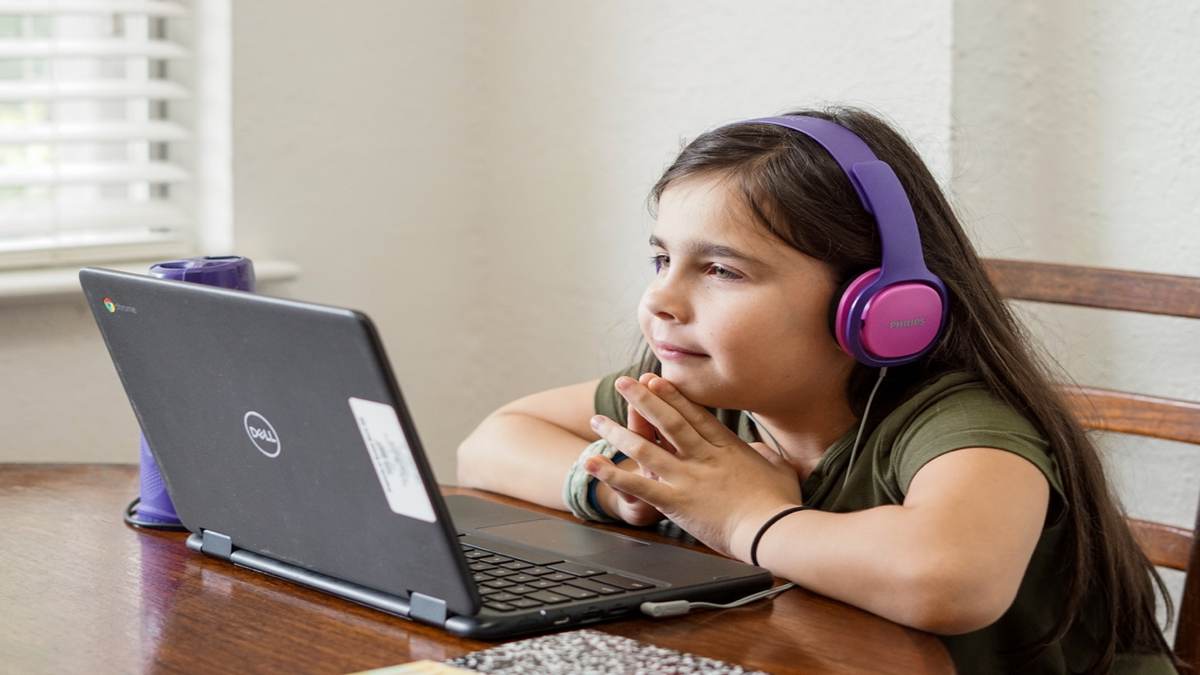
Recognizing Warning Signs
Kids may not always tell you about online problems. By staying alert, you can spot signs of trouble early.
- Mood Changes: If your child seems sad or anxious after using the internet, ask what’s wrong.
- Secretive Behavior: Hiding their screen or closing apps quickly could indicate a problem.
- Unknown “Friends”: If they mention online friends you don’t know, investigate who they are.
- Avoiding Discussions: Refusing to talk about their online activity might mean they’re hiding something.
Collaborating with Schools
Schools play a vital role in online safety, as many now teach digital literacy. By working with your child’s school, you can reinforce safety habits.
Understanding School Policies
Start by asking how the school manages devices. Do they filter websites? Do they educate kids about online risks?
Aligning home rules with school policies creates consistency for your child.
Attending Parent Workshops
Many schools offer workshops on digital safety. These sessions provide valuable tips and connect you with other parents.
Attending can help you stay updated on new risks and solutions.
Aligning Home and School Rules
Consistency helps kids follow rules. If the school limits screen time or blocks certain sites, do the same at home.
This unified approach makes expectations clear.
Also read: How StateKaidz.com Makes Learning Fun for Kids
Leveraging Community Resources
You don’t have to navigate online safety alone. Community resources offer support and guidance.
- Helplines: Contact Childline at 0800 1111 for advice on specific concerns.
- Online Guides: Visit websites like UNICEF or the UK Safer Internet Centre for practical tips.
- Parent Networks: Join local parent groups to share strategies and learn about new risks.
Legal and Reporting Options
If your child encounters serious issues, like bullying or predatory behavior, you can take stronger action.
- Report to Platforms: Use the “report” button on most sites to flag harmful content or users.
- Contact Authorities: For threats or exploitation, call the CyberTipline at 800-843-5678.
- Save Evidence: Take screenshots of problematic messages or content before reporting to preserve proof.
Fostering Long-Term Safety Habits
Online safety is an ongoing process. By building lasting habits, you can prepare your kids for a lifetime of smart internet use.
- Stay Informed: Keep up with new apps and risks by checking sites like Common Sense Media.
- Talk Regularly: Make online safety a routine topic, like discussing school or hobbies.
- Update Rules: As your child grows, adjust rules to match their age and maturity.
Also read: What is Filfap? Meaning, Usage, and Safety Tips Explained
Final Thoughts!
Protecting your kids from sites like Malu49 is achievable with the right approach. By talking openly, setting clear rules, using safety tools, and teaching critical thinking, you can create a secure online environment.
The internet offers endless opportunities for learning and fun, but safety comes first. Start today by checking your child’s device settings and having a conversation about their online habits.
With support from schools, communities, and resources like helplines, you can guide your kids to use the internet wisely and safely.
Frequently Asked Questions
Malu49 represents websites with adult content, unmonitored chats, or weak privacy rules. These sites can expose kids to inappropriate material, strangers, or privacy breaches, making them unsafe.
Look for signs like mood changes, secretive behavior, or mentions of unknown online friends. Check their browsing history and use parental control tools to monitor activity.
Kids may face inappropriate content, online predators, cyberbullying, privacy risks, sexting pressures, or misinformation. These can lead to emotional harm or safety concerns.
Talk openly with your child, set clear internet rules, use parental controls like Screen Time or Net Nanny, and teach them to spot online dangers.
Tools like Apple Screen Time, Google Family Link, Net Nanny, Qustodio, and YouTube Kids help block risky sites, limit screen time, and monitor activity.
Start early with simple explanations, ask about their online activities, stay supportive, and use examples like comparing online strangers to strangers in a park.
Listen calmly, reassure them it’s not their fault, block or report the issue, and contact resources like the CyberTipline (800-843-5678) for serious problems.
Discuss risks like sexting or bullying, monitor discreetly by following their social media, and explain how online actions can affect their future, like college or job prospects.