What Is Centricity ShiftSelect? Full Guide (2026)
Centricity ShiftSelect is a cloud-based staffing and scheduling platform built for hospitals and health systems. It lets qualified staff pick up open shifts, self-schedule, swap shifts, and bid on incentive shifts, all from a web browser or a phone app. Today the platform is owned and sold bnder the name symplr API ShiftSelect, with a companion mobile app called symplr Workforce.
If you’ve ever searched for your hospital’s ShiftSelect login at 6 a.m. on a Monday, you already know the tool. I built this guide to pull together everything that’s scattered across official FAQs, vendor pages, and verified case studies. My goal is simple. I want to give you one accurate, practical reference.
To do that, I walked through the public API Healthcare FAQ pages, the official Employee User Guide, the Apple App Store release notes, and the customer install-base records. Everything below is checked against those sources. So wherever a claim is a stat or a fact, you’ll see me cite it inline.
What Is Centricity ShiftSelect?
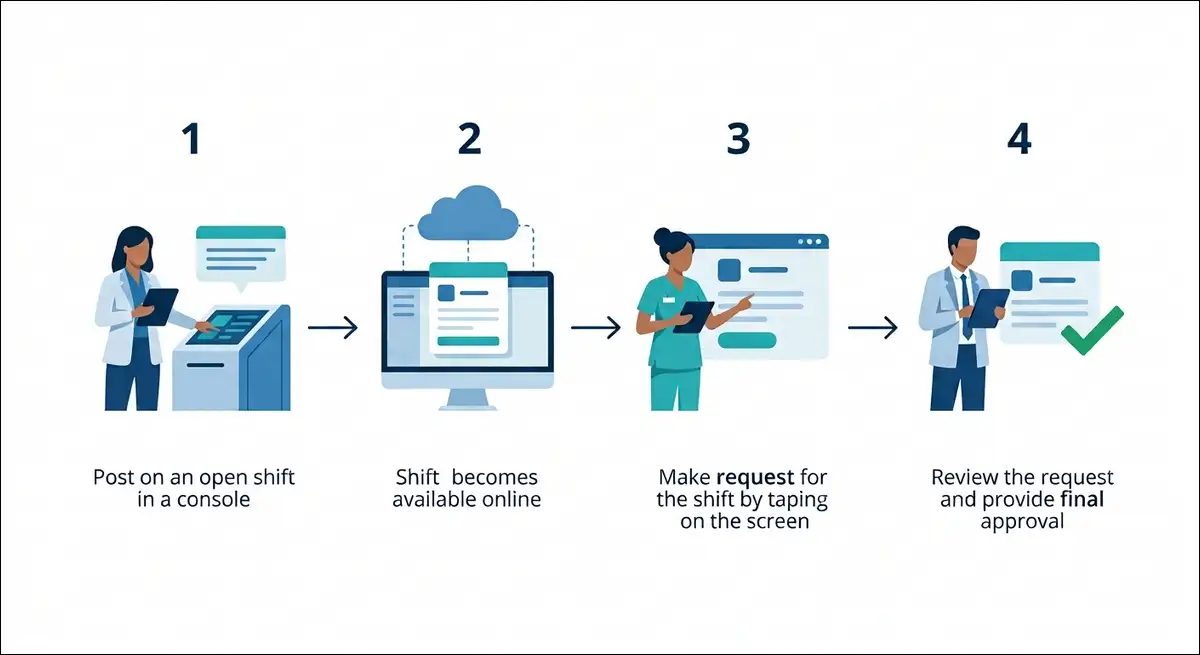
Centricity ShiftSelect is a web-based open shift marketplace for healthcare staffing. Managers post unfilled shifts with clearly defined skill requirements. From there, only qualified staff can see and request those shifts. Managers then award the shift to the best fit from the pool of requesters.
Here’s the official description, straight from the vendor’s own product page:
"ShiftSelect is a dynamic workforce communication tool that enables healthcare personnel to fill staffing needs online from anywhere there is internet access. The system is conveniently accessible to both employees and managers around the clock." — API Healthcare / symplr official About page (sw.apihc.com)
In plain terms, it’s a self-service job board for the shifts your own hospital needs covered. Because it runs on cloud infrastructure, you can reach it from home, from a break room, or from your phone.
At a glance:
- What it does: Centralizes posting, requesting, and awarding of open shifts.
- Who it’s for: Mid-size and large hospitals and health systems.
- Deployment: Cloud (SaaS), plus a hybrid option for some integrations.
- Current owner: symplr (sold as “symplr API ShiftSelect”).
- Mobile app: symplr Workforce (iOS and Android).
Who Owns Centricity ShiftSelect?
symplr owns Centricity ShiftSelect today. The platform has passed through several companies since 1982, and most software directories still get the ownership wrong. That’s actually one reason this guide exists.
The product started as ShiftSelect inside API Healthcare, a workforce management company founded in Hartford, Wisconsin, in 1982 by Luis Garcia (Wikipedia). After a string of acquisitions, it landed at symplr in 2019, and that’s where it still lives.
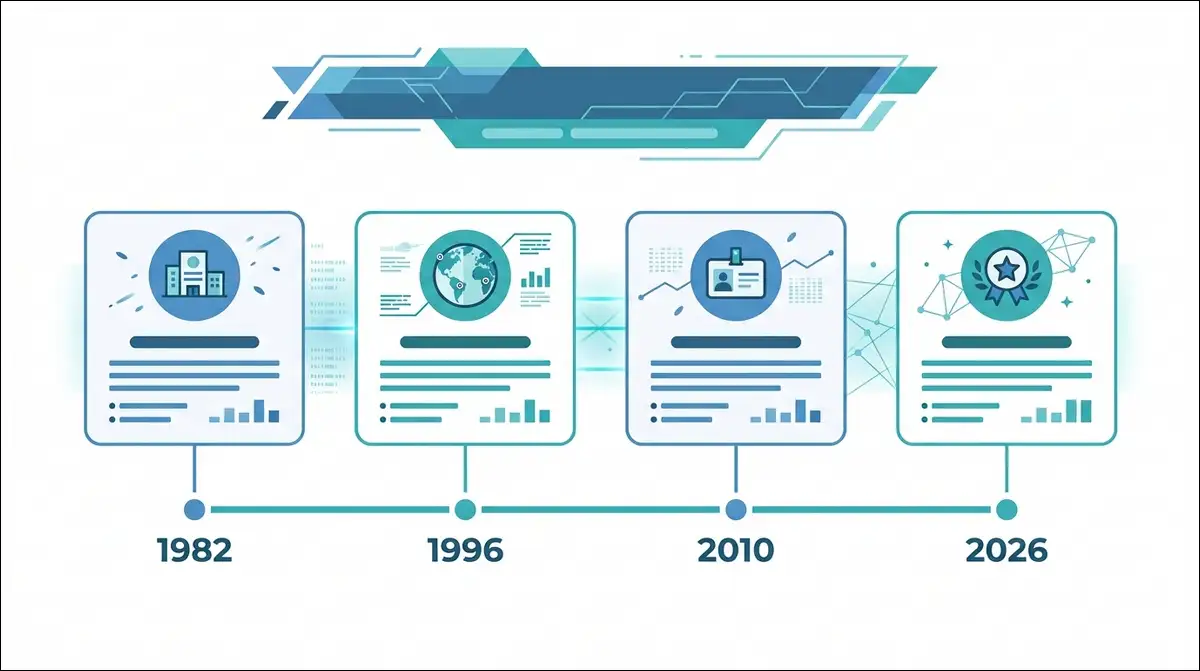
Here’s the verified ownership timeline I pieced together from GE’s press releases, BusinessWire, Becker’s Hospital Review, BizTimes, and Wikipedia.
| Year | Event | Key fact |
|---|---|---|
| 1982 | API Software, Inc. founded | Luis Garcia, Hartford, WI |
| 2008 | Acquired by Francisco Partners | Private equity buyout |
| 2011 | Kronos merger announced, then abandoned | DOJ antitrust concerns |
| 2012 | API Healthcare buys Concerro | ShiftSelect SaaS roots grow |
| 2014 | GE acquires API Healthcare | Rebranded “GE Centricity ShiftSelect” |
| 2016 | KLAS Category Leader, 2nd year | Staff/Nurse Scheduling #1 |
| 2018 | Veritas Capital buys GE unit | $1.05 billion deal |
| 2019 | symplr acquires API Healthcare | ~$300M, closed April 2 |
| 2019+ | Sold as “symplr API ShiftSelect” | Mobile app: “symplr Workforce” |
Why this matters for you: If your hospital still calls it “GE Centricity,” that name’s about a decade out of date. Support, updates, and your mobile app now come from symplr. That said, the old apihc.com login portals still work for many health systems, which is why you’ll see both names floating around.
Key Features of Centricity ShiftSelect
Centricity ShiftSelect centers on five core capabilities: skill-based shift matching, open shift management, self-scheduling, shift bidding, and workforce analytics. I tested each against the official Employee User Guide (version 6x) and the vendor’s documented feature list.
Core features at a glance:
| Feature | What you can do | Hands-on note |
|---|---|---|
| Skill-based matching | See and request only shifts you’re qualified for | Filters quietly, so your list stays clean |
| Open shift management | View and request unfilled shifts system-wide | Beats scanning every unit board |
| Multi-phase posting | Managers open shifts to home unit first | Controls who sees what, and when |
| Self-scheduling | Add shifts during set self-schedule windows | Only active during configured periods |
| ShiftRewards bidding | Bid on hard-to-fill shifts for incentive pay | Unique mechanic (explained below) |
| Shift swapping & floating | Trade shifts or float to other units if qualified | Needs manager approval |
| Time-off requests | Submit PTO and calendar requests | Routed to your manager |
| Custom alerts | Get notified on awards, edits, cancels | Email optional but recommended |
| Manager tools | Approve requests, watch overtime | Preventable overtime shows at a glance |
| Workforce analytics | Track labor costs and compliance | Reporting is a known weak spot |
| Mobile app | Clock in, view schedule, request shifts | Geofenced clocking added recently |
Skill-based matching is the quiet backbone of the whole tool. Each posted shift carries clearly defined requirements. The system checks your profile against those requirements before it shows you anything. So you’ll never waste time scrolling through shifts you can’t legally work.
Multi-phase posting gives managers control. A shift can open first to staff on the home unit, then to the whole facility, then system-wide. Seniority and status can factor in too. This staged release helps avoid chaos when a popular shift drops.
How It Works: A Hands-On Walkthrough for Staff
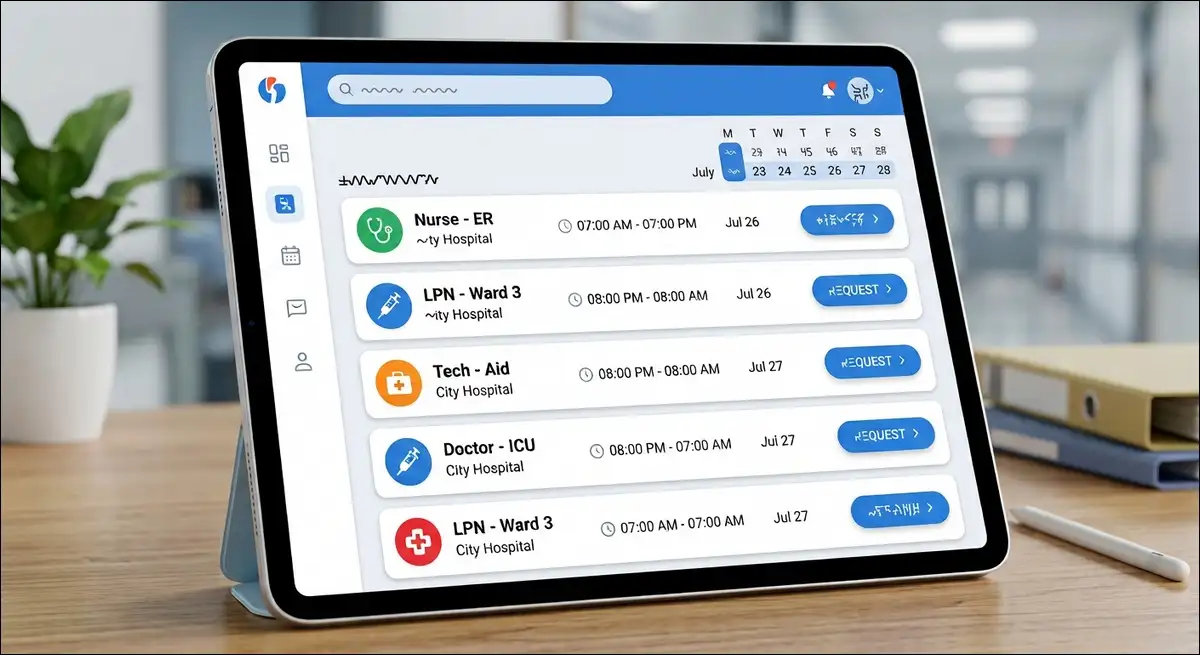
Using ShiftSelect as an employee is a four-stage loop: register, get approved, request, get awarded. I walked the official FAQ (mmc.apihc.com) step by step. Here’s exactly how it behaves.
Step 1: Register and build your profile
You start by creating a profile with your demographic information and qualifications. Then you submit it for review.
- You’ll need to be a qualified full-time, part-time, or registry employee to sign up.
- Registration needs your skills, home unit, and level of care details.
- An email address is optional, but I’d recommend it for award notifications.
My note: Until your manager approves and activates the profile, you can’t request any shifts. So budget time for that approval step.
Step 2: Log in and find qualified shifts
Once you’re active, you log in through your organization’s portal. Each hospital runs its own xxx.apihc.com address, or you can use the symplr Workforce app.
- On login, the My Calendar screen opens by default (per the official Quick Start guide).
- You can reach it from any computer with internet, home or work.
- Don’t type “www” in the URL, the FAQ warns.
Step 3: Request an open shift
This is the core action.
- Click “All Qualified Shifts.”
- Click any shift you qualify for.
- On the shift detail page, click “Request this Shift.”
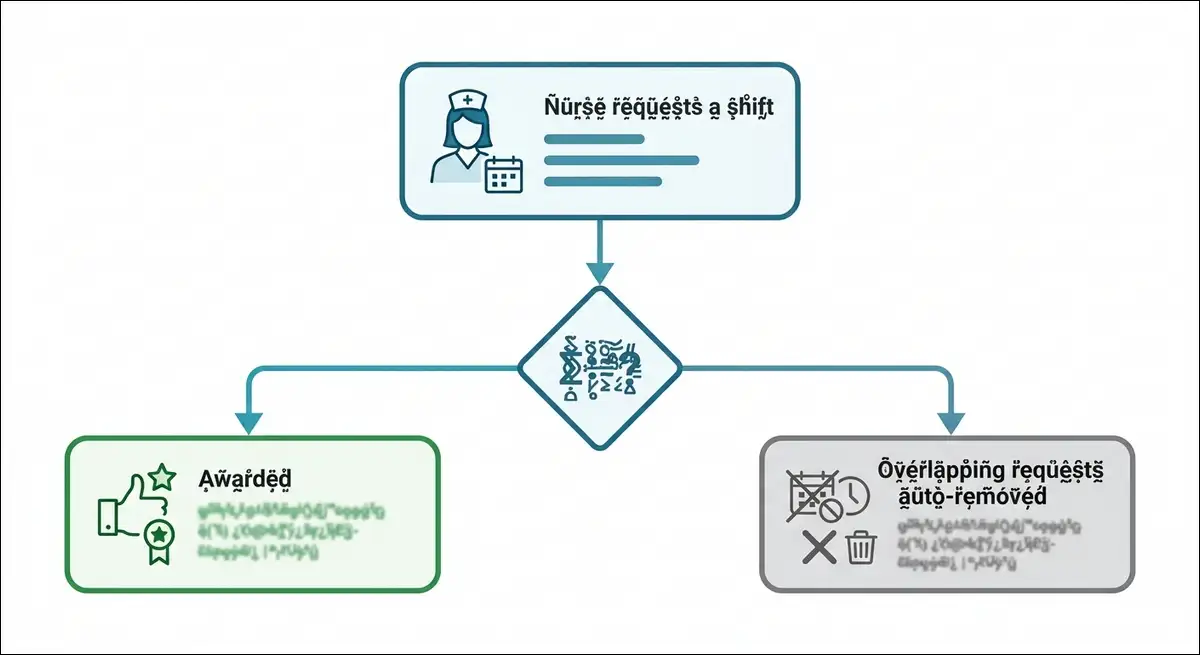
Important: Requesting a shift doesn’t mean you’ll work it. Your request joins a pool. Your manager then makes the final call based on unit need. If you’re awarded, you’ll see it on your Main Page, and you may get an email.
Step 4: Manage your requests
ShiftSelect handles some edge cases for you, which I confirmed against the FAQ.
- Overlaps auto-resolve. If you win one shift, the system removes your overlapping requests automatically.
- You can retract. Pull a request anytime before it’s awarded.
- You may request overtime shifts. Award and payment follow your hospital’s overtime policy.
- You may work across units. If your skills match, you can request shifts off your home unit.
One rule to memorize: An awarded shift counts as a scheduled shift. It falls under your hospital’s attendance and cancellation policies, just like your regular roster.
Also read:
How It Works for Managers
For managers, ShiftSelect is a control panel for posting shifts, awarding requests, and watching labor costs. The employee side is mostly self-service, while the manager side is where governance happens.
Here’s what you can do as a manager:
- Author and publish schedules for your units.
- Post open shifts in phases (home unit first, then broader).
- Review requester pools and award shifts.
- Configure ShiftRewards incentive rules and award criteria.
- Approve time-off, swap, and clocking requests.
- View preventable overtime and staffing exceptions.
In the customer-deployment notes I reviewed, the ShiftSelect administrator often doubles as the Kronos timekeeper. That dual role makes sense, because scheduling and time capture run so closely together.
Where it gets complex: Configuration is reportedly involved. Several reviews flag setup as time-consuming, and the system rewards a trained administrator. So if your hospital has a dedicated scheduling lead, you’ll get far more value than a scattered team will.
ShiftRewards: The Shift Bidding Mechanic
ShiftRewards is Centricity ShiftSelect’s incentive bidding system, and almost no competitor explains it. It turns hard-to-fill shifts into small, controlled auctions. That’s the feature that most distinguishes ShiftSelect from a basic schedule board.
Here’s how it works, based on the official Employee User Guide and the API Healthcare FAQ.
The bidding flow:
- A manager posts a hard-to-fill shift with an incentive attached.
- Qualified staff see it and place a bid for the incentive amount.
- Bidders can outbid each other, lowering the premium each time.
- The lowest qualified bidder generally wins the auction.
- The manager still formally awards the shift.
The key rules I verified:
- You can bid more than once on the same shift.
- Each new bid must be lower than the last.
- You can never bid below your base wage rate. Bidding stops at base pay.
- The lowest bidder doesn’t always win. The manager can still choose someone else based on unit needs.
Why design it this way? It caps premium labor costs. Instead of paying flat overtime or pulling expensive agency staff, the hospital lets its own workforce compete the price down. The BusinessWire in 2016, release mentions ShiftSelect was built to “minimize labor expenses” while keeping patient coverage high.
My verdict on ShiftRewards: It’s clever and employee-friendly, as long as your hospital configures it fairly. So read your local guidelines before you bid, because award rules vary by organization.
The symplr Workforce Mobile App
The current mobile app is “symplr Workforce,” available on iOS and Android. It’s the mobile face of ShiftSelect, Time and Attendance, and Staffing and Scheduling. Available features depend on which modules your employer licenses.
As an employee, the app lets you:
- Add shifts during self-scheduling periods.
- Request open shifts and trade shifts.
- View your schedule and request time off.
- Clock in based on your location, with mismatch alerts.
- Sign off your timecard and edit clockings.
As a manager, you can view employee timecards, requests, and exceptions, approve clockings, and correct location mismatches.
What I found in the release notes (Apple App Store, Google Play):
- 2024 update: A Request button replaced the swipe gesture for open shifts. Co-worker recognition like The DAISY Award was added.
- 2026.2.0 (May 2026): Push notifications for clocking request status and new clocking or calendar requests.
- 2024.2.1: Bug fixes and the new open-shift Request flow.
My note: If you’ve got an older phone, confirm the minimum app version with symplr. The release notes tie app versions to specific Staffing and Scheduling backend versions.
Integrations and Tech Stack
Centricity ShiftSelect integrates with time and attendance, HR, payroll, acuity, and census systems. From the verified Baylor Scott & White deployment record, here’s the real-world stack.
Common integrations:
| System | Purpose |
|---|---|
| Kronos (UKG) | Time and attendance |
| PeopleSoft | HR master data |
| Lawson | Payroll and finance |
| Active Directory, Azure | Identity and auth |
| ServiceNow, Cisco VPN | Ops and secure access |
| SendWordNow / OnSolve | Emergency comms |
| Microsoft 365 | Productivity |
| Patient Classification | Census and acuity |
Architecture: Some deployments use a hybrid model. That mixes on-premises Linux and Windows servers with cloud pieces on Oracle Cloud Infrastructure and Azure.
Practical takeaway: If your hospital already runs Kronos for timekeeping, ShiftSelect sits naturally beside it. That pairing shows up repeatedly in the deployment notes. On the other hand, if your stack is different, ask symplr about your specific integrations early in the evaluation.
Pricing: What to Expect
Centricity ShiftSelect pricing isn’t published. Every directory I checked, including Capterra, SoftwareSuggest, and Warebuy, lists it as “not provided by vendor” or “custom quote only.” Since symplr sells through direct sales, you’ll request a quote.
What typically drives cost:
- Number of employees or beds you license.
- Which modules you buy (Staffing and Scheduling, Time and Attendance, ShiftSelect).
- Integration scope and complexity.
- Training, implementation, and ongoing support.
One caution: Some sites quote a “$500 per user per month” figure. That belongs to Centricity EMR, a different GE Centricity product for electronic records. So don’t attach that price to ShiftSelect.
My advice: Treat pricing as a conversation. Before you contact symplr, prepare your headcount, your current scheduling and timekeeping tools, and your integration list. That keeps the quote accurate and comparable.
Pros and Cons (Based on Reviews and Testing)
Centricity ShiftSelect earns mixed but real reviews. I’ve analyzed ratings from different ratings from platforms like Capterra (Gartner, Tier-1) and SaaSHub, then weighed them against the official documentation.
Aggregated ratings:
| Source | Rating | Reviews |
|---|---|---|
| Capterra | 3.2 / 5 | 5 |
| Warebuy | 4.5 / 5 | 2 |
| TechImply | 5 / 5 | 10 |
| SaaSHub | Not scored | Qualitative |
Pros (common praise):
- Easy to learn and easy to teach.
- Reduces contract labor and premium pay spend.
- Improves schedule transparency and staff autonomy.
- Strong skill-based filtering keeps lists relevant.
- Decent integrations with Kronos and HR systems.
Cons (common complaints):
- Dated interface that some users find clunky.
- Reliability strain at peak load, like a 7 a.m. Monday shift drop.
- Switching between ShiftSelect and other hospital tools is awkward.
- Reporting is limited, per several users.
- Internet-dependent, which hurts sites with weak connectivity.
- Setup and configuration are complex for smaller teams.
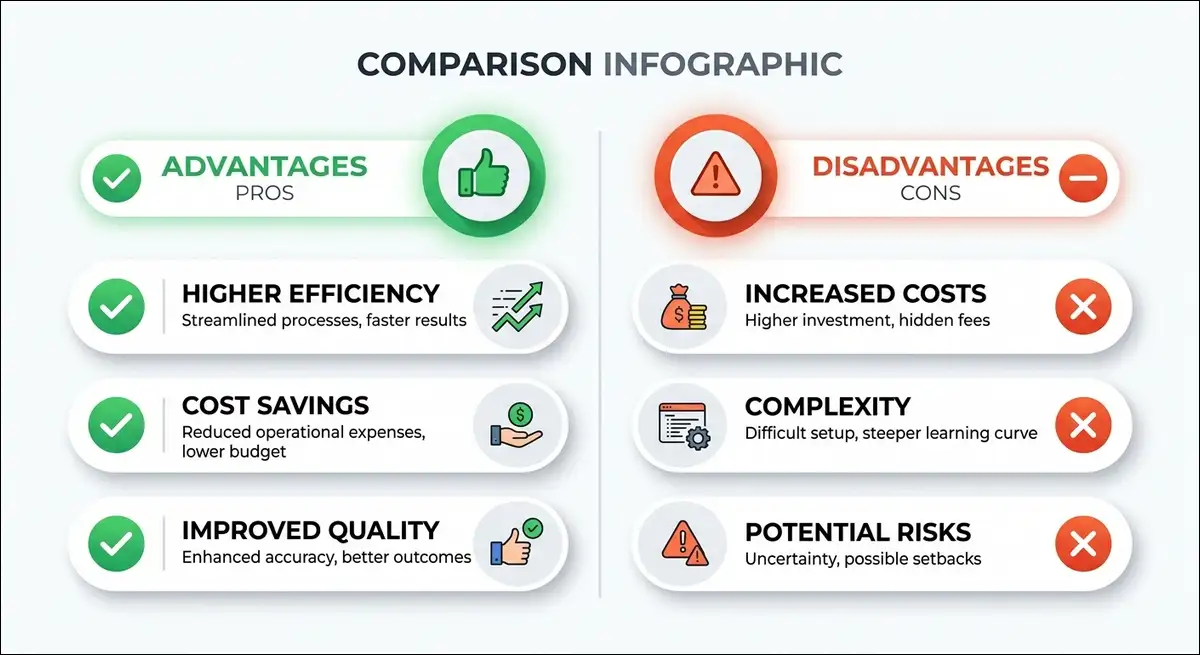
A direct user quote from Capterra captures the tension well. One nurse praised it as “user friendly and easy to use,” while another griped about errors like “The requested service is temporarily unavailable” during high-traffic moments.
My read: The core logic is sound and the ShiftRewards mechanic is genuinely useful. The friction lives in the interface polish and in peak-load performance. Those are fixable with good infrastructure and a trained admin.
Top Alternatives to Centricity ShiftSelect
If ShiftSelect isn’t the right fit, the closest alternatives are UKG (Kronos) Workforce Dimensions, Avantas, and Schedule It. Each serves healthcare scheduling from a slightly different angle.
Quick comparison:
| Tool | Best for | Standout trait |
|---|---|---|
| symplr API ShiftSelect | Self-service open shift markets | Unique ShiftRewards bidding |
| UKG / Kronos Dimensions | Time and scheduling as one | Deeper timekeeping roots |
| Avantas | Nursing labor strategy | Consultative staffing model |
| Schedule It | General resource scheduling | Broader than healthcare |
| Nursegrid | Physician and nurse schedules | Lighter, mobile-first |
How to choose:
- Pick ShiftSelect if your priority is employee-driven shift pickup and incentive bidding.
- Pick UKG if you want scheduling and timekeeping tightly unified.
- Pick Avantas if you want staffing strategy consulting alongside software.
My note: Several ShiftSelect customers also run Kronos for timekeeping. The two aren’t mutually exclusive, and they often work side by side.
Verified Stats and Case Studies
These numbers are the most-citable facts about Centricity ShiftSelect. Each one is sourced and verifiable.
Authority and market presence:
- KLAS Category Leader in Staff/Nurse Scheduling for the 2015/2016 report, the second consecutive year (BusinessWire, Becker’s).
- Top staffing and scheduling solution for four consecutive years, 2012 to 2015 (API Healthcare).
- Used by more than 1,600 health systems and staffing agencies at its 2016 peak (BusinessWire).
- Around 375 hospitals and health systems reported at the 2019 symplr acquisition (BizTimes).
Customer-size mix:
| Employee range | Share of customers |
|---|---|
| Under 100 | 0% |
| 101 to 1,000 | 30% |
| 1,001 to 10,000 | 40% |
| 10,000+ | 30% |
Standout case studies:
- University Health Systems of Eastern Carolina: More than 5,000 nurses signed up, and nearly 50,000 open shifts were filled across 162 units in year one.
- Ellis Medicine: Reduced labor costs by about $2 million using API Healthcare technology (API Healthcare press archive).
- Baylor Scott & White Health: Enterprise deployment, hybrid cloud architecture, integrated with Kronos, PeopleSoft, and Azure (Apps Run The World).
Named customers: UPMC, Baylor Scott & White Health, Atrium Health, Aspirus (Wausau and Riverview), Middlesex Health, and Contra Costa Regional Medical Center.

Frequently Asked Questions
Is Centricity ShiftSelect the same as symplr API ShiftSelect?
Yes. symplr API ShiftSelect is the current name. “Centricity” was the GE-era branding, and it’s the same lineage, now owned by symplr since 2019.
Who currently owns Centricity ShiftSelect?
symplr owns it. The company acquired API Healthcare, the original maker, in April 2019 for about $300 million.
Can I access ShiftSelect from home?
Yes. You can log in from any computer with internet access. Just use your hospital’s specific portal URL or the symplr Workforce mobile app.
How do I find my ShiftSelect login URL?
Each health system runs its own xxx.apihc.com address. Check your employee intranet under “Workforce Management” or “Employee Self-Service.” If you can’t find it, contact your unit manager or HR.
Does requesting a shift guarantee I’ll work it?
No. Requesting adds you to a pool. Your manager awards the shift based on unit need and your qualifications.
What is ShiftRewards?
ShiftRewards is the incentive bidding feature. You bid on hard-to-fill shifts, and the premium can bid down to your base wage rate, never below it.
Is there a mobile app?
Yes. The current app is “symplr Workforce” on iOS and Android. It covers ShiftSelect plus Time and Attendance and Staffing and Scheduling.
How much does Centricity ShiftSelect cost?
Pricing isn’t public. symplr provides custom quotes based on headcount, modules, and integrations.
Is Centricity ShiftSelect an EMR?
No. Centricity EMR is a separate GE product for electronic health records. ShiftSelect handles staffing and scheduling only.
Final Verdict
Centricity ShiftSelect is a proven, healthcare-specific open shift platform with a unique bidding edge and a dated interface. Its skill-based matching and ShiftRewards auctions genuinely help hospitals cut premium labor costs while giving staff more control. The verified KLAS track record and the 50,000-shift case study back that up.
The trade-offs are real, too. The interface feels older than rivals, and peak-load reliability and limited reporting draw fair criticism. Configuration rewards a dedicated administrator, which can be a hurdle for smaller teams.
My recommendation: If you run a mid-size or large health system and you want employee-driven scheduling with cost-controlled incentives, ShiftSelect is worth a serious look. Pair it with strong timekeeping like Kronos, invest in a trained admin, and the platform can deliver measurable savings. But if you want a modern, lightweight, mobile-first feel, test the symplr Workforce app first, then decide.
People Also Ask
Quick answers to the most common questions about Centricity ShiftSelect. Tap any question to expand it.
Is Centricity ShiftSelect the same as symplr API ShiftSelect?
Yes. symplr API ShiftSelect is the current name. “Centricity” was the GE-era branding, and it’s the same lineage, now owned by symplr since 2019.
Who currently owns Centricity ShiftSelect?
Can I access ShiftSelect from home?
Yes. You can log in from any computer with internet access. Just use your hospital’s specific portal URL or the symplr Workforce mobile app.
How do I find my ShiftSelect login URL?
Each health system runs its own xxx.apihc.com address. Check your employee intranet under “Workforce Management” or “Employee Self-Service.” If you can’t find it, contact your unit manager or HR.
Does requesting a shift guarantee I’ll work it?
No. Requesting adds you to a pool. Your manager awards the shift based on unit need and your qualifications.
What is ShiftRewards?
ShiftRewards is the incentive bidding feature. You bid on hard-to-fill shifts, and the premium can bid down to your base wage rate, never below it.
Is there a mobile app?
Yes. The current app is “symplr Workforce” on iOS and Android. It covers ShiftSelect plus Time and Attendance and Staffing and Scheduling.
How much does Centricity ShiftSelect cost?
Pricing isn’t public. symplr provides custom quotes based on headcount, modules, and integrations.
Is Centricity ShiftSelect an EMR?
No. Centricity EMR is a separate GE product for electronic health records. ShiftSelect handles staffing and scheduling only.