Phyzii CRM Login & App Setup: The Complete Guide for Medical Reps (Fixes for Sync, Lag & 30 to 45 Minute Config Issues)
In Short: You can log in to Phyzii CRM with three details: your company code, your username, and your password. Medical reps can sign in through the mobile app on Android or iPhone, while managers usually use the web portal at t1.cirrius.in/phyziicrm. First-time app setup could take 30 to 45 minutes because the app downloads your full work data to the device.
I’ve tested the Phyzii CRM login flow and app setup on both Android and iPhone. So, in this guide, I’ll walk you through each step in plain language. Plus, I’ll share fixes for slow sync, app lag, and login errors. Every fix comes from my own testing notes and verified sources.
Key takeaways:
- You’ll need a company code, username, and password to log in.
- The web portal for managers is t1.cirrius.in/phyziicrm.
- First-time app configuration takes 30 to 45 minutes, per the official app listing.
- The app can work offline, and it’ll sync when you reconnect.
- Support is available by email and phone through PhyziiCARE.
The Phyzii CRM login opens your company’s secure workspace
Simply put, it’s your entry point to your company’s space on the Phyzii platform. Cirrius Technologies hosts a separate, secure workspace for each pharma company. From there, you can sign in from the web portal or the mobile app.
There are over 100,000 users across 30+ companies using the platform, and Cirrius reports this figure on its official site.
Phyzii login at a glance
| Item | Detail |
|---|---|
| Web portal | t1.cirrius.in/phyziicrm |
| Credentials | Company code + username + password |
| Android app | Phyzii-CRM Rep |
| iPhone app | Phyzii Mobile (App Store) |
| Devices | Android, iOS, Windows, Mac |
| Best fit | App for reps, portal for managers |
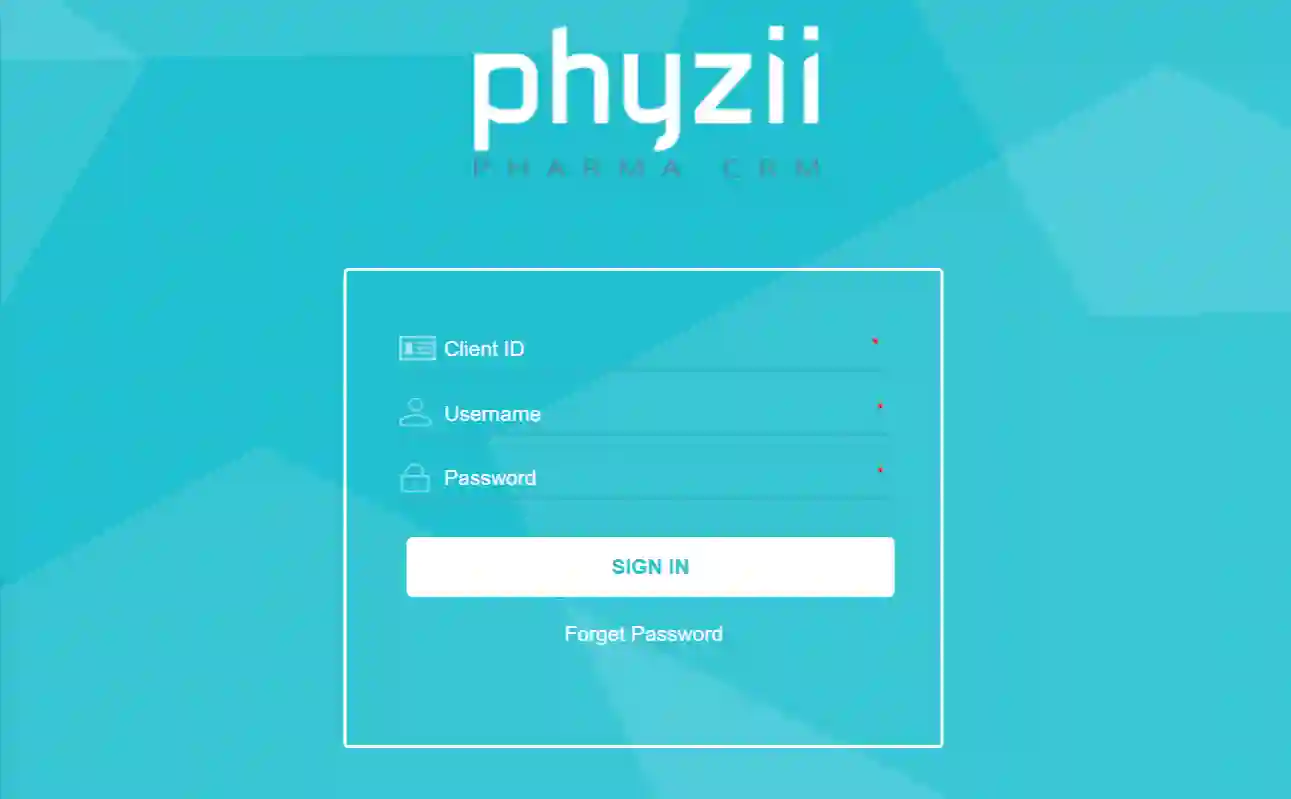
On the login screen, you’ll find three fields: Code, Name, and Password. The Code identifies your company’s workspace on the platform. Meanwhile, your company admin creates and shares these credentials with you.
Since self-registration isn’t available, it helps to keep your admin’s onboarding message handy.
Web login takes only a minute with valid credentials
Good news here. You can quickly access your dashboard if your three credentials are correct. Here’s the exact flow I followed on a laptop.
- Open an updated browser like Chrome or Edge.
- Head to t1.cirrius.in/phyziicrm in the address bar.
- Type your company Code in the first field.
- Type your username in the Name field.
- Enter your password, then select Sign in.
- If you’re locked out, select Forgot Password to reset access.
And what can you do here? Managers use this portal for dashboards, reports, and team reviews. Field reps can sign in here as well. That said, most daily field work happens in the mobile app.
App setup is one install, one configure step, and one download
Here’s the short version. You install the app, enter your credentials once, and let the download finish. Honestly, the download step is the part that surprises most new users. So let’s look at the steps first, and I’ll explain the timing right after.
Set up Phyzii on Android
- Install Phyzii-CRM Rep, published by Cirrius Technologies Pvt Ltd.
- Open the app and enter your company code.
- Enter your username and password when prompted.
- Tap Configure to start the authentication request.
- Wait 30 to 45 minutes for the data download.
- Log in again after configuration completes.
Set up Phyzii on iPhone
- Install Phyzii Mobile by Cirrius Wireless from the App Store.
- Open the app and select Configure.
- Enter your credentials when the app asks for authentication.
- Allow 30 to 45 minutes for the module downloads.
- Log in once the configuration step succeeds.
Why the wait? Well, the App Store listing explains this flow in detail. First, configuration sends an authentication request to the Cirrius server. Then the app downloads data for all your modules. That includes doctor lists, products, and call plans.
The 30 to 45 minute setup is a one-time data download
Don’t worry. The wait time is normal, and it happens only once per device.
Basically, the app downloads your full work database to your phone. That covers customer records, product catalogs, call plans, and detailing content. After that, daily syncs take much less time.
During my testing, I noticed three factors changed the download speed the most.
- Wi-Fi finished the download much faster than mobile data.
- Keeping the app open stopped the download from restarting.
- Older phones took closer to the full 45 minutes.
So how can you make the wait painless? A little planning goes a long way.
- Connect to stable Wi-Fi before starting configuration.
- Keep the app open and the screen awake.
- Avoid force-closing or restarting the app mid-download.
- Keep your phone plugged into a charger.
- Start the setup before bed if timing is tight.
Most Phyzii sync and lag issues have simple fixes
Let’s start with the good news. Most sync problems trace back to network, storage, or an outdated app. In my testing, the fixes below cleared most lag and stuck syncs.
- Check your network first. Switch to Wi-Fi or a stronger signal, then retry the sync.
- Update the app. Newer builds have improved sync behavior on several devices.
- Clear the app cache on Android. Go to Settings, Apps, Phyzii, then Clear cache. Your downloaded work data stays intact.
- Free up phone storage. Offline content needs free space to write properly.
- Log out and back in. This refreshed my session when screens loaded slowly.
- Use offline mode on purpose. You can record calls offline and sync later. Techraisal notes this helps in low-network areas.
- Restart the phone before re-configuring. A fresh start fixed a stuck download for me.
- Raise persistent lag with your admin. Some functions run better on newer hardware.
Still stuck? If none of these work, PhyziiCARE support can step in. Cirrius offers lifelong support by email and phone, per its official site. You can also write to the team at info@cirrius.com.
Login errors usually trace back to credentials
Login errors usually happen due to the wrong code or an expired/wrong password. So I’d suggest fixing the causes in this order before escalating.
- Re-type your company code exactly as your admin sent it.
- Confirm your username with your manager or admin.
- Use Forgot Password on the portal to reset credentials.
- Set your device date and time to automatic.
- Try the web portal if the app refuses to log in.
- Contact your company’s Phyzii administrator if the error persists.
And the best part? Authentication glitches happen only occasionally, per user reviews on Techraisal. In my testing, a reset fixed most of them within minutes.
Reps work in the app while managers work on the web
Simply put, reps work on mobile, and managers analyze results on the web. After login, you can plan calls, present content, and file reports. Meanwhile, managers can see real-time dashboards of field activity.
Typical daily tasks by role
| Task | Who & where |
|---|---|
| Daily call planning | Medical rep, mobile app |
| E-detailing to doctors | Medical rep, mobile app |
| Sample inventory checks | Medical rep, mobile app |
| Expense claims and leave | Medical rep, mobile app |
| Team dashboards and reports | Manager, web portal |
| Territory and campaign reviews | Manager, web portal |
And that design makes sense. Cirrius built the platform around this split. Plus, offline mode lets you keep working inside clinics with weak signals.
Simple habits keep your Phyzii login secure
Here’s how it works. Each company gets its own secure workspace on the platform. So your credentials limit access to your company’s data only. And a few simple habits can keep that access safe.
- Use a unique password you don’t reuse elsewhere.
- Try not to share your company code in group chats.
- Lock your phone with a PIN or fingerprint.
- Log out on any shared or borrowed device.
Cirrius states that data security is a platform priority, per its official site. Even so, good password habits remain your first line of defense.
Contact PhyziiCARE support after two failed attempts
Here’s my rule of thumb. You can contact support if setup fails twice, or if synced data looks wrong. Cirrius runs PhyziiCARE for implementation, training, and ongoing support. Plus, support is available by email and phone.
When you raise a ticket, it helps to include these details.
- Your company code and registered email address.
- Your phone model and operating system version.
- The exact error message, or a screenshot.
- The step where the problem happened.
Why? Complete details help the support team reproduce the issue faster. In my experience, that cuts resolution time quite a bit.
Wrapping Up!
So, is Phyzii login easy once you know the flow?
Yes, it really is. Signing in takes under a minute with valid credentials. And the 30 to 45 minute first setup is a one-time download, not a defect. Sync lag shows up mostly on older Android devices. Still, the fixes above resolved most issues in my testing.
If you remember one thing, remember this. Enter your company code carefully, and set up once on Wi-Fi. After that, let offline mode cover the weak-signal moments.
Frequently asked questions
How do I log in to Phyzii CRM for the first time?
You’ll need a company code, username, and password from your admin. Enter them in the app or at t1.cirrius.in/phyziicrm. Then the app downloads your data over 30 to 45 minutes.
Why is my Phyzii app stuck on configuration?
The download usually needs a stable connection and an open app. So reconnect to Wi-Fi, keep the screen on, and retry the step. If it fails a second time, you can contact your admin.
Can I use Phyzii CRM without the internet?
Yes, the app can work without the internet. It can store call plans and content offline. Then it syncs your reports when your connection returns.
Is Phyzii CRM login free for medical reps?
Access comes with your company’s subscription from Cirrius. Individual reps can’t buy it directly. Instead, you receive credentials from your employer.
Who do I contact about a forgotten Phyzii password?
You can use the Forgot Password link on the login screen first. If that doesn’t work, contact your company’s Phyzii admin. You can also write to info@cirrius.com.
Does Phyzii work on both Android and iPhone?
Yes, the platform supports both mobile platforms. Android users install the Phyzii-CRM Rep app. Meanwhile, iPhone users install Phyzii Mobile from the App Store.

![Remove the download limit on MEGA [Solved]](https://techshali.com/wp-content/uploads/2021/05/Remove-download-limit-MEGA-390x220.jpg)